


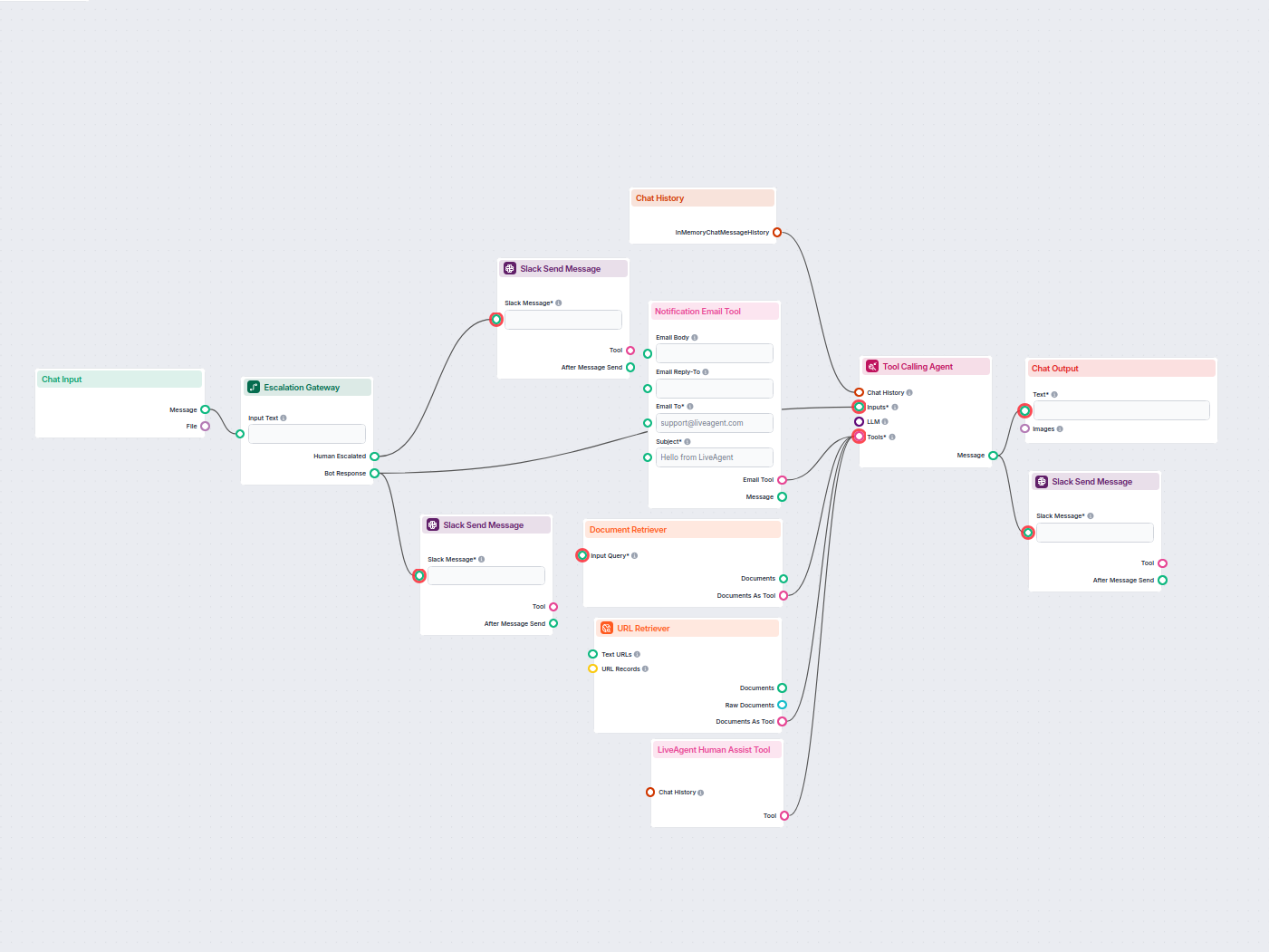
KI-Chatbot mit Slack-Human-Eskalation
Stellen Sie einen intelligenten Kundensupport-Chatbot für LiveAgent bereit, der automatisch Besucherfragen beantwortet, Wissensdatenbankdokumente abruft und bei...
4 Min. Lesezeit
Verbinden Sie den FlowHunt-Chatbot mit LiveAgent, um Support zu automatisieren und bei Bedarf sofort an menschliche Agenten zu übergeben.
Komponentenbeschreibung
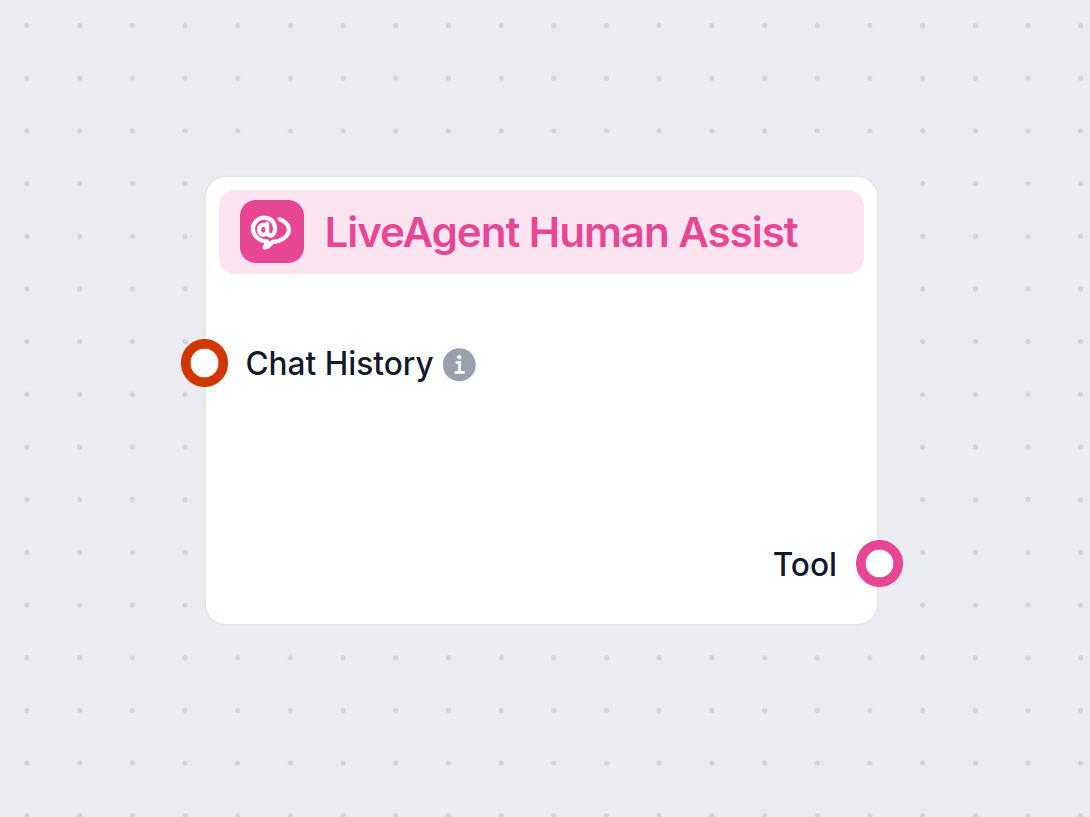
Das LiveAgent Human Assist Tool verbindet den FlowHunt-KI-Chatbot mit Ihrem LiveAgent-Helpdesk, damit ein Chatbot-Gespräch in dem Moment, in dem Ihr KI-Agent einen menschlichen Bedarf erkennt, in eine LiveAgent-Ticketwarteschlange oder einen Chat-Button übertragen werden kann. Im Vergleich zu den LiveChat.com- oder Freshchat-Integrationen ist diese Komponente die richtige Wahl, wenn Ihr Support-Team bereits in LiveAgent arbeitet — die Übergabe erfordert nur Ihre LiveAgent-URL und die Chat-Button-ID.
The Human Assist Tools allow you to integrate your Flows with the leading customer service solutions. Once integrated, an AI Agent decides when connecting to human support is the better option.
AI Agents are computer programs that can perform tasks or make decisions independently. The Agents observe their environment, process information, and take action. Their decisions are based on their unique programming, knowledge, and goals.
The LiveAgent Human Assist Tool tells the AI agent to look out for whenever a user might prefer human assistance. If the user accepts to be transferred, the chatbot immediately transforms into your LiveAgent chat window.
The Agent will offer human support whenever it can’t answer a question, detects a negative sentiment, or when a user specifically asks to be transferred. This means a significant reduction in AI hallucinations and annoyed customers.
Thanks to the use of agents, the integration Flow is super simple and contains just a few components:
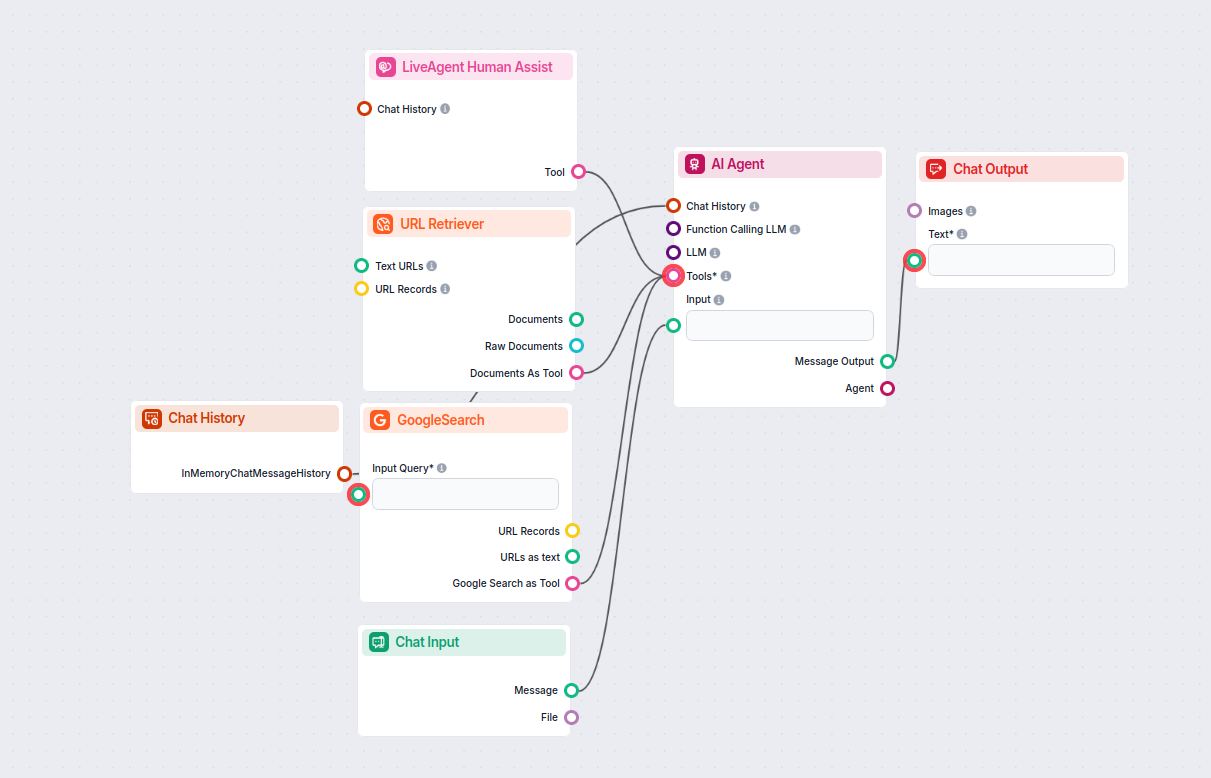
TIP: You can take a shortcut and simply use our Chatbot template with LiveAgent integration.
If you’re looking to build on your own:
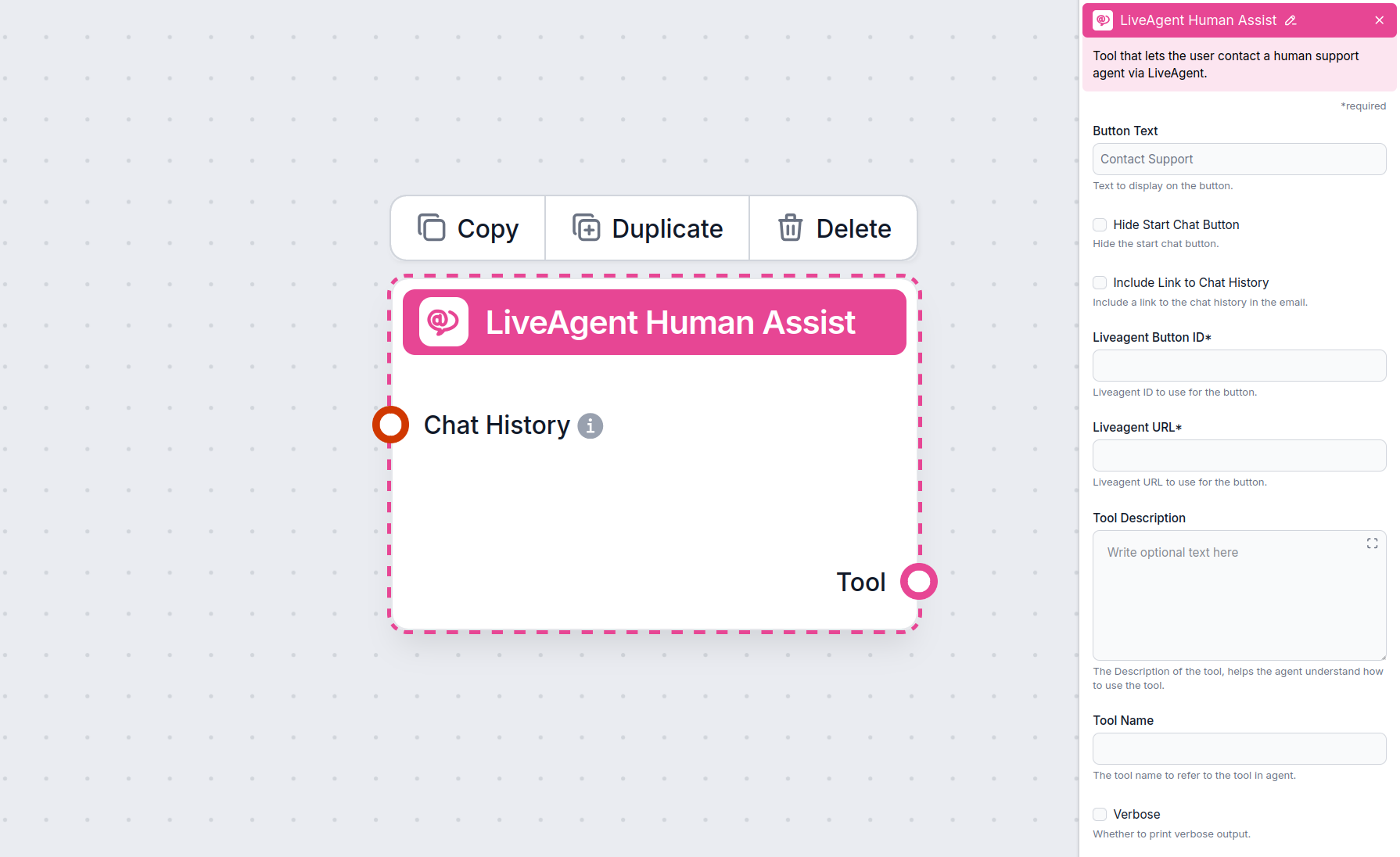
To integrate with LiveAgent , you’ll need your Button ID and LiveAgent URL. Here’s how to get them:
Navigate to Configuration -> Chat -> Chat Buttons.
Pick the Chat Button you want to integrate with and click Edit.
Go to the Integration tab of the settings.
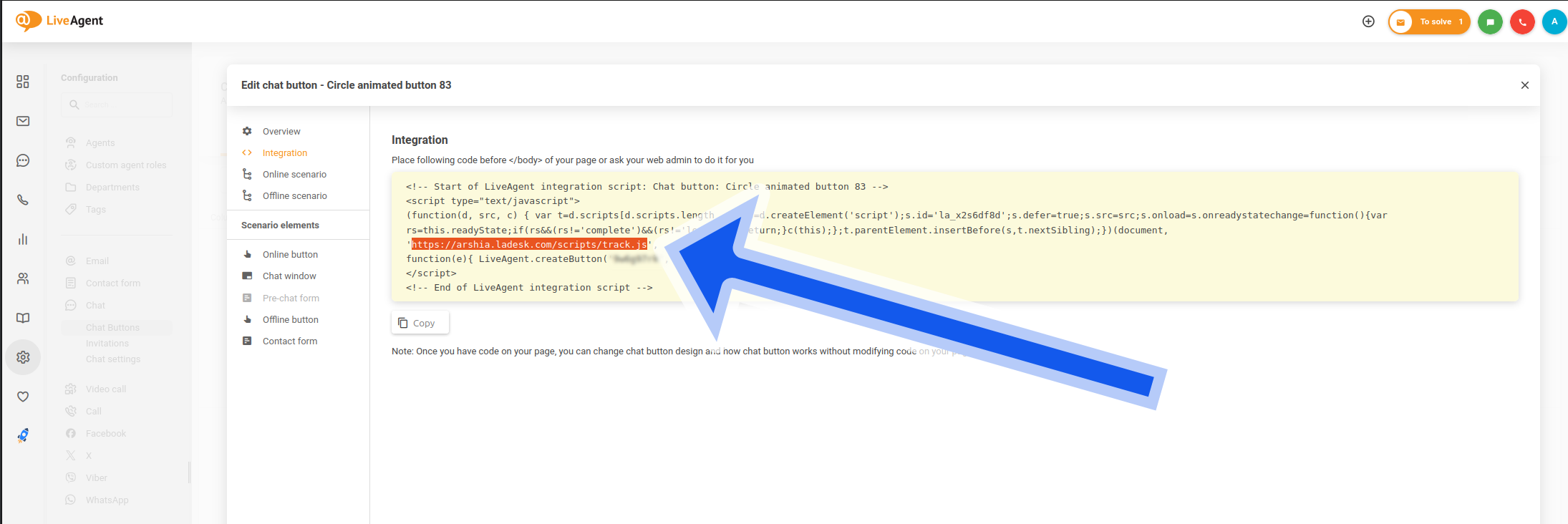
Copy your LiveAgent URL from the integration code. Use this link structure:
https://yourcompany.ladesk.com
:
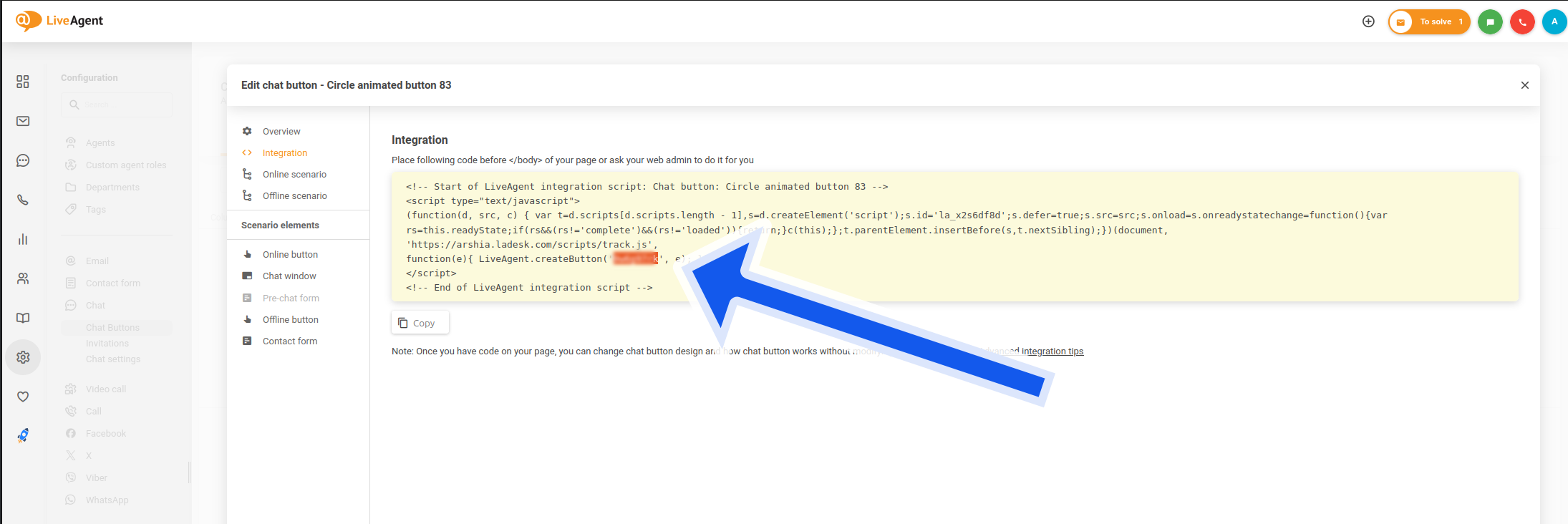
Copy your Button ID from the “LiveAgent.createButton” row:
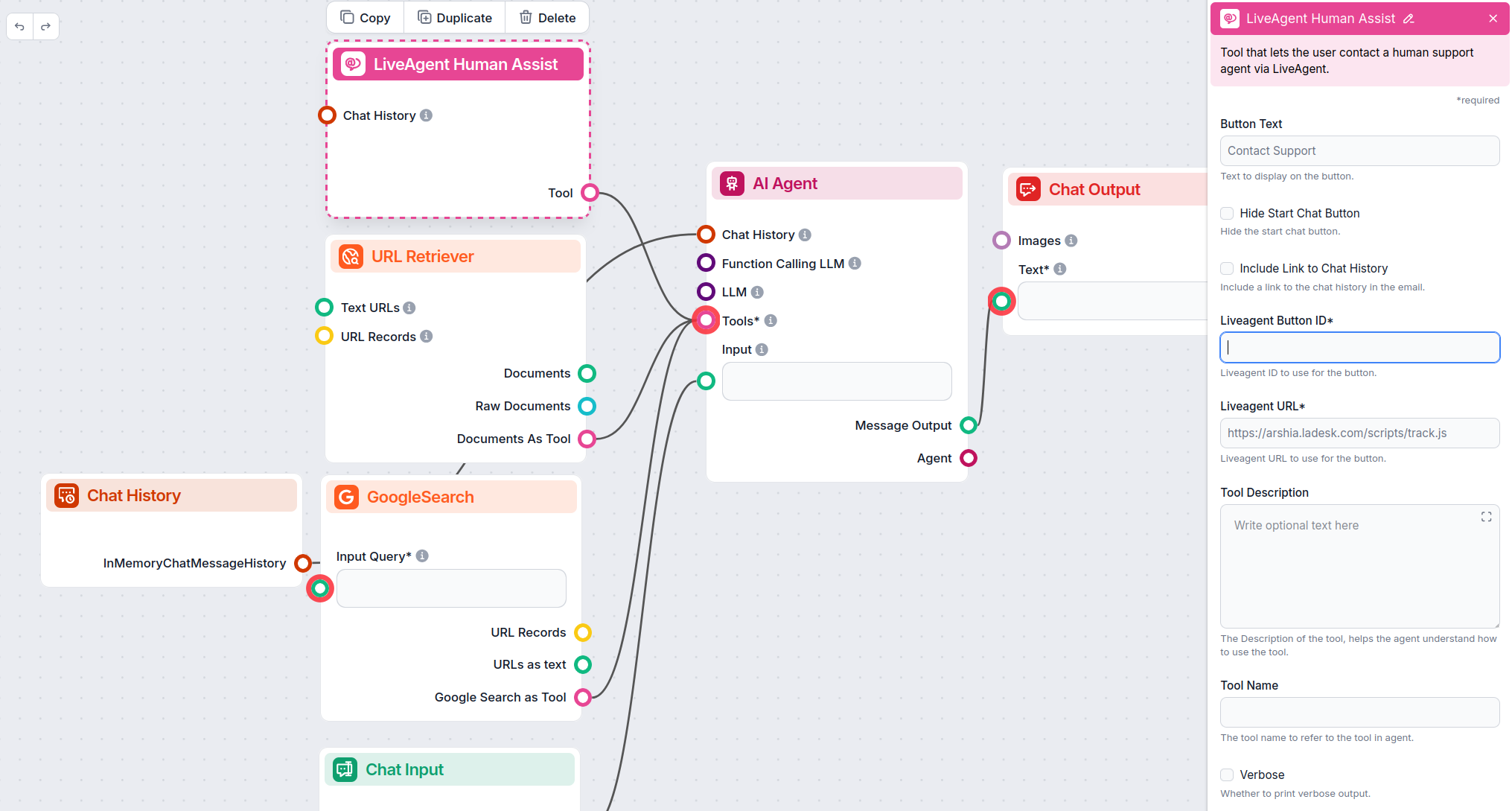
Insert the Button ID and URL into the LiveAgent Human Assist Tool component:
Once LiveAgent is integrated into your Chatbot, the AI agent will offer human support whenever it can’t answer a question or detects that the user might prefer talking to a human. Of course, the Contact Support button can also be triggered by asking to be transferred.
The button says “Contact support” by default, but you can always change this in the Button Text field of the component:
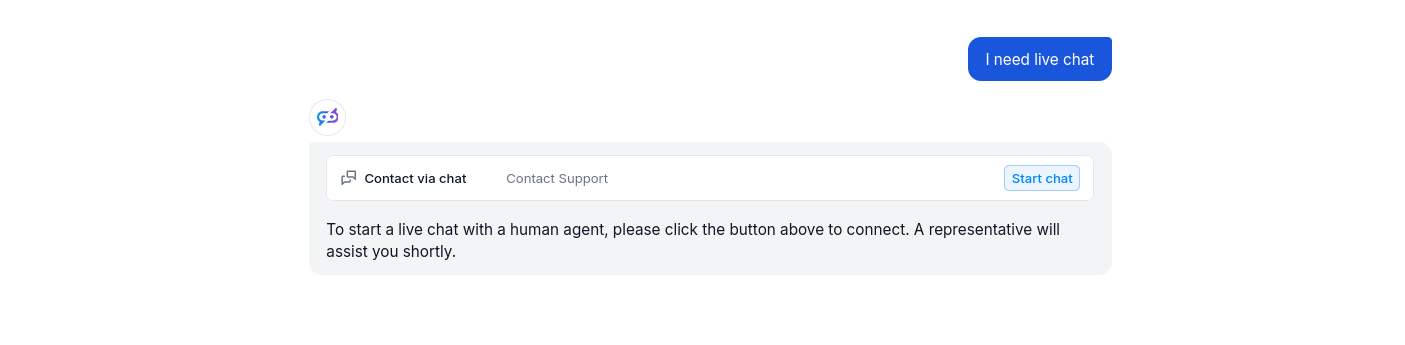
When the button is clicked, the FlowHunt bot immediately transforms into your LiveAgent chat window:
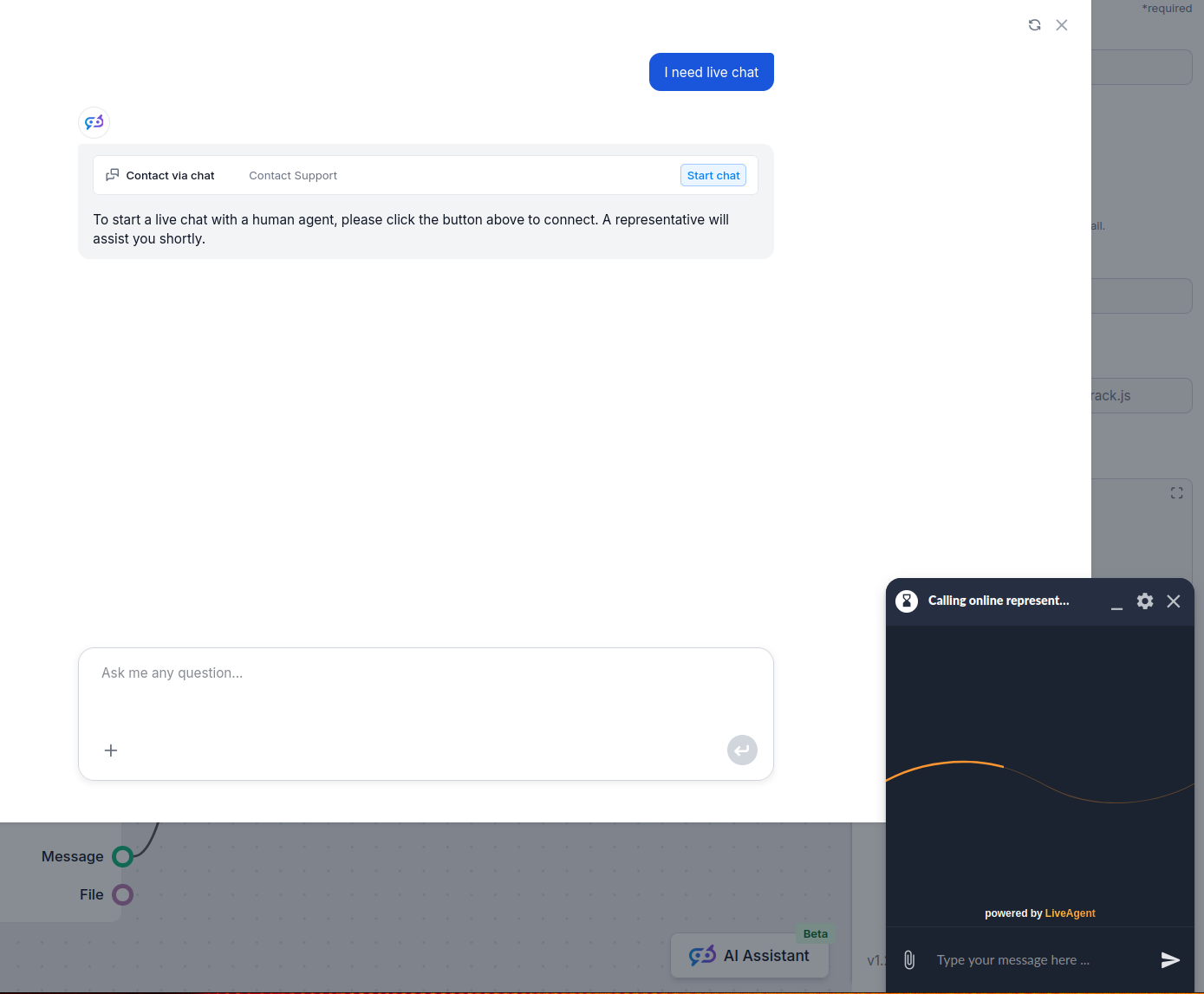
You can test it out and send a message. It should land in your LiveAgent inbox immediately.
Um Ihnen den schnellen Einstieg zu erleichtern, haben wir mehrere Beispiel-Flow-Vorlagen vorbereitet, die zeigen, wie die LiveAgent-Integration-Komponente effektiv genutzt wird. Diese Vorlagen präsentieren verschiedene Anwendungsfälle und Best Practices und erleichtern Ihnen das Verständnis und die Implementierung der Komponente in Ihren eigenen Projekten.
Stellen Sie einen intelligenten Kundensupport-Chatbot für LiveAgent bereit, der automatisch Besucherfragen beantwortet, Wissensdatenbankdokumente abruft und bei...
Verbinden Sie FlowHunt AI-Chatbots mit LiveAgent für nahtlose KI-zu-Mensch-Eskalation. Übergeben Sie Gespräche automatisch, wenn die KI unbeantwortete Fragen od...
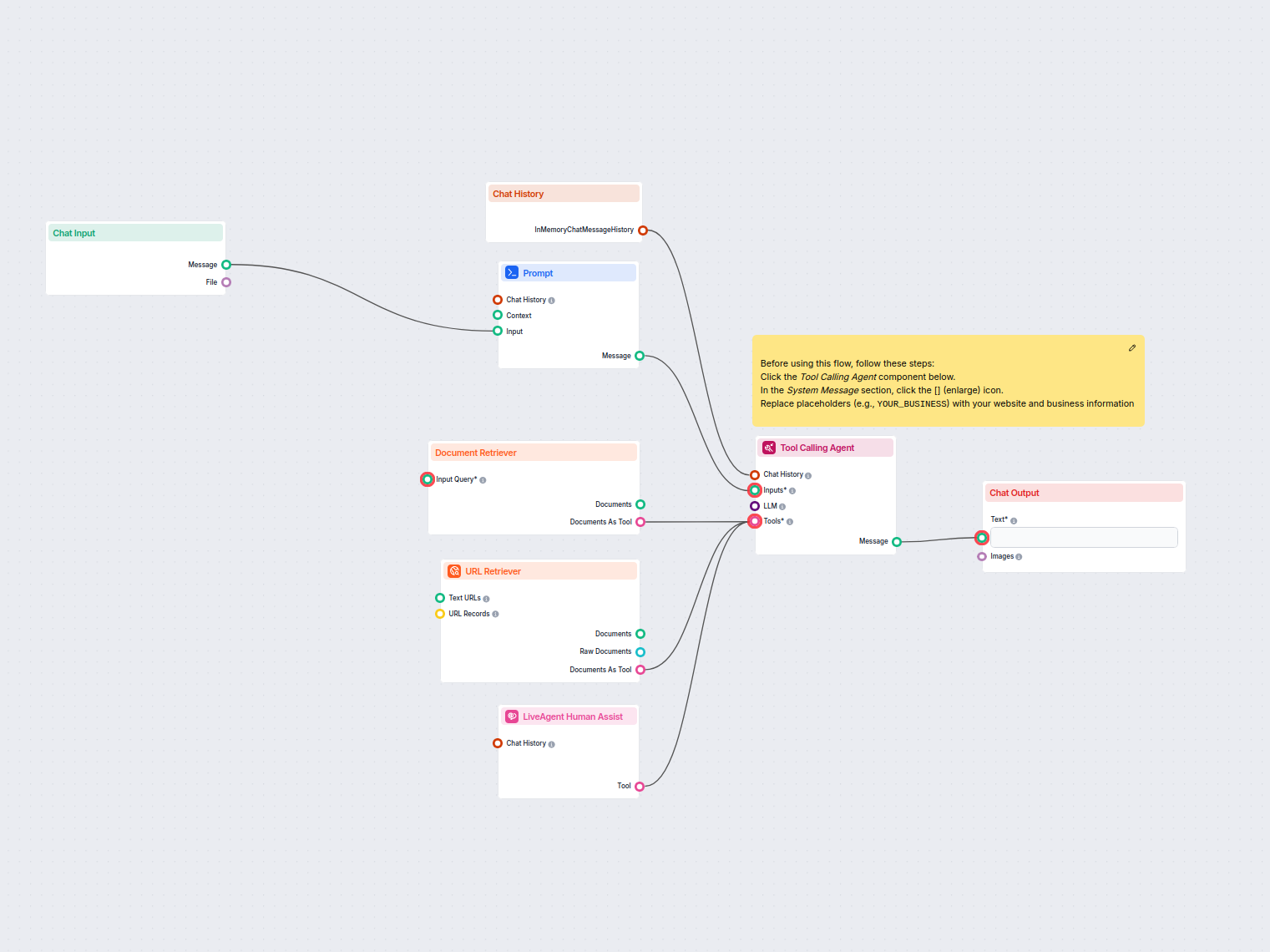
Automatisieren Sie den Kundensupport in LiveAgent mit einem KI-Chatbot, der Fragen mithilfe Ihrer internen Wissensdatenbank beantwortet, relevante Dokumente abr...
Erleben Sie eine nahtlose Übergabe vom KI- zum menschlichen Support. Sehen Sie, wie die LiveAgent-Integration Ihren Kundenservice verbessern kann.
Integrieren Sie FlowHunt mit LiveChat, um intelligente KI-zu-Mensch-Eskalation zu ermöglichen. Stellen Sie KI-Chatbots bereit, die Gespräche automatisch an Live...
Verbinden Sie FlowHunt AI-Chatbots mit LiveAgent für nahtlose KI-zu-Mensch-Eskalation. Übergeben Sie Gespräche automatisch, wenn die KI unbeantwortete Fragen od...
Cookie-Zustimmung
Wir verwenden Cookies, um Ihr Surferlebnis zu verbessern und unseren Datenverkehr zu analysieren. See our privacy policy.