



Hosted MCP Server for Microsoft To Do
The Microsoft To Do MCP Server connects AI agents to a single user's personal task lists in Microsoft 365 — including tasks flagged from Outlook email — so agen...
6 min read
AI
Microsoft To Do
+5

Hosted MCP server for Microsoft Planner — manage Group-owned plans, buckets, and team tasks from FlowHunt AI agents (use the Microsoft To Do MCP server instead for personal task lists and Outlook task integration).
Host MCP Servers using FlowHunt
FlowHunt’s platform lets users create AI Agents for any service without the usual hassles of MCP servers. Host MCP servers for any service, automate workflows, connect with external tools, and use analytics to improve performance. FlowHunt makes AI Agent creation simple and efficient for all users.
The Microsoft Planner MCP server is the right choice when you need AI agents to operate on team task boards owned by Microsoft 365 Groups — board structures with buckets, multi-assignee tasks, checklists, and Group/Teams membership. If you instead need to drive a single user’s personal task lists or sync with Outlook flagged emails, use the Microsoft To Do MCP server — it targets the personal-tasks Microsoft Graph endpoints rather than Planner’s Group-scoped APIs.
Access FlowHunt: Log in to your FlowHunt.io dashboard .
Navigate to Integrations: Find the “Integrations” section in the left sidebar.
Select Microsoft Planner: Click on the Microsoft Planner integration option to begin the setup process.

Integrate with Microsoft Planner: Click Integrate and sign in with your Microsoft account to authenticate and grant FlowHunt access to your Microsoft Planner data.
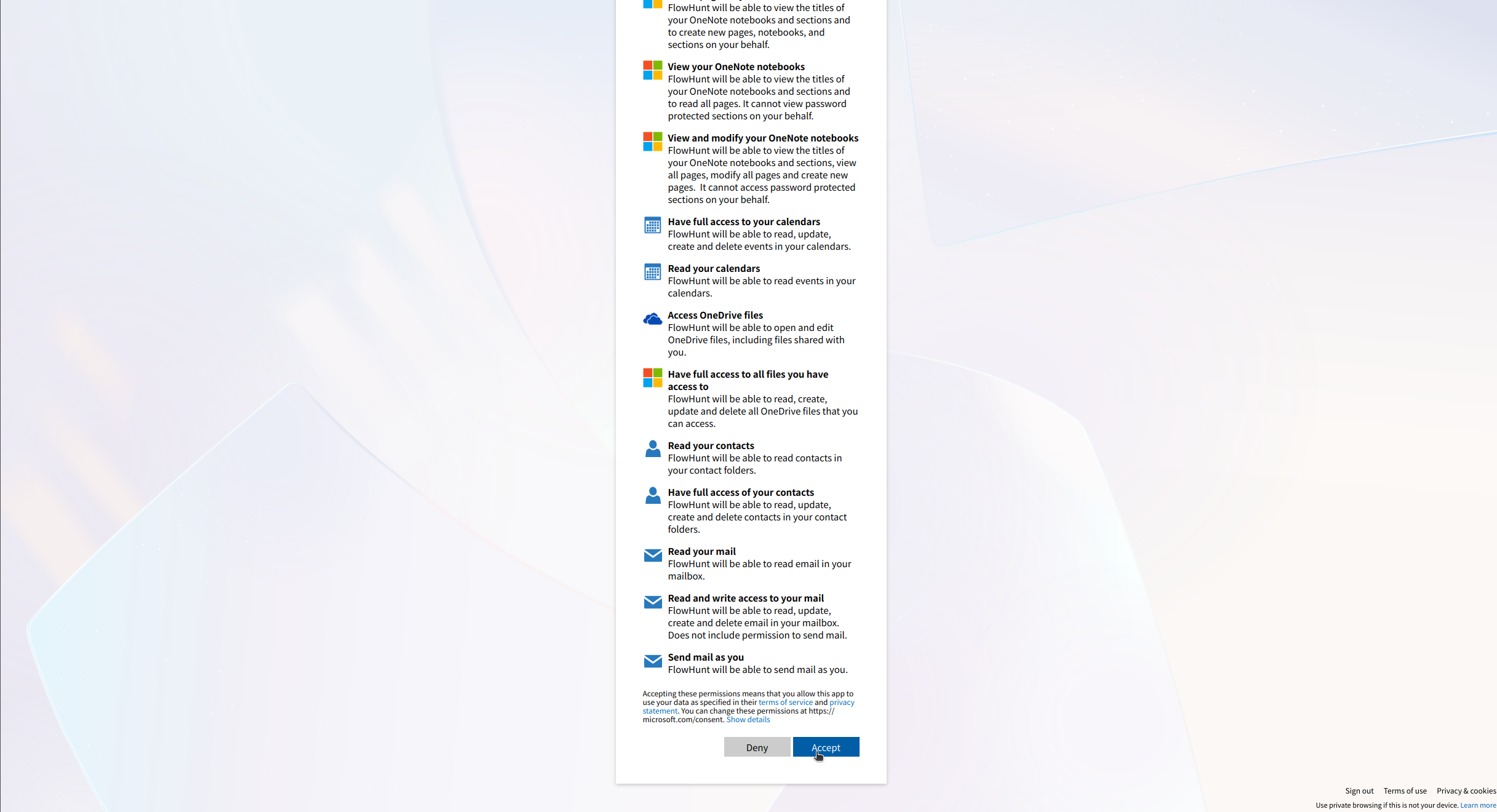
💡 Pro Tip: Ensure you use a Microsoft account with access to the Planner plans you want to integrate. Store any authentication credentials securely and avoid sharing them publicly.
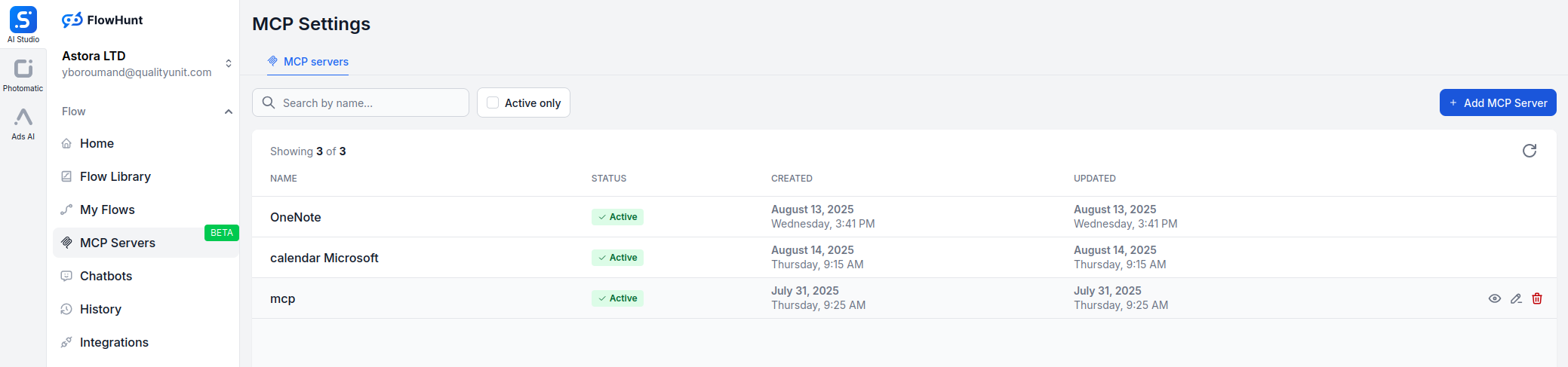
Navigate to MCP Servers: Go to the “MCP Servers” tab in your FlowHunt dashboard.
Add New Server: Click “Add New MCP Server”.
Select Microsoft Planner: Choose “Microsoft Planner MCP Server” from the available options.
Configure Server Tools: Select the tools you want to enable for your MCP server.

MCP INTEGRATION
The following tools are available as part of the Microsoft Planner MCP integration:
List all Planner plans accessible to the user to manage or organize task plans.
Get details of a specific Planner plan, including its title and owner.
Create a new Planner plan for a group to organize tasks.
List all buckets in a plan to manage task categories.
Create a new bucket in a plan to categorize tasks.
List tasks in a plan or bucket to track progress.
Get details of a specific task, including due date and assignments.
Create a new task in a plan with specified details like title and due date.
Update an existing task with new details like status or due date.
Assign or unassign users to/from a task for collaboration.
Add an attachment to a task for additional context or resources.
Get detailed information about a task, including description, references, and checklist.
Delete a task to remove outdated or completed tasks.
📝 Note: You can modify or add tools later based on your evolving automation needs.

Start your free trial today and see results within days.
{
  "mcp": {
    "transport": "streamable_http",
    "url": "https://mcp.flowhunt.io/••••••••"
  }
}
Best for: Getting started quickly with proven automation patterns
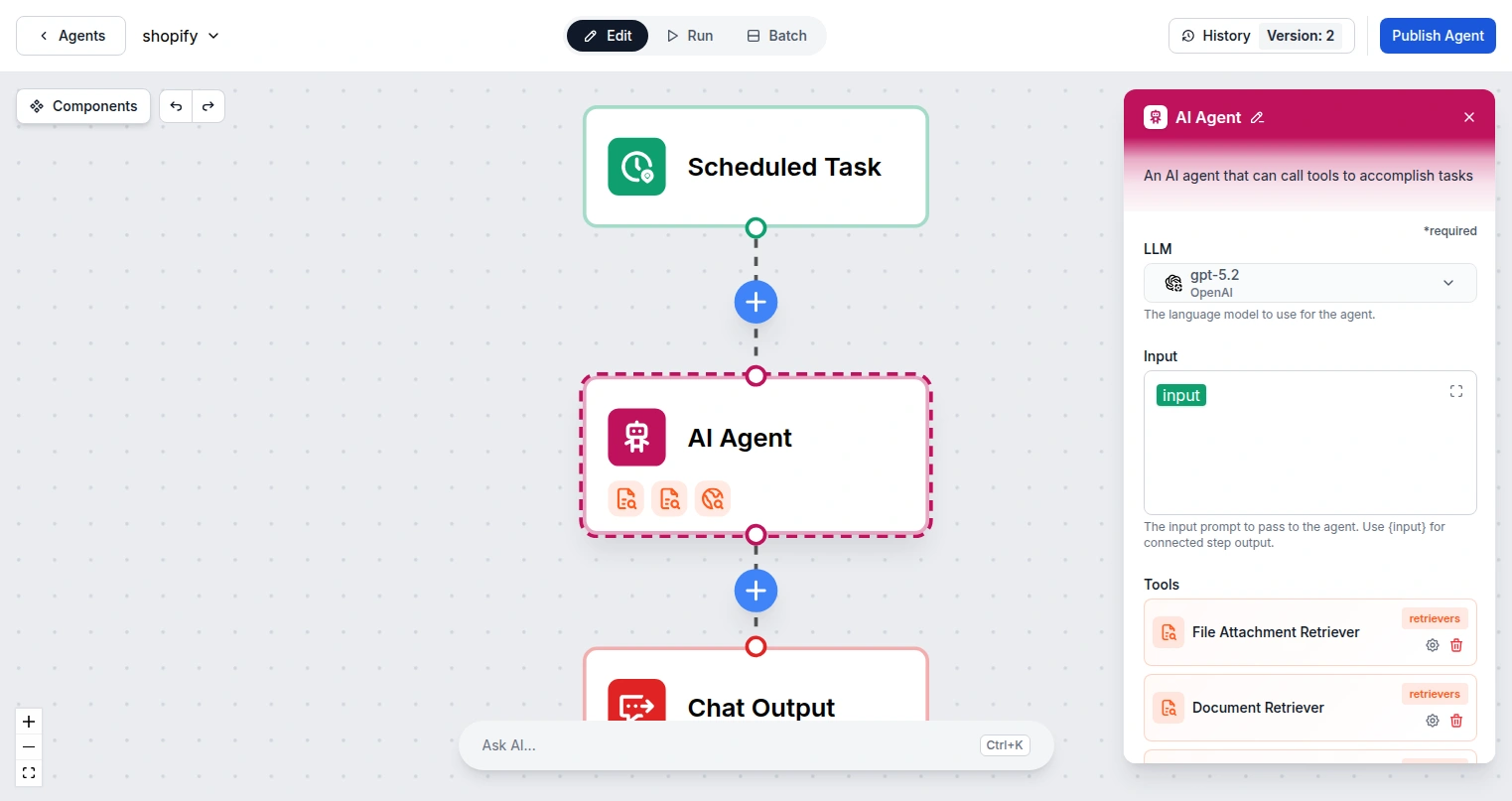
Generate Flow: In your MCP Server configuration, click “Create Preconfigured Flow”.
Select Template: Choose “AI Agent with MCP” to create a ready-to-use workflow.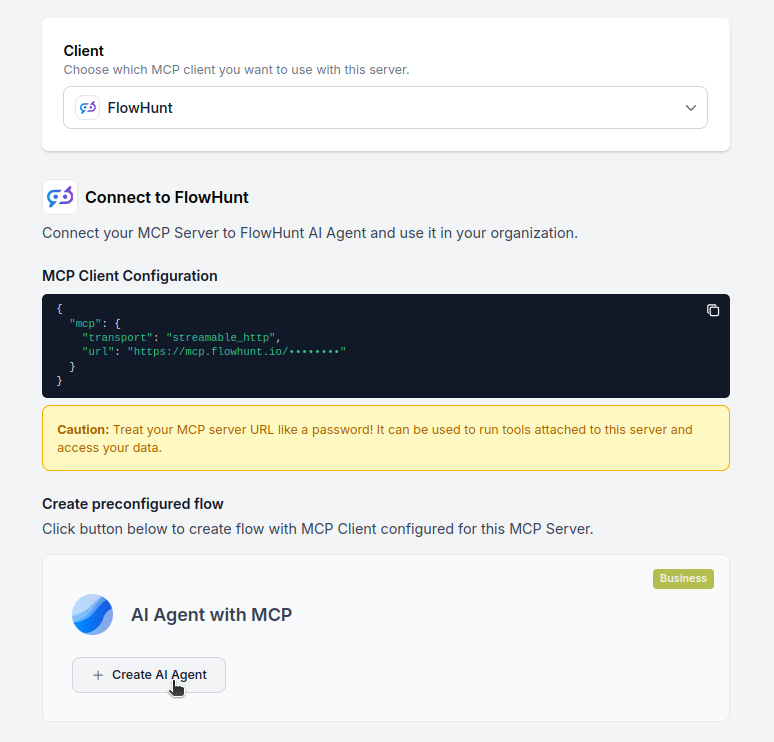
Customize Logic: Use FlowHunt’s visual flow builder to tailor the automation:
Activate: Save and activate your flow to begin automated operations.
Best for: Specific automation requirements or existing workflow enhancement
{
  "mcp": {
    "transport": "streamable_http",
    "url": "https://mcp.flowhunt.io/••••••••"
  }
}
Design Workflow: Create custom logic that leverages the MCP server tools:
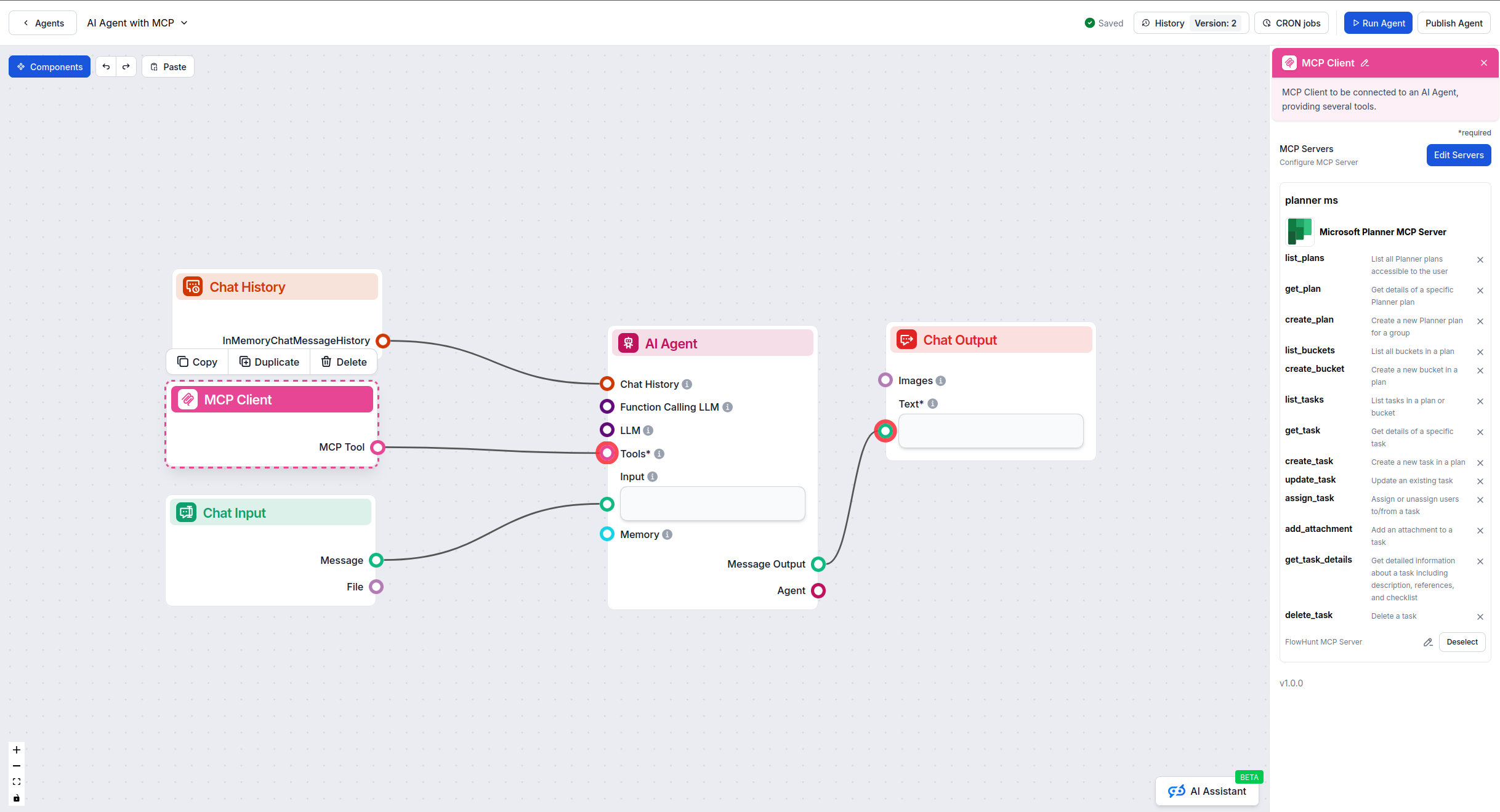
Deploy: Save your configuration and activate the flow.
Get latest tips, trends, and deals for free.
Below are practical example prompts demonstrating how to manage projects, tasks, and team collaboration using natural language with the Microsoft Planner MCP Server.
Show me all plans in my organization
Create a new plan called "Q1 Marketing Campaign" for the Marketing team
Get the full details of the "Website Redesign" plan including all tasks and assignments
List all plans that I'm a member of
Create a bucket called "In Progress" in the Website Redesign plan
List all buckets in the Q1 Marketing Campaign plan
Move the "Design Homepage" task to the "Review" bucket
Create a new task "Write blog post about product launch" in the Content Creation bucket, assign it to Sarah, and set the due date to next Friday
List all tasks in the Marketing Campaign plan that are assigned to me
Get the details of task ID abc123 including checklist items, attachments, and comments
Update task "Design new logo" to mark it as 50% complete
Show me all overdue tasks across all my plans
###Team Collaboration Prompts
List all tasks assigned to John Smith in the Development plan
Show me tasks that are marked as high priority in the Q1 Campaign
Create a task with a checklist: "Launch Preparation" with sub-items "Test deployment", "Update documentation", "Notify stakeholders"
Find all tasks with the label "Urgent" that haven't been started yet
These prompts illustrate how the Microsoft Planner MCP Server enables intuitive project management, making it easy to organize work, track progress, and collaborate with your team through natural language commands.
The Microsoft Planner MCP Server is purpose-built for agentic automation over team task boards in Microsoft 365 — bucket-based plans, multi-assignee tasks, and Group-owned project work. Unlike the Microsoft To Do MCP server (which covers a single user’s personal lists and Outlook tasks), the Planner MCP server lets your AI agents create and rebalance plans, move work across buckets, assign tasks across Group members, and report on progress for shared projects.
Start with one automation — agent-driven sprint creation, weekly Planner-status reports, or routing Slack/Teams requests into the right bucket — then expand. Ready to get started? Connect Planner to FlowHunt today and put AI in charge of your team’s task boards.
Unlock the power of AI-driven automation for your Microsoft Planner workspace. Easily manage plans, buckets, and tasks from within FlowHunt.
The Microsoft To Do MCP Server connects AI agents to a single user's personal task lists in Microsoft 365 — including tasks flagged from Outlook email — so agen...
The Microsoft Calendar MCP Server enables seamless integration between AI tools and Microsoft Calendar, allowing automated workflows to manage events, calendars...
Integrate FlowHunt with Microsoft Planner to automate project management, create and assign tasks with AI, and streamline team workflows across Microsoft 365.
Cookie Consent
We use cookies to enhance your browsing experience and analyze our traffic. See our privacy policy.