


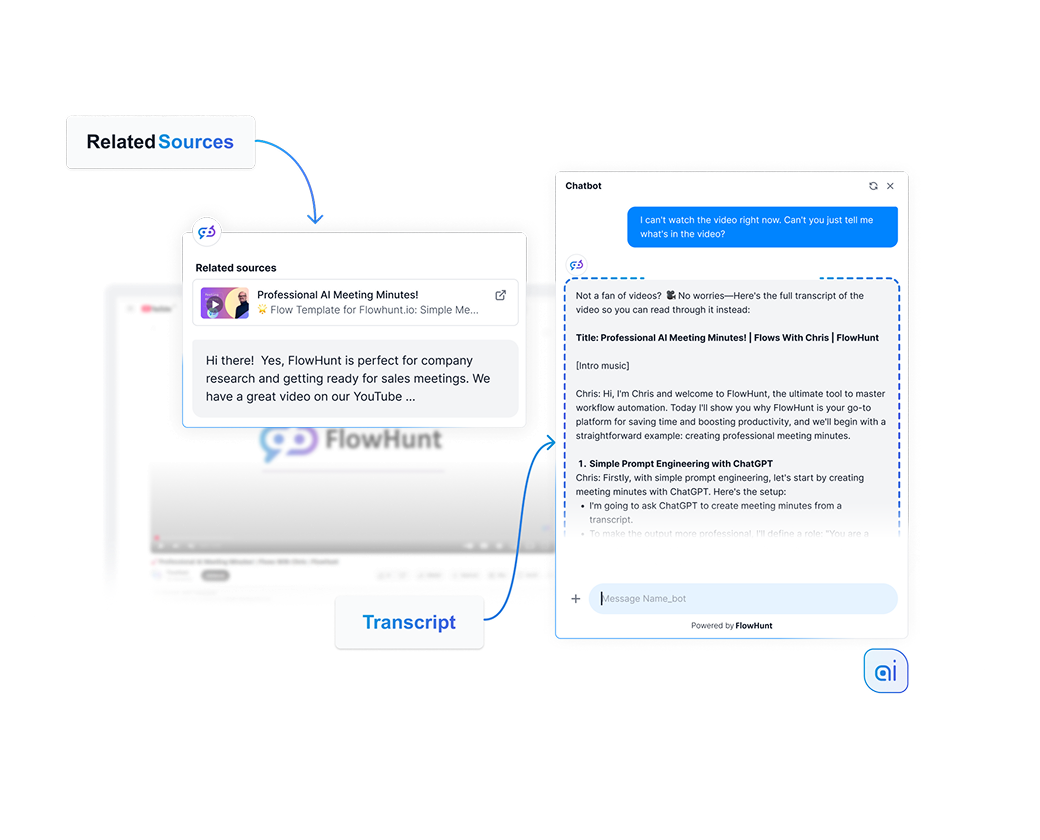
Knowledge Sources
Give AI knowledge and real-time internet access to ensure the relevant and up-to-date answers.
4 min read

Connect and manage diverse knowledge sources—like websites, documents, and videos—to power accurate, real-time AI chatbots with FlowHunt.
What makes AI chatbots and tools actually useful for your business is the knowledge behind it. Knowledge of your products, your policies, your content, your context. Without that, you get a powerful but generic assistant that’s unlikely to actually provide value. FlowHunt tackles this with a set of Knowledge Sources. A collection of features and utilities that let you feed your AI with information from multiple sources at the same time.
Knowledge Sources in FlowHunt cover a wide range of input types. You can crawl and index your website on a schedule, upload documents in various formats, define FAQs, give the AI persistent memory across conversations, and connect retriever components that pull in live data. Together, these sources form the knowledge layer that sits between your raw data and the AI’s responses.
Think of RAG as the difference between a closed-book and open-book exam. A closed-book model answers purely from what it memorized during its training. RAG opens the book first, retrieves the right pages before generating a response — so the answer is grounded in current, specific information rather than whatever it happened to retain.
Large language models are trained on enormous amounts of general text, but that training has a cutoff date and contains nothing specific to your business. Modern models do take file attachment, but not at scale and have internet access, but often choose not to use it unless prompted to. RAG solves this by adding a retrieval step before generation. When a user asks a question, the system first searches your knowledge sources for relevant content, then passes that content to the AI model as context.
This means your AI can answer questions about your latest pricing, your internal documentation, or a product page that was updated yesterday, without any retraining. You stay in control of what the AI knows, and the AI stays grounded in facts you’ve verified.
When you add a knowledge source, whether it’s a crawled URL, an uploaded PDF, or a Q&A pair, FlowHunt processes and indexes it. For web content and documents, the HTML or file content is converted to plain markdown text, then split into chunks. Each chunk is vectorized, converted into a numerical representation that captures its meaning. These vectors are then stored in a vector database.
When a user sends a query, that query is also vectorized. The system then performs a semantic search — comparing the query vector against all stored vectors to find the closest matches. This is more powerful than keyword matching because it understands meaning, not just exact words. A query about “junior cat food” will match content about “kitten nutrition” because the vectors for those concepts sit close together in the database.
The retrieved chunks are then passed to the AI model as context, and the model generates a response based on them. You can control how many chunks are retrieved, how closely they must match the query (the relevance threshold), and how content from multiple documents is combined when more than one source is relevant.
Following are the main knowledge source feature and categories built into FlowHunt, but there are many more knowledge source options available through integrations with your existing systems. This way, you can link virtually any knowledge source to power your AI workflows.
The Documents feature is the most direct way to add knowledge to FlowHunt. You can upload files from your computer, including images and videos, or link a URL, and FlowHunt will index the content and make it available to your flows via the Document Retriever component.
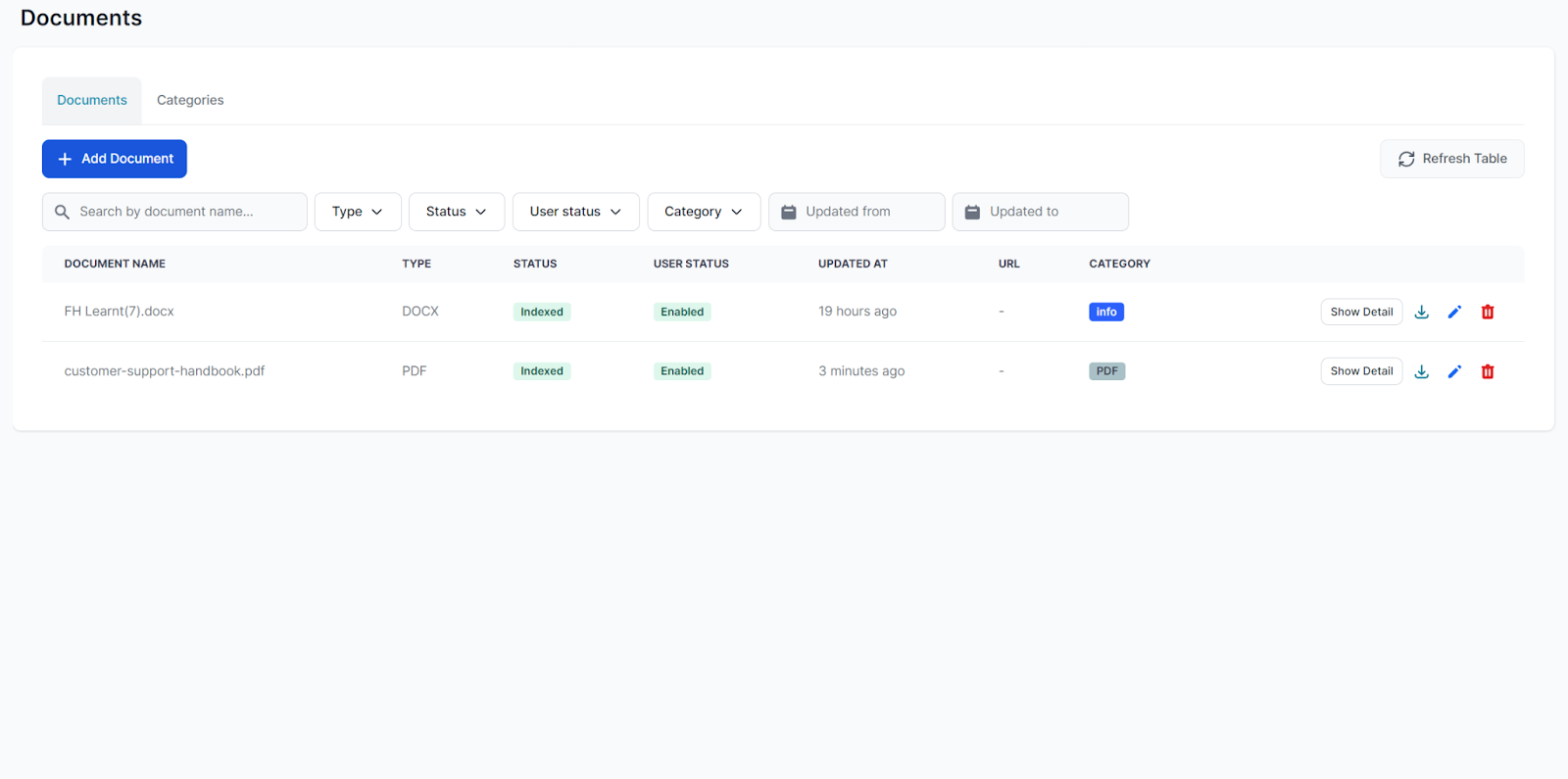
Supported file types include:
You can also upload other file types. FlowHunt will mark them as unknown but may still be able to extract useful content. When you link a URL, FlowHunt fetches and indexes the page content directly.
Documents are ideal for content you don’t want to post publicly, but still want your chatbot to access, such as internal policies, product specs, onboarding materials, and similar resources.
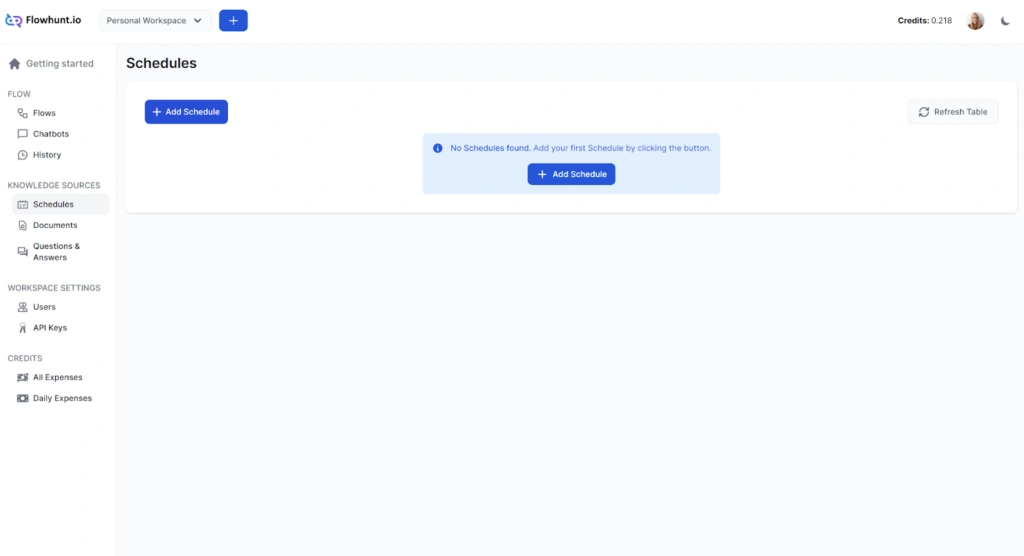
Schedules let you automate the crawling and indexing of websites, domains, sitemaps, and YouTube channels on a recurring basis. Instead of manually re-uploading content whenever something changes, you can set up a schedule once and FlowHunt keeps your knowledge base current automatically.
You can choose from four crawl types:
Crawl frequency can be set to daily, weekly, monthly, or yearly. For most sites, a weekly domain or sitemap crawl is sufficient. Daily crawls make more sense for individual URLs you know change often — like a pricing page or a live inventory feed. Keep in mind that crawling consumes credits, and more frequent or larger crawls cost more.
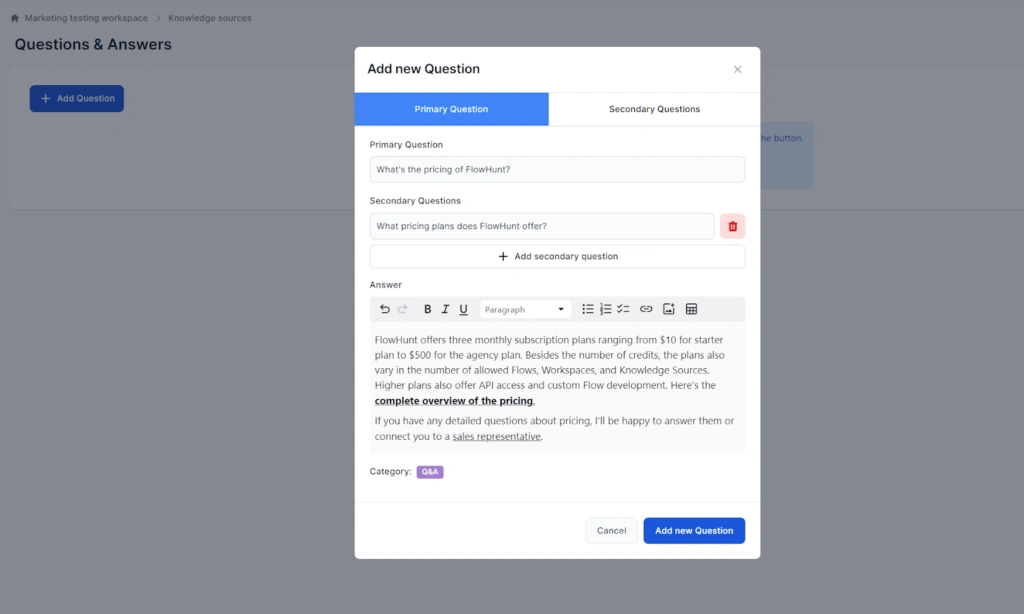
The Q&A feature lets you define exact answers to specific questions. When a user’s query matches a Q&A entry, the chatbot consistently returns your predefined answer. This is the right tool for FAQs, pricing questions, policy statements, and any other query where you want full control and consistent answers with no ambiguities.
Each Q&A entry has a primary question and an answer. The answer editor supports rich formatting, including images, tables, links, and text styling. This means a single entry can cover “What does it cost?”, “How much is the subscription?”, and “Tell me about pricing” without duplicating the answer.
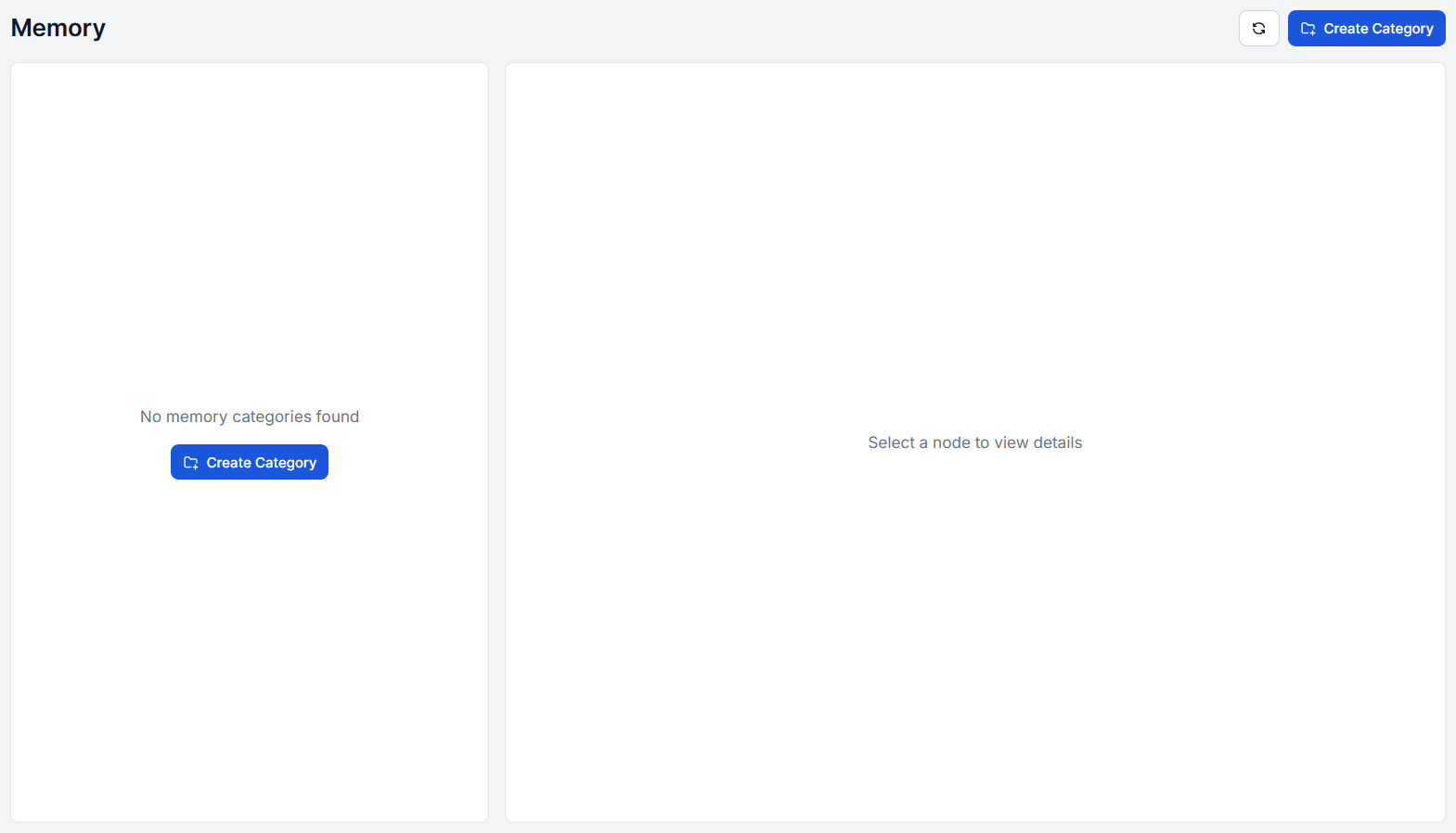
Memory gives your AI the ability to learn and adapt from conversations, creating a personalized knowledge base that grows over time. As conversations happen, Memory captures important definitions, user preferences, business-specific terminology, and contextual information that wasn’t in your original knowledge sources.
Unlike static knowledge sources like documents and schedules, Memory is dynamic. It captures important information from your chats and makes it available for future interactions. Memory is configured as a setting within the Agent component, allowing your AI to automatically store key information, definitions, and context from conversations.
You’re also free to add information to memory via manual input. This is useful for translation dictionaries, storing term definitions, or quickly adding fresh key information you don’t have stored in documents yet.
Memory is ideal for conversational agents that need to maintain context across sessions, remember user preferences, or capture domain-specific knowledge that emerges naturally through interactions. It’s a way to continuously improve your AI’s performance without manual intervention.
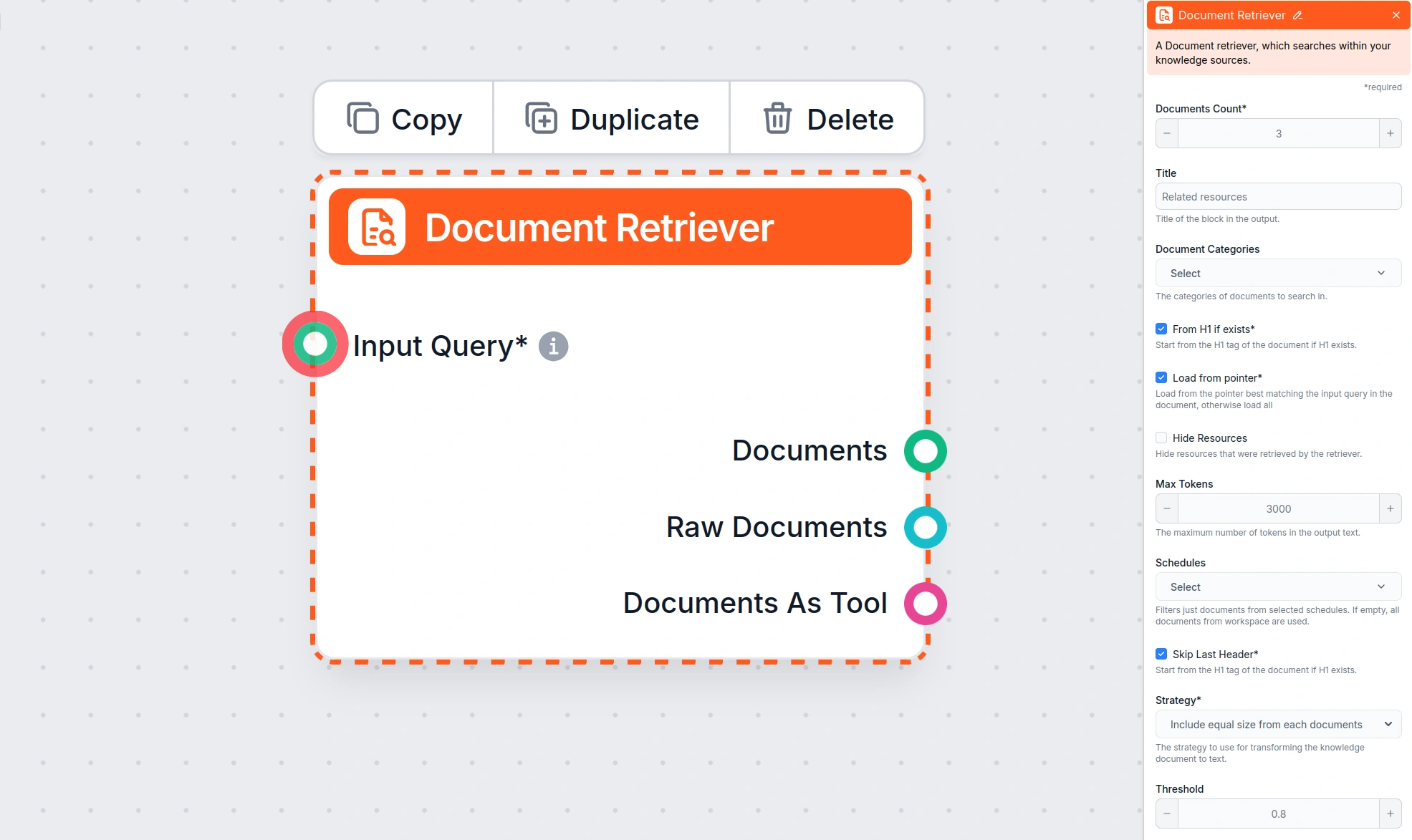
Retriever components are the bridge between your knowledge sources and your AI flows. They take a query as input, search one or more sources, and return structured documents that can be passed to an AI generator or other components. FlowHunt includes several retriever components, each suited to a different source type.
The Document Retriever component searches your indexed Documents and Schedules. It’s the standard retriever for RAG-based chatbots built on your own content. The Flow will not use your documents unless you connect this component.
URL Retriever component fetches and processes content from URLs provided at runtime, not pre-indexed content, but live web pages. This is useful when you want the AI to read a specific page on demand rather than from a pre-crawled index.
The File Retriever component converts user-uploaded file attachments into documents within a flow. When a user sends a file as part of a conversation, the File Retriever processes it and makes the content available to the rest of the flow. It supports OCR and the same extraction strategies as other retrievers.
Real-time Search Retrievers, such as Google Search and DuckDuckGo Search components retrieve search results based on the user’s query. You can control the number of results, set the language and country, narrow results to a specific location, and use query prefixes to filter by date range, file type, or domain. This is the right retriever when your chatbot needs to answer questions about current events or topics not covered by your own content.
You can use multiple retrievers in the same flow simultaneously. When both a Document Retriever and a Google Search component are connected, the priority is determined by the order of outputs on the canvas — the topmost output takes precedence.
Upload documents, connect websites, and build custom knowledge bases to make your AI workflows smarter.
Give AI knowledge and real-time internet access to ensure the relevant and up-to-date answers.

Discover how Retrieval-Augmented Generation (RAG) is transforming enterprise AI, from core principles to advanced Agentic architectures like FlowHunt. Learn how...

Complete guide to training AI chatbots with custom knowledge bases. Learn data preparation, integration methods, semantic search, and best practices for accurat...
Cookie Consent
We use cookies to enhance your browsing experience and analyze our traffic. See our privacy policy.