How to Turn YouTube Videos into Blog Posts Automatically with AI
Every YouTube video is a missed SEO opportunity on your blog. Here’s how to use an AI YouTube to blog post generator to get a publish-ready article from any video URL in minutes.
YouTube
AI Content
Blog Generation
SEO
Content Repurposing
Content Marketing
Every YouTube video you publish is a blog post waiting to happen, and a missed SEO opportunity on Google. Paste a URL, pick a format, and get a publish-ready article in minutes. Here’s the step-by-step process and what to edit before hitting publish.
Why Your YouTube Videos Are Invisible on Google, and how to Fix it
YouTube is the world’s second-largest search engine, with over 500 hours of video uploaded to the platform every minute
(Statista). But the problem is that Google’s main search index doesn’t rank video transcripts, but only indexes written text.
That tutorial you spent two hours scripting, recording, and editing? Google can index the video page, but someone typing a how-to query into Google Search will rarely find it, much less see it in the AI overview. The algorithm favors articles, structured guides, and long-form written content, especially for informational queries like “how to do X” or “what is Y.”
According to Semrush’s content marketing research
, long-form written articles consistently earn more organic traffic and backlinks than short-form content, confirming that text-based format still dominates search.
But the fix is straightforward. Simply recreate your YouTube content to blog posts. Since your unique input and ideas are already in the video itself, repurpossing it is the perfect job for AI.
Every video you publish already contains a full article’s worth of value the script, the examples, the walkthrough logic. An AI YouTube to blog post generator extracts that content and rebuilds it into a format Google can properly index, rank, and send traffic to. This way you can give each piece of knowledge the best chance to reach your audience, on whichever channel they prefer.
How AI YouTube-to-Blog Conversion Works
Traditional YouTube-to-text tools simply dump the raw transcript and call it done. The output is a wall of lightly punctuated text, and requires significant manual cleanup.
Modern AI-powered conversion works differently. Here’s what happens under the hood when you use a video to written content AI tool:
Transcript retrieval — The tool fetches the full video transcript via YouTube’s caption system, covering both auto-generated and manually uploaded captions.
Content analysis — The AI reads the entire transcript to thr understand topic, structure, main arguments, and examples.
Article generation — The AI rewrites and expands the content into a structured article. Brief mentions become full explanations. Spoken asides become callout boxes. A list rattled off verbally becomes a formatted, scannable section.
SEO structuring — The output includes a heading hierarchy (H1 → H2 → H3), an introduction, a key takeaways box, and a collapsible FAQ section targeting question-based searches.
The result is a professionally structured article that stands on its own as a piece of written content. The entire output is delivered as clean HTML, ready to paste into WordPress or any CMS.
Step-by-Step: From YouTube URL to Published Blog Post
Using FlowHunt’s YouTube to Blog Post Generator
takes under two minutes for a standard 10–20 minute video. Here’s the exact process:
Step 1: Copy the YouTube URL
Open the video you want to convert. Copy the full URL from your browser’s address bar or the video’s Share option.
Step 2: Paste the URL into the generator
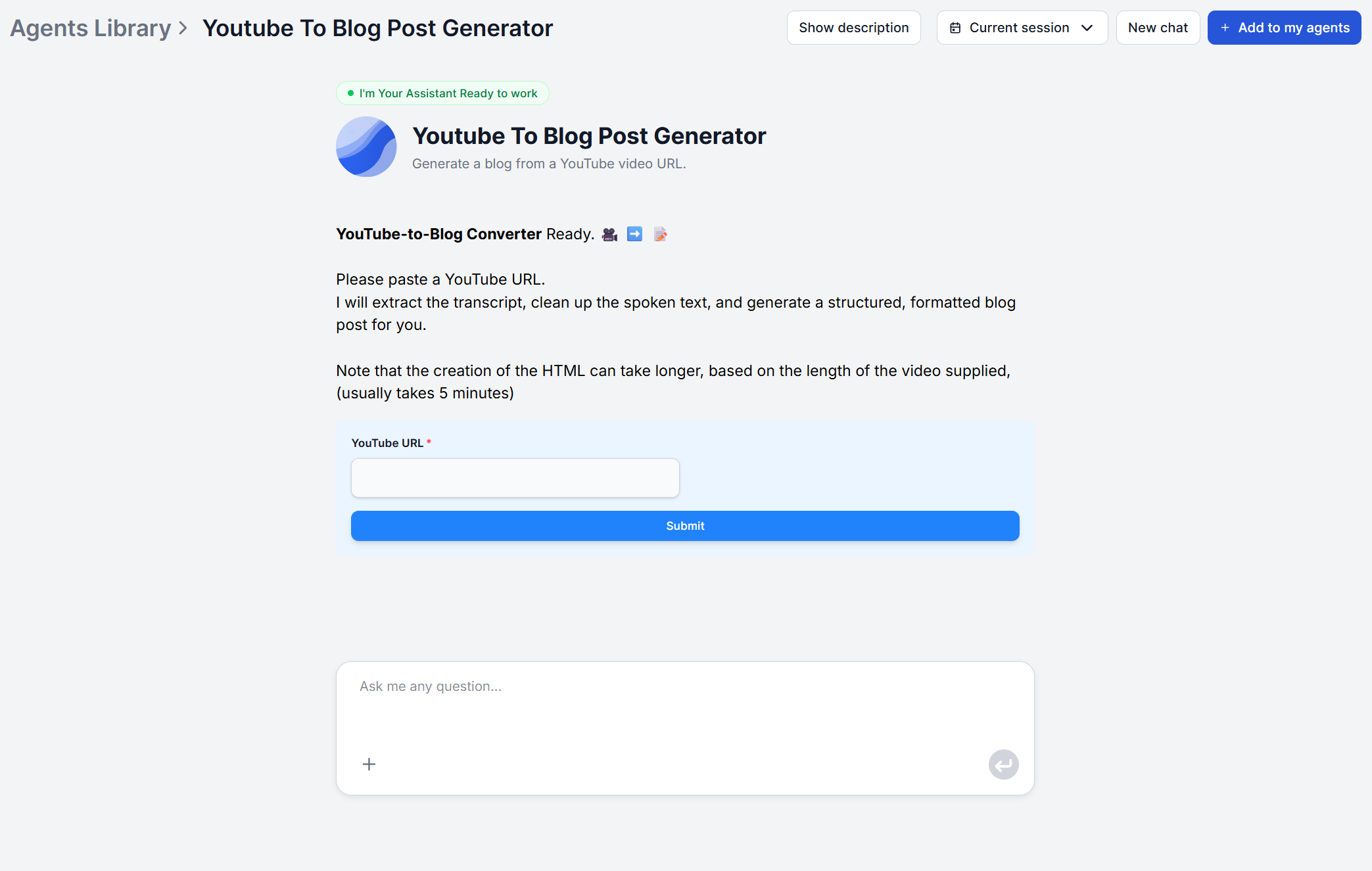
Open the YouTube to Blog Post Generator
and paste the URL into the input field. No additional setup is needed.
Step 3: (Optional) Add a format prompt
If you want a specific output format, such as a numbered how-to guide or a comparison listicle, add a brief instruction before submitting. For example: “Write this as a step-by-step guide with a summary table at the end.” Without a prompt, the tool defaults to a structured long-form article.
Step 4: Generate and review
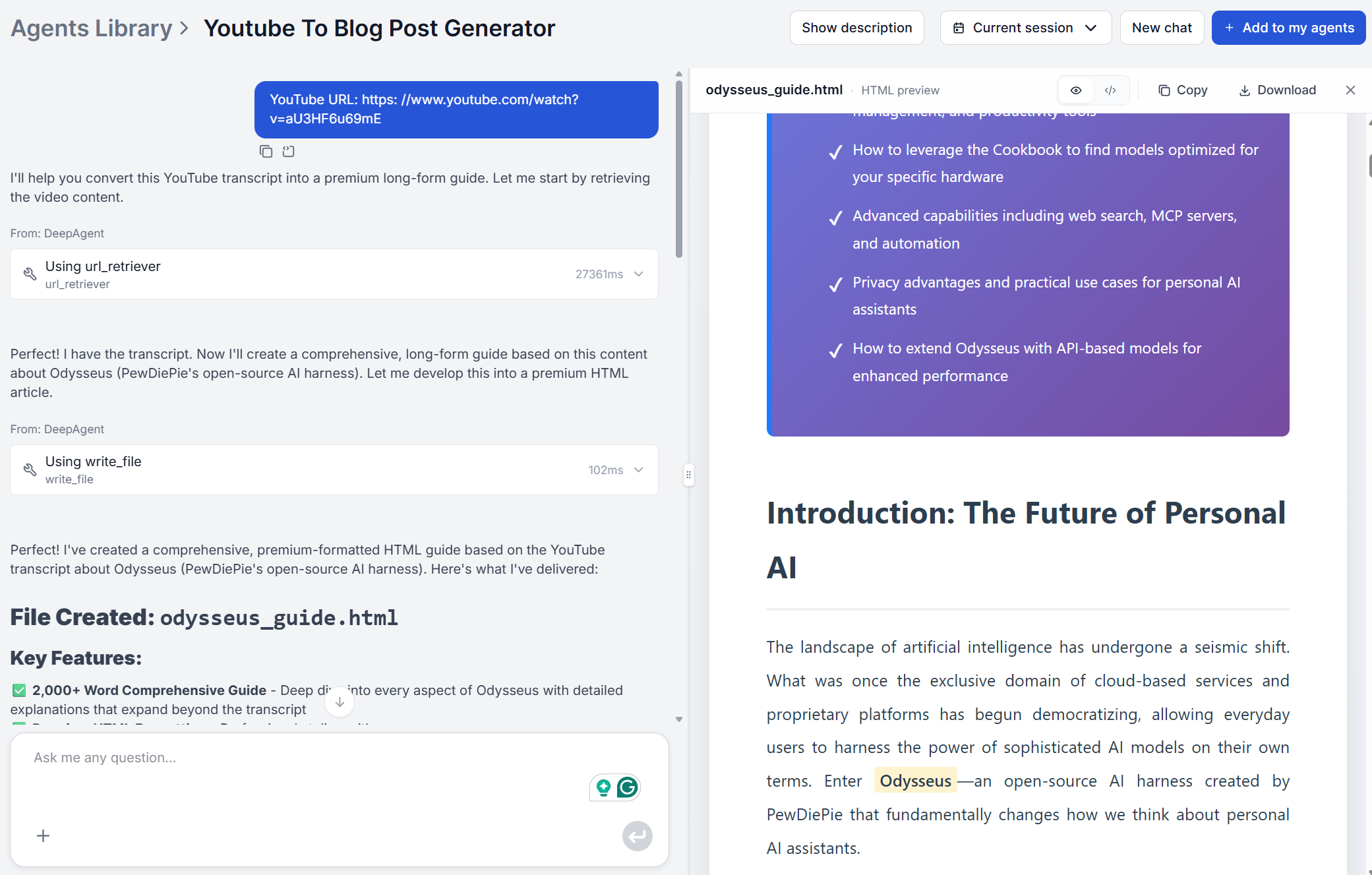
The tool processes the full transcript and returns a complete draft that includes:
An engaging, click-worthy title
A contextual introduction that frames the video’s value for a reader
Deep-dive body sections with H2 and H3 headers following the video’s natural structure
A key takeaways box formatted for quick scanning
A collapsible FAQ section targeting related search queries
The entire article delivered as clean HTML, ready to paste into WordPress or any CMS
Step 5: Edit and publish
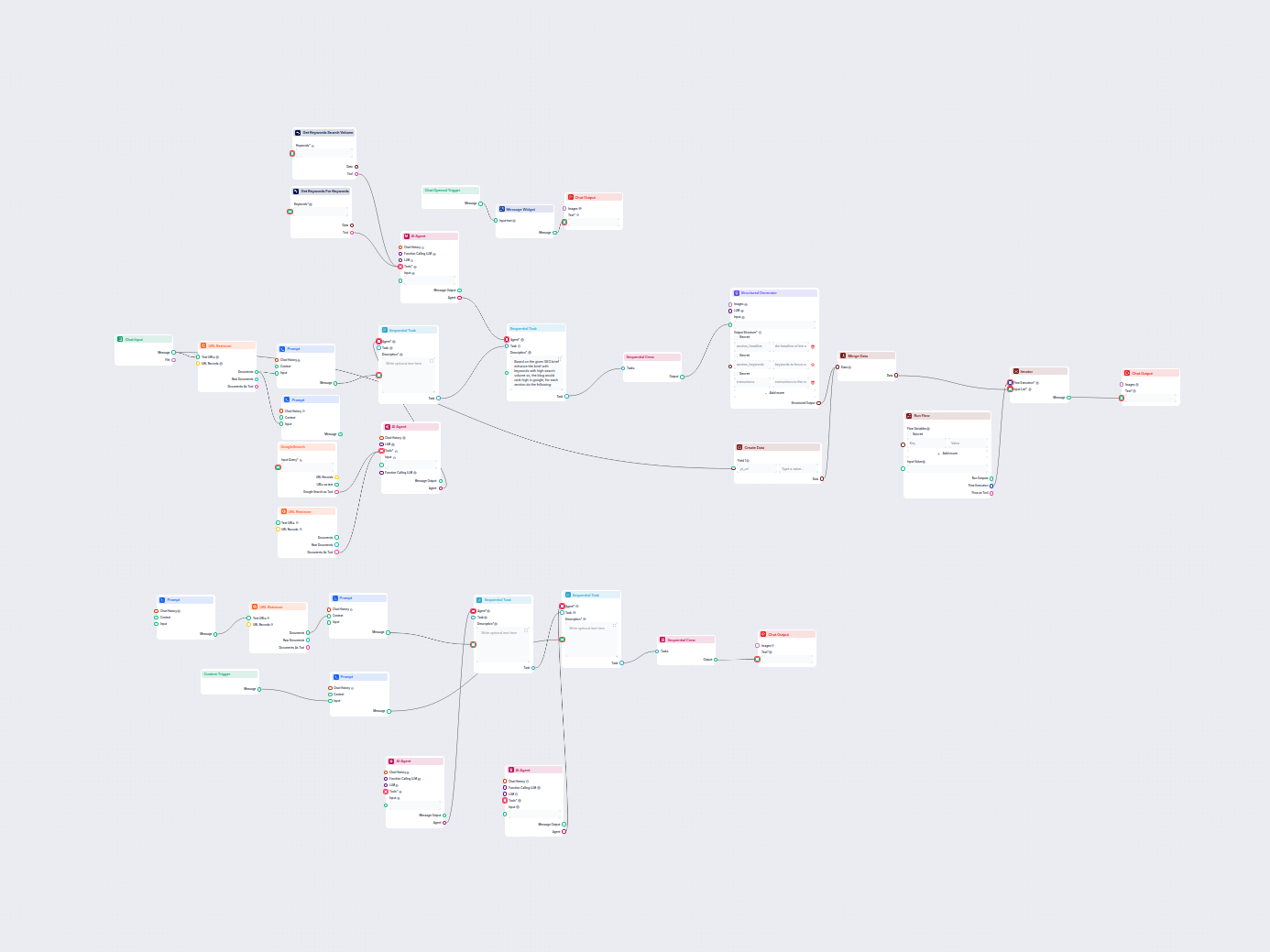
Review the draft (see section 6 for a pre-publish checklist), add your internal links, add a meta description in your CMS, and publish. For a complete platform walkthrough of every step inside FlowHunt, see the YouTube to Blog Workflow guide
.
For content that needs to go beyond what the video covers, for example adding competitor research, statistics, or additional expert perspective, the AI Blog Writer
works as a complementary next step, expanding a video-derived draft into a fully researched long-form article.
Real Example: Before (Video) and After (Blog Post)
To see what the YouTube video to article AI conversion actually produces, here’s a side-by-side from a real product tutorial video.
Before — raw spoken instruction (from video transcript):
“To set up the webhook, go to settings, scroll down to integrations, and click Add Webhook. You’ll see a URL field — paste your endpoint there. Make sure you select the events you want to trigger it. I usually check order created and order updated. Hit save.”
After — AI-generated blog section:
How to Set Up a Webhook Integration
Navigate to Settings in your dashboard sidebar.
Scroll to the Integrations section and click Add Webhook.
In the URL field, enter your endpoint — this is the address where event payloads will be delivered.
Under Event Triggers, select the events you want to monitor. For most e-commerce workflows, enable both Order Created and Order Updated to capture the full order lifecycle.
Click Save to activate the webhook.
Pro tip: Test your webhook with a staging endpoint before connecting to production to avoid dropped events during initial setup.
The AI maps spoken instructions onto scannable, numbered steps, exactly the format that earns Google featured snippets for “how to” queries. The spoken pro tip becomes a formatted callout. Nothing is lost; it’s restructured for a reader instead of a viewer.
Join our newsletter
Get latest tips, trends, and deals for free.
5 Video Types That Convert Best to Blog Format
Not every video translates equally well to written content. These five formats produce the strongest results when you repurpose YouTube content with AI:
Tutorial and how-to videos — The step-by-step structure is already present. The AI maps spoken steps directly to numbered lists and subheadings with minimal reinterpretation.
Product reviews and comparisons — Verbal pros and cons become structured comparison tables. Spoken verdicts become scannable recommendation sections.
Interviews and expert Q&As — The question-and-answer format maps directly to an FAQ structure, which also generates structured data eligible for Google’s People Also Ask results.
Explainer and educational videos — Dense informational content expands well in written form. Concepts explained briefly in speech become defined terms supported by examples.
Case studies and results walkthroughs — The natural narrative arc (problem → approach → outcome) translates cleanly into a story-driven article with clear section breaks.
Livestream recordings and personal vlogs with minimal structure tend to require more editorial work after the AI draft is generated, since the AI has less inherent structure to follow. If you want to validate whether a video’s content justifies a full conversion before starting, use FlowHunt’s tool to extract key points from YouTube videos
first and review the key insights in list form. For team-specific workflows using these content types at scale, see 5 ways content teams use YouTube-to-blog AI to scale output
.
What to Edit in the AI Draft Before Publishing
A video to written content AI conversion produces a strong first draft, but it’s still not a finished article. Before publishing, work through this checklist:
Fact-check statistics and figures. If the speaker cited a number in the video, the AI will include it. Verify that the figure is current, especially in fast-moving topics like AI, SaaS pricing, or financial benchmarks.
Add your brand voice. AI-generated text tends toward informative neutrality. Add one or two sentences per section that reflect your organization’s expertise, opinion, or direct experience with the topic.
Insert internal links. The draft won’t automatically link to your other content. Add 3–5 internal links to related articles, tools, or product pages before publishing.
Review proper nouns and technical terms. Auto-generated YouTube captions sometimes mishear product names, brand names, or domain-specific jargon. Scan the draft for any terms that look suspicious or oddly spelled.
Add a meta title and description in your CMS. Set your SEO title to target your primary keyword and write a meta description that matches the search intent of your target query — neither is output by the generator itself.
After these five steps, most AI-generated blog drafts from video are publish-ready. The full editing process typically takes 15–20 minutes compared to 2–4 hours to write the same article from scratch.
YouTube SEO vs Blog SEO: Why You Need Both Channels
YouTube and Google are complementary channels, not competing ones. But they reward fundamentally different content signals.
Factor
YouTube SEO
Blog (Google) SEO
Primary ranking signal
Watch time, CTR, engagement
Backlinks, on-page text, structured data
Content format
Video
Written article
Best query types
“Watch how to…”
“How to do X” (informational)
Longevity
6–18 months for most videos
2–5+ years with periodic updates
Repurposing benefit
Reaches visual and audio learners
Reaches search-first and skim readers
Publishing both a video and a corresponding blog post for the same topic captures distinct audiences from two separate search engines. A viewer who watches your tutorial and a reader who finds your article via Google Search may never overlap — both count as unique traffic. For a deeper look at the traffic gap and why most video-only creators miss the majority of their Google search potential, see why YouTubers are missing 70% of their search traffic
.
The AI Content Repurposing Tool
closes the full distribution loop. Once your YouTube video becomes a blog post, that article can be automatically reformatted into a LinkedIn post, Twitter/X thread, email newsletter, or Instagram carousel — extending the same content across every channel without rewriting it from scratch.
It works with any public YouTube video that has captions or a transcript available — either auto-generated or manually added. Private videos and those without any captions cannot be processed. Most tutorial, educational, product review, and interview videos are fully supported.
Very accurate for most content types. The AI reads the full video transcript, so it captures nuance, examples, and the speaker's reasoning. Auto-generated YouTube captions can occasionally miss technical terms or proper nouns, so a quick scan of those sections before publishing is recommended.
Yes. FlowHunt's YouTube to Blog Post Generator produces a structured long-form article by default, but you can prompt it toward specific formats — listicle, step-by-step how-to, product review, or Q&A — by adding a format instruction before generating.
Typically under two minutes for a standard 10–20 minute video. Longer videos (60+ minutes) may take 3–5 minutes. The tool processes the full transcript and writes a structured article in a single pass.
The generated article includes a structured heading hierarchy (H1, H2, H3), natural keyword density, and an FAQ section that targets question-based searches. Review the meta title, meta description, and keyword placement before publishing to align with your specific SEO strategy.
Maria is a copywriter at FlowHunt. A language nerd active in literary communities, she's fully aware that AI is transforming the way we write. Rather than resisting, she seeks to help define the perfect balance between AI workflows and the irreplaceable value of human creativity.
Maria Stasová
Copywriter & Content Strategist
Turn Your Next Video into a Blog Post
Paste a YouTube URL and get a structured, SEO-ready blog post in minutes. No editing experience required.
5 Ways Content Teams Use YouTube-to-Blog AI to Scale Output
From solo creators to agency teams — five real workflows where AI turns YouTube videos into blog posts, newsletters, and social copy without extra headcount.
Automatically generate high-ranking SEO blog posts from YouTube videos. This workflow extracts video transcripts, analyzes top SEO keywords, creates a detailed ...