


MotherDuck MCP Integration
Integrate FlowHunt with MotherDuck’s DuckDB MCP Server to enable secure, scalable, and serverless SQL analytics for your AI assistants and IDEs. Effortlessly co...
4 min read
AI
MotherDuck
+6
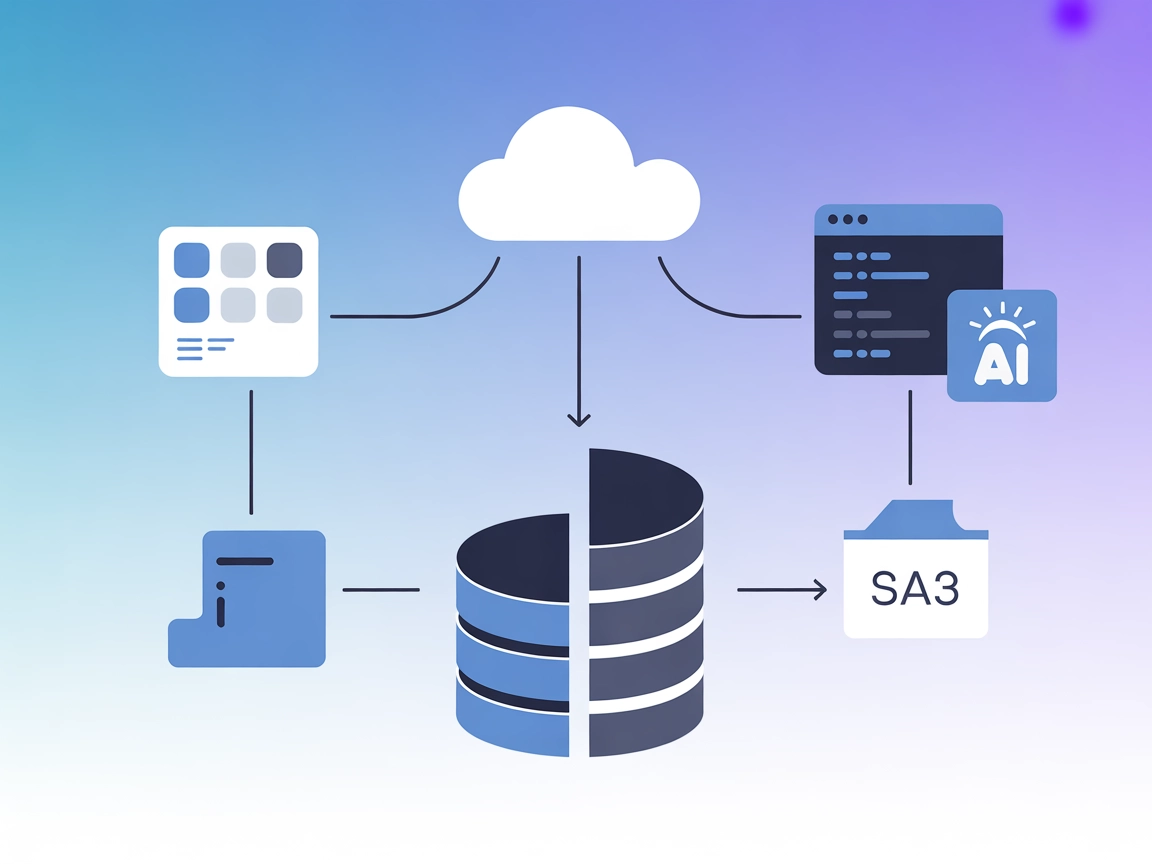
MotherDuck MCP Server connects AI agents and IDEs with DuckDB and MotherDuck for seamless, serverless SQL analytics and hybrid data workflows in FlowHunt.
MotherDuck MCP Server is an implementation of the Model Context Protocol (MCP) that bridges AI assistants and IDEs with DuckDB and MotherDuck databases. It enables users to perform powerful SQL analytics by providing a standardized interface for querying both local DuckDB files and cloud-based MotherDuck databases. The server supports hybrid execution, allowing seamless data access from both local and cloud storage, including Amazon S3 via MotherDuck’s integrations. By exposing database interaction as a tool to AI systems, it makes it easy for developers and AI agents to perform database queries, manage data, and streamline data workflows without manual configuration or server management. This serverless approach accelerates analytics, data sharing, and data pipeline development directly from AI-powered environments.

Start your free trial today and see results within days.
query (string, required): The SQL statement to execute.Get latest tips, trends, and deals for free.
Ensure you have Node.js and Windsurf installed.
Open your Windsurf configuration file (commonly windsurf.config.json).
Add the MotherDuck MCP Server to the mcpServers section:
{
  "mcpServers": {
    "motherduck": {
      "command": "uvx",
      "args": ["mcp-server-motherduck", "--transport", "stream", "--db-path", "md:"]
    }
  }
}
Save the configuration and restart Windsurf.
Verify in Windsurf that the MotherDuck MCP Server is running and accessible.
Use environment variables to provide sensitive credentials like your MotherDuck token:
{
  "mcpServers": {
    "motherduck": {
      "command": "uvx",
      "args": ["mcp-server-motherduck", "--transport", "stream", "--db-path", "md:"],
      "env": {
        "motherduck_token": "${MOTHERDUCK_TOKEN}"
      }
    }
  }
}
Install Claude and ensure Node.js is set up.
Locate the Claude configuration file (typically claude.config.json).
Add the following to your mcpServers:
{
  "mcpServers": {
    "motherduck": {
      "command": "uvx",
      "args": ["mcp-server-motherduck", "--transport", "stream", "--db-path", "md:"]
    }
  }
}
Restart Claude and confirm that the server appears in the UI.
Use environment variables as shown above to secure API keys.
Ensure you have Cursor installed and updated.
Open the Cursor settings (cursor.config.json).
Insert the following under mcpServers:
{
  "mcpServers": {
    "motherduck": {
      "command": "uvx",
      "args": ["mcp-server-motherduck", "--transport", "stream", "--db-path", "md:"]
    }
  }
}
Save and restart Cursor.
Set sensitive tokens via environment variables.
Install Cline and required dependencies.
Edit cline.config.json to include:
{
  "mcpServers": {
    "motherduck": {
      "command": "uvx",
      "args": ["mcp-server-motherduck", "--transport", "stream", "--db-path", "md:"]
    }
  }
}
Save the config and restart Cline.
Ensure motherduck_token is set as an environment variable for security.
Using MCP in FlowHunt
To integrate MCP servers into your FlowHunt workflow, start by adding the MCP component to your flow and connecting it to your AI agent:

Click on the MCP component to open the configuration panel. In the system MCP configuration section, insert your MCP server details using this JSON format:
{
  "motherduck": {
    "transport": "streamable_http",
    "url": "https://yourmcpserver.example/pathtothemcp/url"
  }
}
Once configured, the AI agent is now able to use this MCP as a tool with access to all its functions and capabilities. Remember to change "motherduck" to whatever the actual name of your MCP server is and replace the URL with your own MCP server URL.
| Section | Availability | Details/Notes |
|---|---|---|
| Overview | ✅ | Found in README.md |
| List of Prompts | ✅ | duckdb-motherduck-initial-prompt |
| List of Resources | ✅ | Two resources (blog post, YouTube video) listed in README.md |
| List of Tools | ✅ | query tool |
| Securing API Keys | ✅ | Uses motherduck_token as environment variable (README.md) |
| Sampling Support (less important in evaluation) | ⛔ | Not mentioned |
Between these two tables, the MotherDuck MCP Server is well-documented with clear prompts, tool support, resources, and security practices, but lacks explicit mention of Roots and Sampling support. Overall, it’s a solid, practical implementation for database analytics with an MCP interface.
| Has a LICENSE | ✅ (MIT) |
|---|---|
| Has at least one tool | ✅ |
| Number of Forks | 23 |
| Number of Stars | 205 |
Accelerate data analytics and streamline your workflows by integrating the MotherDuck MCP Server with FlowHunt. Experience hybrid, serverless SQL at your fingertips.
Integrate FlowHunt with MotherDuck’s DuckDB MCP Server to enable secure, scalable, and serverless SQL analytics for your AI assistants and IDEs. Effortlessly co...
The Databricks MCP Server enables seamless integration between AI assistants and the Databricks platform, allowing natural language access to Databricks resourc...

The JDBC MCP Server bridges AI assistants and SQL databases using the JDBC protocol, enabling real-time queries, analytics automation, and streamlined database ...
Cookie Consent
We use cookies to enhance your browsing experience and analyze our traffic. See our privacy policy.