


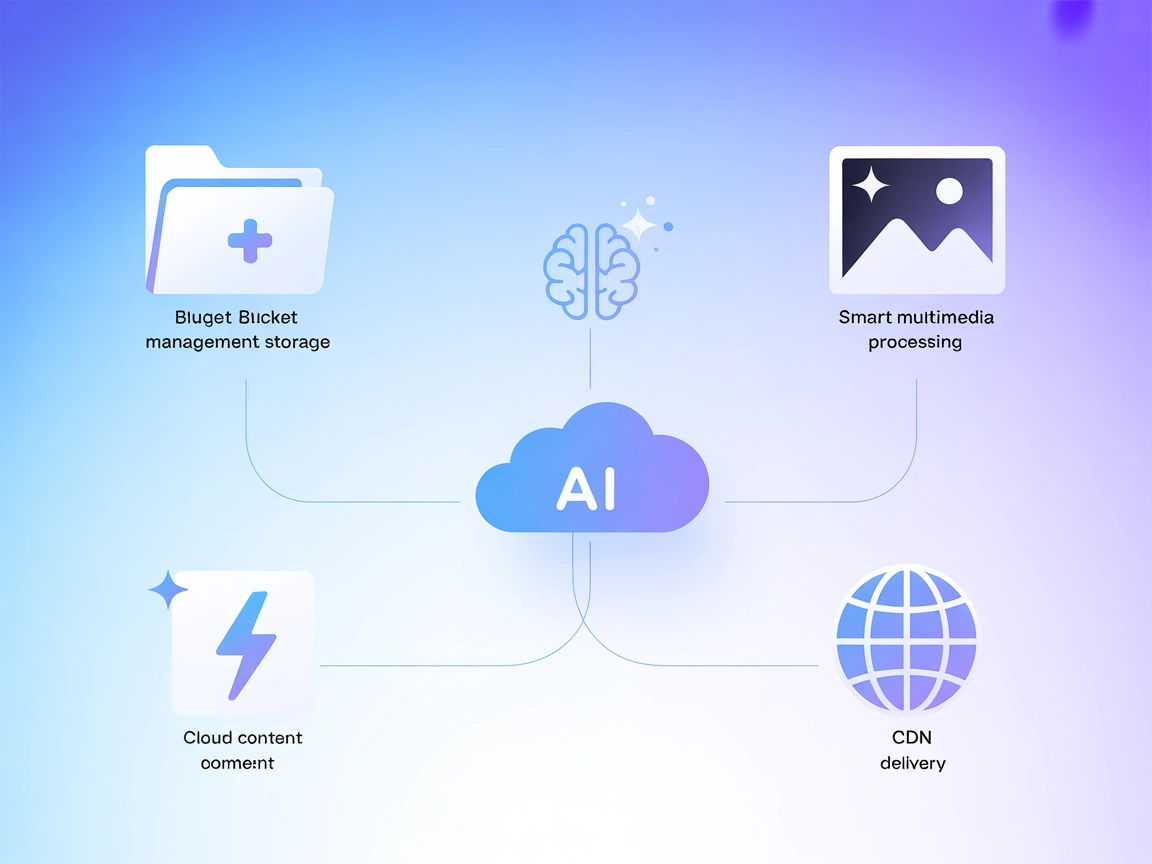
Qiniu MCP Server
Integrate FlowHunt with Qiniu MCP Server to connect your AI-powered applications with Qiniu Cloud for unified object storage, smart multimedia processing, and l...
4 min read
AI
Qiniu
+4

Connect your AI workflows to Qiniu Cloud for automated file management, media transformations, and CDN operations—all from FlowHunt and MCP-enabled tools.
The Qiniu MCP Server is a Model Context Protocol (MCP) server built on top of Qiniu Cloud services, designed to bridge AI assistants and large language model clients with Qiniu’s cloud storage and intelligent multimedia services. By exposing storage and media processing capabilities via the MCP interface, it allows developers and AI-powered workflows to interact programmatically with Qiniu buckets, files, and CDN features directly from their AI tools. This integration enables tasks such as querying and managing cloud storage, uploading and downloading files, performing image transformations, and managing CDN caching. The Qiniu MCP Server streamlines the process of connecting external data sources and operational triggers to AI agents, enhancing development workflows and enabling seamless data-driven automation.
No prompt templates are explicitly mentioned in the repository or documentation.

Start your free trial today and see results within days.
Bucket List
Exposes the list of all available Qiniu storage buckets accessible to the configured credentials.
File List in Bucket
Provides access to the list of files within a specified Qiniu bucket.
File Content
Allows reading the content of files stored in Qiniu buckets for use as LLM context.
Download Link Resource
Generates download links for files stored on Qiniu, enabling direct file access.
Get Bucket List
Retrieves the list of all storage buckets for the authenticated Qiniu account.
Get File List in Bucket
Fetches files stored within a selected bucket, supporting file management and selection.
Upload File
Supports uploading local files or content strings to a specified bucket.
Read File Content
Reads the contents of a specified file from a bucket for further processing.
Generate Download Link
Produces a public or signed download link for a file.
Image Resize
Performs image scaling operations as part of Qiniu’s intelligent media services.
Image Rounded Corners
Applies rounded corner effects to images stored in Qiniu.
CDN Refresh by Link
Refreshes CDN cache for a given file link to ensure updated content delivery.
CDN Prefetch by Link
Prefetches files to CDN nodes by link for faster access and lower latency.
Get latest tips, trends, and deals for free.
Cloud Storage Management
Enables automated listing, uploading, and reading of files in Qiniu buckets directly from AI agents or chatbots, streamlining data operations for developers.
Media Processing Automation
Facilitates image transformations like resizing or rounding corners as part of AI-driven content pipelines, reducing manual intervention.
CDN Operations
Allows AI workflows to trigger CDN cache refreshes or prefetches, ensuring content served to end-users is current and optimized.
Workflow Integration
Integrates Qiniu storage and media services into custom developer workflows, enhancing productivity and enabling new automation scenarios.
Secure File Sharing
Generates secure download links for files, enabling controlled and auditable file sharing from within AI or development environments.
No explicit Windsurf instructions are provided in the repository.
No explicit Claude instructions are provided in the repository.
No explicit Cursor instructions are provided in the repository.
{
  "mcpServers": {
    "qiniu": {
      "command": "uvx",
      "args": [
        "qiniu-mcp-server"
      ],
      "env": {
        "QINIU_ACCESS_KEY": "YOUR_ACCESS_KEY",
        "QINIU_SECRET_KEY": "YOUR_SECRET_KEY",
        "QINIU_REGION_NAME": "YOUR_REGION_NAME",
        "QINIU_ENDPOINT_URL": "YOUR_ENDPOINT_URL",
        "QINIU_BUCKETS": "YOUR_BUCKET_A,YOUR_BUCKET_B"
      },
      "disabled": false
    }
  }
}
Store sensitive credentials like QINIU_ACCESS_KEY and QINIU_SECRET_KEY in environment variables using the env field in your configuration, as shown above.
Example:
"env": {
  "QINIU_ACCESS_KEY": "YOUR_ACCESS_KEY",
  "QINIU_SECRET_KEY": "YOUR_SECRET_KEY"
}
Using MCP in FlowHunt
To integrate MCP servers into your FlowHunt workflow, start by adding the MCP component to your flow and connecting it to your AI agent:

Click on the MCP component to open the configuration panel. In the system MCP configuration section, insert your MCP server details using this JSON format:
{
  "qiniu": {
    "transport": "streamable_http",
    "url": "https://yourmcpserver.example/pathtothemcp/url"
  }
}
Once configured, the AI agent is now able to use this MCP as a tool with access to all its functions and capabilities. Remember to change “qiniu” to whatever the actual name of your MCP server is and replace the URL with your own MCP server URL.
| Section | Availability | Details/Notes |
|---|---|---|
| Overview | ✅ | From README.md |
| List of Prompts | ⛔ | No prompts/templates mentioned |
| List of Resources | ✅ | From capability descriptions in README.md |
| List of Tools | ✅ | Inferred from README.md and feature list |
| Securing API Keys | ✅ | Env usage shown in configuration |
| Sampling Support (less important in evaluation) | ⛔ | No information on sampling support |
Based on the two tables, Qiniu MCP Server is well documented for core setup and feature coverage around Qiniu Cloud, but lacks explicit sampling/roots/prompt template support documentation. Its feature set is strong for storage and media, but more advanced MCP primitives are not detailed.
If your primary need is to integrate Qiniu Cloud file and media operations with AI assistant workflows, this MCP server is solid and covers all basic use cases with clear setup. For more advanced prompt/workflow or agentic features, documentation is thin. Score: 7/10.
| Has a LICENSE | ✅ (MIT) |
|---|---|
| Has at least one tool | ✅ |
| Number of Forks | 8 |
| Number of Stars | 17 |
Automate your Qiniu Cloud storage and media workflows with FlowHunt's seamless MCP server integration.
Integrate FlowHunt with Qiniu MCP Server to connect your AI-powered applications with Qiniu Cloud for unified object storage, smart multimedia processing, and l...

The Cloudinary MCP Server connects AI assistants with Cloudinary for automated uploading, tagging, and managing images and videos. It streamlines media manageme...
The putio MCP Server enables seamless integration between AI assistants and the put.io cloud storage service, allowing programmatic management of downloads, tra...
Cookie Consent
We use cookies to enhance your browsing experience and analyze our traffic. See our privacy policy.