


QGISMCP
Integrate FlowHunt with QGIS using the Model Context Protocol (MCP) to automate geospatial workflows, manage GIS projects, and enable Claude AI-driven spatial d...
4 min read
AI
QGIS
+3

Connect QGIS Desktop with LLMs for powerful, AI-assisted geospatial workflows—automate projects, layers, algorithms, and Python scripting through FlowHunt’s MCP component.
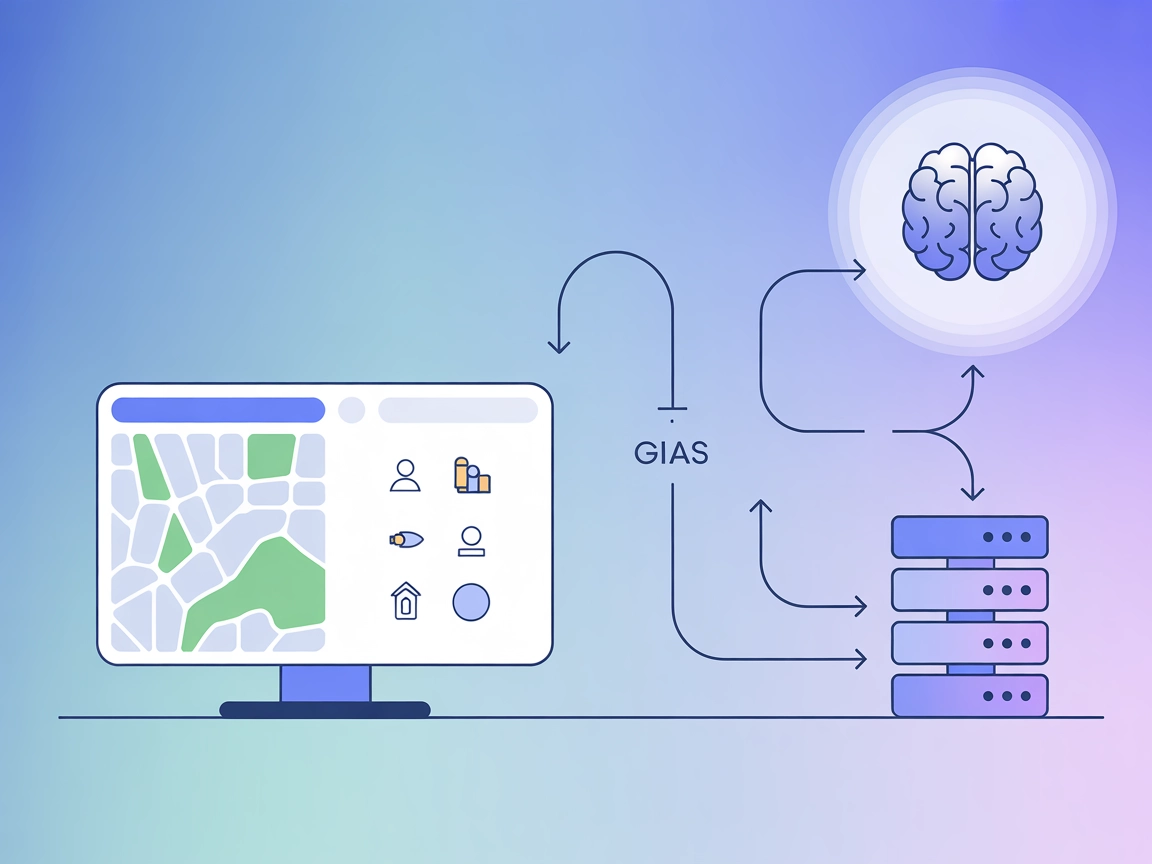
The QGIS MCP Server is a Model Context Protocol (MCP) implementation that bridges QGIS Desktop with large language models (LLMs), such as Claude. By leveraging a socket-based server and the QGIS MCP plugin, it enables AI assistants to directly control and interact with QGIS projects. This allows AI-driven automation of tasks like project creation, layer manipulation, algorithm execution via the Processing Toolbox, and even direct Python code execution within QGIS. The server is designed to streamline geospatial workflows, facilitate advanced data processing, and enhance developer productivity by enabling seamless, prompt-assisted management of QGIS from an LLM client.
No explicit prompt templates are mentioned in the repository.

Start your free trial today and see results within days.
No explicit MCP resources are described in the repository.
Get latest tips, trends, and deals for free.
No setup instructions found for Windsurf.
git clone git@github.com:jjsantos01/qgis_mcp.git
qgis_mcp_plugin folder to your QGIS profile plugins folder (see README.md
for platform-specific locations).Claude > Settings > Developer > Edit Config > claude_desktop_config.json.mcpServers:{
"mcpServers": {
"qgis": {
"command": "uv",
"args": [
"--directory",
"/ABSOLUTE/PATH/TO/PARENT/REPO/FOLDER/qgis_mcp/src/qgis_mcp",
"run",
"qgis_mcp_server.py"
]
}
}
}
No API or environment variable usage for keys is described in the repo.
No setup instructions found for Cursor.
No setup instructions found for Cline.
Using MCP in FlowHunt
To integrate MCP servers into your FlowHunt workflow, start by adding the MCP component to your flow and connecting it to your AI agent:

Click on the MCP component to open the configuration panel. In the system MCP configuration section, insert your MCP server details using this JSON format:
{
  "qgis": {
    "transport": "streamable_http",
    "url": "https://yourmcpserver.example/pathtothemcp/url"
  }
}
Once configured, the AI agent is now able to use this MCP as a tool with access to all its functions and capabilities. Remember to change “qgis” to whatever the actual name of your MCP server is and replace the URL with your own MCP server URL.
| Section | Availability | Details/Notes |
|---|---|---|
| Overview | ✅ | Clear description of QGIS MCP Server in README.md |
| List of Prompts | ⛔ | No prompt templates mentioned |
| List of Resources | ⛔ | No explicit MCP resources found |
| List of Tools | ✅ | Described in README.md (project/layer manipulation, processing, code execution) |
| Securing API Keys | ⛔ | No API key/environment variable info |
| Sampling Support (less important in evaluation) | ⛔ | Not mentioned |
Between the two tables, the QGIS MCP Server is well-documented in terms of core features and tool exposure, but lacks explicit prompt/resource listings and does not cover API key security or sampling/roots support. I’d rate it a 6/10 for MCP completeness and developer readiness.
| Has a LICENSE | ⛔ (not found) |
|---|---|
| Has at least one tool | ✅ |
| Number of Forks | 68 |
| Number of Stars | 540 |
Automate your geospatial workflows and empower AI agents to control QGIS Desktop via the QGIS MCP Server. Try it with FlowHunt’s platform today.
Integrate FlowHunt with QGIS using the Model Context Protocol (MCP) to automate geospatial workflows, manage GIS projects, and enable Claude AI-driven spatial d...

JupyterMCP enables seamless integration of Jupyter Notebook (6.x) with AI assistants through the Model Context Protocol. Automate code execution, manage cells, ...
The Qwen Max MCP Server bridges the Qwen Max language model with external clients and AI assistants using the Model Context Protocol (MCP). It enables large-con...
Cookie Consent
We use cookies to enhance your browsing experience and analyze our traffic. See our privacy policy.