How to Generate Professional Meeting Minutes with AI
A step-by-step guide on how to create simple and then professional meeting minutes with AI in under five minutes — from a basic prompt to template-driven, multi-source minutes.
Are you too busy and need a clear summary of a meeting right now? This progressive guide shows how to generate meeting minutes — first with a simple prompt, then with templates and additional context for fully professional output.
All you need is your favorite chatbot. Short on time? Use the AI Meeting Minutes Generator
to make things easier right now for free. Just upload your transcript, add any notes or the meeting agenda, and let the AI do the rest.
👉 Try it now and save time on every meeting.
But if you would like to learn the workflow yourself, here’s the tutorial.
Quick start: meeting minutes in three steps
Meeting minutes are brief notes that capture what was discussed, what results this led to, and who is responsible for each action after a meeting. Let’s look at this process step-by-step.
1. Prepare meeting text
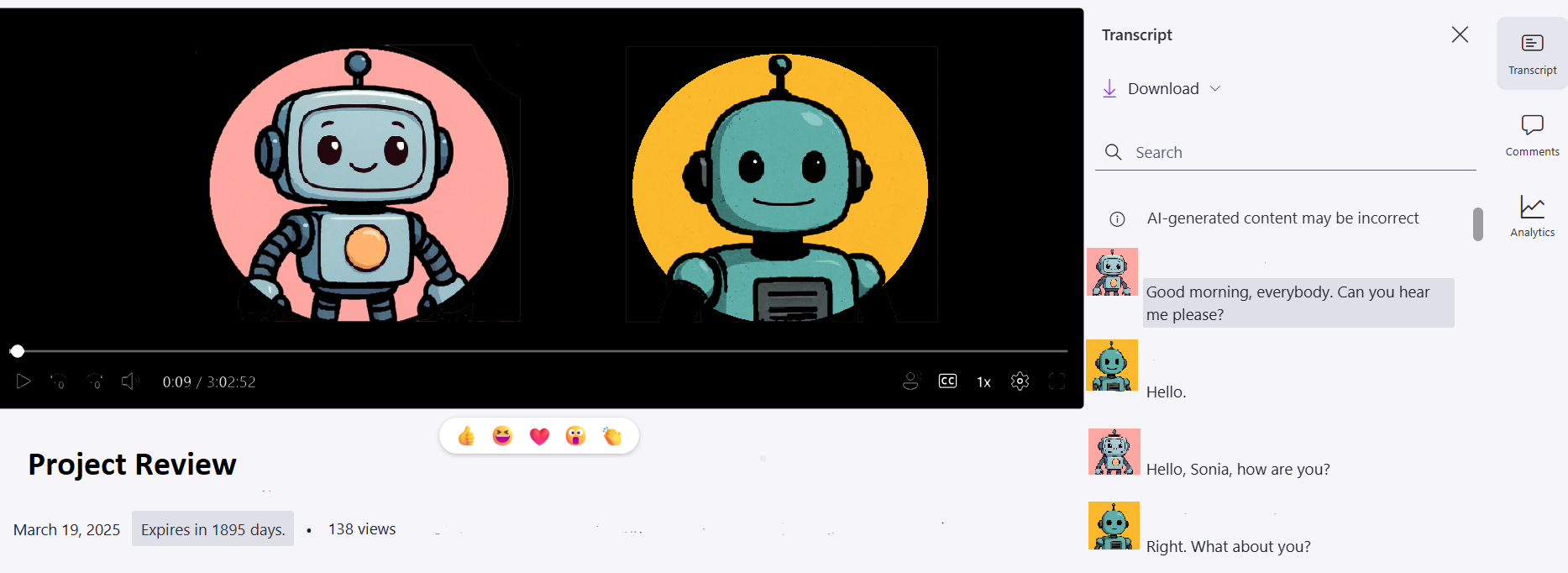
Record your meeting. This used to be a secretary’s job, but modern technology handles meeting minutes faster and more systematically. Use Teams transcription or Otter.ai to generate and save the transcript in text format.
2. Craft an AI prompt
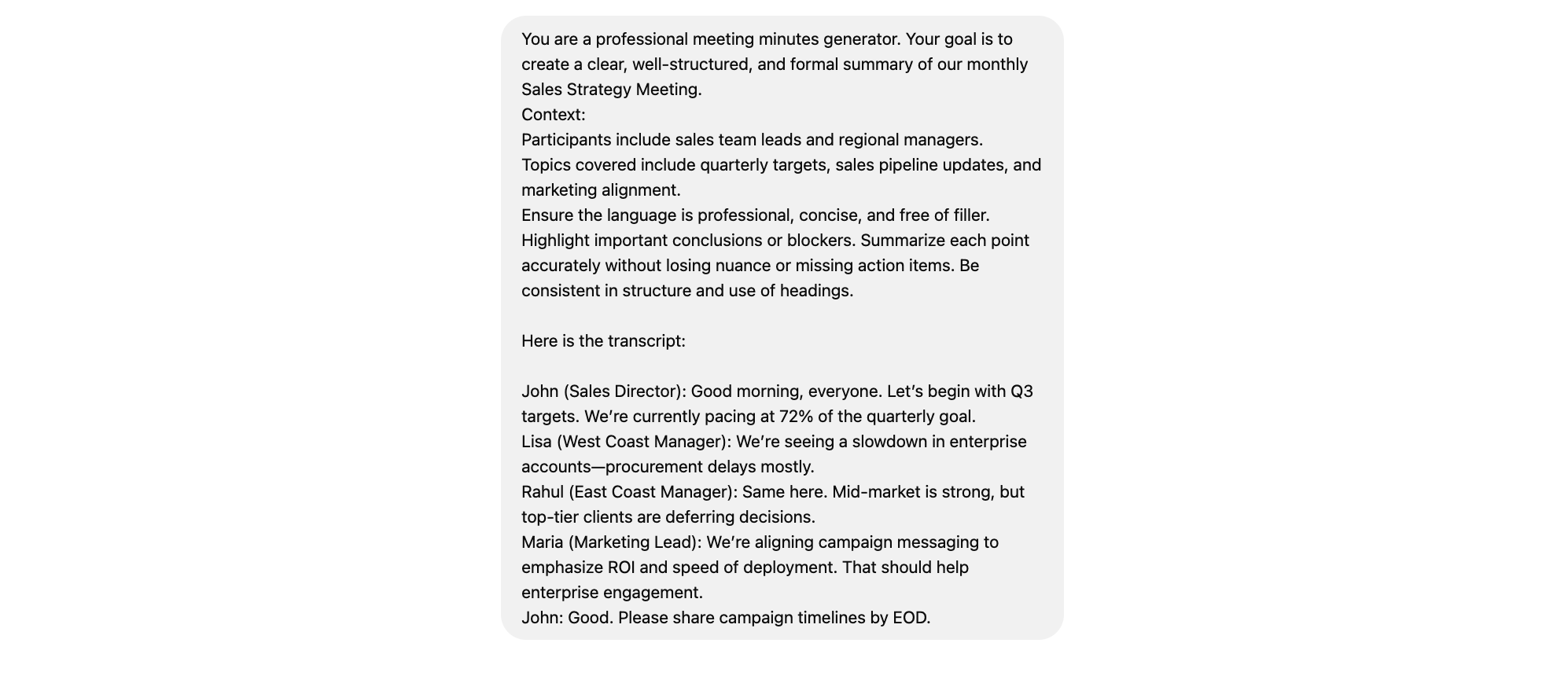
You likely do not want ChatGPT to respond like a generic chatbot. Therefore, craft a query as if addressing a qualified expert in your field or a specialized secretary. We recommend using this prompt:
You are a professional meeting minutes generator. Your goal is to create a clear, well-structured, and formal summary of our monthly Sales Strategy Meeting.
Context:
Participants include sales team leads and regional managers.
Topics covered include quarterly targets, sales pipeline updates, and marketing alignment.
Ensure the language is professional, concise, and free of filler. Highlight important conclusions or blockers. Summarize each point accurately without losing nuance or missing action items. Be consistent in structure and use of headings.
Here is the transcript:
(input your transcript here)
You can always change and tweak this so it works exactly the way you want.
3. Send the prompt and meeting text to a chatbot
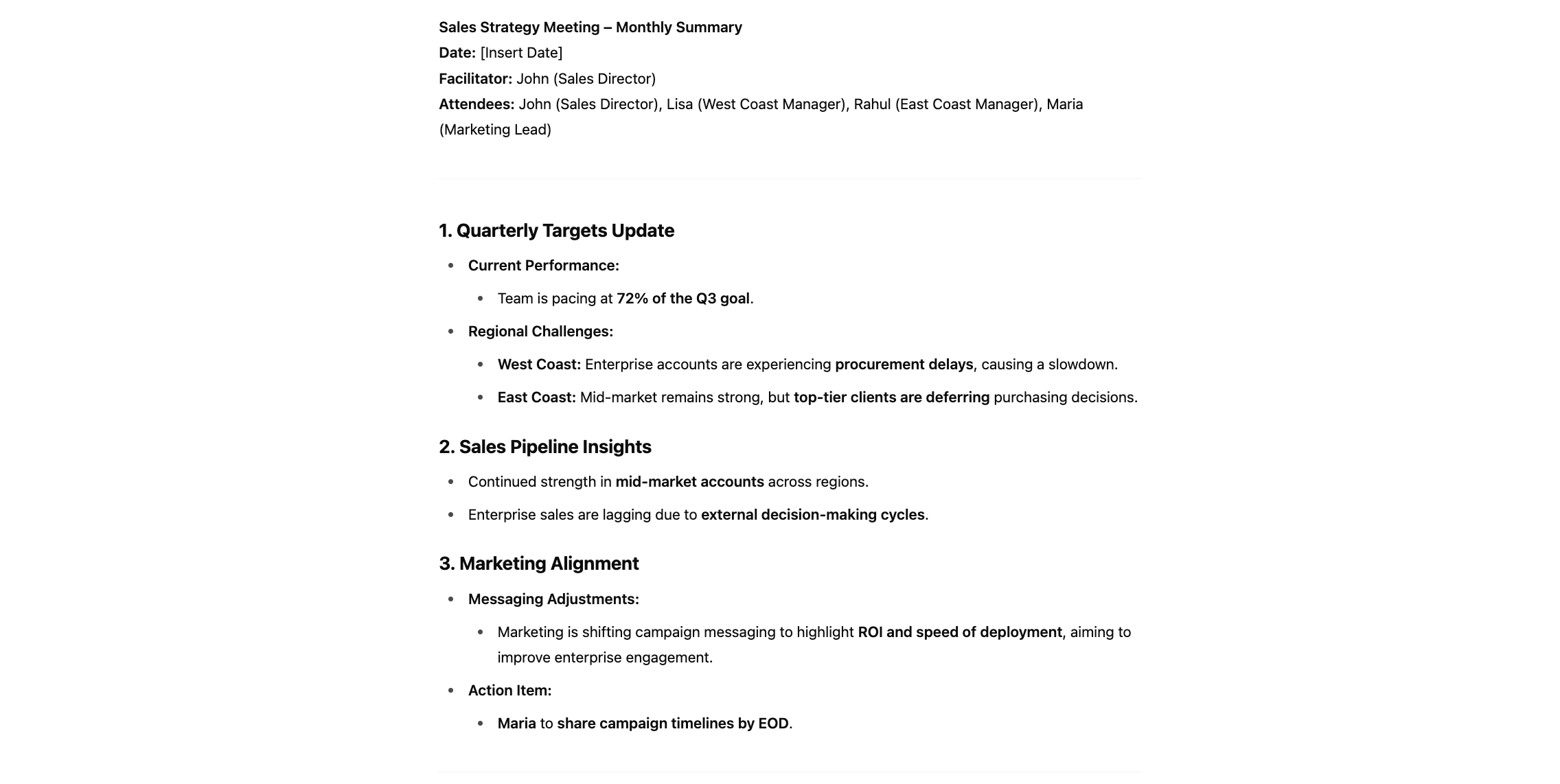
Send the prompt to your favorite chatbot together with the transcript. Always review the output before using it in your work.
Going deeper: template-driven minutes with full context
Once you have the basic flow, you can produce true board-grade minutes by adding a template, agenda, and supporting context. This is what turns a simple summary into a record that can be filed and audited.
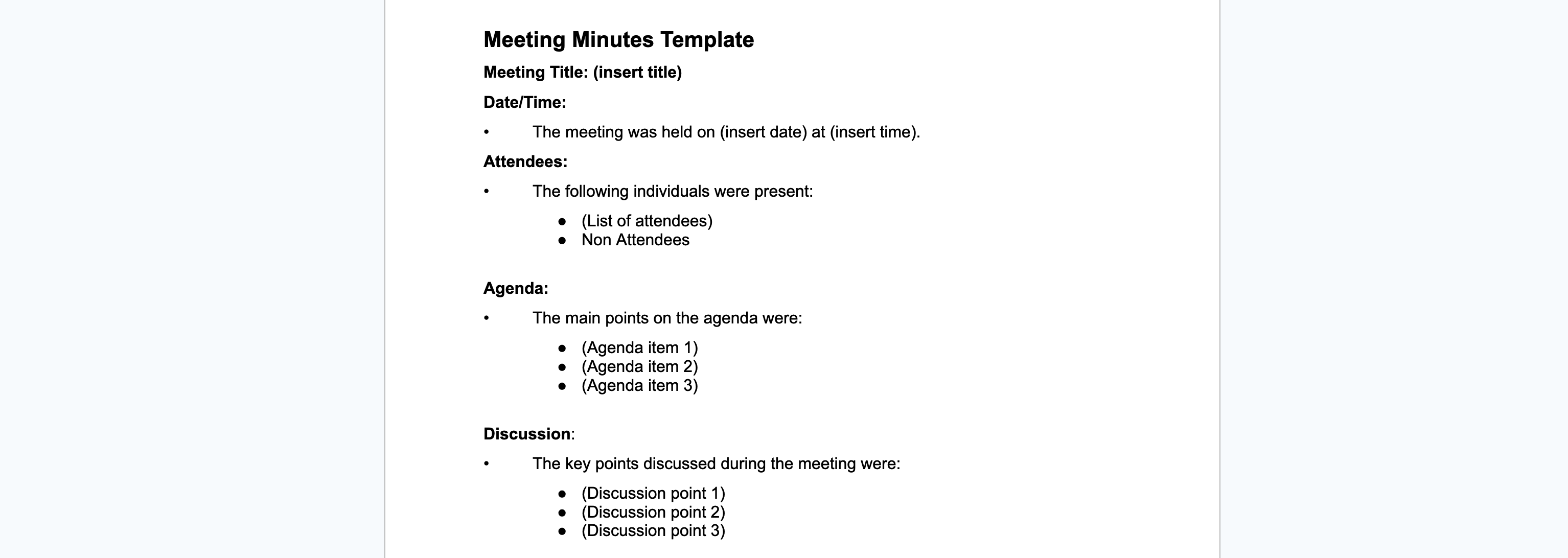
4. Create a template (or use ours)
Decide on a standard structure for your minutes. Some companies have specific requirements; otherwise, use this simple template that suits most cases.
5. Provide additional info, agenda and notes
To ensure the chatbot delivers a satisfying response, provide some additional information. You can include:
The context of a meeting
Results of previous meetings
Specific goals
Objectives for the current interaction
Other relevant details (key participants, or specific questions you need addressed)
You can either provide it as part of the prompt messages or even as a separate document.
Another thing to provide is the meeting agenda you were given prior to the meeting by the meeting organizers. This can help AI determine the important discussion points or identify unnamed participants in the transcript.
The more information a chatbot receives, the more detailed and specific the meeting minutes you get.
6. Use a richer prompt
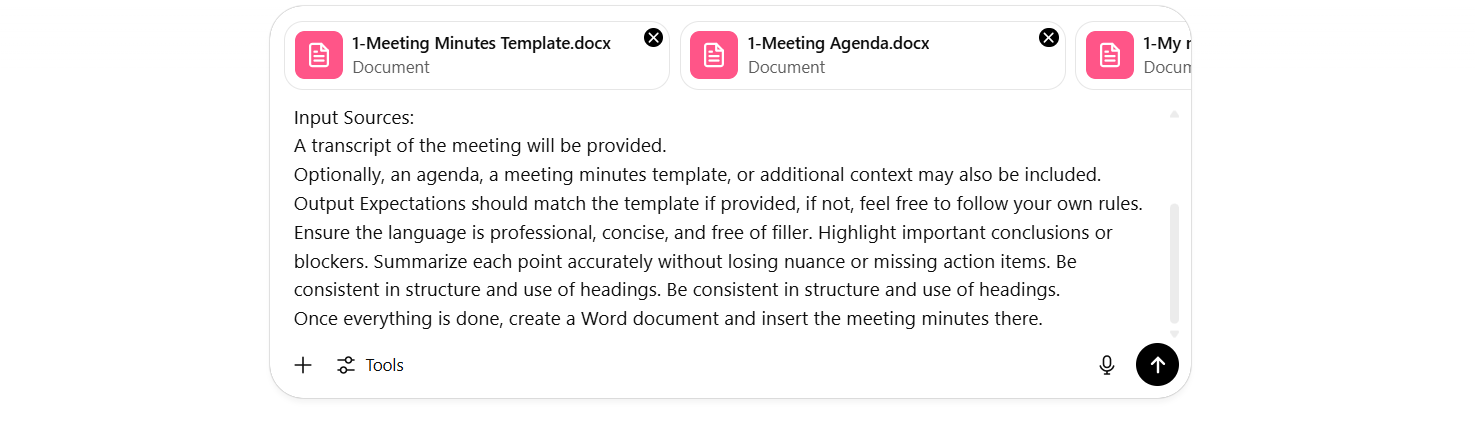
For template-driven minutes, extend the simple prompt to specify input sources and output expectations:
You are a professional meeting minutes generator. Your goal is to create a clear, well-structured, and formal summary of our monthly Sales Strategy Meeting.
Context:
Participants include sales team leads and regional managers.
Topics covered include quarterly targets, sales pipeline updates, and marketing alignment.
Input Sources:
A transcript of the meeting will be provided.
Optionally, an agenda, a meeting minutes template, or additional context may also be included.
Output Expectations should match the template if provided, if not, feel free to follow your own rules.
Ensure the language is professional, concise, and free of filler. Highlight important conclusions or blockers. Summarize each point accurately without losing nuance or missing action items. Be consistent in structure and use of headings.
Once everything is done, create a Word document and insert the meeting minutes there.
7. Try it out
Don’t forget to include the actual documents the AI will draw information from.
Your result will look like this:
Meeting Minutes
Meeting Title: Monthly Sales Strategy Meeting
Date/Time: May 26, 2025 at 10:00 AM
Location: Danube Conference Room, BlueChip Finance HQ, Vienna
Attendees
Alex – Board Meeting Coordinator
Ben – Board Member
Chris – Board Assistant
Non-Attendees
John – CEO (Absent)
Agenda
Q2 Financial Results & Year-End Forecast
AI Integration Pilot Review
Client Feedback – Digital Onboarding
2026 Strategy Preview
Talent Acquisition & Leadership Pipeline
Sustainability Progress & ESG Targets
Discussion
Next Board Meeting Date
Confirmed for Wednesday, September 17, 2025 at 2:00 PM in the Danube conference room.
Q2 Financial Results & Forecast
Reviewed preliminary figures; agreed to update year-end forecast after next month’s performance.
AI Integration Pilot
Pilot runs through August; KPI data to be compiled for a Q4 scaling decision.
Digital Onboarding Feedback
Clients requested smoother UI; team will gather three months of usage metrics for the next review.
2026 Strategy Preview
Early framework includes headcount planning and potential new market opportunities.
Talent Acquisition & Leadership Pipeline
Roadmap to address upcoming retirements and leadership gaps; HR to circulate draft by mid-June.
ESG & Sustainability Update
Lead reported on current benchmarks; next steps include rolling out carbon-offset proposals.
Decisions
Scheduled next board meeting for September 17, 2025 at 2:00 PM.
Retained venue: Danube Conference Room.
Approved agenda as outlined above.
Action Items
Action	Owner
Draft and circulate the formal agenda by next week	Ben
Compile KPI data for AI pilot and digital onboarding metrics	Chris
Send calendar invite and coordinate meeting logistics	Alex
Next Meeting
Date/Time: Wednesday, September 17, 2025 at 2:00 PM
Location: Danube Conference Room
Ready to grow your business?
Start your free trial today and see results within days.
Privacy considerations: be cautious with sensitive data and free AI tools
Accessible and user-friendly: no specialized skills required
Dependent on input quality: poor transcripts lead to inaccurate summaries
Customizable output: simple or template-driven minutes
Limited contextual understanding: may miss tone, nuance, or dynamics
Improved consistency: standardized documentation
Requires human oversight: final review is needed before sharing
Summary
Meeting minutes are simpler than you might think when you follow these steps:
Prepare the meeting transcript
Choose (or create) a template
Gather additional information
Send the prompt and all documents to a chatbot
Now you can generate comprehensive meeting minutes in under five minutes using ChatGPT, Gemini, Mistral, Grok, or Flowhunt — and step up to template-driven, multi-source minutes when the meeting demands it.
How to Create AI-Generated Meeting Reports and Role-Specific Summaries
Learn how to turn any meeting transcript into a clear shareable summary with AI, then go further by generating role-specific reports tailored to each participan...
Transform meeting notes into professional documentation with Simple Meeting Minutes, an AI-powered tool that generates detailed minutes and follow-up emails in ...