


How to Generate Professional Meeting Minutes with AI
A step-by-step guide on how to create simple and then professional meeting minutes with AI in under five minutes — from a basic prompt to template-driven, multi...
6 min read
ChatGPT
Use Case
+2
Learn how to turn any meeting transcript into a clear shareable summary with AI, then go further by generating role-specific reports tailored to each participant — no technical expertise required.
A meeting report saves time, keeps teams aligned, and ensures decisions and action items don’t get lost. With AI tools like ChatGPT or Flowhunt, you can instantly turn any meeting transcript into a polished, shareable summary — and then go further by generating role-specific reports for every participant.
Try it instantly for free: In a rush or just need it done now? This ready-to-go tool comes pre-loaded with the prompt so you can skip the setup.
👉Let the AI Meeting Report Generator handle it for you.
Whether you’re an HR professional, admin, or project coordinator, generating a meeting summary with AI is easy. Here’s how you can do it in just a few minutes.
A clear transcript is the essential input for your AI summary. Most modern meeting platforms (Zoom, Teams, Google Meet) can generate transcripts automatically. If you also have an agenda or notes, gather those — they help provide extra context, but are optional.
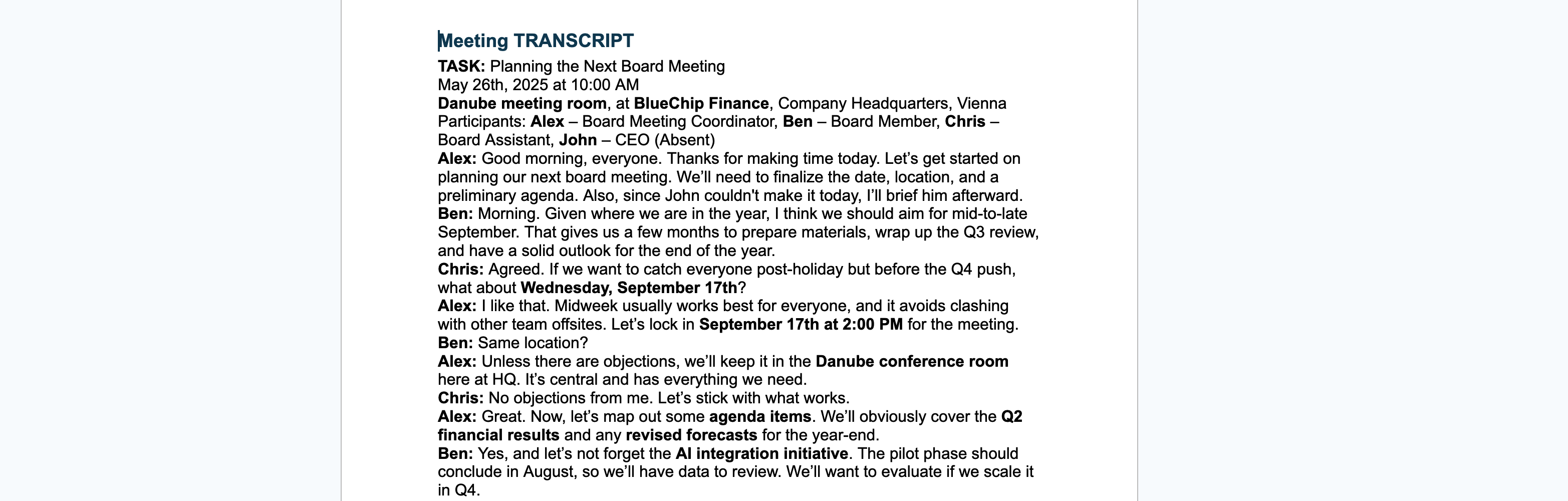
The prompt you give the AI determines the quality of your summary. For a general-purpose, professional meeting summary, use a prompt that’s clear and specific but not tied to any one role or department.
You are an expert at summarizing meetings. Given the following transcript (and optional agenda/notes), generate a concise, readable summary suitable for sharing with all participants. Focus on the main discussion points, key decisions, and any action items. Avoid role-specific details or jargon, and make sure the summary is easy to understand for anyone who attended. If an agenda or notes are provided, use them to organize the summary, but otherwise use your best judgment to structure it logically.
[PASTE YOUR TRANSCRIPT HERE]
Copy your transcript and (optionally) agenda or notes, paste them along with your prompt into ChatGPT, Flowhunt, or any AI chatbot tool. Wait a few moments. The AI will return a well-structured summary you can share right away.
Here is an example of a fully filled-in prompt:
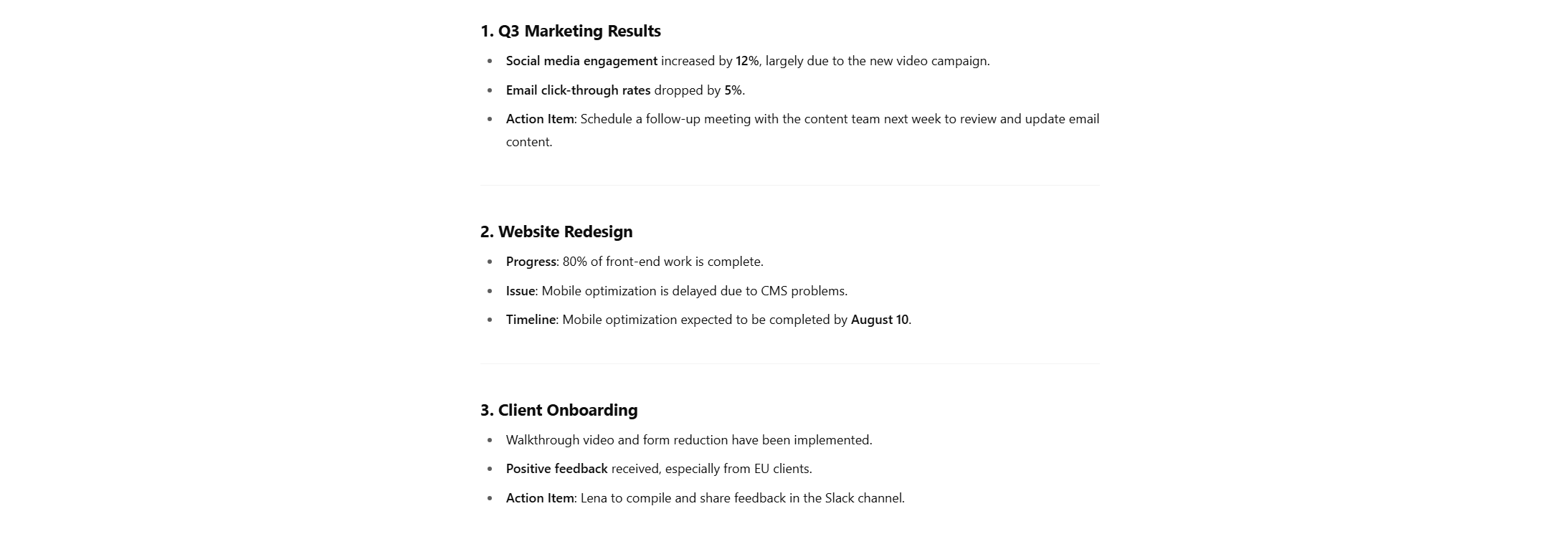
You are an expert at summarizing meetings. Given the following transcript (and optional agenda/notes), generate a concise, readable summary suitable for sharing with all participants. Focus on the main discussion points, key decisions, and any action items.[TRANSCRIPT BEGINS] Moderator (Anna): Good morning, everyone. Let’s start with the first item on the agenda: Q3 marketing results. James: We’ve seen a 12% uptick in engagement across social media, mostly driven by the new video campaign. However, email click-through rates dropped by 5%. Priya: We might want to revisit our email strategy. The content hasn’t been updated in months. Anna: Noted. Let’s set a follow-up meeting with the content team next week. Next item—website redesign. Mark, can you give us an update? Mark: The dev team completed 80% of the front-end work. We’re behind on mobile optimization due to unexpected issues with the CMS. Anna: When can we expect that to be back on track? Mark: We’ve adjusted the timeline. Mobile optimization should be done by August 10. Anna: Great, thank you. Lastly, any updates on the client onboarding process? Lena: We’ve added a walkthrough video and reduced the number of forms. Early feedback has been positive, especially from EU clients. Anna: Excellent. Please compile that feedback and share it in the Slack channel. Any final comments? James: Just a reminder that the Q4 planning session is on the 15th. Anna: Thanks. Meeting adjourned. [TRANSCRIPT ENDS]
A general summary is great for the team, but every participant typically needs only the parts relevant to their role. With AI, you can produce focused, role-specific summaries from the same transcript.
Gather the following before you start for the best results:

A role-aware prompt tells the AI exactly what you want highlighted. Here’s a template you can adapt:
You are an expert meeting summarizer.Here is a transcript from a recent meeting: [PASTE TRANSCRIPT HERE]
The meeting agenda/topics were: [PASTE AGENDA OR TOPICS HERE]
My role: [DESCRIBE YOUR ROLE AND FOCUS AREAS HERE]
Please write a concise summary highlighting:
Format the summary in bullet points, and make it easy to scan.
Tip: instead of pasting the transcript or agenda into the text window you can also upload it as a file.

Final tip: you can also ask the AI to output the summary directly as a document you can save on your computer.

Start your free trial today and see results within days.
| PROS | CONS |
|---|---|
| Fast & efficient: instantly generates summaries, saving admin time | Transcript quality matters: poor transcripts lead to weaker summaries |
| No technical skills required: simple copy-paste process | Privacy caution: don’t use confidential info with public AI tools |
| Customizable for any team member: general or role-specific output | AI may omit nuance: some subtle points or tone may be lost |
| Standardized output: consistent meeting documentation | Human review still needed: always proofread before sharing |
With just a transcript and a simple prompt, you can use AI to draft clear, action-focused meeting reports in minutes. Add a role description and you can tailor that same transcript to each participant’s needs — saving hours and ensuring everyone knows what matters most to them.
Ready to streamline your meetings and boost productivity? Take control of your meeting notes, eliminate manual summaries, and turn every conversation into clear, actionable insights.
👉 Start building your own AI-powered workflow today with the Flowhunt AI Meeting Report Generator Template
A step-by-step guide on how to create simple and then professional meeting minutes with AI in under five minutes — from a basic prompt to template-driven, multi...
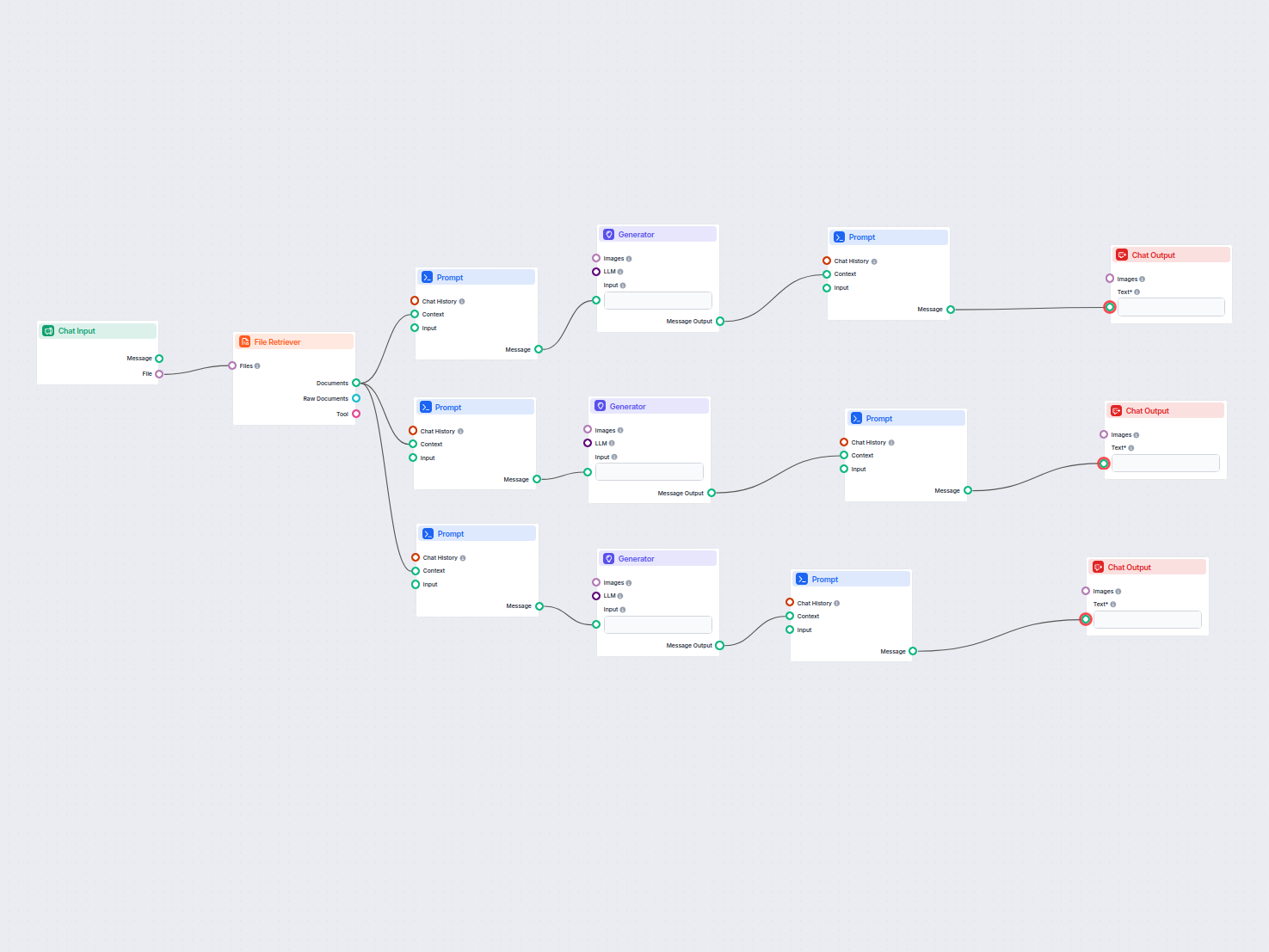
Transform your meeting attachments into actionable summaries, follow-up emails, and blog posts with AI. This workflow automates content creation from your meeti...
Discover FlowHunt's AI Meeting Report Generator—a tool that transforms meeting notes into detailed minutes, follow-up emails, and blog posts. Save time and enha...
Cookie Consent
We use cookies to enhance your browsing experience and analyze our traffic. See our privacy policy.