


Google Workspace MCP Integration
Integrate FlowHunt with Google Workspace MCP to automate and manage Google Calendar, Drive, Gmail, Docs, Sheets, Slides, Forms, Tasks, and Chat. Leverage AI-dri...
6 min read
AI
Google Workspace
+4
An autonomous agent that answers questions by searching your Drive files with citations, drafts new Docs, Sheets and Slides on request, and runs weekly tidying. Confirms before any bulk or destructive operation.
One real example showing exactly what happens when you ask the agent about your files.
Found 3 versions. The latest is v3, updated 2 days ago.
📄 Q4 Marketing Plan v3 — Marketing/Q4-2025/ — edited 2 days ago by CMO. Includes updated budget allocations, new paid channel strategy, and revised KPI targets. This is the latest version.
📄 Q4 Marketing Plan v2 — Marketing/Q4-2025/ — edited 4 weeks ago. Missing budget revision and channel updates from v3. Candidate for archive.
📄 Q4 Marketing Plan (original) — Shared Drive/Archive/ — 3 months old. Original draft, no longer relevant.
Recommendation: rename v3 to remove the version suffix, move v2 to archive, delete the stale original. I will confirm before making any changes.
Questions and tasks land in the queue. The agent searches your Drive, drafts documents, and flags file hygiene issues — all visible on the kanban. You wake up to answers and a cleaner workspace, not a disorganized Drive.
Most users get their first cited answer within five minutes of connecting.
Instead of clicking through nested folders and guessing file names, ask the agent a natural-language question. It searches across all your drives, reads the content, and returns the answer with a link to the source file. No more 'which folder was that in?'
Need a new project brief? The agent pulls context from your existing Drive files — prior briefs, meeting notes, strategy docs — and drafts a new Google Doc in minutes. Every claim cites its source, so you can trace back to the original.
The weekly tidy surfaces duplicates, stale files and broken folder structures. The agent recommends cleanup actions and waits for your approval before touching anything. After a few months, your Drive is organized — and stays that way.
Six capabilities that turn your Google Drive from a dumping ground into a searchable, organized knowledge base.
The Google Drive agent runs on the same platform that powers 120+ autonomous agents. Open it in the visual editor and customize anything.
If your team lives in Google Workspace and spends too much time finding files or creating documents from scratch — this agent handles both.
The Drive workspace agent doesn't just store files — it answers questions from them with citations and keeps your workspace organized.
Stack agents under a Supervisor and let them hand work to each other — your Drive agent can feed content to email digest, document drafting and reporting agents.
Start free. Connect Google Drive, ask a question, and watch the agent search. No credit card required — cancel anytime.
Integrate FlowHunt with Google Workspace MCP to automate and manage Google Calendar, Drive, Gmail, Docs, Sheets, Slides, Forms, Tasks, and Chat. Leverage AI-dri...
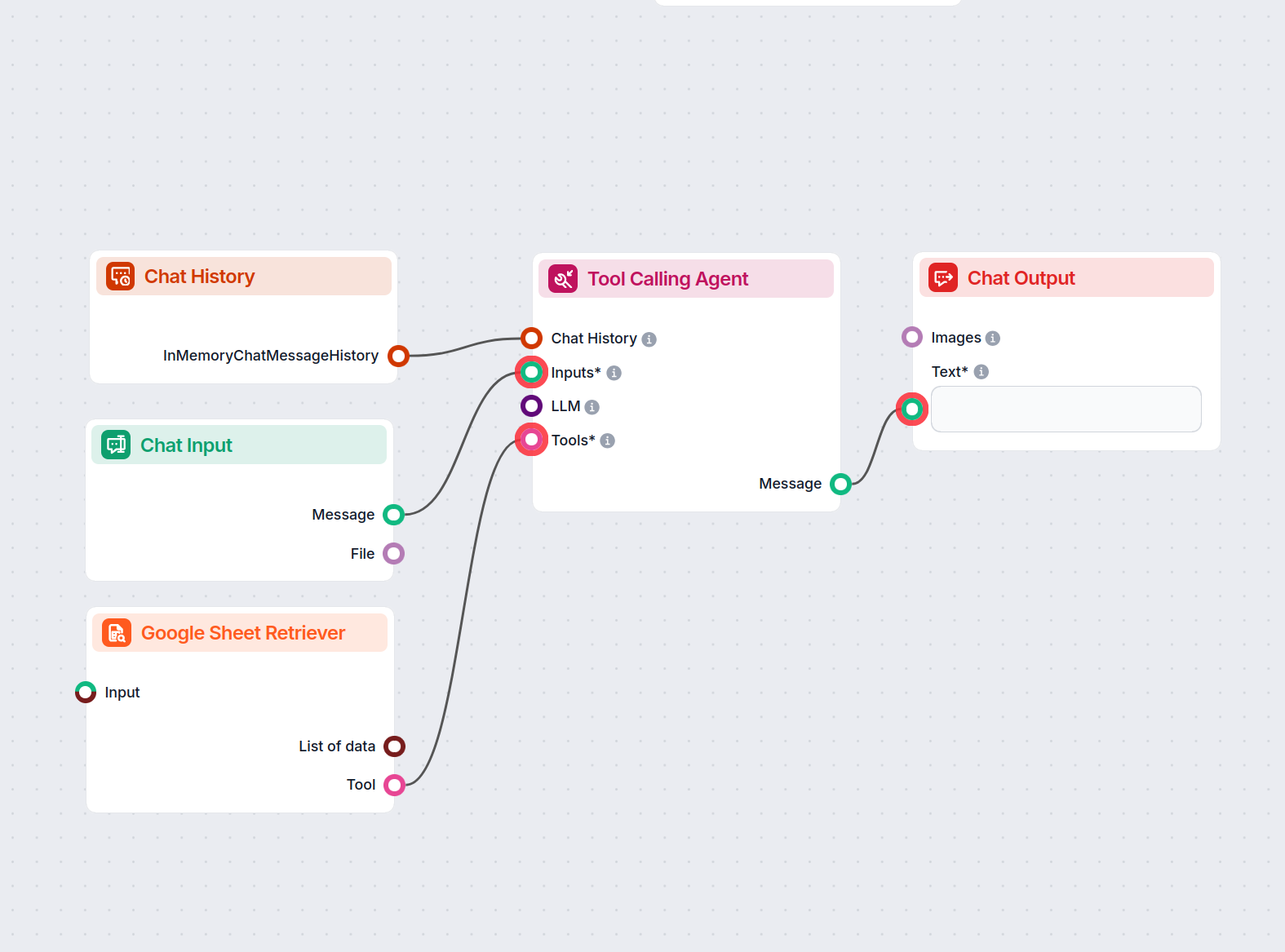
An intelligent chatbot assistant that answers user questions strictly using data from a provided Google Sheets file. Perfect for analysts, operations, auditors,...

The Google Workspace MCP Server connects AI agents and large language models to Google Workspace services, enabling seamless programmatic automation and workflo...
Cookie Consent
We use cookies to enhance your browsing experience and analyze our traffic. See our privacy policy.