5 Content Types That Need AI Grammar Checking Before You Hit Publish
Not all content carries the same risk when published with errors. Here’s which five content types benefit most from AI grammar checking, and what specifically to check in each.
Not all content carries the same risk when published with errors. A typo in an internal message is forgettable. The same error on a landing page, a client proposal, or a published thought leadership pos is a credibility problem that compounds. Running an AI grammar check
before publishing is about making sure each content type meets the demanded standards. Here are the five types that matter most, and what to look for in each.
Content Type 1: SEO Blog Posts
Blog content lives online indefinitely. A grammar error in a post published today can surface in search results and social shares for years. Beyond the reputational issue, errors affect readability metrics. Readers leave faster when they hit confusing constructions or broken sentences, and that engagement signal feeds back into how search engines evaluate the page.
Running a grammar check on blog posts before publication catches the errors that slip through writing and editing. Things like tense shifts introduced during later edits, punctuation errors in pulled quotes, and homophones that spellcheck misses because both forms are technically valid words. For longer posts with multiple contributors or sections written across separate sessions, inconsistencies in terminology and style also accumulate.
The check is most valuable immediately before the post moves from draft to final review, while there is still time to accept or reject individual changes rather than having to re-edit a published URL. For posts targeting competitive keywords, readability and error-free presentation are also factors in the overall content quality that search visibility depends on.
For blog content that also needs structural improvements, updated data, or better SEO formatting beyond grammar, the AI Blog Content Improver
handles that layer. it retrieves the post via URL, cross-references it against current sources, and returns a fully revised version ready to replace the original.
Content Type 2: Client-Facing Emails and Proposals
A proposal with a misplaced apostrophe or a tense disagreement reads as unprofessional, and for high-value deals, the quality of written communication is one of the few signals a prospect has about the quality of your work before any contract is signed.
AI proofreading for marketers and client-facing teams removes the friction of manual proofreading before every send without adding time to the process. check subject-verb agreement in complex sentences, punctuation in bullet-pointed lists (inconsistent comma use and missing periods across list items), and homophones under time pressure — their/there, its/it’s, and affect/effect appear in proposals frequently and are reliably missed by standard spellcheck.
For proposals that go through multiple drafts and contributors, it is also worth checking tense consistency throughout. A proposal started last week and finished today often has mixed tenses by the time it is sent. If you are still in the drafting stage, the AI Proposal Generator
builds a structured first draft from a brief, giving you a clean base to run the grammar check against before sending.
Ready to grow your business?
Start your free trial today and see results within days.
Landing page copy is intentional in a way blog content is not. Every word is placed for a specific reason that will move a reader from interest to action. An error in a headline, a feature description, or a CTA does not just look careless, it creates a moment of friction that breaks the reader’s flow and confidence in the product.
This is where a content quality check AI delivers the most value per word of content. Landing pages are short so there is no practical reason not to run every revision through a grammar check before pushing live. Particular attention should be given to punctuation in compressed headlines (dashes and colons are frequently misused in short copy), apostrophes in product possessives, and capitalization consistency across feature names and CTAs. Small inconsistencies that would be unnoticed in a long article are immediately visible when the total copy is a single screen.
Content Type 4: LinkedIn Posts and Thought Leadership
LinkedIn posts occupy a specific credibility space. They represent the author personally and publicly, and errors on professional content follow the author in a way that errors in anonymously published content do not. For senior professionals publishing thought leadership, a visible mistake in the first paragraph undercuts the authority the post is attempting to project.
Short-form content is counterintuitively harder to proofread manually. There is less surrounding context to catch errors, and the brevity creates a false sense that there is less to check. A 200-word LinkedIn post has higher per-word visibility than a 2,000-word article, because every sentence is either the opening, the argument, or the close, and there is nowhere for an error to hide.
Check comma splices in short punchy sentences (very common in opinion-led posts), inconsistent formatting between numbered and bulleted points, and punctuation in quoted phrases and pull statistics. For posts drafted quickly from notes or ghostwritten by AI tools, also check that tone holds consistently and sounds human, or even better, sounds like you.
Short-form content often shows a tonal break between a strong opening and a weaker closing paragraph. If you are converting longer articles or talks into LinkedIn posts to begin with, the AI Content Repurposing
tool handles that transformation into social-ready format before the grammar pass.
Join our newsletter
Get latest tips, trends, and deals for free.
Content Type 5: AI-Generated Content Before Publishing
AI-generated drafts introduce a specific class of issues that manual proofreading often misses. Subtle grammatical errors that are not obviously wrong but are technically incorrect, repetitive sentence structures that feel mechanical, and phrasing that is grammatically valid but tonally flat or formulaic.
Running proofread content AI through a second AI pass, specifically a dedicated grammar checker, may seem counterintuitive, but it’s got a good chance of catches structural errors before they reach readers. This works especially well if you have the writer and proofreader agents powered by a different AI model, e.g. ChatGPT proofreading Claude.
We find that Claude produces a much more human output with better readability, but ChatGPT outperforms it in the technical aspects of language. So writing with Claude and proofreading with ChatGPT is the golden ticket. This is even more important with multilingual content.
While getting better, Claude’s multilingual capabilities are still a hit or miss, while ChatGPT consistently proves to be the best model choice for non-English content. For teams publishing in English as a second language or managing international contributors, see the dedicated guide on using an AI Grammar Checker for Non-Native English Writers
.
For AI drafts that are grammatically clean but still read as robotic or over-formal, the follow-up step is the AI Text Humanizer
, which rewrites the text to sound natural without changing the underlying content, removing the mechanical cadence and overused AI phrasing that grammar checking alone does not address.
How to Build Grammar Checking into Your Publishing Workflow
The most effective approach is to treat grammar checking as a defined gate in the publishing process, not an optional step. For most content teams, this means a single checkpoint immediately before the content moves to final approval or goes live.
A practical workflow using a grammar checker AI tool:
Draft completion — writer or AI tool produces the initial draft
Structural self-review — author reads for argument, flow, and completeness, not surface errors
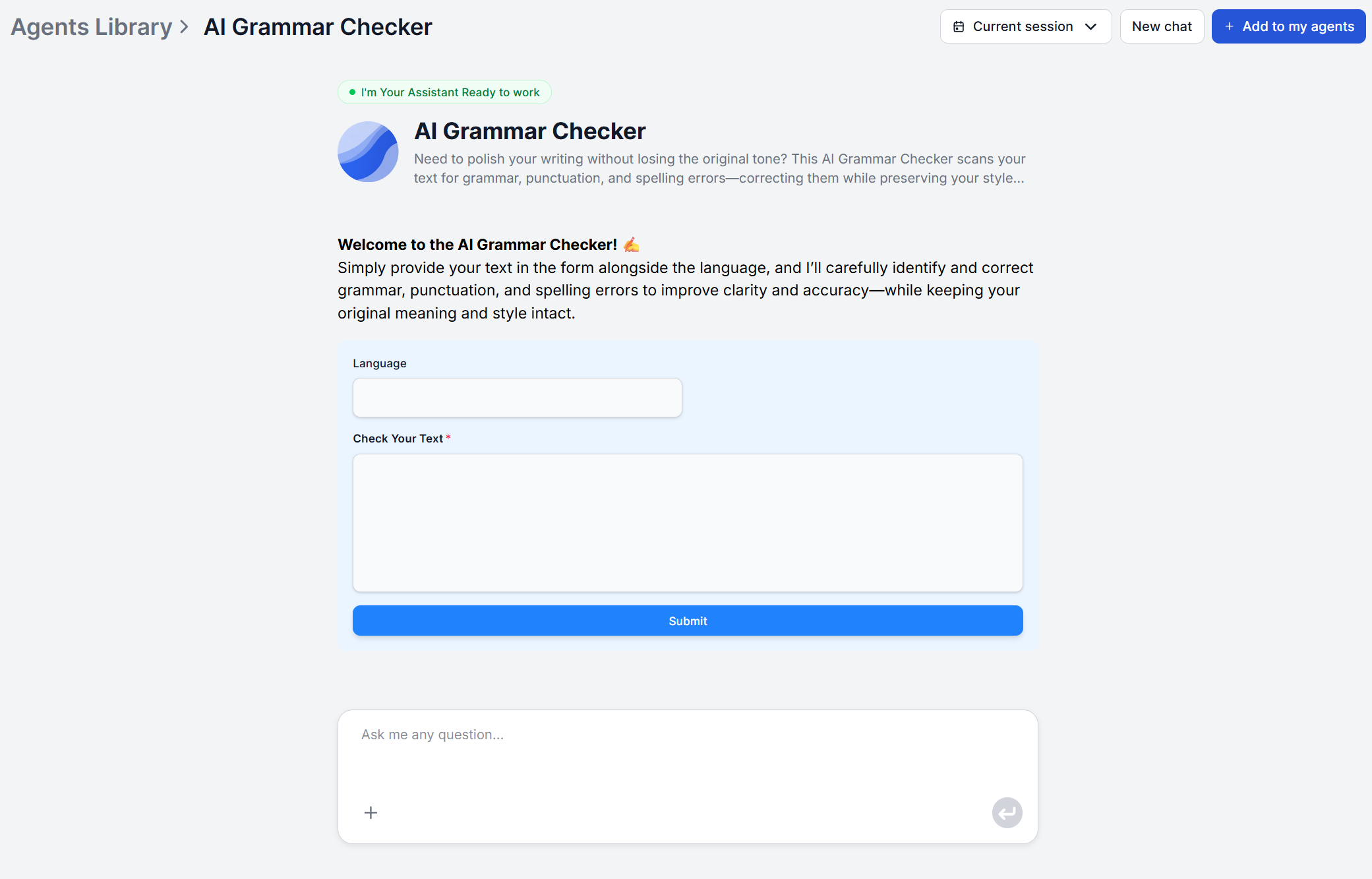
AI grammar check — paste the final draft into the AI Grammar Checker; specify the style guide, tone, language or English variant if relevant to the content type
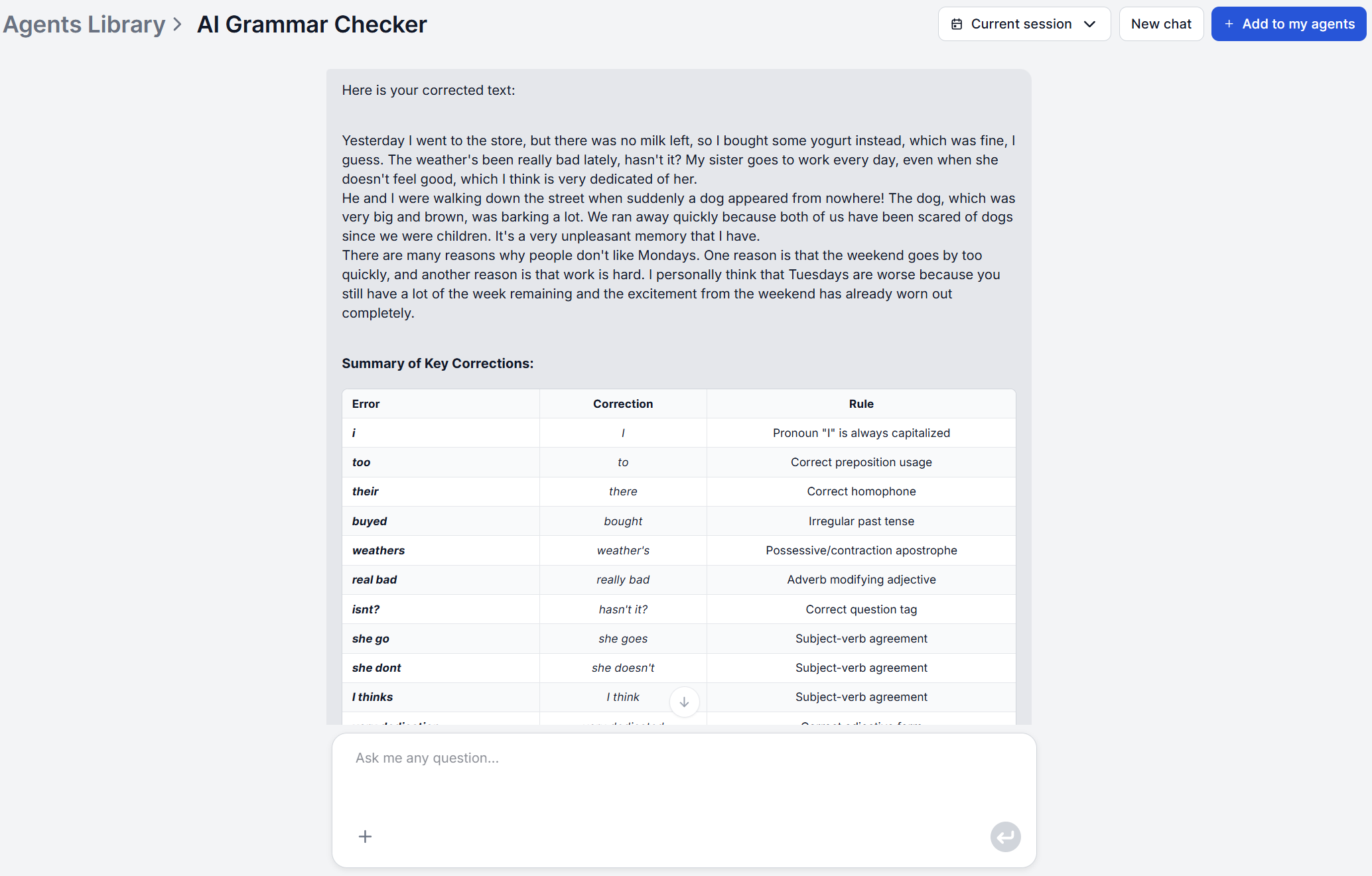
Change review — editor or author reviews corrections, accepting or rejecting individual changes before the content moves forward
Publish
Step 3 takes seconds. The step that typically slows teams down is step 4, but reviewing suggested changes is significantly faster than finding them yourself. For teams managing high publication volumes, step 3 can be integrated into the workflow so the grammar check runs automatically as part of the draft-to-review handoff.
The core principle is that AI proofreading for marketers and content teams is most effective when it is a standard gate in the process applied to every content type, every time. For a detailed guide to configuring the tool for each content type, see the FlowHunt grammar checker tutorial
. Not sure which grammar tool fits your team’s workflow? The AI grammar checker comparison guide
breaks down four leading tools across accuracy, language support, and workflow fit.
Frequently asked questions
Manual proofreading a typical 1,000-word blog post takes anywhere from 15 minutes for a light pass to over an hour for a thorough review. An AI grammar check returns corrections in seconds for the same content. For teams publishing multiple pieces per week, that time saving is significant, and the AI pass is more consistent, since it does not get fatigued on the fourth article of the day.
Yes. FlowHunt's AI Grammar Checker uses contextual LLM reasoning, which means it identifies domain-specific phrasing as intentional rather than flagging it as an error. You can enforce it by feeding the AI vocabulary and information about your industry. You can also specify a style guide or domain context to further calibrate the output.
Indirectly, yes. Search engines use engagement signals like dwell time and bounce rate as quality indicators, and error-heavy content tends to perform worse on both. Clean, readable copy also earns more backlinks and shares organically. The direct ranking impact of grammar errors is a secondary effect, but the downstream impact on reader trust and content performance is real.
FlowHunt's AI Grammar Checker can process content submitted via the chat interface on demand for any individual piece. For teams running regular publication schedules, the underlying flow can be integrated into a publishing pipeline to handle multiple pieces in sequence. For older content that also needs updating and SEO improvements, the AI Blog Content Improver handles retrieval, grammar correction, and content enrichment in a single automated run.
Grammar checking catches rule-level errors. Broken punctuation, spelling mistakes, subject-verb disagreement, tense inconsistencies. Editing goes further by addressing structure, argument flow, clarity, and tone at a higher level. AI grammar checking handles the first layer reliably and quickly. For the second layer, the AI Text Humanizer addresses tone and naturalness, while the AI Blog Content Improver handles structural improvements and content gaps.
Maria is a copywriter at FlowHunt. A language nerd active in literary communities, she's fully aware that AI is transforming the way we write. Rather than resisting, she seeks to help define the perfect balance between AI workflows and the irreplaceable value of human creativity.
Maria Stasová
Copywriter & Content Strategist
Run a Grammar Check Before You Publish
FlowHunt's AI Grammar Checker corrects grammar, punctuation, and spelling in any content type — without changing your voice or style. Try it free.
AI Grammar Checker: Getting Publication-Ready Text Every Time
A practical guide to using FlowHunt's AI Grammar Checker. Learn how to to use it for different content types, and discover a review process for publication-read...
Experience real-time, professional-grade grammar correction with our AI-powered Grammar Checker. This advanced tool analyzes your text and corrects grammar, pun...
AI Grammar Checker vs Grammarly: Which Catches More Errors in 2026?
We ran 25 text samples through both tools. Here's a detailed comparison of error detection, style suggestions, tone analysis, and price, so you can pick the rig...
8 min read
AI
Writing
+3
Cookie Consent We use cookies to enhance your browsing experience and analyze our traffic. See our privacy policy.