


AI Grammar Checker
Experience real-time, professional-grade grammar correction with our AI-powered Grammar Checker. This advanced tool analyzes your text and corrects grammar, pun...
2 min read
AI
Writing
+4

A practical guide to using FlowHunt’s AI Grammar Checker. Learn how to to use it for different content types, and discover a review process for publication-ready output.
This FlowHunt grammar checker tutorial walks you through the complete workflow. For a conceptual overview of how the AI Grammar Checker compares to other tools and which content types benefit most, see the AI Grammar Checker vs Grammarly comparison , the full four-tool grammar checker comparison , and the 5 content types that need grammar checking before publishing . For ESL and non-native English writers, see the AI Grammar Checker for Non-Native English Writers guide. This guide covers the practical setup and the settings.
Find the AI Grammar Checker in your app library and add it to your workspace. Then just paste your content into the chat interface. The tool accepts text in any format or structure, and returns the corrected version in the same structure.
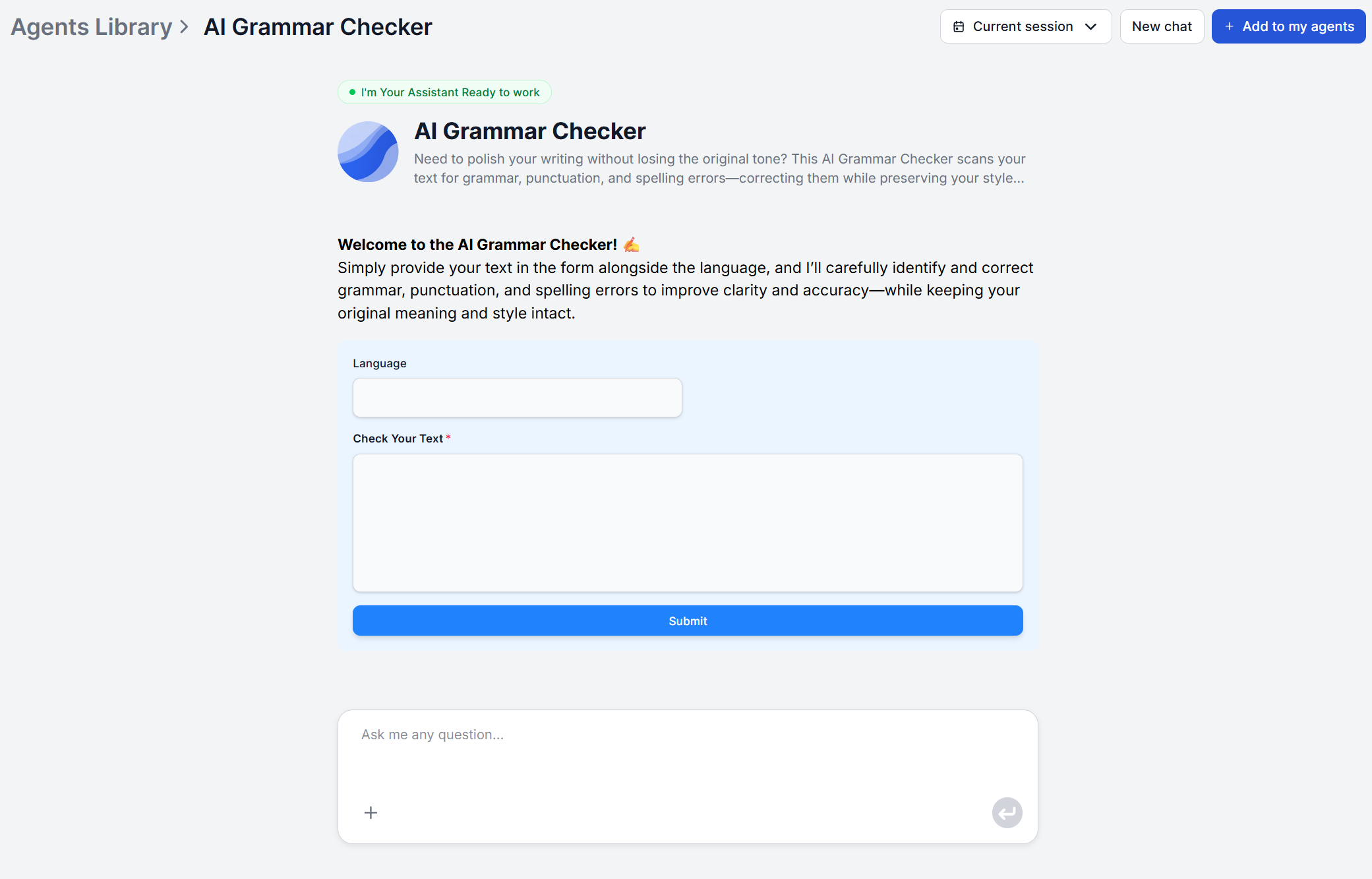
By default, the tool takes pasted text. If you’d like to use URLs, Google docs or file uploads, the Agent can be easily adjusted. That way, you can run it automatically or at scale. For example, you can check your full library of past content to catch & fix any past mistakes.
What the tool checks in this pass:
For multilingual content, paste the text in its original language. The tool checks grammar in the submitted language without requiring any additional instruction.
Before pasting your text, tell the tool what kind of content you are submitting and what standards apply to it. You ca do this the chat. A short instruction alongside your text is enough. If you’d like to send the same instructions in bulk, simply edit the agent’s prompt.
Style guide specifications:
"Apply APA format" — for academic or research content"Apply MLA format" — for humanities or academic submissions"Apply Chicago style" — for editorial or publishing contexts"Use British English" or "Use American English" — for regional variant complianceFormality and tone instructions:
"This is a professional business email so apply formal tone""This is a blog post so keep corrections consistent with a conversational register""This is a technical document so preserve domain-specific terminology"If you provide no instruction, the tool defaults to a neutral, polished style consistent with what is already in your text. For most content, this default works well. Specifying context is most important when the content has a defined standard (academic, legal, style-guide-governed) or when you are working in a language variant where rules differ (British vs American punctuation conventions, for example).

Start your free trial today and see results within days.
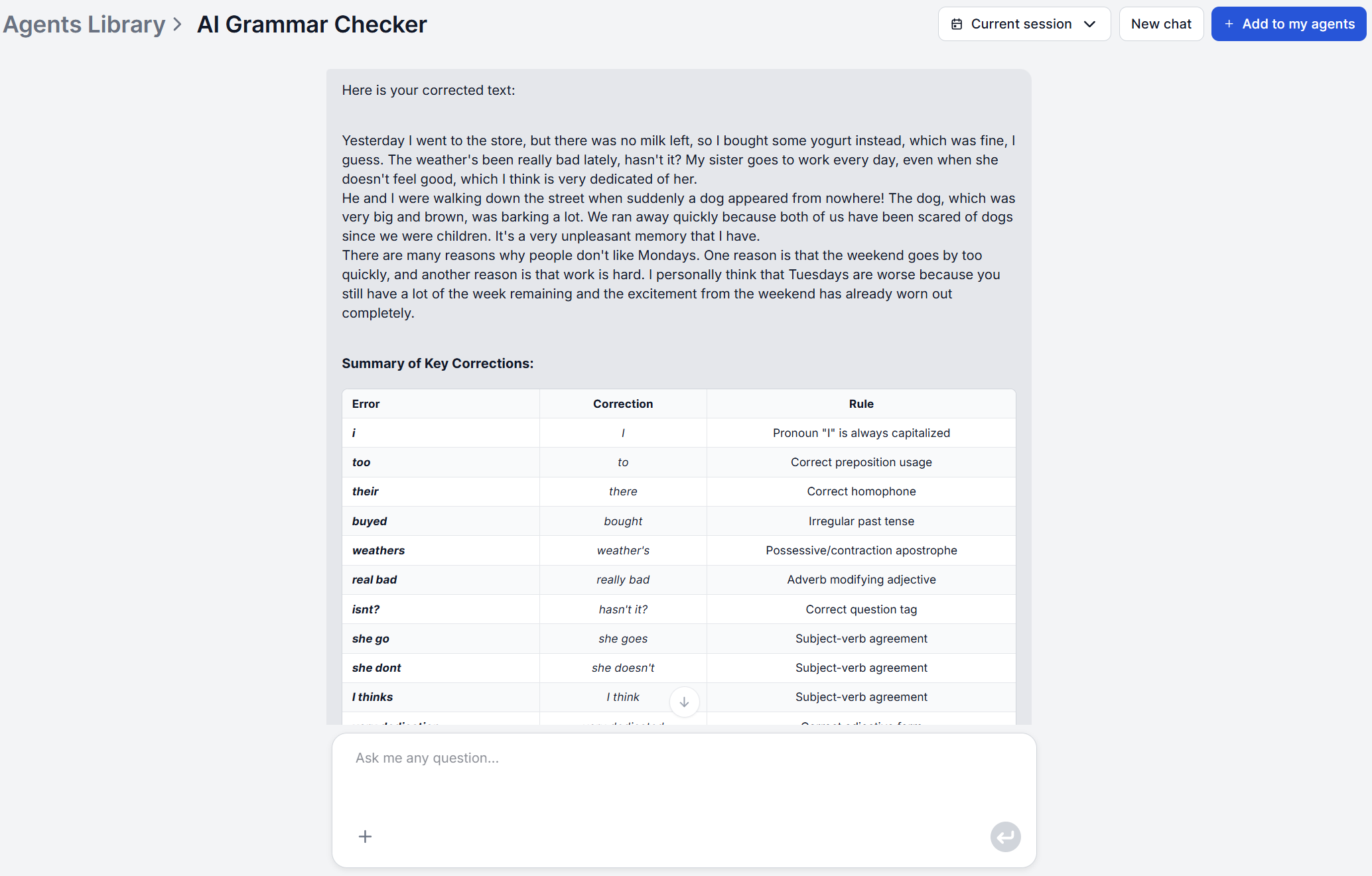
The tool returns your corrected text in the same format as your input. Read through the output and compare it against your original.
To get more from this step:
Ask the tool to explain any correction you did not immediately understand:
"Can you explain why you changed [phrase]?""What was the error in the original sentence?"You can also ask it to highlight all changes made in the corrected version, which is useful when checking longer documents where changes could be scattered throughout.
For content where specific error types are the priority, narrow the scope:
"Check punctuation only""Check spelling and homophones only""Check grammar and ignore punctuation"This targeted approach is useful for a second pass on content that has already been grammar-checked but needs a focused spelling review before publishing.
After the grammar pass, you can ask the tool to go further on style. This step is most valuable for content with strict style guide requirements or for ESL writers who want corrections explained rather than just applied.
Useful follow-up prompts:
"Are there any word form errors I should be aware of?""Is the tense consistent throughout?""Flag any sentences where subject-verb agreement is at risk"The tool preserves your original voice in all corrections. If a suggestion changes meaning or removes something you intended, push back in the chat: "The original phrasing was intentional. Revert that change" or "Keep my original word choice here." The tool will adjust it.
For content that is grammatically clean but still reads as stiff or AI-generated, the AI Text Humanizer is the right follow-up: it rewrites the text for naturalness and conversational tone without changing the corrected structure.
Get latest tips, trends, and deals for free.
Once you have accepted the corrections and applied any targeted improvements, do a final read-through of the complete text before publishing.
Final review checklist:
| Content Type | Recommended Instruction |
|---|---|
| Academic essay | "Apply APA format, American English, formal academic tone" |
| Business email | "Professional tone, American English, correct errors only" |
| Blog post | "Conversational register, American English, preserve my voice" |
| Technical documentation | "Preserve domain-specific terminology, American English, technical precision" |
| LinkedIn post | "Professional but direct tone, correct errors only" |
| ESL / non-native writing | "British/American English [specify], explain each correction" |
| Multilingual document | Submit each language section separately with the target language stated |
The tool changes a phrase you intended.
Respond in the chat: "The original phrasing was intentional. Revert that change." The tool will restore it. If a pattern recurs, add "Correct errors only, do not change deliberate stylistic choices" to your initial instruction.
Technical or domain-specific terms are flagged.
Add context upfront: "This is software engineering documentation, so preserve terms like [example]." LLM-based reasoning handles domain vocabulary better than rules-based tools, but explicit context produces the most accurate output.
The output contains too many changes to review efficiently.
Ask for a focused pass instead of a full correction: "Punctuation only" or "Spelling and homophones only". Narrow the scope to what is most critical for the content type and run additional targeted passes as needed.
You are not sure whether a correction is an improvement.
Ask for an explanation before accepting: "Explain why you changed this sentence." If the reason is a genuine rule the original violated, accept it. If it is a stylistic preference rather than an error, push back.
The text is in a language other than English. Paste the content without additional instruction. The tool checks grammar in the submitted language automatically. If you need a specific regional variant (European Portuguese vs Brazilian Portuguese, for example), add a one-line instruction specifying it.
Maria is a copywriter at FlowHunt. A language nerd active in literary communities, she's fully aware that AI is transforming the way we write. Rather than resisting, she seeks to help define the perfect balance between AI workflows and the irreplaceable value of human creativity.

FlowHunt's AI Grammar Checker corrects grammar, punctuation, and spelling in any text and language, with optional explanations for every correction.
Experience real-time, professional-grade grammar correction with our AI-powered Grammar Checker. This advanced tool analyzes your text and corrects grammar, pun...

We compared four leading AI grammar tools on accuracy, feature depth, language support, and value. Here's which subscription delivers the most for your writing ...

We ran 25 text samples through both tools. Here's a detailed comparison of error detection, style suggestions, tone analysis, and price, so you can pick the rig...
Cookie Consent
We use cookies to enhance your browsing experience and analyze our traffic. See our privacy policy.