Contract review is one of the most time-consuming and error-prone tasks in legal work. AI document chat helps lawyers find key clauses, flag inconsistencies, and extract obligations in a fraction of the time. Here’s the practical workflow, and what AI still can’t replace.
AI
Legal
Contract Review
Productivity
Document Analysis
A senior associate reviewing a 70-page commercial agreement spends, on average, three to four hours on the first pass, and that’s all before redlines, client questions, or negotiations begin. For a mid-size firm handling dozens of contracts a month, that time adds up faster than almost any other task in the practice.
AI contract review tools don’t replace that work. But they change how it starts. Instead of reading page one and working forward, you can open a contract and ask it questions directly, getting the answers drawn from the exact text in seconds. Here’s how that workflow actually functions, where it saves the most time, and where legal judgment remains irreplaceable.
The Problem with Manual Contract Review
Manual contract review has three compounding costs that firms rarely measure explicitly.
Time cost. A straightforward NDA takes 20–40 minutes to review properly. A vendor agreement runs longer. A complex services contract with schedules and annexes can easily take a full working day. Multiply that across a legal team handling volume work, and contract review becomes one of the largest invisible drains on billable and non-billable time.
Cognitive cost. Reading a dense legal document sequentially to find specific provisions requires sustained concentration. Legal professionals read the same provisions repeatedly because the cross-references pull the reader back and forth — “indemnification obligations as defined in section 14.2” sends you to 14.2, which references the definitions in section 2, which qualifies “losses” in a way that circles back to 14.2. Following that architecture manually is error-prone when done at speed or under deadline pressure.
Coverage cost. Even experienced lawyers occasionally miss provisions. Automatic renewal clauses, unilateral modification rights, limitation-of-liability caps set far below standard are the provisions that get missed and that become expensive problems later.
AI document chat doesn’t do away with these costs fully. It reduces them substantially, while leaving the cognitive and judgment work with qualified legal professionals.
What AI Contract Review Actually Does
The term AI legal document review covers a range of behaviors, and it’s worth being specific about what happens when you use an AI PDF tool
on a contract.
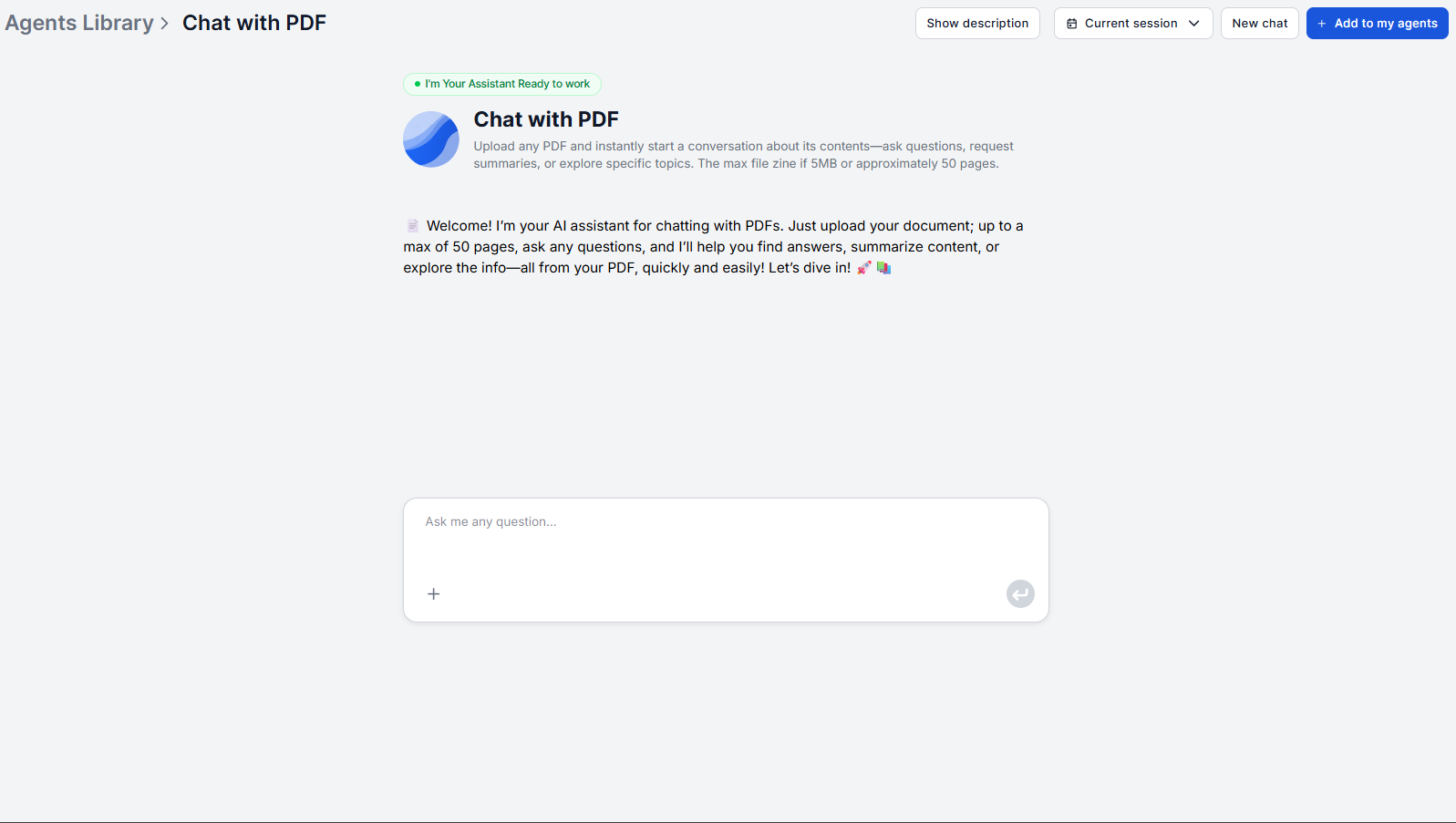
When you upload a contract and ask a question using a retrieval-based tool like Chat with PDF
, the system runs a retrieval pass. In other words, it locates the passages in the document most relevant to your query before formulating any response. The answer you receive is drawn from the actual document text, not generated from training data or external sources.
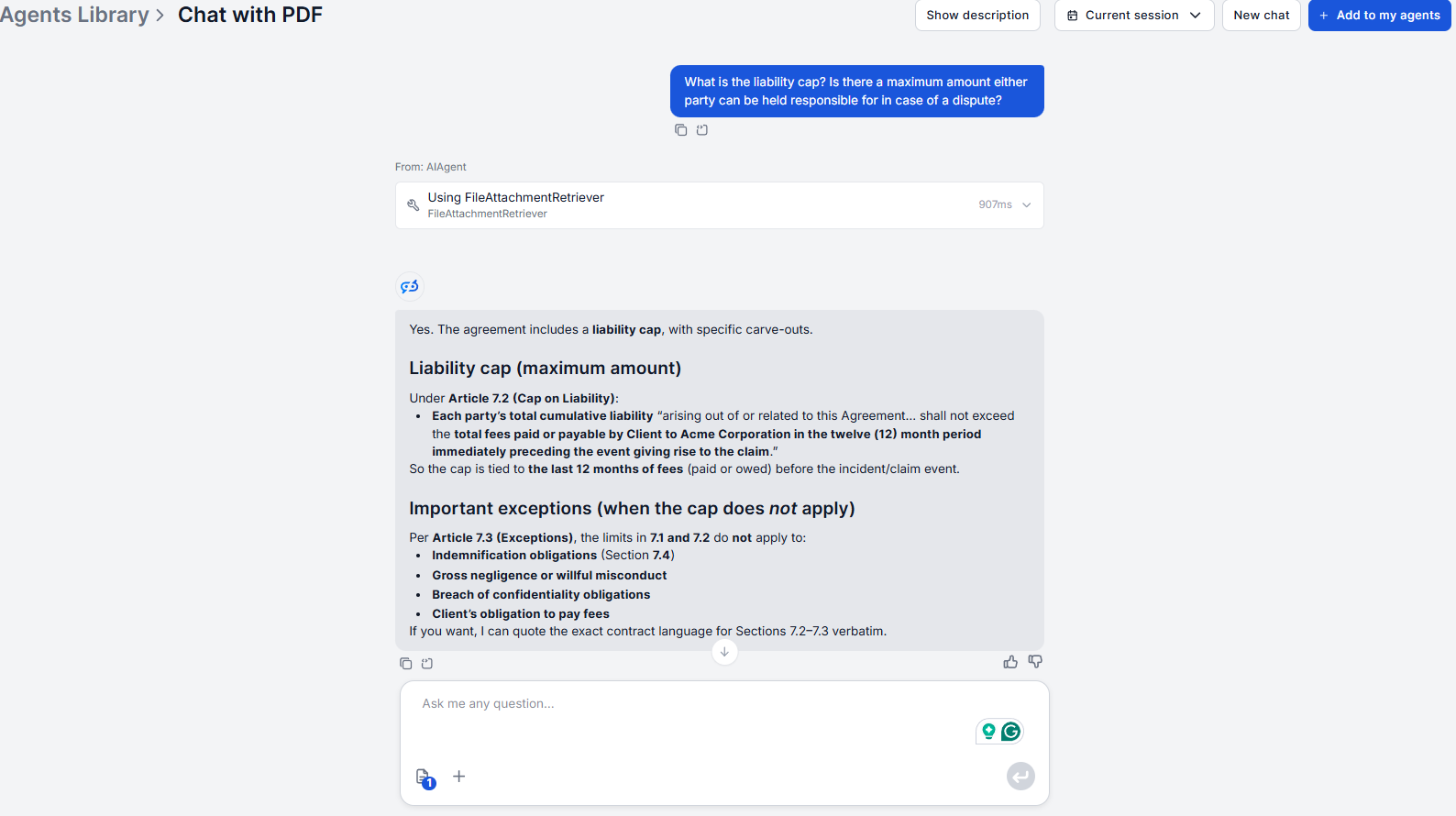
This is the distinction that matters for legal work. If you ask “what is the liability cap under this contract?”, the tool returns what this contract says, and not what a typical liability cap would looks like. If the contract has an unusual or below-standard cap, you’ll see it. If it’s missing entirely, the tool will tell you rather than hallucinating one.
Full conversation context is maintained throughout the session. You can ask a sequence of questions, such as “what are the payment terms?” followed by “what are the late-payment consequences?”, followed by “does the contract specify an interest rate?”, and each follow-up builds on the prior answers without losing the thread. If a question is ambiguous, the tool asks for clarification rather than returning a confident but off-target answer.
Ready to grow your business?
Start your free trial today and see results within days.
These are the provision categories that experienced lawyers acknowledge are most likely to slip through in a high-volume review pass. Asking targeted questions about each one systematically covers the coverage gap.
1. Automatic renewal clauses with short opt-out windows. “Does this contract contain an automatic renewal provision? If so, what is the notice period required to opt out?” This is routinely buried in the governing terms and carries real cost if missed.
2. Unilateral modification rights. “Can either party modify this contract without the other party’s consent?” Unilateral modification language, which allows one party to change pricing, terms, or scope with notice but without agreement, often appears in vendor agreements and SaaS contracts in ways that aren’t flagged by a linear read.
3. Liability caps set below standard or inconsistent across the document. “What is the total liability cap under this contract, and are there any exclusions to that cap?” Cross-referencing liability cap language across indemnification, limitation of liability, and insurance sections reveals inconsistencies that a section-by-section read can miss.
4. Undefined or cross-referenced terms used inconsistently. “Where is ‘confidential information’ defined in this contract?” and “Is the same definition used consistently throughout?” Definition sections in complex agreements often don’t align perfectly with how terms are applied elsewhere.
5. Missing obligations implied by counterparty terms. “What obligations does this contract place on each party?” Reading through the counterparty’s obligations often surfaces implied reciprocal obligations on your client’s side that aren’t stated as explicitly.
How to Review an NDA in Under 10 Minutes with AI
An NDA is one of the highest-volume, lowest-perceived-risk documents legal teams handle. Precisely that is why it’s a common source of overlooked exposure.
Upload the NDA as a chat attachment to the Chat with PDF
and open with the structural question: “What are the main obligations of each party under this agreement?” This gives you the coverage map before getting specific.
Check the definition of confidential information. Ask: “How does this agreement define confidential information, and what exclusions apply?” Overly broad definitions impose heavy obligations; overly narrow ones leave material unprotected.
Confirm the term and survival provisions. Ask: “What is the duration of this NDA, and what obligations survive termination?” Perpetual confidentiality obligations and obligations that survive the agreement’s end by five or ten years are both common and worth flagging.
Check permitted disclosure. Ask: “Under what circumstances is either party permitted to disclose confidential information?” Carve-outs for legal compulsion, affiliates, and professional advisors are standard; carve-outs that go further warrant attention.
Check remedies. Ask: “What remedies does this agreement specify for breach?” Most NDAs include injunctive relief language. Confirm that it’s present, and check whether consequential damages are limited or excluded.
These five questions will help you review the full NDA in 10 minutes, focusing on the key provisions and making sure you don’t miss any.
Join our newsletter
Get latest tips, trends, and deals for free.
How to Review a Vendor Contract Step by Step
Vendor agreements are longer, more complex, and carry more commercial risk than NDAs. The AI contract analysis workflow here is designed for a first-pass qualification before a full legal read.
Step 1: Map the structure. Ask: “What are the main sections of this agreement and what does each cover?” For a 60-page contract, this immediately tells you whether there are schedules, annexes, or incorporated terms that need separate review.
Step 2: Extract core commercial terms. Ask: “What are the payment terms, including amounts, due dates, and late-payment consequences?” Then: “What are the service level commitments and what happens if they’re missed?”
Step 3: Check termination rights. Ask: “Under what conditions can each party terminate this agreement?” and “Is there a termination for convenience right, and what notice is required?” This is where most commercial risk in vendor agreements concentrates.
Step 4: Review indemnification scope. Ask: “What does this contract require each party to indemnify the other for?” Then follow up: “Are there any carve-outs or caps on the indemnification obligations?”
Step 5: Confirm governing law and dispute resolution. Ask: “What governing law applies to this contract?” and “How does this agreement require disputes to be resolved?” Jurisdiction mismatches between the governing law and your client’s business location can be significant.
Step 6: Verify IP ownership. For any contract involving developed deliverables: “Who owns intellectual property created under this agreement?”
What AI Still Can’t Replace in Legal Review
While the efficiency gains from contract review automation are undeniable, so are the limitations.
AI document chat returns what the document says. It does not advise on whether what the document says is correct or acceptable. That’s a judgment call that depends on industry norms, the client’s risk tolerance, the value of the underlying deal, and many other aspects. AI surfaces the provision, but the legal judgment determines what to do with it.
Jurisdiction-specific interpretation is not handled. The tool retrieves the text of a governing law clause; it does not know how a court in that jurisdiction has interpreted similar language, or whether the clause would be enforceable in that jurisdiction’s specific regulatory environment.
Negotiation strategy remains entirely human. What to push back on, what to concede, how to sequence redlines to protect the most important positions. That work requires understanding the relationship, the deal economics, and the counterparty’s priorities in ways no document tool can assess.
In short, AI will help you surface the information as is, making sure you don’t overlook anything, but understanding and evaluating the information should always be up to you.
Risk and Accuracy Considerations for Legal Teams
For professional use of any AI for lawyers workflows, three considerations apply consistently.
Verify every retrieved provision before relying on it. AI retrieval is accurate for well-formatted text-based PDFs, but the professional standard is to confirm any material provision in the original document before including it in advice or redlines. The tool’s answer includes the relevant text, and verification is a direct cross-reference, not a re-read of the whole document.
Treat AI output as a first pass, not a final review. AI document chat is a tool for accelerating the information-gathering stage of contract review. Legal advice, risk assessment, and recommendations remain the work of qualified counsel.
Apply the same confidentiality standards you would to any external tool. Before uploading client contracts, confirm the platform’s data handling policies. For matters subject to privilege or under confidentiality obligations, review what protections apply and document your due diligence. The AI documentation writer
and AI research assistant
are built on the same platform and subject to the same data handling framework — relevant if you’re evaluating FlowHunt for broader firm use. For the query patterns that consistently maximize retrieval accuracy across all document types, see the Chat with PDF setup and best practices guide
.
Legal teams that adopt AI document chat for contract review consistently report significant reductions in first-pass review time. The provision coverage is more systematic. The risk of missing a buried clause decreases. The time spent on mechanical reading decreases. And qualified legal judgment remains exactly where it needs to be.
Accuracy depends on the task. For retrieving exact clause language, AI contract review tools that run a retrieval pass before every response are highly reliable, giving you precise text the document contains rather than a paraphrase. For interpreting what a clause means legally, or advising whether a term is acceptable in context, that requires legal judgment that AI cannot provide. Use AI to find and surface the text, and apply legal expertise to interpret and advise on it.
The tool retrieves the exact language from the document. It does not apply external legal knowledge (it may be set up to do so) or interpret jurisdiction-specific implications. You can ask 'what governing law does this contract specify?' and get the exact provision. Whether that governing law is appropriate for your client's situation, or how a specific clause would be interpreted by a court in that jurisdiction, remains a question for qualified legal counsel.
The tool answers by retrieving relevant passages based on your queries rather than proactively scanning for irregularities. To surface potentially non-standard terms, ask directly: 'Does this contract contain any limitations on liability that are lower than industry standard?' or 'Are there any unilateral modification clauses?' The more targeted your questions, the more reliably unusual provisions get surfaced.
AI document chat works well for the information-extraction layer of M&A review, such as locating specific representations and warranties, conditions precedent, material adverse change definitions, or earnout provisions. What remains squarely with experienced counsel is the legal strategy, negotiation positioning, and risk assessment that M&A transactions require. The tool is most useful in the first-pass qualification stage before deeper legal analysis.
Before uploading any client contract to an AI tool, confirm the platform's data handling and retention policies. Check whether documents are stored, used for model training, or shared in any form. For high-sensitivity matters, review the provider's data processing agreement and, where required, obtain client consent. FlowHunt's data handling details are available at flowhunt.io or by contacting the team directly.
Review Contracts Faster with AI
Upload any contract and ask questions in plain language. FlowHunt's Chat with PDF retrieves the exact clause language you need — without reading the whole document first.
Chat with PDF: 7 Professional Use Cases That Save Hours Every Week
From legal teams reviewing contracts to analysts extracting data from reports, here are seven specific workflows where AI PDF chat replaces hours of manual sear...
Artificial Intelligence (AI) in legal document review represents a significant shift in how legal professionals handle the overwhelming volume of documents inhe...
How to Chat with PDF Documents Using AI: Ask Questions, Get Instant Answers
Stop scrolling through 200-page PDFs looking for a single answer. Upload any document and ask questions in plain language to get accurate answers with page refe...
6 min read
AI
PDF
+3
Cookie Consent We use cookies to enhance your browsing experience and analyze our traffic. See our privacy policy.