Chat with PDF: 7 Professional Use Cases That Save Hours Every Week
From legal teams reviewing contracts to analysts extracting data from reports, here are seven specific workflows where AI PDF chat replaces hours of manual searching with seconds of conversational queries.
Manually searching a PDF is manageable for a 10-page brief. For anything longer, such as a 50-page contract, a quarterly earnings filing, a research paper with 40 pages of appendices, it becomes a reliable way to lose an afternoon. That’s why professionals in nearly every knowledge-intensive field now use AI to chat with PDF
and surface sections and data immediately.
Here are the seven professional scenarios where Chat with PDF
consistently delivers the most value, and what each workflow looks like in practice.
Use Case 1: Legal Contract Review and Clause Extraction
Legal documents are long, dense, and structurally non-linear. A service agreement or NDA might define a term on page 4 and apply it 25 pages later, reference other sections throughout, and contain provisions that only become relevant under specific circumstances, which you may not know to check for until it’s too late.
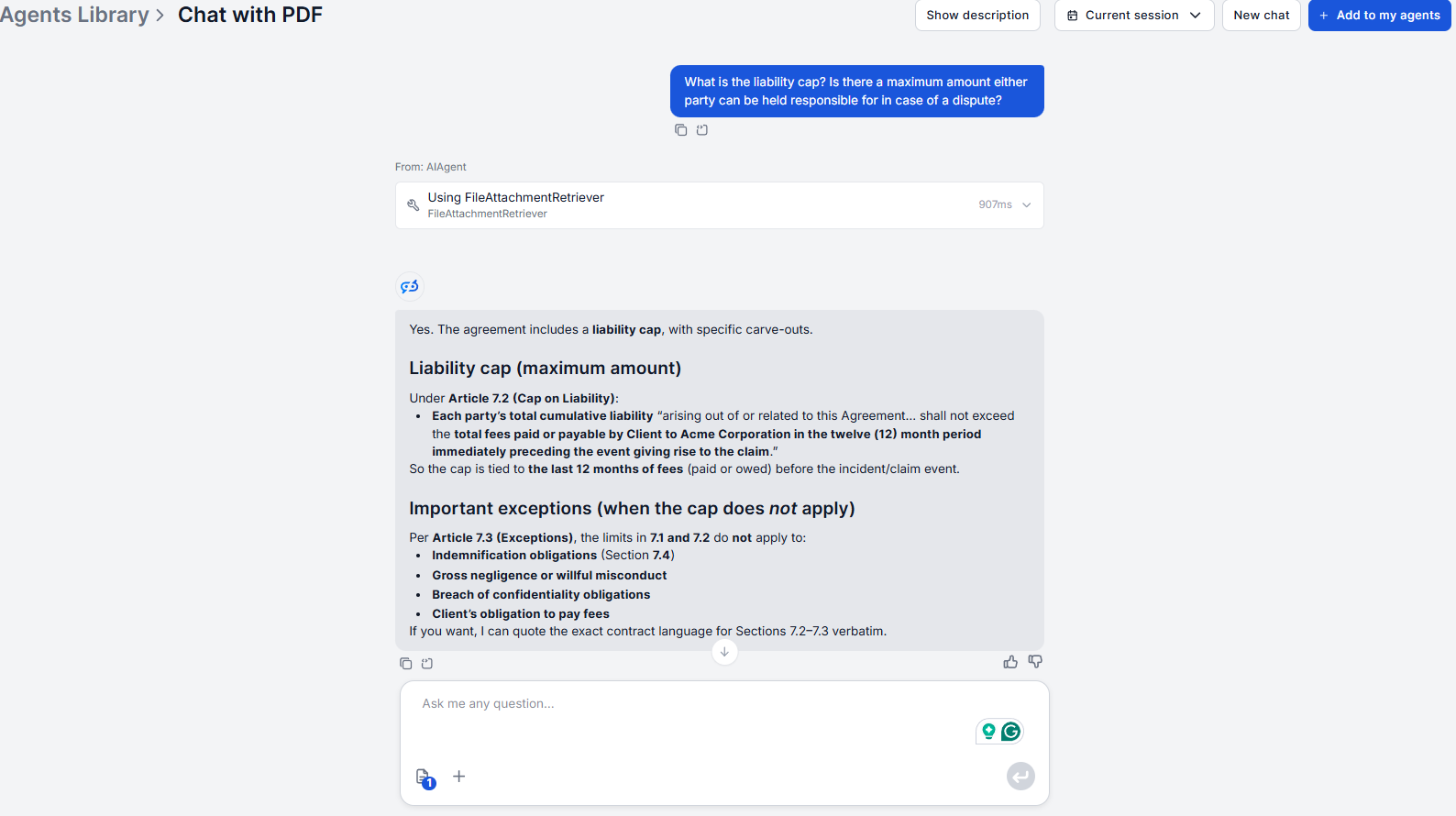
AI PDF chat for legal teams means there’s no need to read documents end to end, all you need to do is ask the specific questions that matter. For example, you can ask about the termination conditions, the document’s definition of ‘confidential information’, or if there are automatic renewal clauses.
The AI retrieves the exact document language rather than paraphrasing it, which is critical in a context where wording determines meaning. The conversation history means you can follow up (“What section is that from?” or “Are there any exceptions to that clause?”) without re-explaining the query.
Literature reviews involve reading many papers to extract a small amount of specific information from each. Reading 30 papers cover to cover to find their methodology, sample size, and main findings is standard practice, but most of that reading time produces nothing usable.
The AI chat with document approach changes the economics. You just upload a paper, ask what you need, and move on. Useful queries include:
“What was the sample size and data source?”
“What were the main conclusions?”
“What limitations did the authors identify?”
“Did this study replicate or contradict prior findings on this topic?”
“What future research did the authors recommend?”
The retriever returns the exact passage rather than a generated summary, which helps when you need to verify claims or cite findings accurately without misrepresenting what the paper said.
For broader topic synthesis across multiple sources, the AI research assistant
builds structured research documents with annotated bibliographies.
Ready to grow your business?
Start your free trial today and see results within days.
Earnings releases, annual reports, and regulatory filings are designed for completeness, not readability. Key figures are spread across multiple sections, and footnotes often contain the adjustments that change how headline numbers should be interpreted.
PDF analysis tools for professionals in finance focus on:
Extracting specific metrics quickly (“What was operating margin in Q3?”)
Finding segment or regional breakdowns (“How did the Asia-Pacific segment perform?”)
Surfacing footnotes and accounting adjustments (“Is EBITDA adjusted, and what is excluded?”)
Checking management commentary against reported figures (“What growth did management project for this period?”)
The assistant retrieves the precise text, not a regenerated summary, so figures and footnote language come out exactly as stated in the document, which matters when you’re building models or preparing analysis for stakeholders.
For extracting structured financial data from invoices and financial documents at scale, the invoice data extractor
handles automated OCR-based extraction from large invoice volumes.
Use Case 4: RFP and Tender Document Review
RFPs and tender documents are lengthy by design, covering scope, requirements, evaluation criteria, submission formats, legal terms, and timelines across dozens of pages. Missing a mandatory requirement can mean disqualification.
The AI document assistant can help wih pre-submission qualification:
“What are the mandatory submission requirements?”
“What evaluation criteria does this RFP specify, and how are they weighted?”
“Are there any conflict of interest provisions?”
“What is the maximum contract value?”
“What is the submission deadline and accepted format?”
Working through an RFP conversationally is faster and more reliable than a linear read for surfacing the ten requirements buried in a 60-page document. Once you know the full requirement list, you can choose to re-read the relevant sections in full, but you’ve already qualified whether responding is worth the investment.
Join our newsletter
Get latest tips, trends, and deals for free.
Use Case 5: Medical Research Paper Analysis
Clinical researchers, pharmacists, and healthcare professionals regularly need to extract specific findings from papers whose full methodology is dense and not always relevant to the immediate question. Reading an entire clinical study to find the adverse event profile or inclusion criteria is common but inefficient.
Typical queries for this use case:
“What was the primary endpoint and how was it measured?”
“What adverse events were reported and at what frequency?”
“What were the inclusion and exclusion criteria for participants?”
“What was the statistical significance threshold used?”
“How does this study compare to the previous trials cited in the introduction?”
The retriever returns the exact text from the paper, so findings are reported precisely as the authors stated them. This is important when accuracy of the original claim matters for clinical or regulatory purposes.
Use Case 6: Technical Manual Troubleshooting
Technical manuals, API documentation, and product specifications are reference documents. They’re rarely read linearly and are designed to answer specific questions. But “specific question + manual search” still means navigating a table of contents, scanning sections, and following cross-references, which adds up.
Chat with document AIs makes technical reference documents conversational:
“What does the error code E204 mean?”
“What are the network interface configuration requirements?”
“What is the recommended torque for the mounting bolts?”
“Which section covers the firmware update procedure?”
“What are the safety precautions for high-voltage components?”
The assistant retrieves the relevant passage directly, removing the navigation overhead. For technical teams maintaining complex equipment or integrating APIs, this changes the workflow from find the section & read it to ask, get the answer, act.
Use Case 7: Compliance Document Auditing
Compliance frameworks, such as ISO standards, regulatory guidelines or internal policies, are long documents where the answer to “do we comply?” depends on first finding the specific requirement, then comparing it to current practice. The first step alone can take significant time in a dense standard.
Instead, you can ask an AI document assistant:
“What does this policy require for incident response timelines?”
“Are there specific record-retention requirements in this regulation?”
“What access controls does this standard mandate?”
“Where does this document address third-party vendor requirements?”
“What are the audit and reporting obligations under this framework?”
Working through a compliance checklist conversationally is faster than reading each section to locate the relevant provision.
How to Write Better Queries for More Accurate Answers
The retriever works with whatever you ask, but query precision directly affects result quality. A few patterns that consistently improve outputs:
Be specific about what you want. “Tell me about the contract” produces a broad response. “What are the termination provisions in section 9?” gives the retriever a precise target.
Reference section numbers when you know them. “What does section 4.2 say?” is more targeted than “What does this document say about liability?”
Use follow-up questions instead of restarting. The assistant maintains full conversation history throughout the session. “What are the exceptions to that clause?” is better than re-explaining the full context in a new query.
Let the clarification prompt work. If your question is ambiguous, the assistant asks rather than guesses.
Ask for summaries explicitly when you need them. “Summarize section 5” or “What are the key takeaways from the methodology?” produces summaries drawn from the actual content, not generated independently. Explicit summary requests are more reliable than broad “overview” questions.
Across all seven use cases, the common factor is the same: a targeted question produces a targeted answer. The more specific the query, the less retrieval noise, and the more directly useful the response.
The tool is also transparent about what it can’t find. If a document doesn’t contain what you’re asking about, the assistant says so rather than fabricating an answer, which is the behavior that makes it reliable for professional use rather than just convenient.
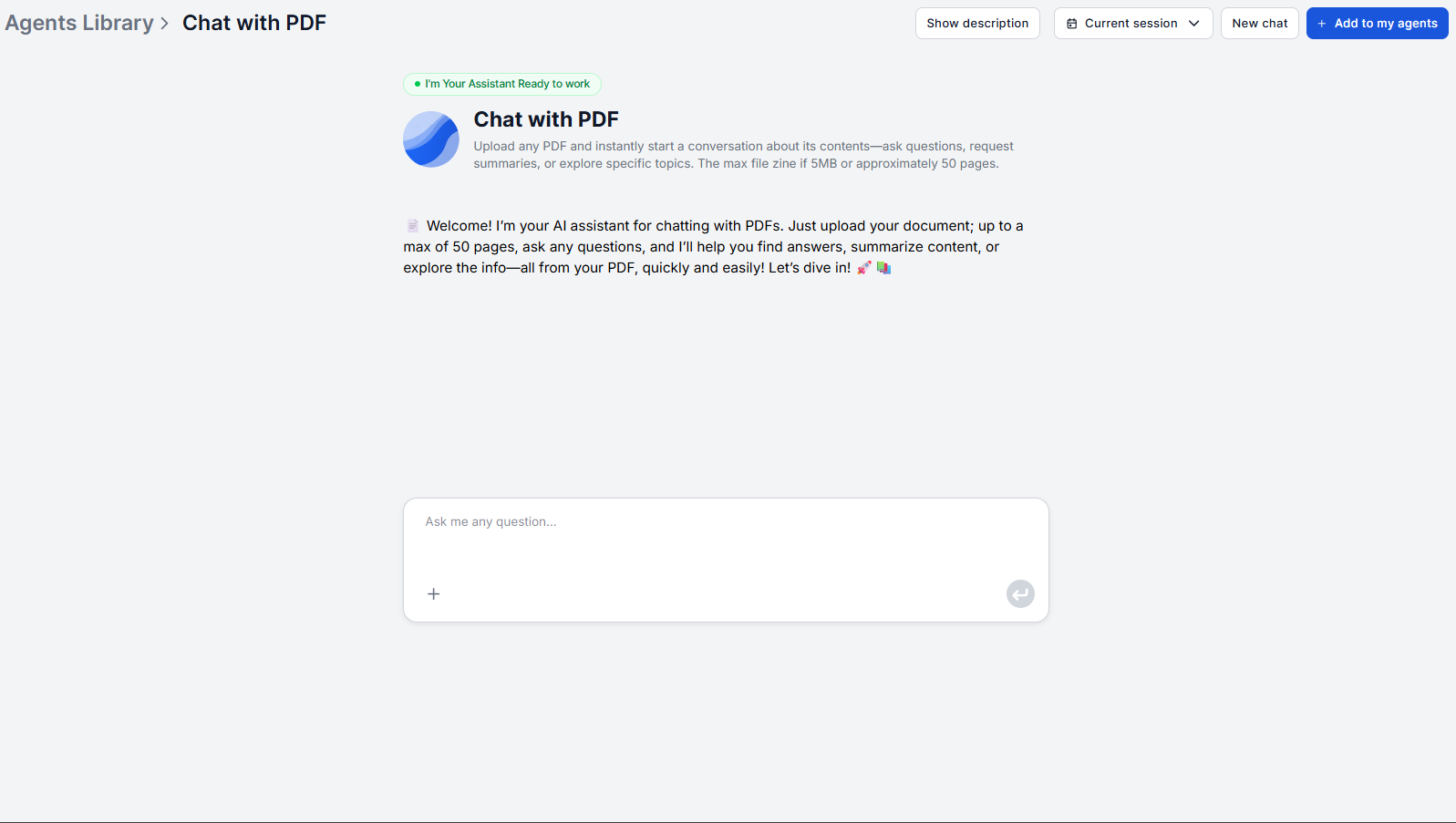
For a complete setup guide and query patterns that work across all these use cases, see the Chat with PDF tutorial
.
Frequently asked questions
The tool works with standard text-based PDFs that can be opened and read normally. Password-protected PDFs that require authentication to open cannot be processed. Remove the password protection first. Once the file is accessible, the tool handles it normally.
Yes, provided the tables contain selectable text, meaning the data is digitally embedded rather than an image. The retriever can search and extract from tabular content. Asking specific questions that reference the data you need ("what does the revenue table in section 3 show for Q2?") produces more accurate retrieval than broad questions.
The assistant retrieves the exact language from the document rather than paraphrasing or simplifying it. When you ask about a clause, term, or specification, you get the precise wording the document uses, which matters in legal and technical contexts where exact language determines meaning. The assistant will explain or summarize jargon only if you ask it to. Even then, we recommend double-checking the meaning.
Answers appear in the chat interface and can be copied from the conversation for use in external documents, reports, or notes. The underlying flow can be modified within FlowHunt to add structured export or formatting behavior if your workflow requires it.
The tool works with text-based PDFs regardless of the language the document is written in and can retrieve and return content in the document's original language. For best results, match the language of your questions to the language of the document.
Maria is a copywriter at FlowHunt. A language nerd active in literary communities, she's fully aware that AI is transforming the way we write. Rather than resisting, she seeks to help define the perfect balance between AI workflows and the irreplaceable value of human creativity.
Maria Stasová
Copywriter & Content Strategist
Start Using Chat with PDF for Your Workflow
Upload any PDF and ask questions in plain language. FlowHunt's Chat with PDF delivers accurate, document-grounded answers in seconds. Try it free.
How to Chat with PDF Documents Using AI: Ask Questions, Get Instant Answers
Stop scrolling through 200-page PDFs looking for a single answer. Upload any document and ask questions in plain language to get accurate answers with page refe...
Contract review is one of the most time-consuming and error-prone tasks in legal work. AI document chat helps lawyers find key clauses, flag inconsistencies, an...
Upload a PDF and ask questions about it with FlowHunt's Chat with PDF tool. Get accurate answers, summaries, and relevant excerpts drawn directly from your docu...
3 min read
AI
PDF
+3
Cookie Consent We use cookies to enhance your browsing experience and analyze our traffic. See our privacy policy.