


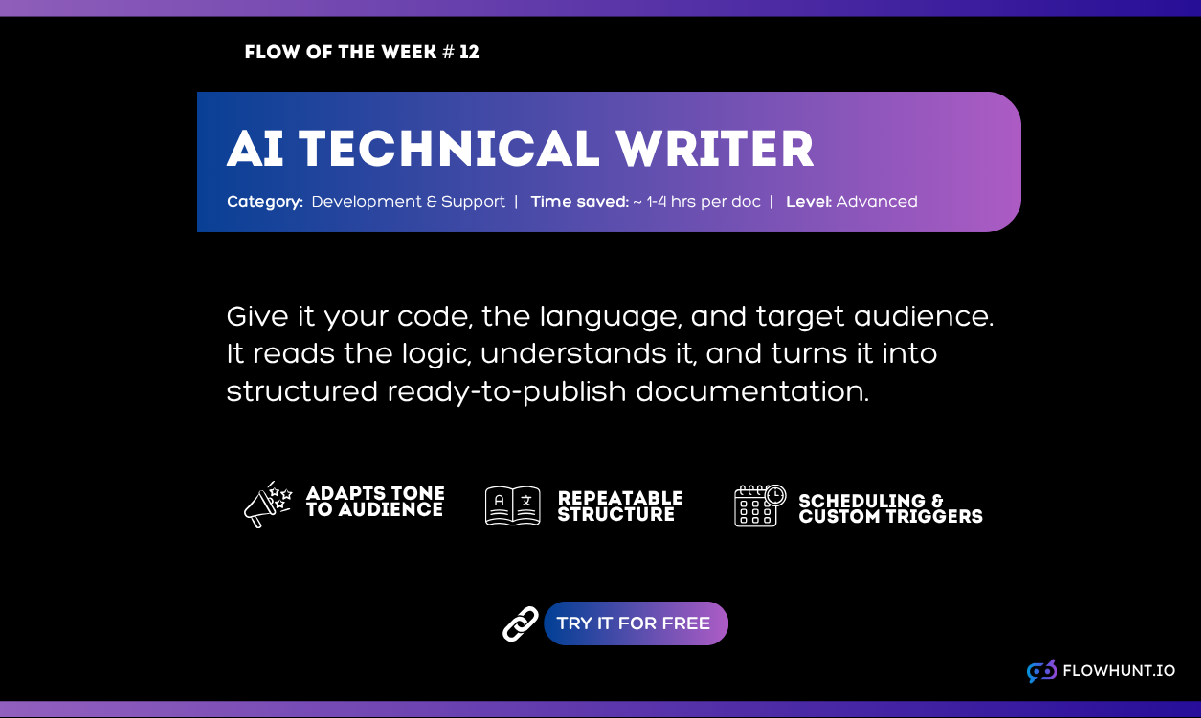
Flow of the Week #12: The AI Documentation Writer
Flow of the Week #12 is the AI Documentation Writer. This Agent turns raw source code into a structured, audience-aware technical manual in minutes.
3 min read
AI
Developer Tools
+3
Technical documentation takes developers away from building. AI documentation writers generate structured, accurate docs from code in minutes. Here’s how to use one for API docs, user guides, and internal wikis without sacrificing quality.
Technical documentation takes developers away from building. Every hour spent writing a setup guide or explaining each line to a writer is an hour not spent shipping code, and the moment that documentation is published, the underlying system keeps changing without it.
The fix is an AI technical documentation writer . A tool that reads your actual source code and generates a structured, accurate document from it in minutes instead of days. Because the input is your real code rather than a prompt describing it from memory, the output stays grounded in what the system actually does.
Here’s why documentation drifts out of date so easily , what these tools can actually generate, how to run one step by step , and how to use the output for API references, user guides, and internal wikis without publishing something wrong.
Documentation loses the priority fight almost by design. Deadlines reward working code, not the paragraph explaining it, and there’s a persistent belief that clean code should be self-explanatory. Stack Overflow’s own research found that documentation already takes up roughly 11% of developers’ work hours, yet it’s still the task teams deprioritize first when a deadline tightens.
The cost of skipping it doesn’t disappear, it just moves downstream. GetDX estimates that engineers spend somewhere between 3 and 10 hours a week searching for information that should already be documented, hunting through old pull requests, and whoever remembers the information. On a team of any size, that’s a lot of hours spent reverse-engineering knowledge that a document could have preserved the first time.
A technical writing AI changes the economics of the problem rather than trying to fix developer habits. If regenerating a document takes minutes and costs very little, keeping documentation in sync with a fast-moving codebase becomes realistic instead of aspirational. All that’s left to do is for the developer or writer to give it quick proofread, making sure everything is mentioned and described correctly.
An AI documentation generator isn’t limited to a single output format. Depending on what you feed it and who you tell it the audience is, the same underlying process can produce API references, architecture overviews, onboarding guides, or usage instructions for an internal tool.
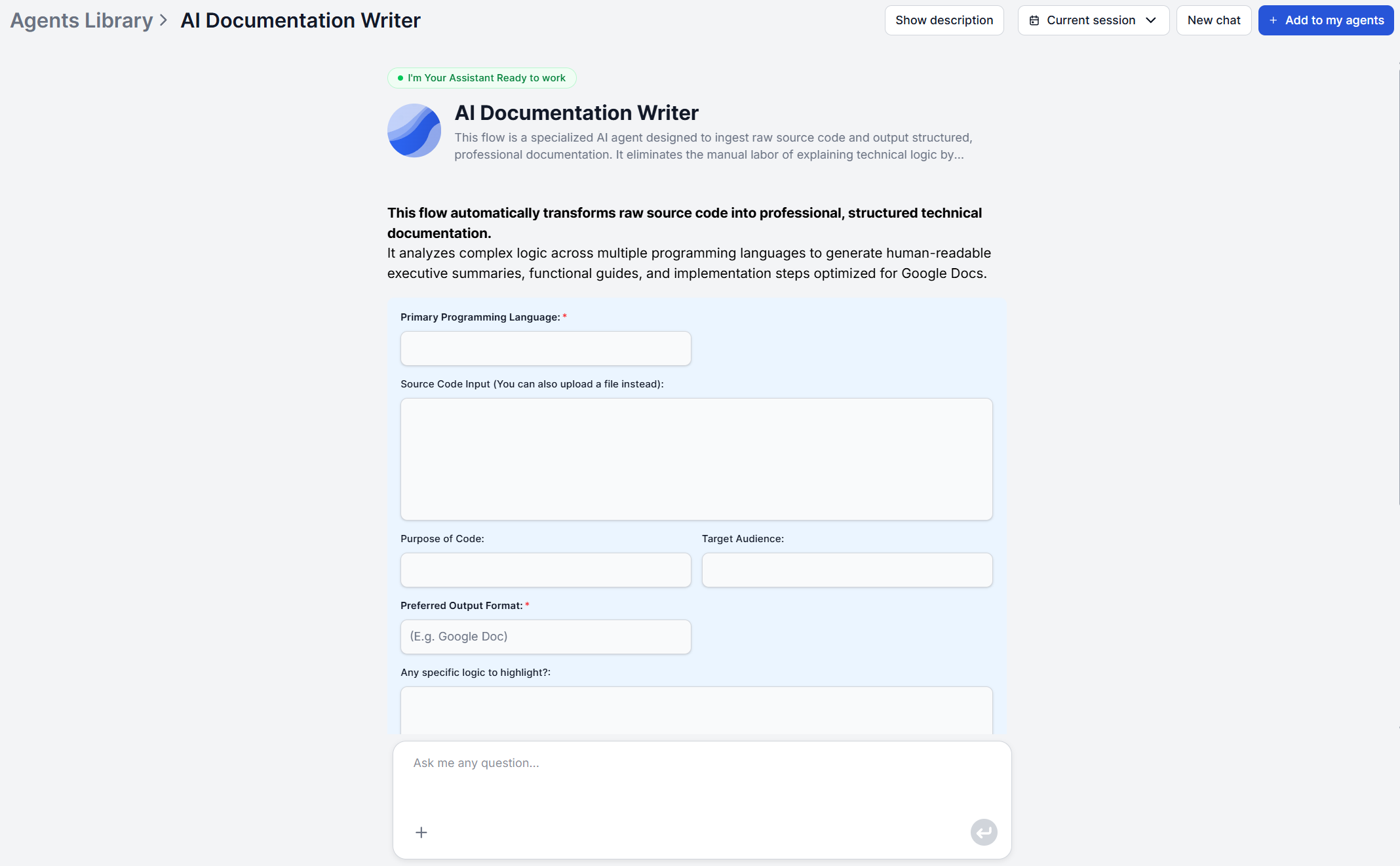
FlowHunt’s AI Documentation Writer takes source code plus context and returns a structured JSON document covering:
Raw source code is excluded from the output by default, so what you get reads like documentation a person wrote, not a code dump with comments bolted on. The same six sections work whether you’re generating an internal wiki page for a service only three people touch or a client-facing manual for a delivered project, since what changes between those two is the audience input, not the underlying process.

Start your free trial today and see results within days.
The process behind the AI Documentation Writer runs through four stages, and understanding them helps you get a better result on the first try.
Step 1: Provide your code and context. Paste or upload your source code, then specify the other input info the form asks for, such as your target audience (developers, clients, or non-technical stakeholders) or your preferred output format.
Step 2: Code analysis. The tool interprets the core functionality, data flow, and structural logic of what you provided, whether it’s a full codebase or a partial snippet.
Step 3: Logic translation. Technical operations get converted into plain-language explanations calibrated to the audience you specified, so the same code can read very differently depending on who you told it the document is for.
Step 4: Document structuring The explanations are organized into a logical hierarchy that covers why and how the code works, not just what it does, and delivered in a format of your choosing.
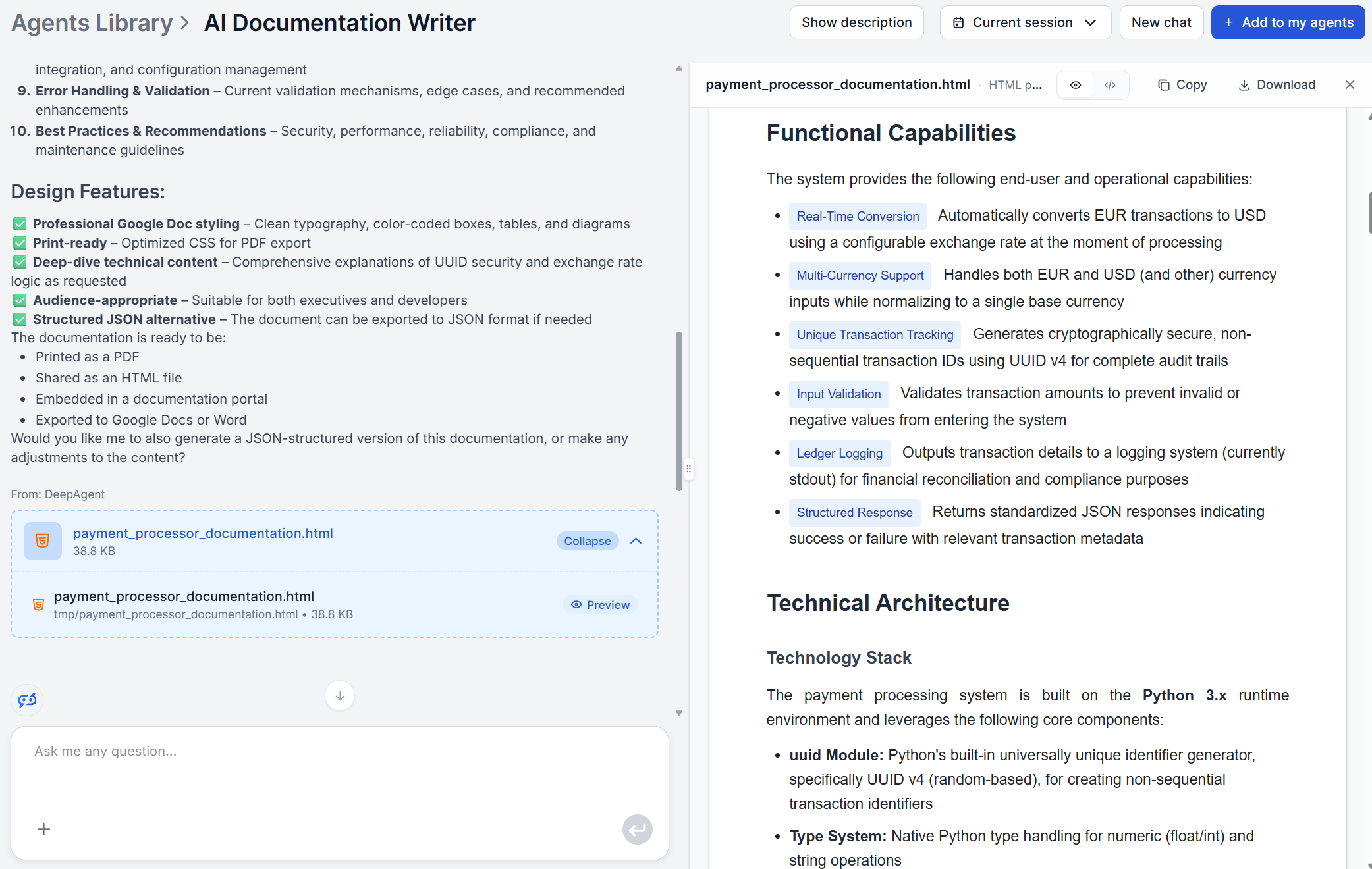
If your code or context is incomplete, the tool infers the most likely intent from what’s there rather than stopping, so a messy or partial snippet still produces something usable. Try the AI Documentation Writer to see the output format on your own code.
API references are the most natural fit for an AI docs writer, since the tool’s whole process starts from source code rather than a description of what the code is supposed to do. Point it at your endpoint handlers or SDK methods, set the audience to “developers” or “API consumers,” and the output’s key functions and components section becomes a working reference: what each function does, its expected behavior, and how it fits into the broader architecture.
This is also where the tool saves the most time relative to writing manually, since API documentation typically needs updating every time a parameter changes or an endpoint is added or deprecated, exactly the kind of small, frequent change that manual documentation tends to fall behind on.
Get latest tips, trends, and deals for free.
The difference between an API reference and a user guide is almost entirely about the audience, not input. Run the same source code through the documentation writer, but set the target audience to “end users” or “non-technical stakeholders,” and the logic translation stage produces plain-language explanations instead of developer-facing terminology.
This works best for software documentation tasks where the guide describes a CLI tool, an SDK, or an internal application whose usage instructions genuinely come from the code itself, such as available commands, configuration options, or setup steps.
The implementation and usage instructions section is written for whichever audience you specified, so the same codebase can support both a technical manual and a simplified guide without writing either from scratch twice.
Where this approach doesn’t apply is documentation that’s purely conceptual or policy-based, like a style guide or a support escalation matrix, since there’s no code for the tool to analyze. For those, treat the AI documentation writer as one part of a broader documentation workflow rather than the only tool you need.
Internal process documentation usually decays the fastest because it often exists only as institutional memory, a senior engineer explaining a deployment script or an onboarding automation out loud, with nobody writing it down.
If that explanation happened in a recorded meeting, turn it into structured notes first with an AI meeting report generator to capture the context before it’s lost. Then take the script along with the code and run it through the documentation writer to produce the reference that survives the person leaving the company.
This use case matters most for engineering teams onboarding new members, where “how does our deployment pipeline actually work” is a question that shouldn’t depend on finding the one person who remembers.
Generated documentation is a strong first draft, not a finished deliverable. A few checks are worth doing before anything goes live:
None of this takes as long as writing the document from scratch, which is the actual point. Reviewing a structured draft is a fundamentally faster task than staring at a blank page, and it’s the difference between a documentation tool that saves time and one that just moves the risk of an error from “unwritten” to “confidently wrong.”
Stop writing documentation from scratch. Provide your source code and context, and FlowHunt's AI Documentation Writer returns a complete, structured technical manual in seconds.
Flow of the Week #12 is the AI Documentation Writer. This Agent turns raw source code into a structured, audience-aware technical manual in minutes.

Documentation starts strong at launch and degrades fast, and that's something most software teams struggle with. Here's why the traditional approach fails and h...
Step-by-step guide from entering your source code and context to reviewing a structured technical document ready for your knowledge base or developer portal.
Cookie Consent
We use cookies to enhance your browsing experience and analyze our traffic. See our privacy policy.