



Google Sheets
Integra FlowHunt con Google Sheets para automatizar la creación de hojas de cálculo, la recuperación de datos y las actualizaciones dinámicas en tus flujos de t...
2 min de lectura
AI
Google Sheets
+3
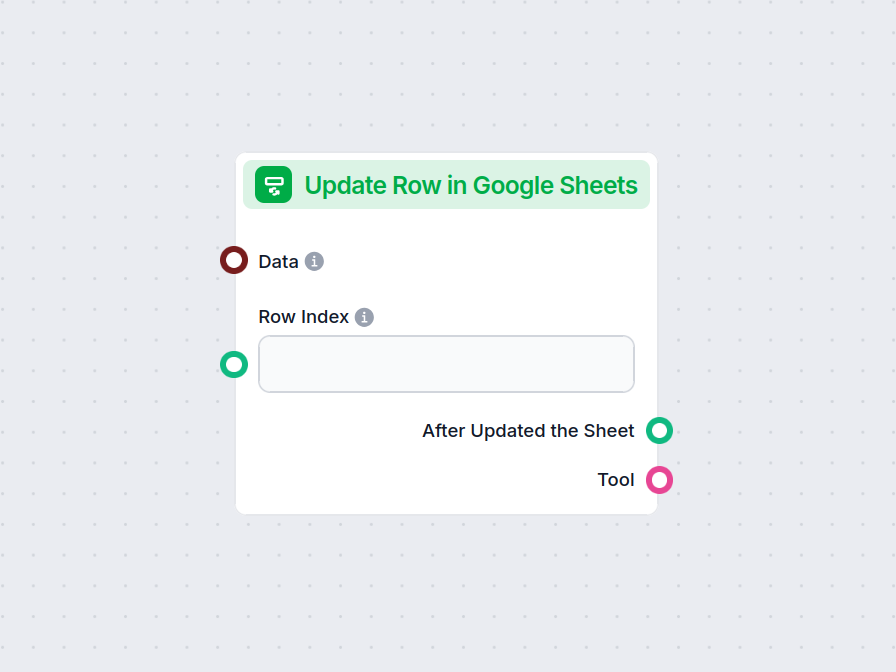
El componente Actualizar fila en Google Sheets permite que tu flujo modifique datos en una fila específica de cualquier hoja de Google conectada, agilizando actualizaciones en tiempo real y la automatización de flujos de trabajo.
Descripción del componente
The Update Row in Google Sheets component allows you to update a specific row in an existing Google Sheets document directly from your AI workflow. This is particularly useful for automating data management tasks, such as modifying entries, correcting mistakes, or updating records as part of a larger process.
Main Function:
This component updates the values in a specified row of a Google Sheets document. You provide the row index and the data to be updated, and the component will apply these changes to the corresponding cells.
Use Case:
Ideal for workflows where AI needs to interact with spreadsheet data, such as updating results of data processing, recording outcomes of analysis, or integrating feedback into shared documents.
Here are the inputs you can provide to the component:
| Name | Type | Required | Description |
|---|---|---|---|
| Data | Data | No | Data to be updated. Each key of the data corresponds to a column in the sheet. |
| Document | Google Sheets Document | Yes | The target Google Sheets document to update. Selected via Google Drive picker. |
| Row Index | String/Number | No | The index (number) of the row you want to update. |
| Tool Description | String (advanced) | No | Description of the tool, useful for agents to understand its purpose. |
| Tool Name | String (advanced) | No | Custom name to refer to the tool in agent workflows. |
| Verbose | Boolean (advanced) | No | Whether to print verbose output for debugging or logging purposes. |
Note: Advanced fields like Tool Description, Tool Name, and Verbose are typically used for agent-based workflows or for debugging.
Upon execution, the component provides the following outputs:
After Updated the Sheet (Message):
A message indicating the result after the update operation, which you can use as input for subsequent steps in your workflow.
Tool:
A reference to the update tool itself, useful if you’re chaining multiple tool-based operations or integrating with agent frameworks.
| Feature | Description |
|---|---|
| Updates Google Sheets | Modifies a specific row in a chosen Google Sheet |
| Customizable Input | Specify data, row, and document |
| Agent Integration | Advanced fields for use with AI agents |
| Verbose Mode | Optional detailed output for debugging |
| Two Outputs | Message after update, and the tool reference |
This component is a building block for any workflow that requires programmatic, reliable updates to spreadsheet data as part of a modern AI process.
Para ayudarle a comenzar rápidamente, hemos preparado varios ejemplos de plantillas de flujo que demuestran cómo utilizar el componente Actualizar fila en Google Sheets de manera efectiva. Estas plantillas muestran diferentes casos de uso y mejores prácticas, facilitando la comprensión e implementación del componente en sus propios proyectos.
Integra FlowHunt con Google Sheets para automatizar la creación de hojas de cálculo, la recuperación de datos y las actualizaciones dinámicas en tus flujos de t...
Mejora tu flujo de trabajo actualizando instantáneamente Google Sheets desde cualquier etapa de tu proceso. Prueba ahora el componente Actualizar fila en Google Sheets.
Integra FlowHunt con Google Sheets para automatizar la creación de hojas de cálculo, la recuperación de datos y las actualizaciones dinámicas en tus flujos de t...
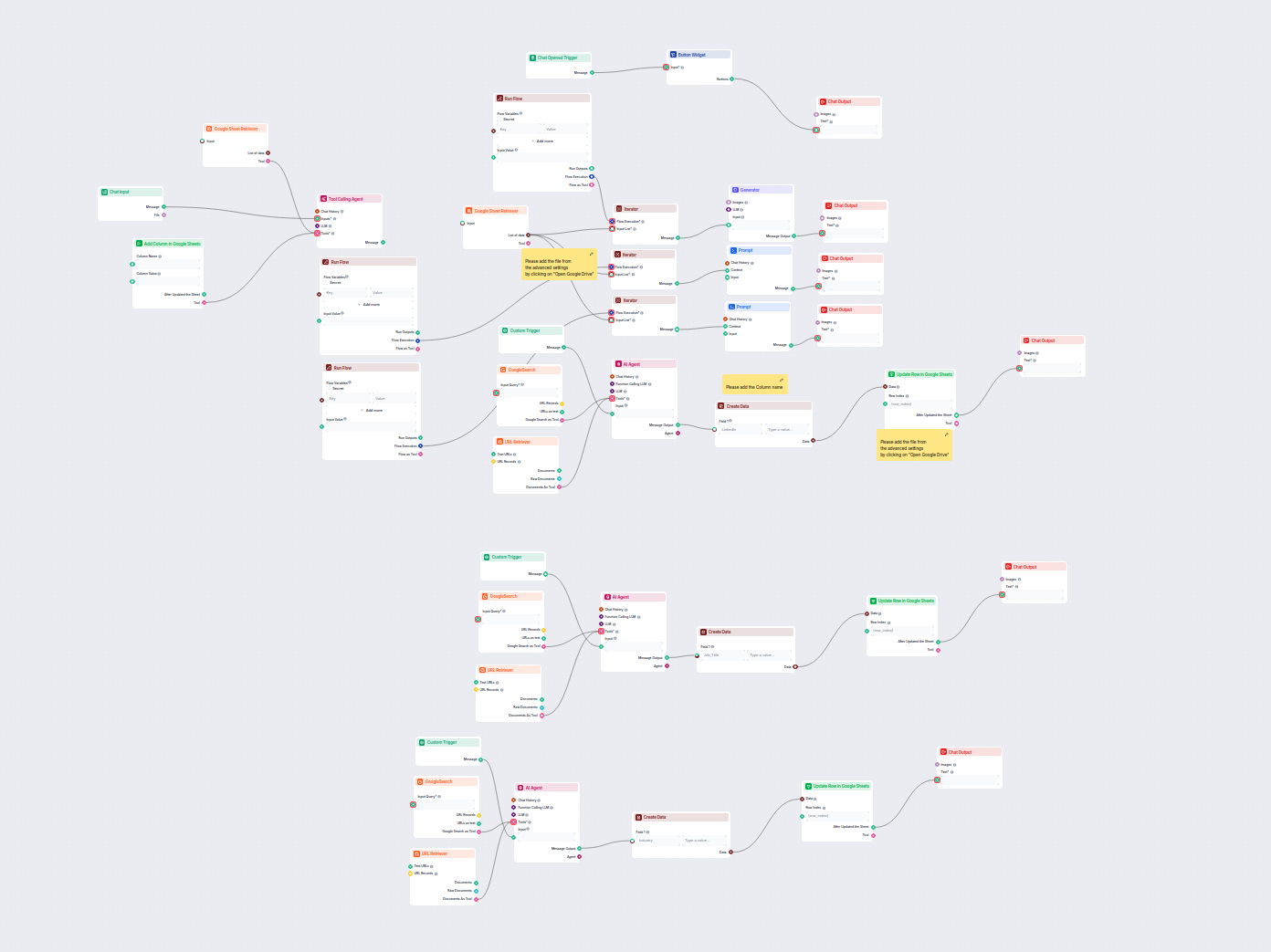
Este flujo de trabajo impulsado por IA enriquece los datos de leads en Google Sheets recuperando automáticamente perfiles de LinkedIn, cargos e industrias falta...
Consentimiento de Cookies
Usamos cookies para mejorar tu experiencia de navegación y analizar nuestro tráfico. See our privacy policy.