



Google Sheets
Integreer FlowHunt met Google Sheets om het aanmaken van spreadsheets, het ophalen van gegevens en dynamische updates in uw AI-gestuurde workflows te automatise...
2 min lezen
AI
Google Sheets
+3
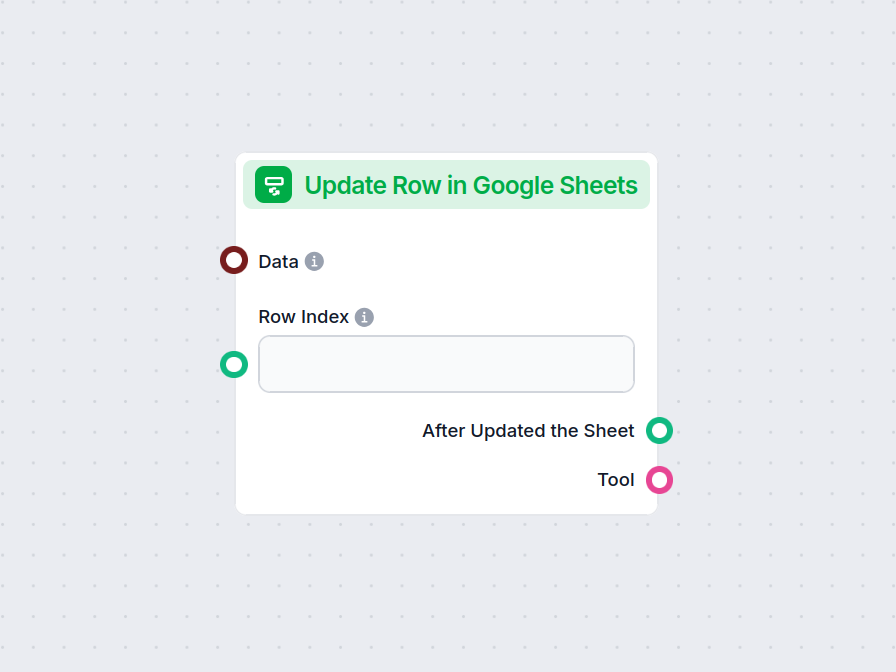
Met de component Rij bijwerken in Google Sheets kan je flow gegevens aanpassen in een specifieke rij van elke gekoppelde Google Sheet, waardoor realtime updates en workflowautomatisering worden gestroomlijnd.
Componentbeschrijving
The Update Row in Google Sheets component allows you to update a specific row in an existing Google Sheets document directly from your AI workflow. This is particularly useful for automating data management tasks, such as modifying entries, correcting mistakes, or updating records as part of a larger process.
Main Function:
This component updates the values in a specified row of a Google Sheets document. You provide the row index and the data to be updated, and the component will apply these changes to the corresponding cells.
Use Case:
Ideal for workflows where AI needs to interact with spreadsheet data, such as updating results of data processing, recording outcomes of analysis, or integrating feedback into shared documents.
Here are the inputs you can provide to the component:
| Name | Type | Required | Description |
|---|---|---|---|
| Data | Data | No | Data to be updated. Each key of the data corresponds to a column in the sheet. |
| Document | Google Sheets Document | Yes | The target Google Sheets document to update. Selected via Google Drive picker. |
| Row Index | String/Number | No | The index (number) of the row you want to update. |
| Tool Description | String (advanced) | No | Description of the tool, useful for agents to understand its purpose. |
| Tool Name | String (advanced) | No | Custom name to refer to the tool in agent workflows. |
| Verbose | Boolean (advanced) | No | Whether to print verbose output for debugging or logging purposes. |
Note: Advanced fields like Tool Description, Tool Name, and Verbose are typically used for agent-based workflows or for debugging.
Upon execution, the component provides the following outputs:
After Updated the Sheet (Message):
A message indicating the result after the update operation, which you can use as input for subsequent steps in your workflow.
Tool:
A reference to the update tool itself, useful if you’re chaining multiple tool-based operations or integrating with agent frameworks.
| Feature | Description |
|---|---|
| Updates Google Sheets | Modifies a specific row in a chosen Google Sheet |
| Customizable Input | Specify data, row, and document |
| Agent Integration | Advanced fields for use with AI agents |
| Verbose Mode | Optional detailed output for debugging |
| Two Outputs | Message after update, and the tool reference |
This component is a building block for any workflow that requires programmatic, reliable updates to spreadsheet data as part of a modern AI process.
Om u snel op weg te helpen, hebben we verschillende voorbeeld-flowsjablonen voorbereid die laten zien hoe u de Rij bijwerken in Google Sheets-component effectief kunt gebruiken. Deze sjablonen tonen verschillende gebruikscases en best practices, waardoor het voor u gemakkelijker wordt om de component te begrijpen en te implementeren in uw eigen projecten.
Integreer FlowHunt met Google Sheets om het aanmaken van spreadsheets, het ophalen van gegevens en dynamische updates in uw AI-gestuurde workflows te automatise...
Verbeter je workflow door Google Sheets direct vanuit elke fase in je proces bij te werken. Probeer de component Rij bijwerken in Google Sheets nu.
Integreer FlowHunt met Google Sheets om het aanmaken van spreadsheets, het ophalen van gegevens en dynamische updates in uw AI-gestuurde workflows te automatise...
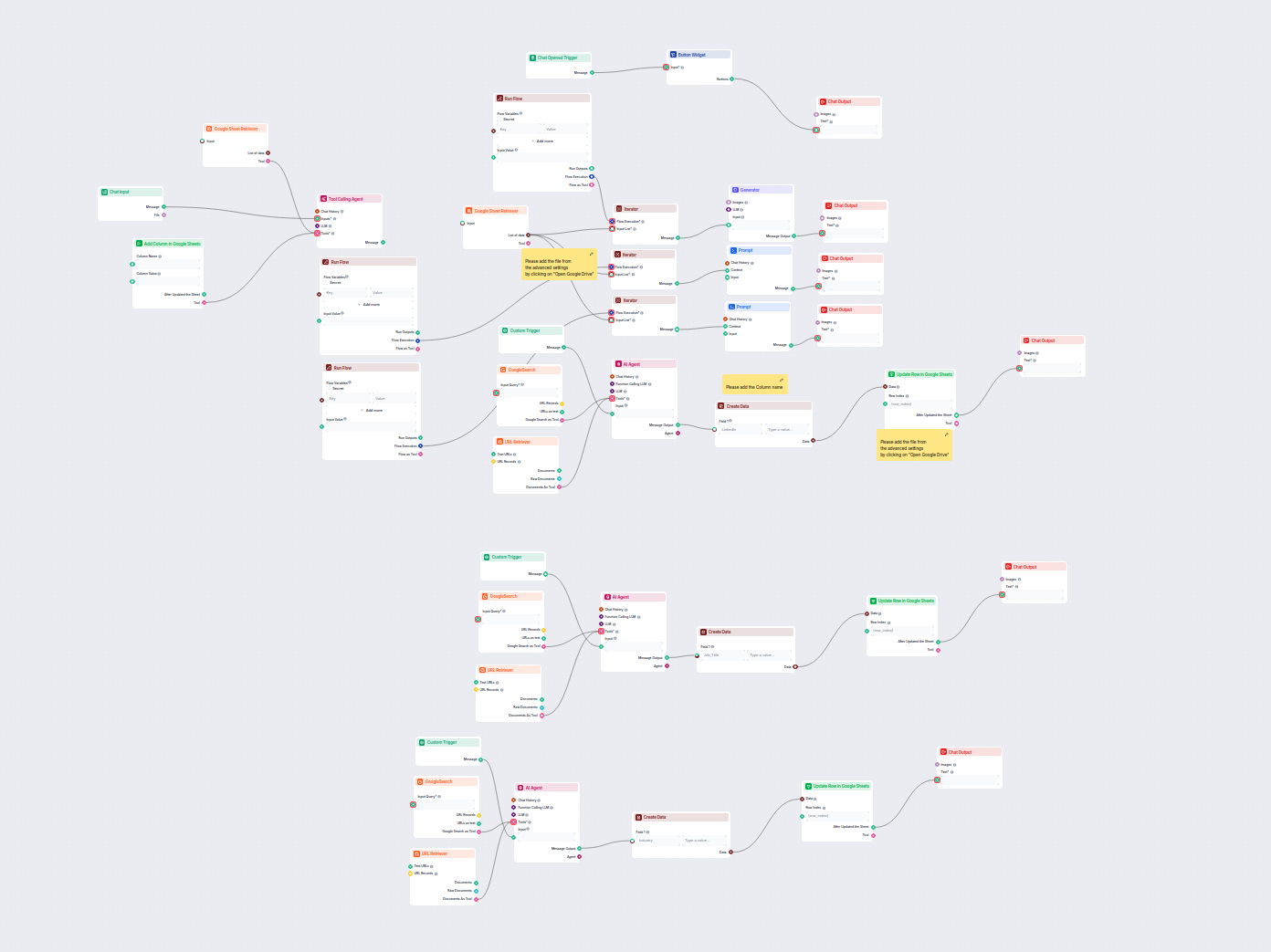
Deze AI-gestuurde workflow verrijkt leadgegevens in Google Sheets door automatisch ontbrekende LinkedIn-profielen, functietitels en sectoren van het web op te h...
Cookie Toestemming
We gebruiken cookies om uw browse-ervaring te verbeteren en ons verkeer te analyseren. See our privacy policy.