



Google Sheets
Integre o FlowHunt com o Google Sheets para automatizar a criação de planilhas, a recuperação de dados e atualizações dinâmicas em seus fluxos de trabalho orien...
2 min de leitura
AI
Google Sheets
+3
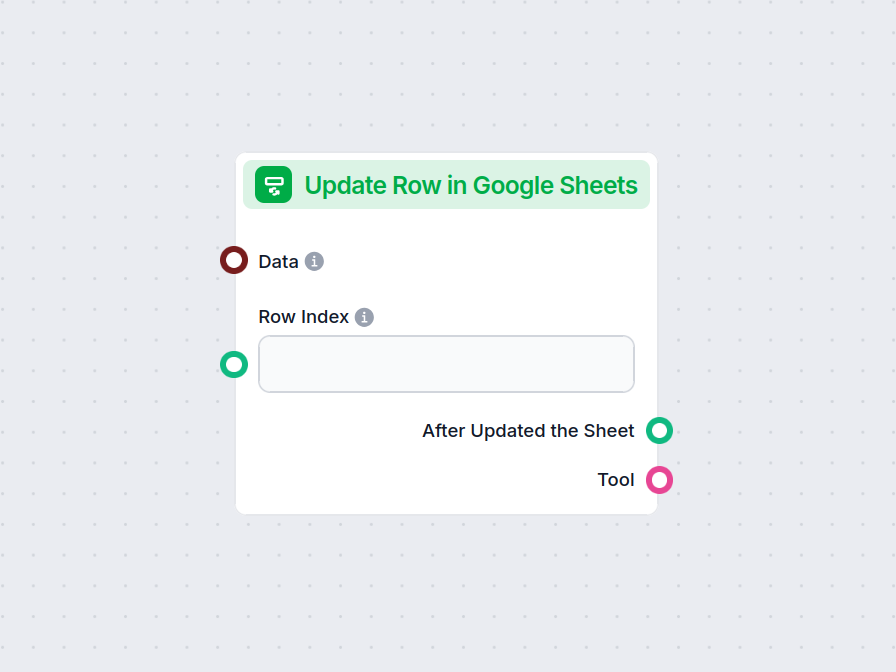
O componente Atualizar Linha no Google Sheets permite que seu fluxo modifique dados em uma linha específica de qualquer Google Sheet conectado, otimizando atualizações em tempo real e a automação de fluxos de trabalho.
Descrição do componente
The Update Row in Google Sheets component allows you to update a specific row in an existing Google Sheets document directly from your AI workflow. This is particularly useful for automating data management tasks, such as modifying entries, correcting mistakes, or updating records as part of a larger process.
Main Function:
This component updates the values in a specified row of a Google Sheets document. You provide the row index and the data to be updated, and the component will apply these changes to the corresponding cells.
Use Case:
Ideal for workflows where AI needs to interact with spreadsheet data, such as updating results of data processing, recording outcomes of analysis, or integrating feedback into shared documents.
Here are the inputs you can provide to the component:
| Name | Type | Required | Description |
|---|---|---|---|
| Data | Data | No | Data to be updated. Each key of the data corresponds to a column in the sheet. |
| Document | Google Sheets Document | Yes | The target Google Sheets document to update. Selected via Google Drive picker. |
| Row Index | String/Number | No | The index (number) of the row you want to update. |
| Tool Description | String (advanced) | No | Description of the tool, useful for agents to understand its purpose. |
| Tool Name | String (advanced) | No | Custom name to refer to the tool in agent workflows. |
| Verbose | Boolean (advanced) | No | Whether to print verbose output for debugging or logging purposes. |
Note: Advanced fields like Tool Description, Tool Name, and Verbose are typically used for agent-based workflows or for debugging.
Upon execution, the component provides the following outputs:
After Updated the Sheet (Message):
A message indicating the result after the update operation, which you can use as input for subsequent steps in your workflow.
Tool:
A reference to the update tool itself, useful if you’re chaining multiple tool-based operations or integrating with agent frameworks.
| Feature | Description |
|---|---|
| Updates Google Sheets | Modifies a specific row in a chosen Google Sheet |
| Customizable Input | Specify data, row, and document |
| Agent Integration | Advanced fields for use with AI agents |
| Verbose Mode | Optional detailed output for debugging |
| Two Outputs | Message after update, and the tool reference |
This component is a building block for any workflow that requires programmatic, reliable updates to spreadsheet data as part of a modern AI process.
Para ajudá-lo a começar rapidamente, preparamos vários modelos de fluxo de exemplo que demonstram como usar o componente Atualizar Linha no Google Sheets de forma eficaz. Esses modelos apresentam diferentes casos de uso e melhores práticas, tornando mais fácil para você entender e implementar o componente em seus próprios projetos.
Integre o FlowHunt com o Google Sheets para automatizar a criação de planilhas, a recuperação de dados e atualizações dinâmicas em seus fluxos de trabalho orien...
Aprimore seu fluxo de trabalho atualizando instantaneamente o Google Sheets em qualquer etapa do seu processo. Experimente agora o componente Atualizar Linha no Google Sheets.
Integre o FlowHunt com o Google Sheets para automatizar a criação de planilhas, a recuperação de dados e atualizações dinâmicas em seus fluxos de trabalho orien...
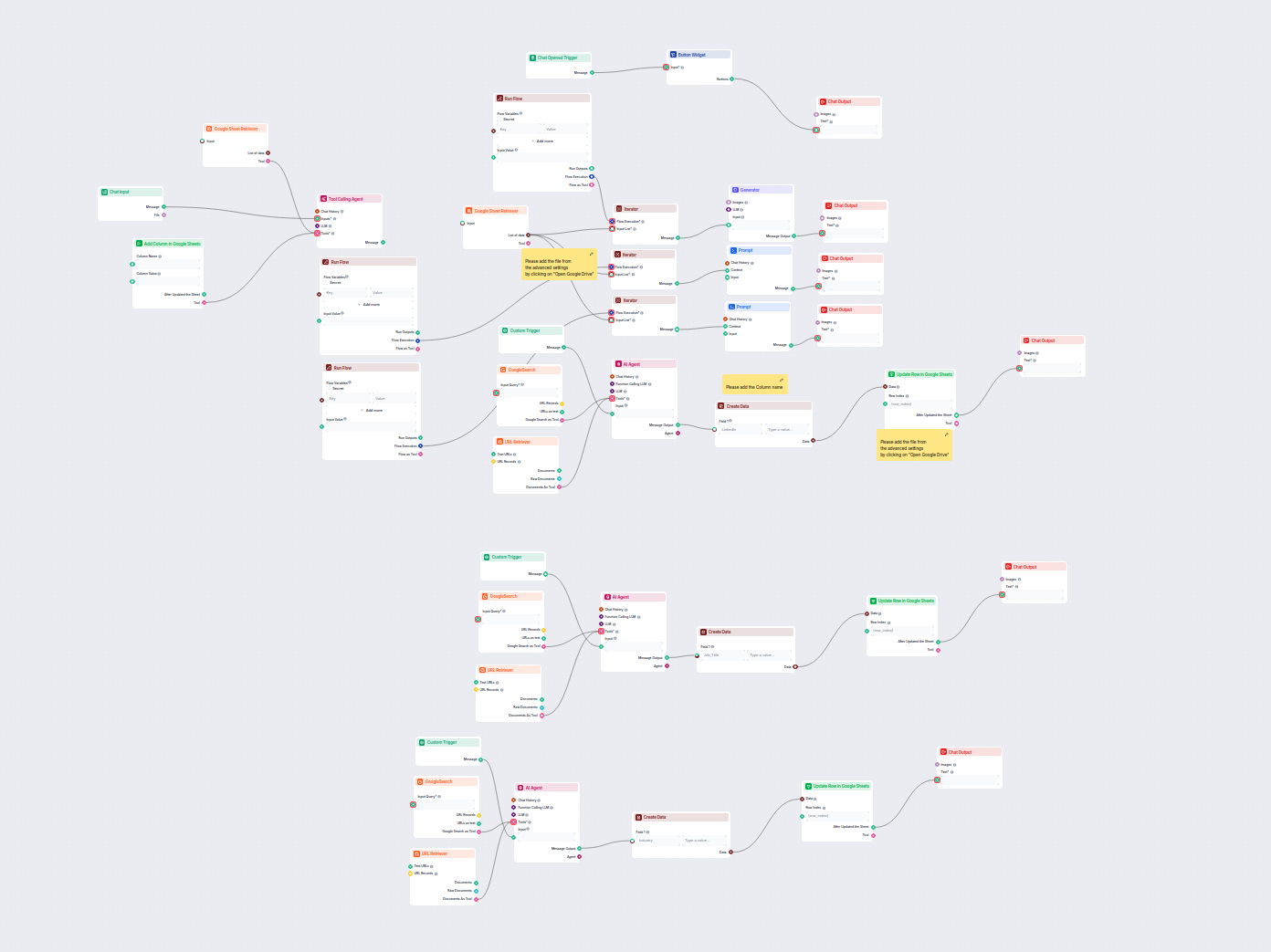
Este fluxo de trabalho orientado por IA enriquece dados de leads no Google Sheets ao recuperar automaticamente perfis do LinkedIn, cargos e setores ausentes da ...
Consentimento de Cookies
Usamos cookies para melhorar sua experiência de navegação e analisar nosso tráfego. See our privacy policy.