


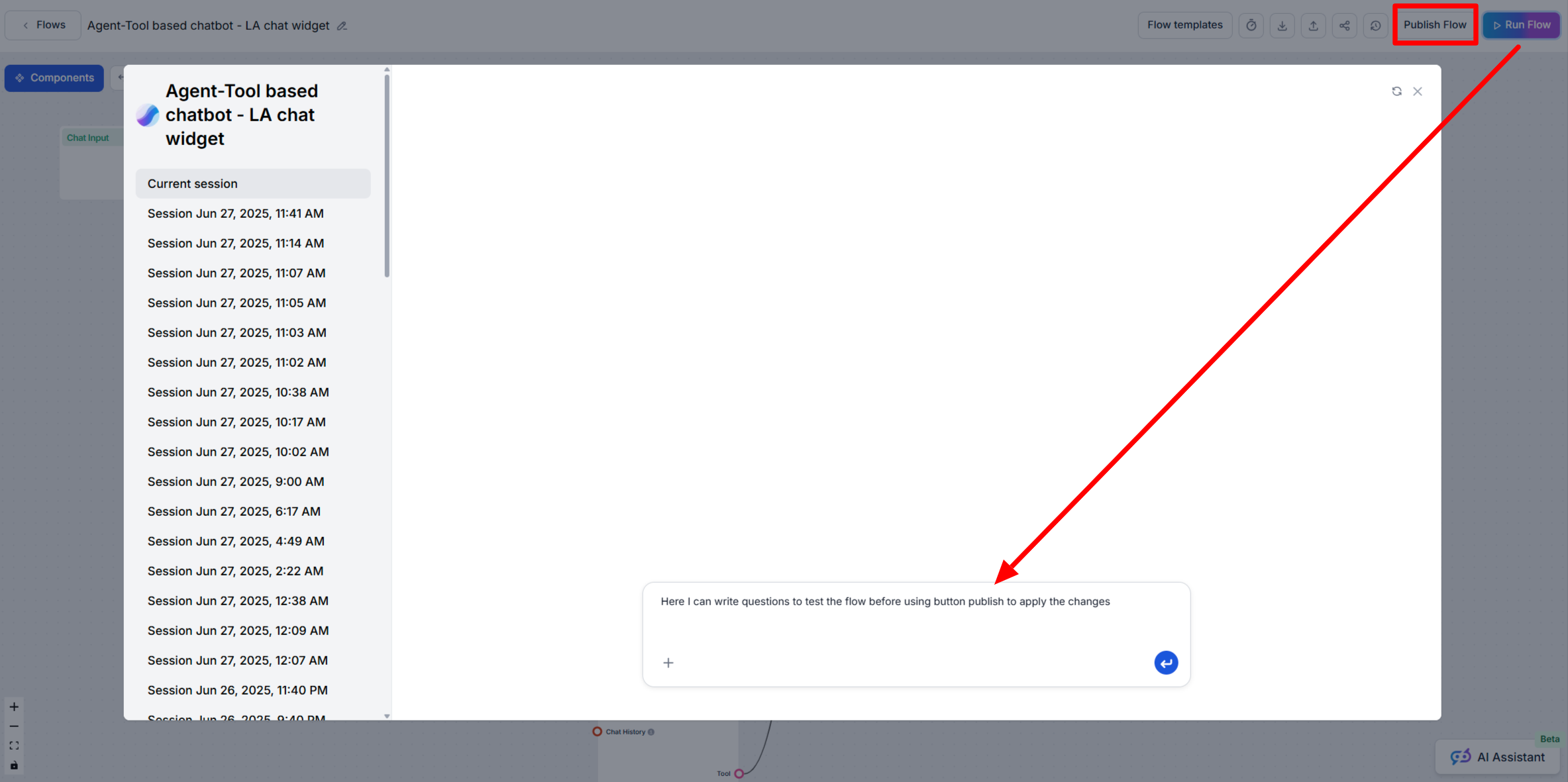
Difference Between Run Flow and Publish Flow
Learn when to use the Run Flow and Publish Flow features in FlowHunt AIStudio to safely test and deploy your AI workflows.
2 min read
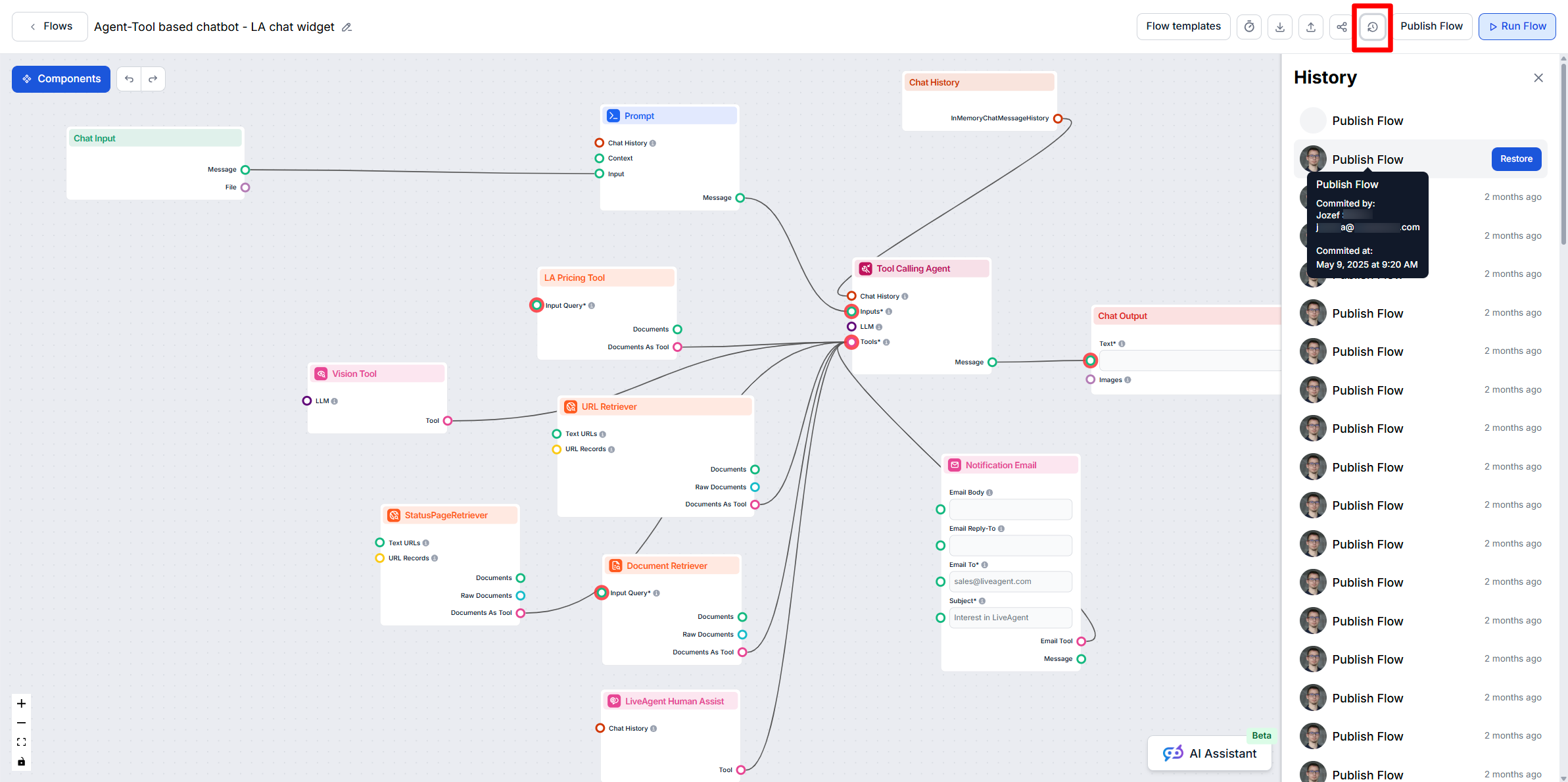
Learn how FlowHunt AIStudio automatically manages your Flow version history, and how to review or restore previous versions if needed.
FlowHunt AIStudio automatically keeps a detailed version history for every AI workflow (“Flow”) you create. This feature ensures that you can always track, review, or roll back flow changes, which helps maintain control and safety as you iterate on your workflows.
Automatic version logging:
Every time you click Publish Flow, FlowHunt AIStudio saves the new state of your Flow as a separate version in its version log.
Viewing history:
In the Flow editor, click the Flow history rollback button at the top right to open the version history list.

Start your free trial today and see results within days.
Learn when to use the Run Flow and Publish Flow features in FlowHunt AIStudio to safely test and deploy your AI workflows.

Explore the importance of logging in AI workflows, how FlowHunt enables detailed logs for tool calls and tasks, and best practices for monitoring, debugging, an...
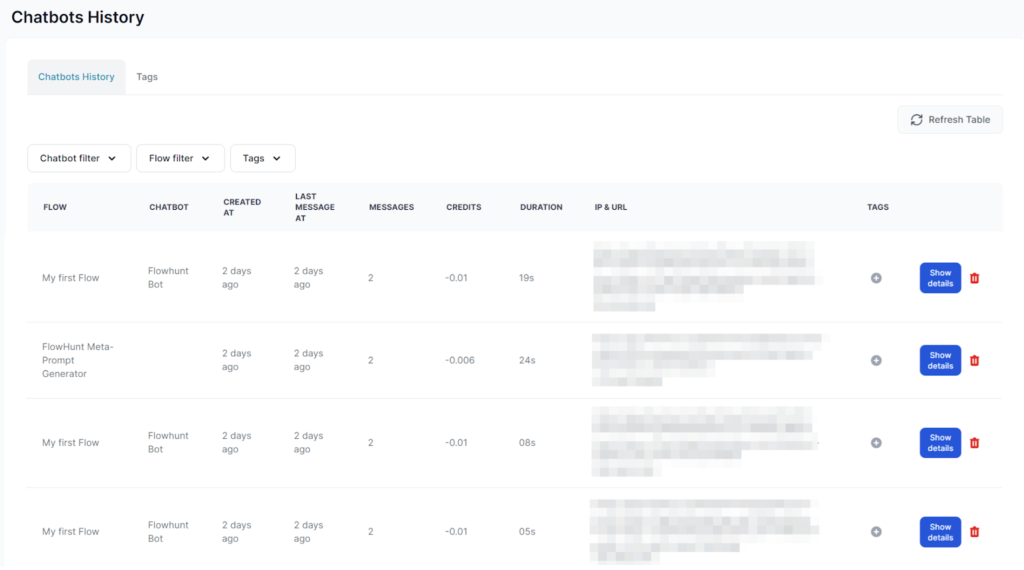
FlowHunt's History Feature details all Chatbot interactions, providing insights into Flow usage, troubleshooting, and management of past sessions, tags, costs, ...
Cookie Consent
We use cookies to enhance your browsing experience and analyze our traffic. See our privacy policy.