


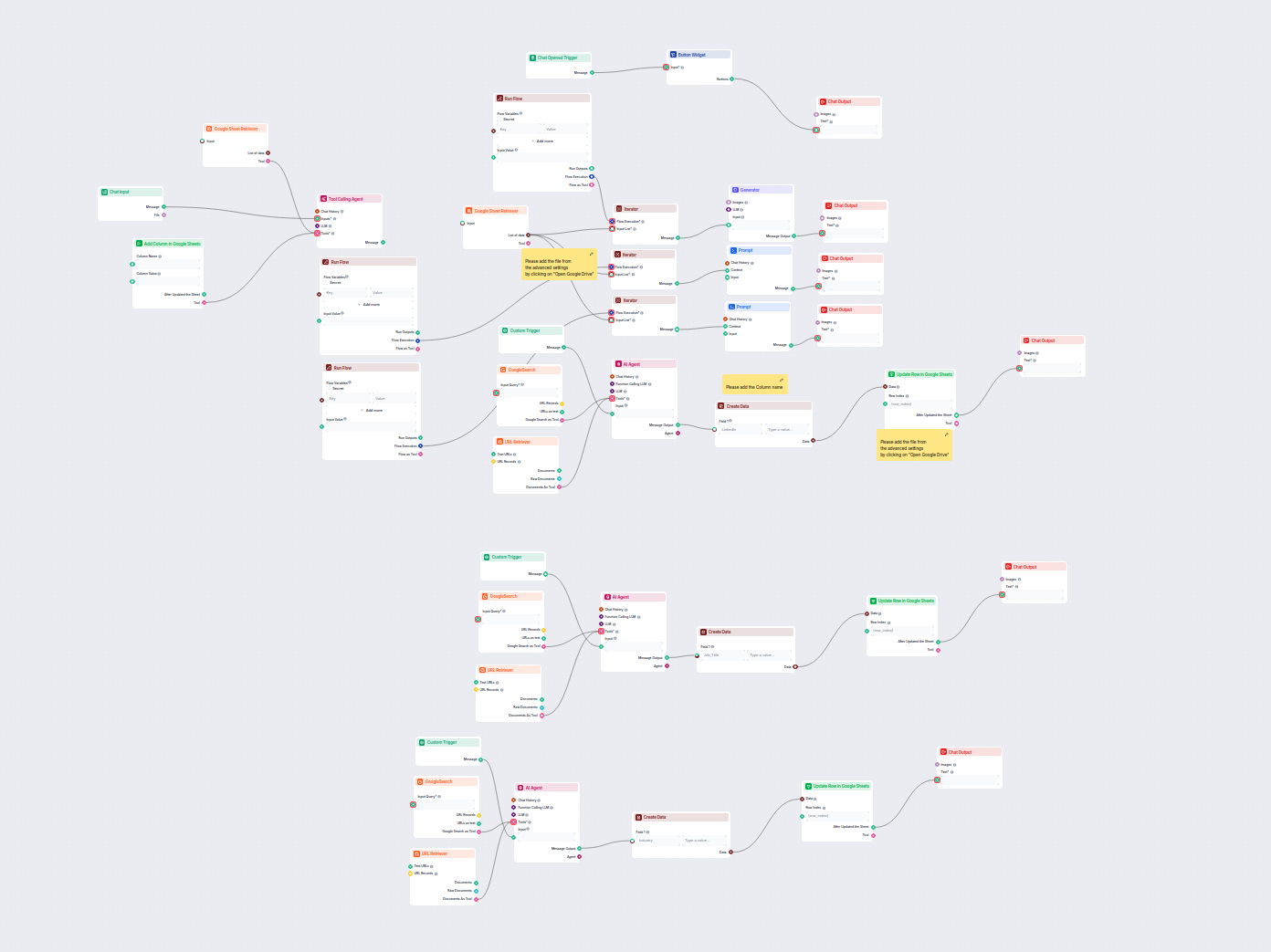
Geautomatiseerde verrijking van leadgegevens in Google Sheets
Deze AI-gestuurde workflow verrijkt leadgegevens in Google Sheets door automatisch ontbrekende LinkedIn-profielen, functietitels en sectoren van het web op te h...
4 min lezen
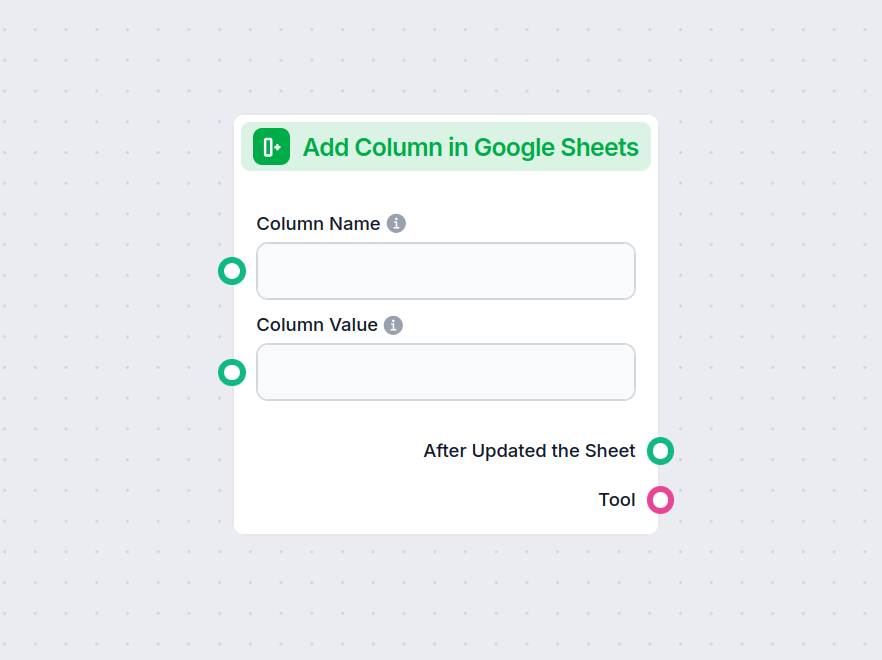
Automatiseer het toevoegen van nieuwe kolommen aan Google Sheets en vul ze met aangepaste waarden direct vanuit uw workflow.
Componentbeschrijving
This component allows you to add a new column to an existing Google Sheets document and populate it with values you provide. It is designed to automate and streamline the process of updating Google Sheets, making it particularly useful in AI workflows that involve data manipulation, reporting, or dynamic spreadsheet updates.
The component accepts the following inputs:
| Input Name | Type | Required | Description |
|---|---|---|---|
| Column Name | String (text input) | No | The name of the new column to be added. |
| Column Value | String (text input) | No | The values to populate the new column. Accepts a comma-separated string or a list of strings. |
| Document | Google Drive Picker | Yes | The Google Sheets document to which the column will be added. |
| Separator | String (text input) | No | (Advanced) Custom separator for parsing the column values. |
| Tool Description | Multiline text | No | (Advanced) Description of the tool for agent understanding. |
| Tool Name | String (text input) | No | (Advanced) Name to refer to the tool in agent-based workflows. |
| Verbose | Boolean | No | (Advanced) Whether to print verbose output for debugging or detailed logs. |
After execution, the component produces the following outputs:
| Output Name | Type | Description |
|---|---|---|
| After Updated the Sheet | Message | Confirmation and details after the sheet has been successfully updated. |
| Tool | Tool | The tool instance for further use or integration in agent-based workflows. |
| Feature | Details |
|---|---|
| Sheet Selection | Via Google Drive Picker |
| Custom Column Name | Yes |
| Populate with Data | Yes (comma-separated string or list) |
| Optional Advanced Fields | Separator, Tool Description, Tool Name, Verbose Mode |
| Outputs | Confirmation message, Tool instance |
This component is a versatile building block for anyone automating processes involving Google Sheets, especially in data-driven or AI-powered workflows.
Om u snel op weg te helpen, hebben we verschillende voorbeeld-flowsjablonen voorbereid die laten zien hoe u de Kolom toevoegen in Google Sheets-component effectief kunt gebruiken. Deze sjablonen tonen verschillende gebruikscases en best practices, waardoor het voor u gemakkelijker wordt om de component te begrijpen en te implementeren in uw eigen projecten.
Deze AI-gestuurde workflow verrijkt leadgegevens in Google Sheets door automatisch ontbrekende LinkedIn-profielen, functietitels en sectoren van het web op te h...

Integreer FlowHunt met Google Sheets om het aanmaken van spreadsheets, het ophalen van gegevens en dynamische updates in uw AI-gestuurde workflows te automatise...
Probeer automatisch kolommen toe te voegen aan uw spreadsheets—bespaar tijd en stroomlijn uw dataprocessen met FlowHunt.

De Google Sheets MCP Server biedt veilige, programmatische toegang tot Google Sheets voor AI-agenten en ontwikkelaars. Het biedt robuuste automatisering, getype...
Integreer FlowHunt met Google Sheets om het aanmaken van spreadsheets, het ophalen van gegevens en dynamische updates in uw AI-gestuurde workflows te automatise...
Cookie Toestemming
We gebruiken cookies om uw browse-ervaring te verbeteren en ons verkeer te analyseren. See our privacy policy.