


AI Blog Content Improver: A Step-by-Step Walkthrough
FlowHunt Blog Content Improver tutorial covering the full workflow, from pasting your existing post to reviewing the rewritten draft and republishing it.
5 min read
AI
Tutorial
+3
A step-by-step walkthrough of generating your first blog post with FlowHunt’s Blog Content Agent, from entering your topic to publishing a fully optimized article.
This FlowHunt blog content agent tutorial walks through every step of generating your first article — from the initial prompt to a draft ready for editorial review. The agent is a single deep AI agent that handles research, analysis, and writing in one uninterrupted run. No pipeline to configure, no multi-step tool coordination. For a conceptual overview of how the agent compares to AI writing assistants and where it fits in a content workflow, see how to generate SEO blog posts with an AI agent .
Before your first run, have three things ready.
A FlowHunt account. You can start free with no credit card required. The Blog Content Agent is available from day one.
A topic and a target keyword. The topic is what the article is about. The keyword is the search term you want it to rank for — ideally one you’ve validated has search demand. If you’re unsure which keyword to target, the content brief generator can take a broader subject and return a keyword-anchored brief with title, meta description, and outline as a useful pre-step.
Optional: brand voice notes. If you want the output to reflect your brand’s specific tone, have a short description ready — one to three sentences on how your brand sounds and who it’s written for. You can include this in your first prompt or store it permanently in FlowHunt’s knowledge sources for every future run.
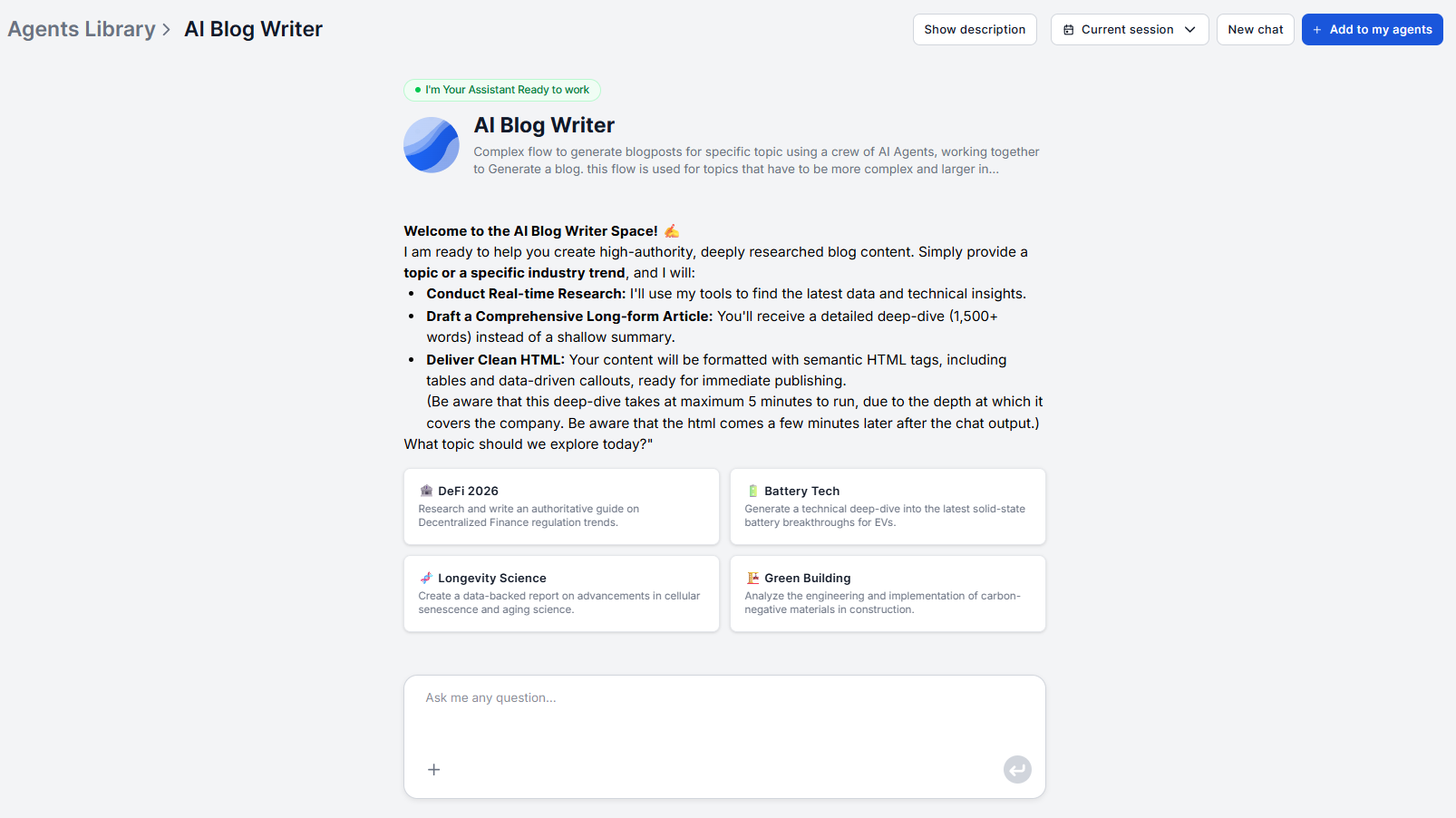
Open the Blog Content Agent and type your topic into the chat interface. The agent accepts a topic or an industry trend as input — there is no form to fill out.
A well-formed first message includes three things: the topic, the primary keyword, and any relevant audience context. For example:
“Write an article on how SaaS companies use AI for customer onboarding. Target keyword: AI customer onboarding software. Audience: SaaS product managers and customer success leads.”
The more specific your input, the more targeted the research and output will be. “AI tools for business” is too broad to produce a focused article. “How to automate employee onboarding with AI in 2026” gives the agent a concrete research direction.
If you have brand voice guidelines, include them in this first message or note that they’re stored in your knowledge base.

Start your free trial today and see results within days.
After confirming the outline and any customizations, the agent runs its three-phase process:
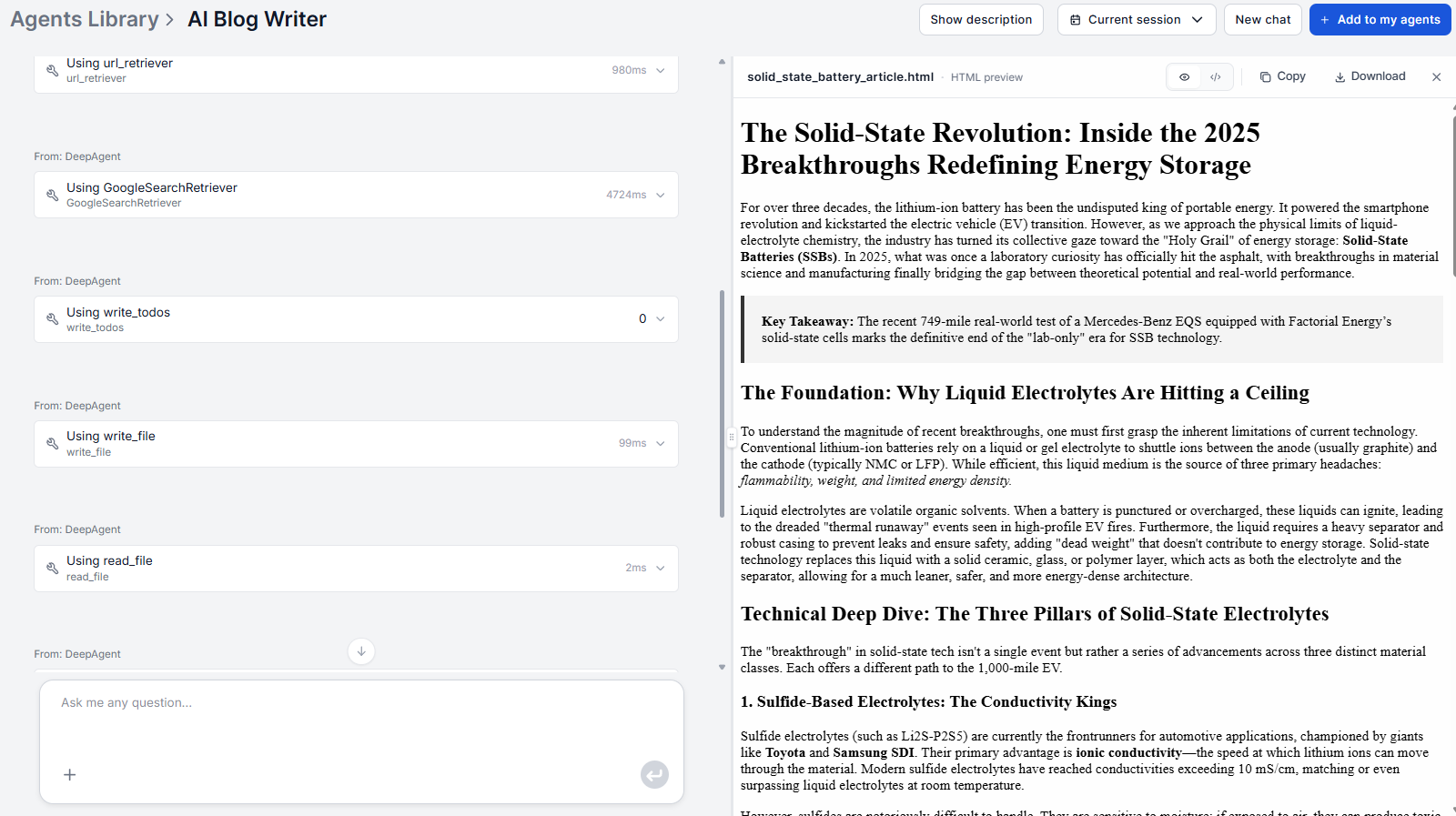
The output is 1,500+ words of substantive depth. No shallow summaries, no filler conclusions. Read the full draft once before editing — the research phase often surfaces angles or data points you didn’t anticipate, which may inform how you frame the article.
The draft is a strong foundation, not a finished product. A 20–30 minute editing pass covers everything the agent cannot do automatically.
Verify statistics and data points. The agent pulls from live sources, but confirm any specific numbers before publishing. A few minutes of spot-checking protects against sourcing errors.
Add first-hand examples. Replace generic examples with specific cases from your own product, customers, or experience. These are the E-E-A-T signals — Experience, Expertise, Authoritativeness, Trustworthiness — that search engines weight and that AI cannot authentically fabricate.
Check brand voice. Review for any phrasing that’s technically correct but doesn’t sound like your brand. If you stored brand guidelines in your knowledge sources, this pass should be minimal.
Get latest tips, trends, and deals for free.
Add images. The agent generates text only by default. You can connect the Photomatic AI component and include it in the prompt to get automatically generated images, or just insert the images and write descriptive alt text manually.
Internal links are the single most important thing to add in editing. Go through the draft and link to relevant pages on your domain where anchor text naturally fits. This is also one of the highest-ROI on-page SEO actions you can take.
For teams with a large site or high publishing volume , there is a more scalable option: provide the agent with your site’s page structure and instruct it to suggest internal links as part of the generation run. You can add your sitemap or a structured list of key URLs to your FlowHunt knowledge sources and include an instruction like: “Suggest 3–5 internal links from the provided site structure where they fit naturally in the article.” The agent will propose anchor text and target URLs within the draft, which you review before publishing.
Publishing The Markdown output goes directly into your CMS — WordPress, Webflow, Contentful, Notion, or any static site generator. For teams who want to remove the manual step entirely, FlowHunt supports integrations and MCP servers for automated publishing. A WordPress integration, for example, can push the final draft directly to a WordPress draft post without copy-pasting.
Once the draft is live, your first FlowHunt blog content agent run is complete. The same workflow — brief, outline, customize, generate, edit, publish — repeats for every subsequent article. With the agent handling research and drafting, the entire cycle from topic to published post typically takes under an hour. Explore more workflows and tool guides in the academy .
FlowHunt's Blog Content Agent handles research, analysis, and writing in one run — no setup, no pipeline to manage. Try it free and get your first article in minutes.
FlowHunt Blog Content Improver tutorial covering the full workflow, from pasting your existing post to reviewing the rewritten draft and republishing it.

FlowHunt content brief tutorial covering the full workflow, from entering your target keyword to reviewing the generated title, meta description, and outline.
FlowHunt's AI Blog Writer is powered by a deep AI agent that researches, analyzes, and writes SEO-optimized, authoritative long-form blog content, ready to publ...
Cookie Consent
We use cookies to enhance your browsing experience and analyze our traffic. See our privacy policy.