How to Create a Professional Product Blog Using AI
Create a professional product blog with AI — start with a quick three-step workflow, then level up with SEO-aware prompts, polishing, and multi-channel reuse.
ChatGPT
Use Case
Beginner
Intermediate
blog
SEO
content
Just launched your business? It’s time to announce it to the world! Start your blog and let AI help you do it in minutes. This progressive guide takes you from a fast first post to expert-level, SEO-friendly articles that build credibility for your brand.
A product blog post can be drafted with AI in five minutes flat. You don’t need writing skills or a marketing team — just a good prompt, a little editing, and the right tools.
1. Decide about a topic
Think about what your potential customers are interested in. Try to figure out what they need and how your product addresses their needs.
Examples:
“5 tips for choosing the right accounting software”
Don’t overthink it — pick something your clients ask you often, or ask ChatGPT:
Which articles can help clients of [put the type of your business] business and promote my product?
2. Type a prompt to a chatbot
You don’t need to be a writer or hire a team of copywriters. Just ask your chatbot to act as the kind of specialist you need.
Write a simple blog post for a small business audience about [your topic]. Keep it clear, helpful, and friendly.
Example:
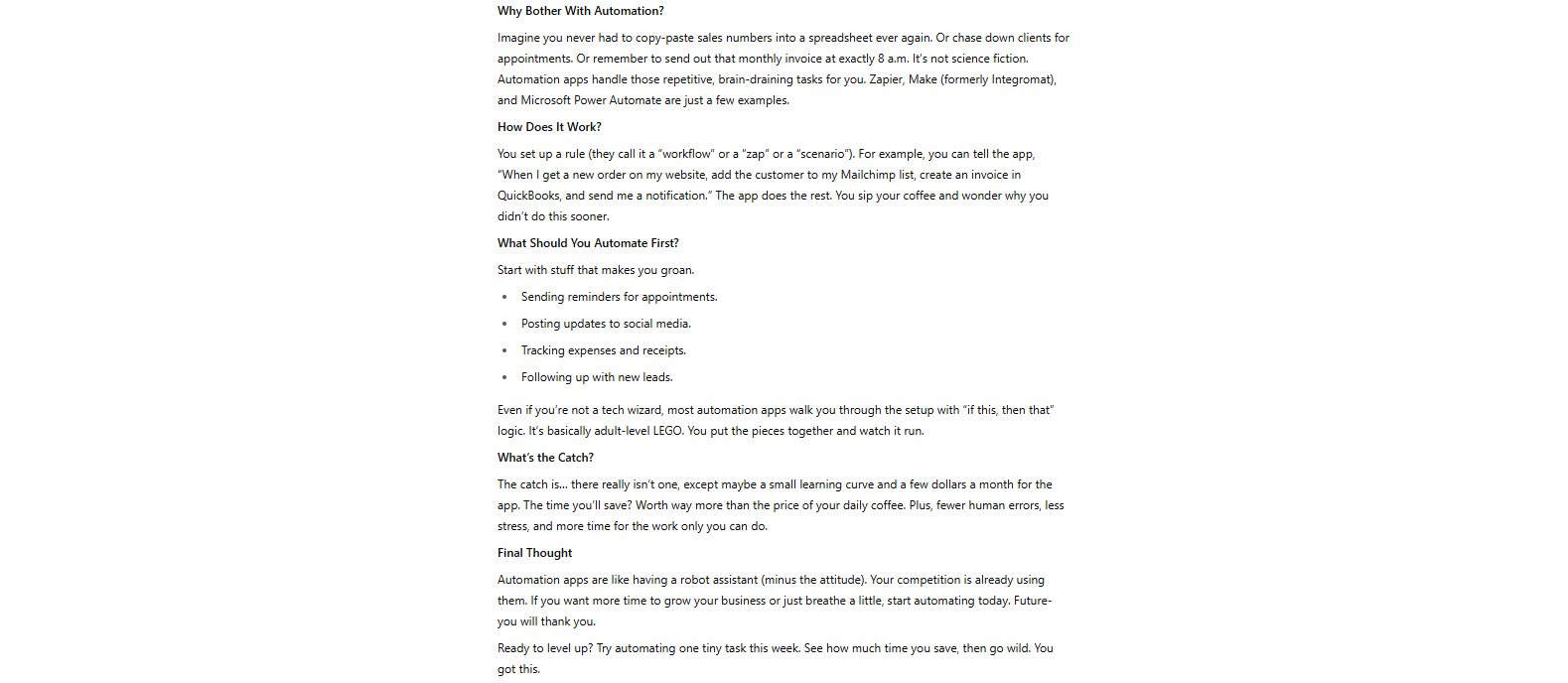
"Write a simple blog post for small business owners about how to save time using an automation app."
Result:
ChatGPT will write a post for you in a few seconds. Check it, tweak it, or ask:
“Make it shorter”
“Add a call-to-action at the end”
“Use bullet points instead of long paragraphs”
3. Copy and paste
Now paste it into your blog editor (WordPress, Notion, Substack, or even Instagram if you’re not ready for a full blog yet). Add a title, a simple image, and you’re done.
Tip: Use free image sites like Unsplash
or Pexels
to add a cover photo.
Going deeper: SEO-friendly product blog posts that rank
Once you can ship a quick post, the next step is making each product blog post pull its weight on SEO and conversion. This means setting clear goals, writing strategic prompts, and polishing the result.
4. Start with a clear business or SEO goal
Before you ask ChatGPT to write anything, decide what you want this blog post to achieve.
Ask yourself:
What part of the customer journey is this for? (Attracting new visitors? Helping people compare options? Pushing them to buy?)
What topic or keyword should it focus on?
Who is the reader, and what do they want to learn or solve?
What business result do you hope this article will bring?
Example goal:
Show up in Google for "inventory management tips" to attract mid-sized retail businesses who may want to use our software.
5. Give ChatGPT a smart prompt
Don’t just say “Write a blog post about inventory.” Get specific so the result fits your goals, your audience, and your vibe.
Act as a senior B2B content strategist. Write a blog post (1200–1500 words) for [audience] to help with [goal]. The topic is "[blog title or keyword]".
Use headings, short paragraphs, bullet points, and include examples or stats.
Add relevant keywords like [keywords]. Suggest a title and meta description that will rank higher in Google search.
End with a call to action (e.g., sign up, download a guide, request a demo).
Example prompt:
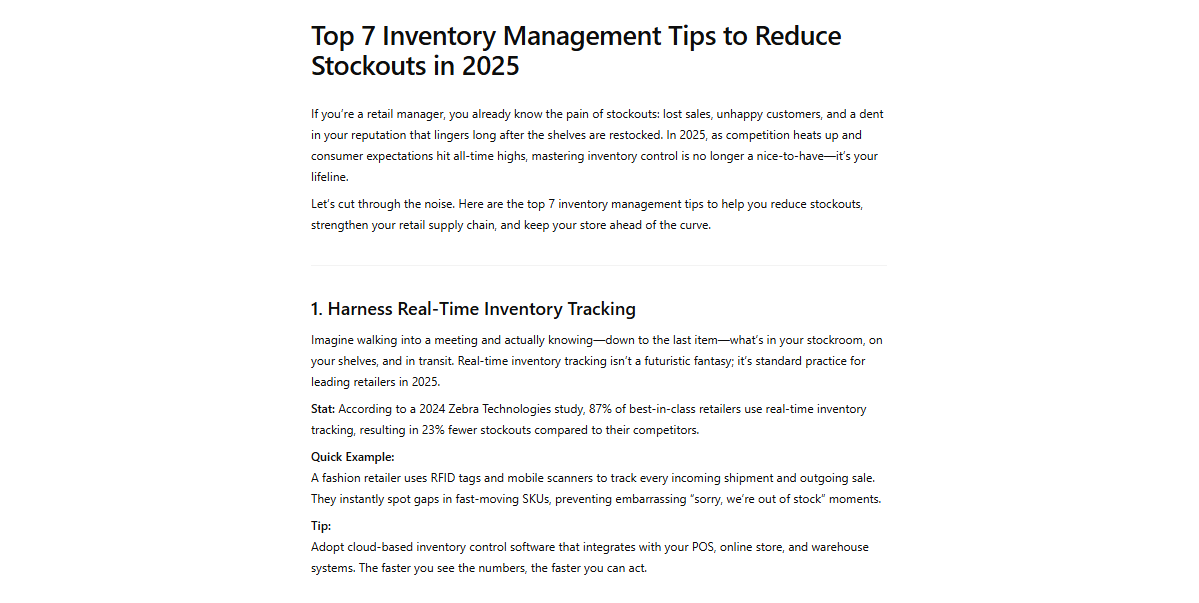
Act as a B2B content strategist. Write a 1500-word blog post for retail managers about "Top 7 Inventory Management Tips to Reduce Stockouts in 2025." Include stats, quick examples, and keywords like "inventory control", "reduce stockouts", and "retail supply chain." Suggest a meta description and SEO title. Finish with a call to download our inventory checklist.
Result:
6. Polish the result with additional tools
Never just copy-paste. Review and fact-check anything the chatbot gives you. Use tools and follow-up prompts to make your article sharper, clearer, and way more trustworthy.
Try:
“Make this shorter”
“Add a real example at the start”
“Make it more convincing”
“Turn this into a bullet list”
To go pro, edit with Grammarly
or Hemingway
for clarity and style. Boost your SEO using Surfer SEO, Ahrefs, or LowFruits. Add internal links, visuals, product screenshots, or expert quotes. Format for web so it’s actually readable.
7. Publish and reuse
Publish your expert-level article on your blog, LinkedIn, newsletter, or wherever your audience is lurking. Repurpose one good post across multiple channels and keep your content pipeline rolling — without needing a whole team.
Ready to grow your business?
Start your free trial today and see results within days.
Strategic posts need a detailed prompt to work well
Saves 60–70% of your writing time
You must check facts carefully
Easy to reuse on other platforms
Doesn’t reflect your exact voice unless you customize
Summary
AI-written product blog posts don’t have to be generic or low quality. Start with the three-step quick start to ship your first article today, then layer in goal-setting, SEO prompts, and post-edit polishing for expert-level output.
Blog Content Agent: Full Setup and Your First AI-Generated Post
A step-by-step walkthrough of generating your first blog post with FlowHunt's Blog Content Agent, from entering your topic to publishing a fully optimized artic...
How to Use AI to Generate SEO-Optimized Blog Content Automatically
Discover how to leverage AI tools to automatically generate SEO-optimized blog content that ranks higher, saves time, and drives organic traffic to your website...
How to Generate SEO Blog Posts with an AI Agent (Step-by-Step Guide 2026)
Manual blog writing takes 3 hours per post on average. Here's how an AI blog content generator researches, outlines, and writes SEO-ready drafts in minutes, and...
8 min read
AI
Content Writing
+3
Cookie Consent We use cookies to enhance your browsing experience and analyze our traffic. See our privacy policy.