
العمليات · وكيل ملخص أولويات Gmail

AI Gmail Priority Digest

An autonomous agent that scans your Gmail every morning, ranks threads by urgency, filters out the noise, and posts a clean priority digest to Slack. Read-only — it never replies, never archives, never touches your inbox.

يعمل مع: gmail · slack · google calendar · notion · linear · asana
live · ask gmail priority digest
ai-gmail-priority-digest
Run gmail priority digest for this week and show me the output. you · just now
I AI Gmail Priority Digest · thinking · 3 tool calls · 1.4s
  • Classify every overnight thread as Action / FYI / Quiet
  • Filter newsletters, marketing and automated noise
  • Rank by urgency × importance with VIP boosts
Gmail Priority Digest — this week's run
draft · العمليات · ready for review
ready
Highlights
  • Pulled the week's signals — kept the ones worth your attention
  • Drafted in your voice, sources cited inline
  • Posted to your review queue with one-click approval
Next
  • Schedules itself for the same time next week
  • Learns from every edit you make
▸ awaiting your approval · publish · edit · discard
شاهده أثناء العمل

من البريد الليلي إلى ملخص الأولويات، خطوة بخطوة.

One real example showing exactly what happens when the agent runs your morning triage.

1 YOUR PROMPT
DK
Dana Kim
COO · Relay
It's 7am. I have 47 unread emails from overnight. Show me what actually needs my attention before my 8am standup.
just now
2 AGENT AT WORK running
Gmail Scanning 47 overnight threads in Dana's inbox
47 threads fetched · sender, subject, thread depth analyzed
Knowledge Base Loading VIP list, deadline rules and priority keywords
14 VIP senders · 6 deadline keywords · noise filters loaded
Google Calendar Checking today's calendar for meeting-related threads
3 threads linked to today's meetings identified
LLM Triage Scoring urgency: VIP boost, reply-waiting, deadline, decision needed
8 threads flagged urgent · 12 informational · 27 noise
LLM Summary Writing one-line summaries for the 8 urgent threads
8 summaries with action type and sender context
Slack Posting morning digest to #dana-inbox channel
digest posted · 8 urgent · 12 FYI · 27 filtered
3 THE OUTPUT ready for review
#me
DK
Morning Digest APP 47 overnight threads triaged for Dana Kim

47 threads overnight. 8 need your attention.

URGENT (8 threads):

1. Board deck feedback from Sarah (VIP) — decision needed by EOD

2. Series B term sheet update from legal — reply waiting since yesterday

3. Production incident thread — 3 replies since midnight, resolved but needs your ack

4. Q4 budget approval request from finance — deadline today

5. Partner contract redline from BD — meeting at 2pm today

6. Customer escalation forwarded by support lead (VIP) — response expected

7. Hiring committee decision — 2 candidates pending your vote

8. Investor update draft from CEO (VIP) — review requested before send

FYI (12 threads): team updates, meeting notes, shared docs. No action needed.

Filtered (27 threads): newsletters, marketing emails, automated notifications, vendor outreach.

👀 3 ✅ 1 🔥 2
▸ posted to #me · view emails · snooze
فرز على الطيار الآلي

بريدك الوارد، مصنّف قبل أن تفتحه.

The agent scans Gmail on schedule — every morning, every hour, or any cadence you set. It ranks, filters and summarizes, then posts to Slack. You wake up knowing what matters, not scrolling through noise.

app.flowhunt.io/ai-projects/projects/ai-gmail-priority-digest/issues
مباشر
Gmail Priority Digest · marketing-workspace

القضايا

يعمل
مفتوح 0
قيد التنفيذ 0
منجز 0
الوكلاء النشطون
3 / 5
تم التسليم اليوم
8
وقت الدورة
2h 14m
حل آلي
62%
كيف يعمل

من فوضى البريد إلى صفاء الصباح في ثلاث خطوات.

Most users have their first priority digest in Slack within ten minutes of connecting.

01
اربط Gmail وحدد قواعدك.
Link your Gmail account (read-only access). Define your VIP senders, deadline keywords, and noise filters. Optionally connect Google Calendar so the agent can boost threads related to today's meetings, and Notion or Linear so it recognizes project-related emails.
مشروع جديد
Morning digest: what needs my attention?
GmailSlackGoogle Calendar
حفظ المسودة ابدأ الوكيل ←
02
الوكيل يصنف. الملخص يصل إلى Slack.
Every morning (or on your schedule), the agent scans new threads, scores urgency based on your rules — VIP senders, reply-waiting, deadlines, decisions — and filters out newsletters, marketing and notification noise. It posts a clean, scannable digest to your Slack channel.
Morning digest
Urgent
8 threads · action needed
FYI
12 threads · no action
Filtered
27 threads · noise removed
03
القواعد تتحسن. الضوضاء تختفي.
The agent's memory learns which senders you always read, which threads you ignore, and which keywords signal urgency. After a few weeks the digest gets sharper — less noise, better urgency scoring, fewer false positives. You can drill into any run for full observability.
This week's stats
Scanned
312 threads this week
Surfaced
41 urgent · 86 FYI
Filtered
185 noise threads
لماذا يعمل بفعالية

ما الذي يتغير عندما يتوقف بريدك عن التحكم بصباحك.

01

Start your day with decisions, not scrolling.

Instead of scanning 50+ threads to figure out what matters, you open Slack and see a prioritized list. The agent already read everything, scored urgency, and filtered the noise. Your first 30 minutes are productive, not reactive.

02

Never miss a VIP email buried in noise.

The agent boosts threads from your VIP senders, flags replies waiting on you, and surfaces emails tied to today's meetings and deadlines. Important threads float to the top regardless of when they arrived or how much noise surrounds them.

03

Completely read-only. Your inbox stays yours.

The agent only reads — it never replies, never archives, never moves emails, never marks anything as read. Your inbox is untouched. If you stop the agent tomorrow, nothing has changed in Gmail. Zero risk.

القدرات

من المسح إلى الملخص، كل شيء مُعالج.

Six capabilities that replace your manual inbox triage — delivered to Slack before your first meeting.

Full inbox scan with sender analysis
Reads every new thread since the last scan. Analyzes sender, subject, thread depth, reply chains, and attachment types to understand context before scoring.
One-line thread summaries
Writes a concise summary for every urgent thread — what it is about, who sent it, what action is needed, and why it was flagged. Scannable in seconds, not minutes.
VIP sender boosting
Threads from your VIP list (board members, key clients, your CEO, direct reports) are always surfaced — regardless of subject line or thread position. You define the list; the agent enforces it.
Deadline and calendar awareness
Cross-references Gmail with Google Calendar to boost threads related to today's meetings. Scans for deadline keywords and date references so time-sensitive emails are never buried.
Noise filtering without unsubscribing
Identifies newsletters, marketing emails, automated notifications and vendor outreach. Filters them from your digest without unsubscribing or archiving — they stay in Gmail if you ever want them.
Full observability on every scan
Every triage decision is logged and replayable. See why a thread was marked urgent, why another was filtered, and how the agent's scoring has evolved over time. Weekly stats show inbox patterns and noise trends.
تحت الغطاء

مبني على بنية تحتية حقيقية للوكلاء.

The Gmail Digest agent runs on the same platform that powers 120+ autonomous agents. Open it in the visual editor and customize anything.

  • محرر التدفق المرئي. Every agent is a flow you can open and customize — swap the AI model, adjust scoring rules, add tools like Linear or Asana for project context. No code.
  • مصادر المعرفة و RAG. Upload your VIP list, project names, client roster, or org chart. The agent uses these to score urgency and recognize important senders automatically.
  • ذاكرة مستمرة. Episodic, long-term and shared memory. The agent remembers which senders you always act on, which noise patterns to filter, and how your priorities shift over time.
  • المشغلات والجدولة. Run the digest every morning at 7am, every hour, or on any cron schedule. The agent runs on FlowHunt's trigger system — no server to maintain.
flowhunt · gmail-priority-digest · flow
AGENT
Gmail Priority Digest
S
Scan
▸ قراءة البريد
T
Triage
▸ تسجيل الأهمية
D
Digest
▸ النشر على Slack
الأدوات المتصلة
gmail slack google.calendar notion linear asana
الذاكرة · 1,847 حدث
لمن هذا؟

مصمم لكل من أصبح بريده الوارد عبئًا وليس أداة.

If you spend 30+ minutes every morning sorting email — or worse, miss important threads in the noise — this agent fixes that.

FOUNDER
المؤسسون والرؤساء التنفيذيون
Stop losing investor updates and board requests in a sea of vendor outreach. The agent surfaces what matters and filters the rest — so your first hour is strategic, not reactive.
EXEC
المديرون التنفيذيون ونواب الرئيس
Manage a high-volume inbox without an executive assistant. The agent triages overnight threads, boosts VIP senders, and delivers a clean digest before your first meeting.
OPS
قادة العمليات
Catch escalations, deadline emails and cross-team requests before they become fires. The agent scans for urgency signals across your entire inbox and flags what needs action now.
PM
مدراء المنتجات
Surface customer feedback, stakeholder requests and deadline threads from the noise. The agent cross-references Gmail with your calendar and project tools to prioritize what is relevant today.
REMOTE
الفرق العن بُعد والعاملون غير المتزامنون
Working across time zones means waking up to a full inbox. The agent triages overnight threads by urgency so you start with what matters — not what arrived most recently.
CONSULT
الاستشاريون والمستقلون
Juggling multiple client inboxes means important emails get buried. The agent boosts client threads, flags reply-waiting chains, and filters vendor noise across all your accounts.
يعمل بشكل جيد مع

اقرنه ببقية فريق العمليات.

Stack agents under a Supervisor and let them hand work to each other — your digest agent can feed urgent threads to task-creation and calendar agents.

أول ملخص بريد، في Slack قبل القهوة.

Start free. Connect Gmail (read-only), set your VIP list, and watch the agent triage. No credit card required — cancel anytime.

الأسئلة الشائعة

What is an AI email priority digest?
An AI email priority digest is an autonomous agent that scans your inbox, scores each thread by urgency, filters out noise, and delivers a clean summary to Slack (or another channel). FlowHunt's version uses your VIP list, deadline keywords, and calendar context to rank what actually needs your attention — not just what is unread.
Does it read all my emails?
Yes, the agent reads all new threads since the last scan to score urgency and filter noise. However, it is completely read-only — it never replies, never archives, never moves emails, and never marks anything as read. Your inbox is untouched.
Can it reply to emails on my behalf?
No. The Gmail Priority Digest agent is intentionally read-only. It scans, scores and summarizes — but never sends replies, archives threads, or modifies your inbox in any way. This is a deliberate design choice: zero risk of the agent acting on your behalf without your knowledge.
How does it decide what is urgent?
The agent scores urgency based on rules you configure: VIP senders (always surface), reply-waiting threads (someone is waiting for you), deadline keywords (EOD, due date, approval needed), calendar-linked threads (related to today's meetings), and decision-needed signals. Scoring improves over time through the agent's memory.
Where does the digest go?
By default, the agent posts to a Slack channel you choose. You can also configure it to post to Notion, send a summary email, or push to any tool connected via FlowHunt's 100+ integrations.
Can I customize what counts as noise?
Yes. You define noise filters — newsletters, marketing emails, automated notifications, specific senders or domains. The agent filters them from the digest without unsubscribing. You can adjust filters anytime, and the agent's memory learns your preferences over time.
How often does it run?
You set the schedule. Most users run it once every morning before their first meeting. You can also run it hourly, twice a day, or on any cron schedule using FlowHunt's trigger system.
How much does it cost?
FlowHunt uses credit-based pricing — each credit is worth about one dollar. A typical morning digest (scan, triage, summarize, post to Slack) uses 0.5-2 credits depending on inbox volume. You can try it free with 5 trial credits.

اعرف المزيد

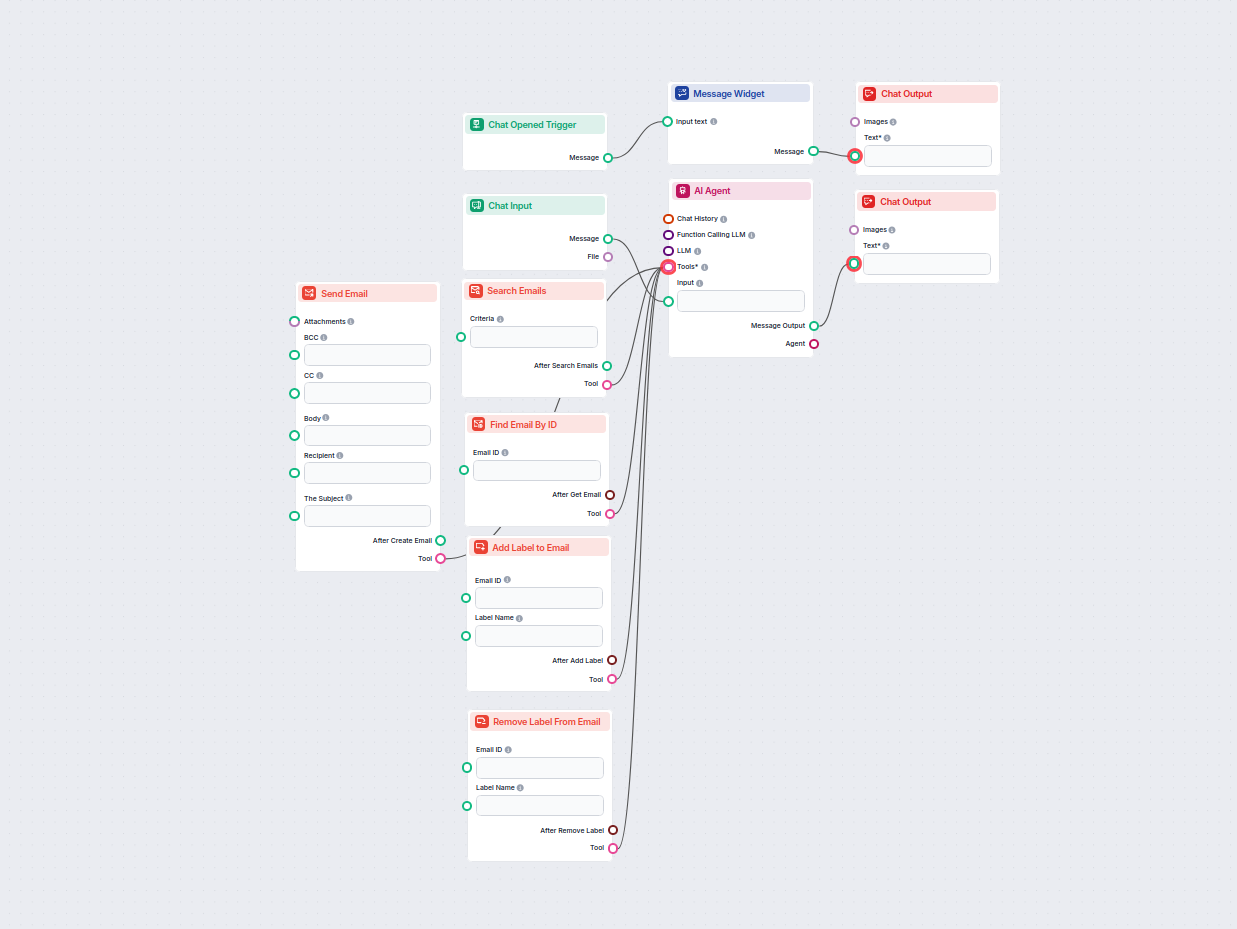
مساعد Gmail الذكي لإدارة البريد الإلكتروني

مساعد Gmail الذكي لإدارة البريد الإلكتروني

بسّط سير عمل Gmail الخاص بك مع مساعد ذكي مدعوم بالذكاء الاصطناعي يمكنه البحث وتنظيم وإدارة الرسائل الإلكترونية، وإنشاء وإرسال رسائل جديدة، وأتمتة إدارة التصنيفا...

3 دقيقة قراءة
AI Slack Brand Monitor — Hire This AI Agent for Marketing

AI Slack Brand Monitor — Hire This AI Agent for Marketing

An autonomous brand monitor that watches your name across web, news and major social platforms. Each morning it scores sentiment, computes share-of-voice vs you...

10 دقيقة قراءة