


How to Generate Complete Lesson Plans with AI in Minutes
An AI lesson plan generator turns a topic, grade level, and duration into a complete, standards-aligned lesson plan in minutes. Here's how it works.
8 min read
AI
Education
+3
From first-year teachers to curriculum coordinators, here are five concrete ways AI tools for teachers cut lesson planning time without cutting quality.
First-year teachers, department heads, substitute coordinators, and corporate trainers rarely have the same lesson planning problem, but they’re all losing hours to the same repetitive structuring work. AI lesson planning tools for teachers solve a narrower problem than “write my lesson for me”. They free up the time that used to go into formatting and standards-mapping. Here are five specific ways educators are actually using the workflows, and how to turn a one-off plan into a repeatable system.
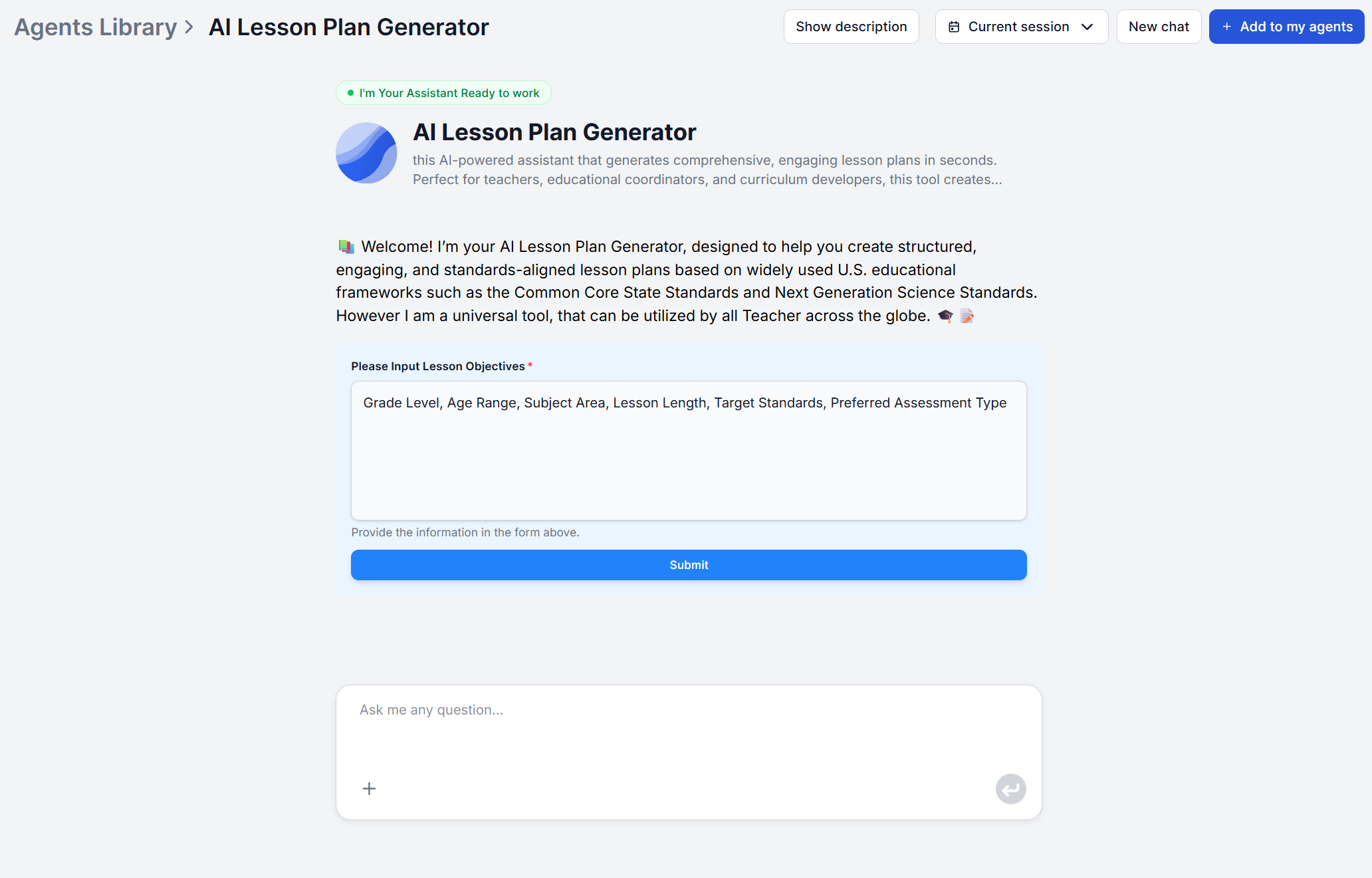
The scenario: A first-year teacher has a curriculum map with topics and pacing, but no personal library of plans to draw on. Every lesson starts from a blank page, and writing a properly structured plan (objectives, materials, sequenced activities, timing, assessment) takes far longer than actually knowing the content.
How it fits: Generating a first draft from the topic and grade level gives a new teacher a complete, professionally structured plan in place of a blank template. By default, the workflow aligns the objectives to CCSS or NGSS, materials listed, activities sequenced, and assessment ideas included. That draft becomes the seed of their personal lesson library. All that’s left to do is light edits for their specific class, over a semester they accumulate a full set of plans that would otherwise have taken evenings and weekends to write from nothing.
Why this matters: New teachers spend their limited planning time on classroom management and content mastery instead of reinventing lesson plan formatting. This is lesson plan automation removes the first-draft bottleneck, without replacing the teacher’s read on their own students.
The scenario: The same unit needs to run across a general education section, an honors section, and a section with several students who need additional care. That’s three different plans for one underlying topic.
How it fits: Because the generator produces a fresh plan from whatever grade level and teaching goals you specify, re-running it with adjusted inputs per section produces three purpose-built starting points instead of one plan awkwardly stretched across three ability levels. A teacher gets a faster first draft for each section, then edits it with knowledge of who’s actually in each room.
Why this matters: Manually reworking one plan into three versions is exactly the kind of repetitive, low-judgment editing that eats an evening. Generating three tailored drafts and refining them is a meaningfully different time investment.

Start your free trial today and see results within days.
The scenario: A teacher is out unexpectedly (or planning ahead for a known absence) and needs a plan detailed enough that someone unfamiliar with the class can run it without clarification.
How it fits: The generator’s output is designed to be self-contained with step-by-step activities, suggested timing per section, and a materials list, detailed enough to follow without additional planning. That’s precisely the bar a substitute plan has to clear. Leave nothing requiring assumptions or interpretation. Generating one on short notice takes minutes instead of the scramble of writing sub notes from memory while also dealing with whatever caused the absence.
Why this matters: Sub plans are usually written under time pressure and rarely get the same care as a regular lesson. A generator that produces a complete plan by default closes that quality gap.
The scenario: A corporate trainer needs a structured session plan for a new-hire workshop. It needs to include objectives, materials, an activity sequence, and timing without the K-12 framing the tool is built around.
How it fits: The generator’s core structure (objectives, key concepts and materials, sequenced activities, timing, assessment) is a generalizable instructional design pattern. Trainers can describe their topic and treat the “grade level” input as a stand-in for audience level. However, it’s worth being direct about the limit here. Tthe built-in standards alignment is Common Core and NGSS, both K-12 frameworks, so a corporate plan won’t come with a compliance-framework citation. You’ll first need to adjust the workflow to your needs in the visual editor by changing the agent’s prompt and providing ample context.
Why this matters: The habit of asking “what are the objectives, what materials do I need, how is this sequenced, how long does each part take, how do I check it landed” is exactly what corporate workshop design needs and often skips under deadline pressure.
Get latest tips, trends, and deals for free.
The scenario: A curriculum coordinator is building or refreshing a unit that spans multiple grade levels, say a science topic taught with increasing depth from third through fifth grade, and needs each version aligned to its own NGSS grade band.
How it fits: Running the generator on a single topic once per grade level, produces a set of plans that share a structure but scale appropriately in vocabulary, activity complexity, and standards citation. That consistency is normally the hardest part of building a multi-grade unit by hand. It’s easy to get one grade’s plan right and have the others drift in format or depth.
Why this matters: Coordinators are evaluated on consistency across classrooms, not just the quality of any single plan. A shared generation process makes that consistency close to automatic instead of something enforced through review meetings.
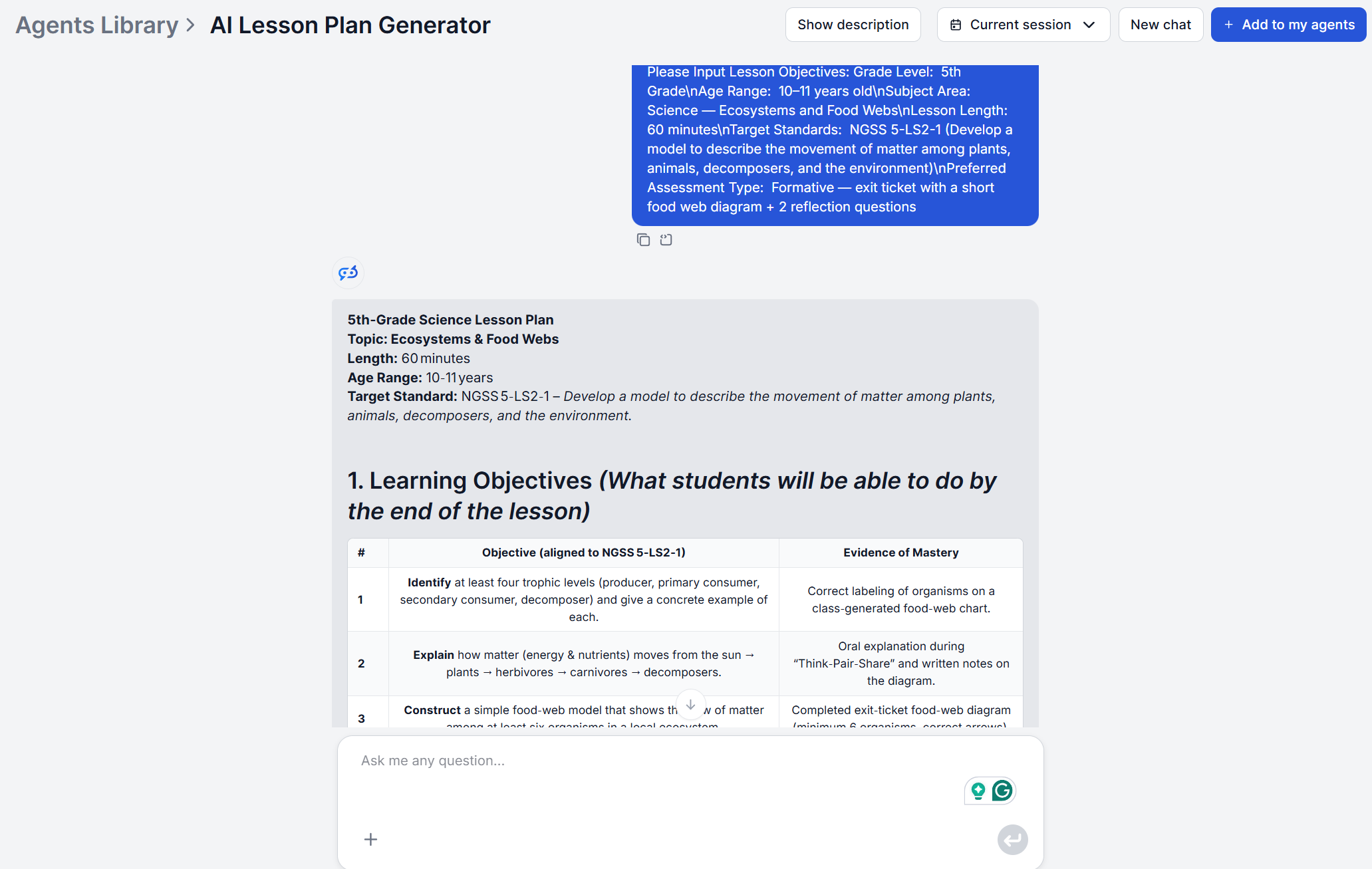
A single generated plan is useful once. The bigger payoff comes from turning the AI Lesson Plan Generator into a standing part of a planning routine:
Five different roles, five different pressures, and the same underlying fix. Generate the structural first draft, then spend your time on the parts that need a person who knows the students and classroom. All aforementioned use cases just require running the same generator with a clear topic, grade level, and goal, and treating the underlying flow as something you adjust once a recurring gap shows up rather than patching around it every time.
Maria is a copywriter at FlowHunt. A language nerd active in literary communities, she's fully aware that AI is transforming the way we write. Rather than resisting, she seeks to help define the perfect balance between AI workflows and the irreplaceable value of human creativity.

Generate complete, standards-aligned lesson plans in seconds. Give it a topic, grade level, and teaching goals, and get objectives, activities, timing, and assessments — ready to teach from.
An AI lesson plan generator turns a topic, grade level, and duration into a complete, standards-aligned lesson plan in minutes. Here's how it works.
Step-by-step FlowHunt lesson plan tutorial, from entering your topic and grade level to reviewing a complete, standards-aligned plan with objectives, activities...
Generate complete, standards-aligned lesson plans in seconds with FlowHunt's AI Lesson Plan Generator. Provide a topic, grade level, and teaching objectives to ...
Cookie Consent
We use cookies to enhance your browsing experience and analyze our traffic. See our privacy policy.