


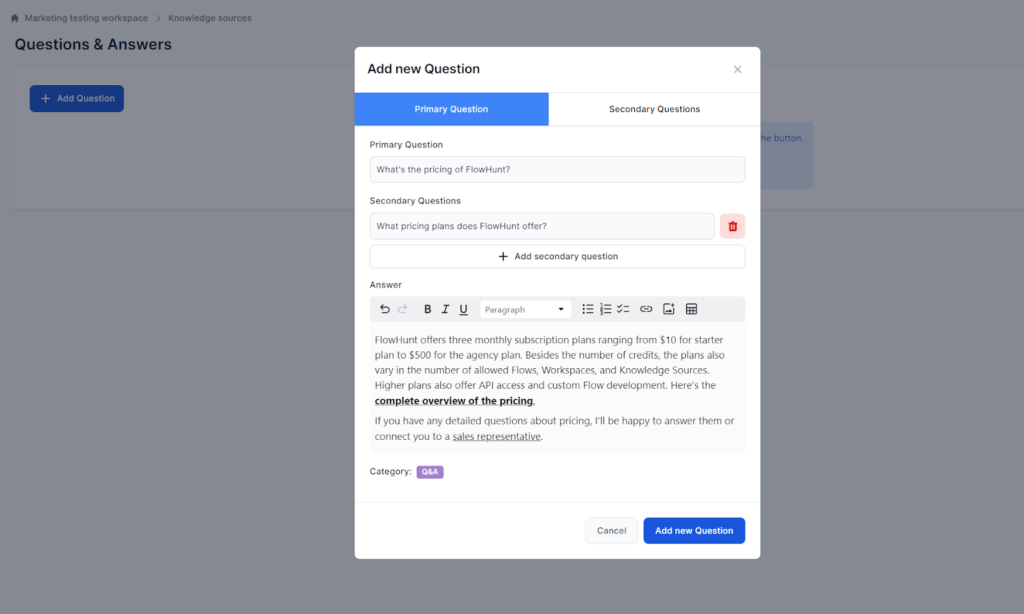
Questions & Answers
Ensure consistent chatbot responses by adding pre-defined Q&As with FlowHunt. Organize with categories, link secondary questions, and manage efficiently. Plans ...
2 min read
AI
Chatbot
+3
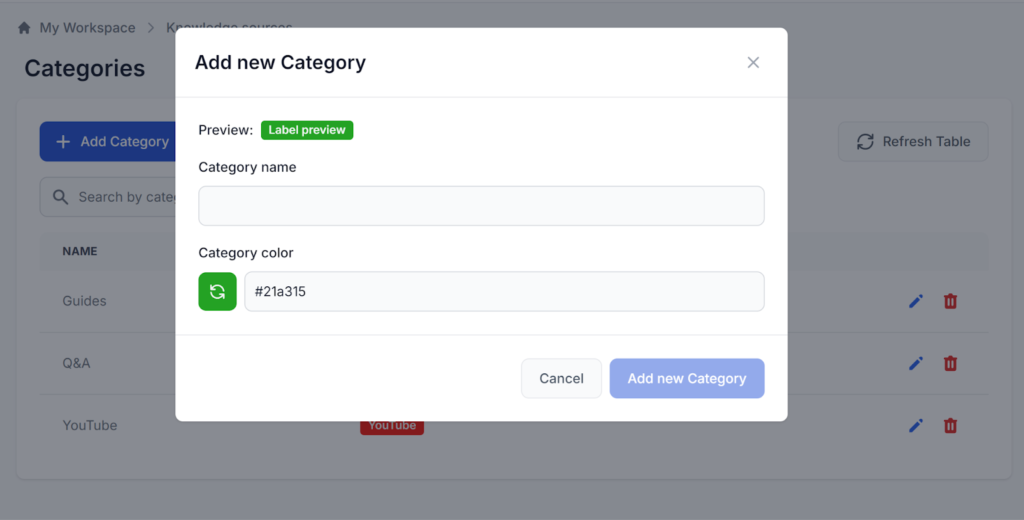
Organize your knowledge library efficiently with FlowHunt’s Categories feature, enabling unlimited, customizable groupings for documents and Q&As.
The Categories feature allows you to create arbitrary groupings of documents and Q&As. As your Knowledge Sources library grows, having a way to organize and manage it will become invaluable. That’s why each new knowledge item must be categorized.
While assigning a Category is required, the categories you create are entirely arbitrary and are there just for your convenience. The number of categories you can create is unlimited and doesn’t affect your credits.
You can create new categories by navigating to Categories in the left-hand menu and clicking + Add New Category:
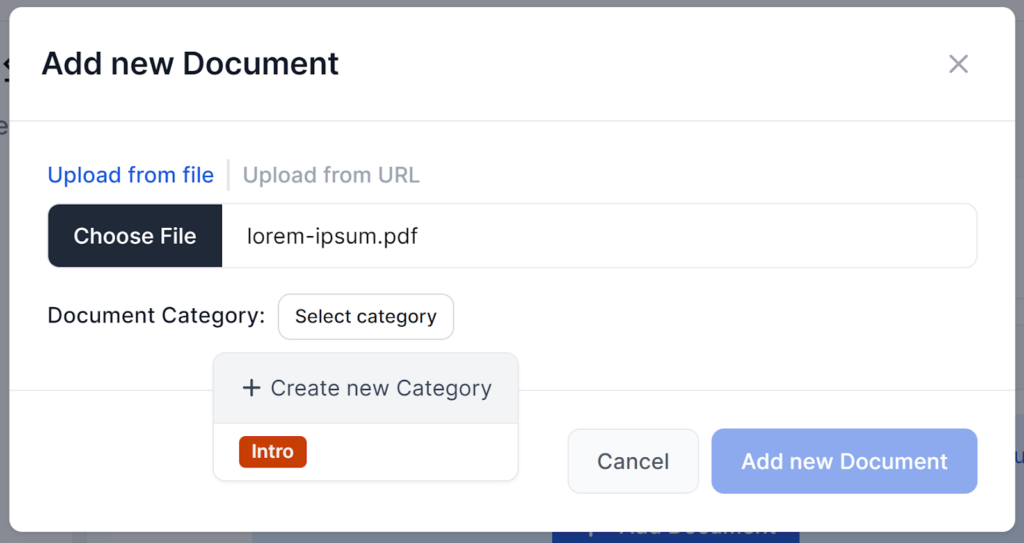
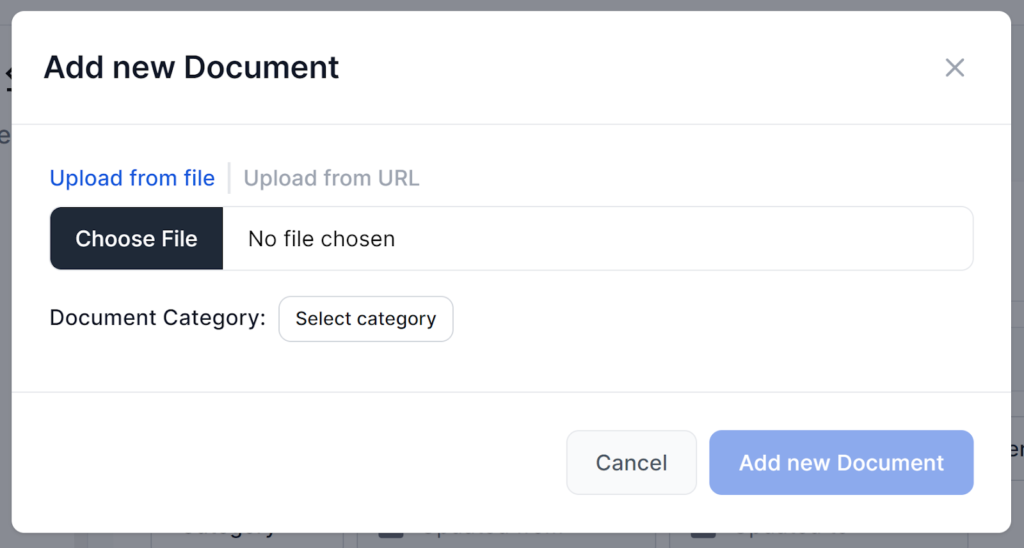
When adding a new Knowledge Source and no category fits your needs, you don’t need to interrupt your workflow. You can simply create a new category by clicking the + Create new Category button in the category picker dropdown. This will bring up the create category popup:
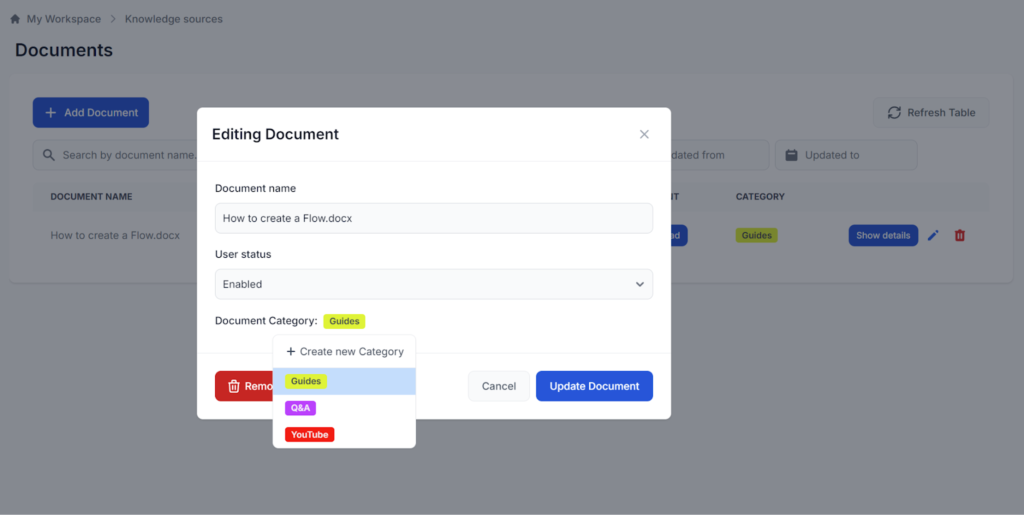
To change the category of any Knowledge Source, simply click the edit button next to the Knowledge Source item and click Category to change a Category or create a new one:

Start your free trial today and see results within days.
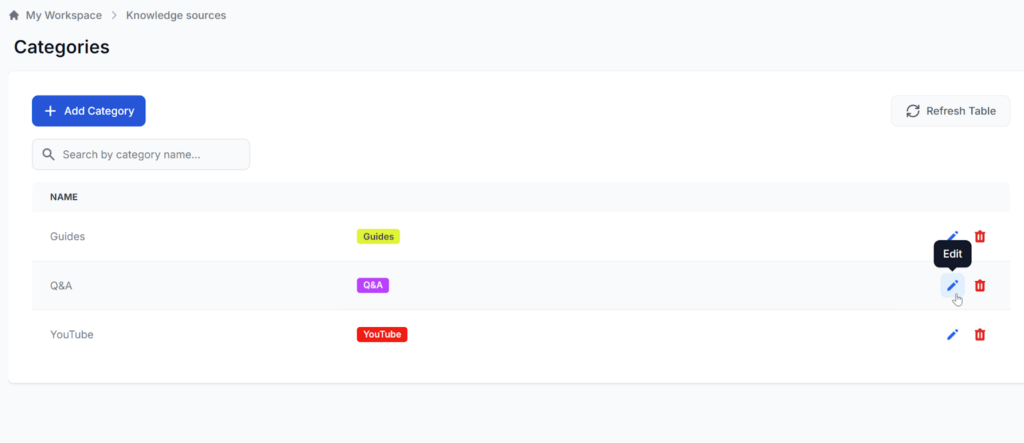
By navigating to the Categories section, you get to edit the name and label color of the categories:
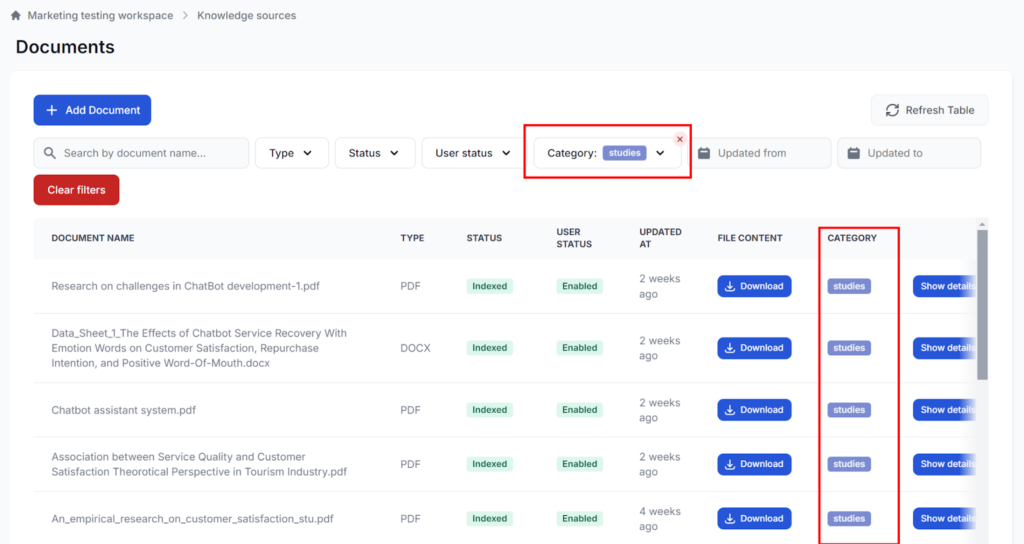
To see all the Knowledge Sources within a category, navigate to Documents or Q&As and sort by category:
Experience seamless knowledge management with FlowHunt's customizable Categories. Group, manage, and access your documents and Q&As with ease.
Ensure consistent chatbot responses by adding pre-defined Q&As with FlowHunt. Organize with categories, link secondary questions, and manage efficiently. Plans ...
Your chatbot can instantly access and utilize documents, HTML pages, and even YouTube videos to tailor your unique context. Perfect for adding information you d...
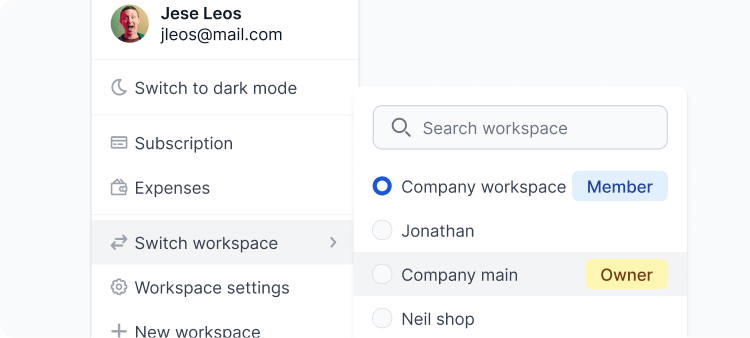
Separate team workspaces, easily collaborate and integrate with other apps. Learn how to make the best of your Workspace.
Cookie Consent
We use cookies to enhance your browsing experience and analyze our traffic. See our privacy policy.