


ElevenLabs
Integrate FlowHunt with ElevenLabs MCP Server to automate text-to-speech workflows, generate high-quality audio, and manage voice projects using an advanced API...
4 min read
AI
ElevenLabs
+4
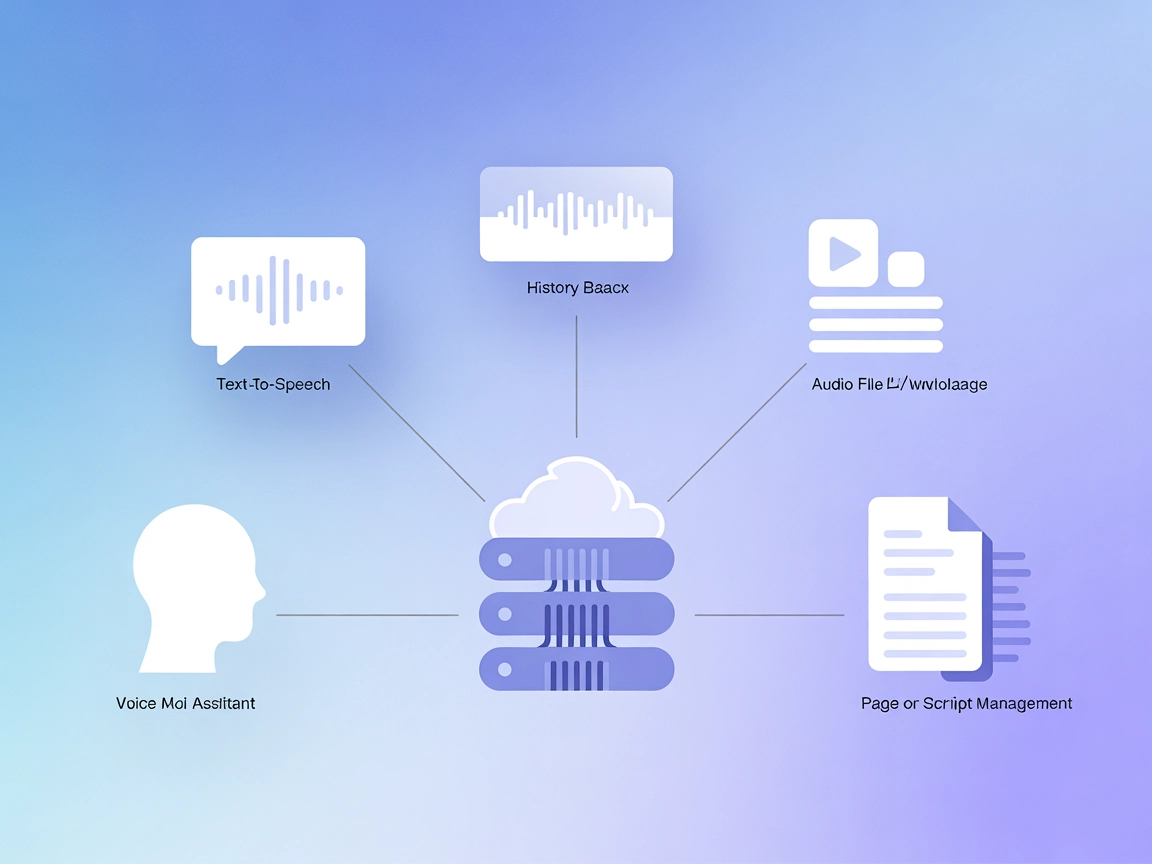
Add high-quality text-to-speech capabilities to your AI workflows with ElevenLabs MCP Server—manage voices, automate audio generation, and track history seamlessly.
The ElevenLabs MCP Server is a Model Context Protocol (MCP) server that integrates the ElevenLabs text-to-speech API with AI development workflows. It functions as a bridge, enabling AI assistants and agents to generate high-quality audio from text, manage voice options, and keep track of audio generation history—all via standardized MCP interfaces. The server supports multiple voices, script part management, and persistent storage using SQLite, making it suitable for robust voice synthesis tasks. Additionally, it ships with a sample SvelteKit-based MCP client for managing and interacting with these features through a web interface. By exposing voice generation as tools and resources, ElevenLabs MCP Server enhances automation, accessibility, and context-awareness in AI-powered applications.
No explicit prompt templates are listed in the repository or documentation.

Start your free trial today and see results within days.
Get latest tips, trends, and deals for free.
Ensure you have Node.js installed.
Locate the Windsurf MCP configuration file (e.g., windsurf_mcp_settings.json).
Add the ElevenLabs MCP Server configuration:
{
  "mcpServers": {
    "elevenlabs": {
      "command": "uvx",
      "args": ["elevenlabs-mcp-server"],
      "env": {
        "ELEVENLABS_API_KEY": "your-api-key",
        "ELEVENLABS_VOICE_ID": "your-voice-id"
      }
    }
  }
}
Save the file and restart Windsurf.
Verify ElevenLabs MCP Server appears as a tool in the interface.
Prerequisite: Install Node.js.
Open your Claude MCP configuration file (e.g., cline_mcp_settings.json).
Add ElevenLabs MCP Server using:
{
  "mcpServers": {
    "elevenlabs": {
      "command": "uvx",
      "args": ["elevenlabs-mcp-server"],
      "env": {
        "ELEVENLABS_API_KEY": "your-api-key",
        "ELEVENLABS_VOICE_ID": "your-voice-id"
      }
    }
  }
}
Save and restart Claude Desktop.
Confirm ElevenLabs MCP Server is available as a tool.
Make sure Node.js is installed on your system.
Open Cursor’s MCP server configuration file.
Insert the following JSON configuration:
{
  "mcpServers": {
    "elevenlabs": {
      "command": "uvx",
      "args": ["elevenlabs-mcp-server"],
      "env": {
        "ELEVENLABS_API_KEY": "your-api-key",
        "ELEVENLABS_VOICE_ID": "your-voice-id"
      }
    }
  }
}
Save the configuration and restart Cursor.
Check for ElevenLabs MCP Server’s availability.
Prerequisite: Node.js installed.
Access Cline’s MCP configuration file (e.g., cline_mcp_settings.json).
Add ElevenLabs MCP Server:
{
  "mcpServers": {
    "elevenlabs": {
      "command": "uvx",
      "args": ["elevenlabs-mcp-server"],
      "env": {
        "ELEVENLABS_API_KEY": "your-api-key",
        "ELEVENLABS_VOICE_ID": "your-voice-id"
      }
    }
  }
}
Save and restart Cline.
Confirm ElevenLabs MCP Server is accessible.
Securing API Keys:
Store all sensitive values such as your API key in environment variables via the env field in your JSON configuration:
"env": {
  "ELEVENLABS_API_KEY": "your-api-key",
  "ELEVENLABS_VOICE_ID": "your-voice-id"
}
Never hardcode secrets in public files.
Using MCP in FlowHunt
To integrate MCP servers into your FlowHunt workflow, start by adding the MCP component to your flow and connecting it to your AI agent:

Click on the MCP component to open the configuration panel. In the system MCP configuration section, insert your MCP server details using this JSON format:
{
  "elevenlabs": {
    "transport": "streamable_http",
    "url": "https://yourmcpserver.example/pathtothemcp/url"
  }
}
Once configured, the AI agent is now able to use this MCP as a tool with access to all its functions and capabilities. Replace “elevenlabs” with the actual name of your MCP server and the URL with your server’s address.
| Section | Availability | Details/Notes |
|---|---|---|
| Overview | ✅ | Description, features, and installation info |
| List of Prompts | ⛔ | No prompt templates documented |
| List of Resources | ✅ | Voice history, options, audio downloads |
| List of Tools | ✅ | Audio generation, script management, history |
| Securing API Keys | ✅ | Uses env vars in JSON |
| Sampling Support (less important in evaluation) | ⛔ | Not mentioned |
| Roots Support | ⛔ | Not mentioned |
I would rate this MCP server 7/10. It has a clear purpose, practical tools and resources, and solid setup documentation, but lacks info on prompt templates, roots, and sampling support.
| Has a LICENSE | ✅ (MIT) |
|---|---|
| Has at least one tool | ✅ |
| Number of Forks | 20 |
| Number of Stars | 93 |
Empower your AI agents with realistic voice synthesis, audio management, and seamless integration—get started with ElevenLabs MCP Server today.
Integrate FlowHunt with ElevenLabs MCP Server to automate text-to-speech workflows, generate high-quality audio, and manage voice projects using an advanced API...

The Cartesia MCP Server bridges AI assistants and clients like Cursor and Claude with Cartesia’s advanced voice and audio API, enabling text-to-audio, voice loc...
The Kokoro Text to Speech (TTS) MCP Server enables AI agents and workflows to generate high-quality speech audio from text, with options for cloud storage and c...
Cookie Consent
We use cookies to enhance your browsing experience and analyze our traffic. See our privacy policy.