



Kokoro TTS
Integrate FlowHunt with Kokoro Text-to-Speech MCP Server to automate high-quality MP3 file generation, enable secure S3 uploads, and streamline TTS delivery for...
4 min read
AI
Kokoro TTS
+3
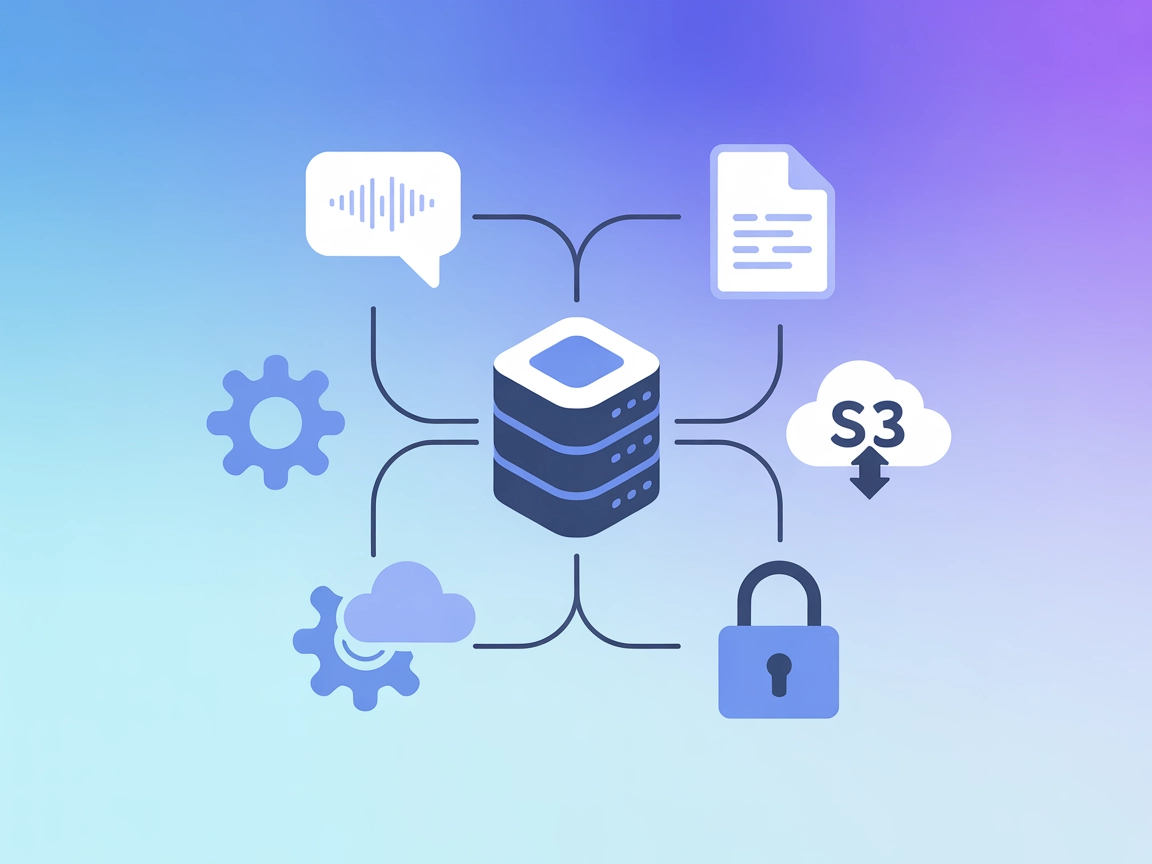
Kokoro TTS MCP Server brings natural-sounding, customizable text-to-speech to your AI applications, with support for local and cloud audio storage, ideal for accessibility, automation, and content creation.
The Kokoro Text to Speech (TTS) MCP Server is a Model Context Protocol (MCP) server that enables AI assistants and clients to generate high-quality speech audio from text input. By connecting AI workflows with this server, users can convert text to .mp3 files and optionally upload them to Amazon S3 or compatible storage. Kokoro TTS leverages advanced models (via HuggingFace spaces and ONNX weights) to provide customizable voices, speeds, and languages, facilitating seamless integration of text-to-speech capabilities into development environments, chatbots, or automation pipelines. This MCP server is especially valuable for scenarios where synthesized speech is needed for accessibility, notifications, or content creation.
No explicit prompt templates are documented in the repository.

Start your free trial today and see results within days.
No explicit resources are documented in the repository files or README.
Get latest tips, trends, and deals for free.
uv and all Kokoro model files downloaded.mcpServers object:{
"kokoro-tts-mcp": {
"command": "uv",
"args": [
"--directory",
"/path/toyourlocal/kokoro-tts-mcp",
"run",
"mcp-tts.py"
],
"env": {
"TTS_VOICE": "af_heart",
"TTS_SPEED": "1.0",
"TTS_LANGUAGE": "en-us",
"AWS_ACCESS_KEY_ID": "",
"AWS_SECRET_ACCESS_KEY": "",
"AWS_REGION": "us-east-1",
"AWS_S3_FOLDER": "mp3",
"S3_ENABLED": "true",
"MP3_FOLDER": "/path/to/mp3"
}
}
}
mcpServers section.cursor.json or equivalent config to include the Kokoro TTS MCP server.Always use environment variables to store sensitive information like AWS credentials. Example:
"env": {
  "AWS_ACCESS_KEY_ID": "${AWS_ACCESS_KEY_ID}",
  "AWS_SECRET_ACCESS_KEY": "${AWS_SECRET_ACCESS_KEY}",
  ...
}
Set these variables in your system or CI environment, never hard-code secrets in your configuration files.
Using MCP in FlowHunt
To integrate MCP servers into your FlowHunt workflow, start by adding the MCP component to your flow and connecting it to your AI agent:

Click on the MCP component to open the configuration panel. In the system MCP configuration section, insert your MCP server details using this JSON format:
{
  "kokoro-tts-mcp": {
    "transport": "streamable_http",
    "url": "https://yourmcpserver.example/pathtothemcp/url"
  }
}
Once configured, the AI agent is now able to use this MCP as a tool with access to all its functions and capabilities. Remember to change “kokoro-tts-mcp” to whatever the actual name of your MCP server is and replace the URL with your own MCP server URL.
| Section | Availability | Details/Notes |
|---|---|---|
| Overview | ✅ | Text-to-speech server for AI workflows |
| List of Prompts | ⛔ | No prompt templates found |
| List of Resources | ⛔ | No explicit MCP resources documented |
| List of Tools | ✅ | TTS, S3 upload, local file management |
| Securing API Keys | ✅ | Documented use of env vars for AWS and config |
| Sampling Support (less important in evaluation) | ⛔ | No mention of LLM sampling feature |
Kokoro TTS MCP Server is focused and practical, offering a specialized tool for text-to-speech tasks with cloud integration. It lacks prompt and resource primitives, but is open source, well-configured, and supports secure key management. Sampling and Roots support are not mentioned, limiting advanced agentic capabilities. For TTS use cases, it is robust and useful, though not as feature-rich as more generalized MCP servers.
| Has a LICENSE | ✅ (Apache-2.0) |
|---|---|
| Has at least one tool | ✅ |
| Number of Forks | 7 |
| Number of Stars | 39 |
Add natural, high-quality speech synthesis to your chatbots and automation with Kokoro TTS MCP Server. Try it in FlowHunt or connect with your own infrastructure.
Integrate FlowHunt with Kokoro Text-to-Speech MCP Server to automate high-quality MP3 file generation, enable secure S3 uploads, and streamline TTS delivery for...
The ElevenLabs MCP Server integrates ElevenLabs text-to-speech API into AI workflows, enabling automated, high-quality voice synthesis, voice management, and au...

The Cartesia MCP Server bridges AI assistants and clients like Cursor and Claude with Cartesia’s advanced voice and audio API, enabling text-to-audio, voice loc...
Cookie Consent
We use cookies to enhance your browsing experience and analyze our traffic. See our privacy policy.