


Ako generovať zápisnicu zo stretnutia pomocou AI pre začiatočníkov
Návod krok za krokom, ako vytvoriť jednoduchú zápisnicu zo stretnutia do piatich minút pomocou AI z vašich údajov.
6 min čítania
ChatGPT
Use Case
+2
Zistite, ako môže každý profesionál rýchlo vytvoriť jasný, univerzálny súhrn zo zápisu zo stretnutia pomocou AI – bez potreby technických znalostí. Tento návod je ideálny pre HR, administrátorov alebo koordinátorov, ktorí hľadajú rýchly a spoľahlivý spôsob dokumentácie stretnutí.
Súhrnovanie stretnutí pomáha tímom zostať zosúladenými, sledovať rozhodnutia a realizovať akčné úlohy – no písanie súhrnov býva zdĺhavé a monotónne. S AI nástrojmi ako ChatGPT alebo Flowhunt môžete okamžite premeniť akýkoľvek zápis zo stretnutia na prehľadný, zdieľateľný súhrn a ušetriť tak čas na hodnotnejšie úlohy.
Vyskúšajte ihneď zadarmo: Ponáhľate sa alebo to potrebujete hneď? Vyskúšajte tento hotový nástroj od Flowhunt. Predpripravený prompt vám umožní preskočiť nastavenie.
👉Nechajte to na AI generátor súhrnu zo stretnutia.
Či ste HR profesionál, administrátor alebo projektový koordinátor, s AI je generovanie súhrnu zo stretnutia jednoduché. Postupujte podľa týchto krokov a zvládnete to za pár minút:
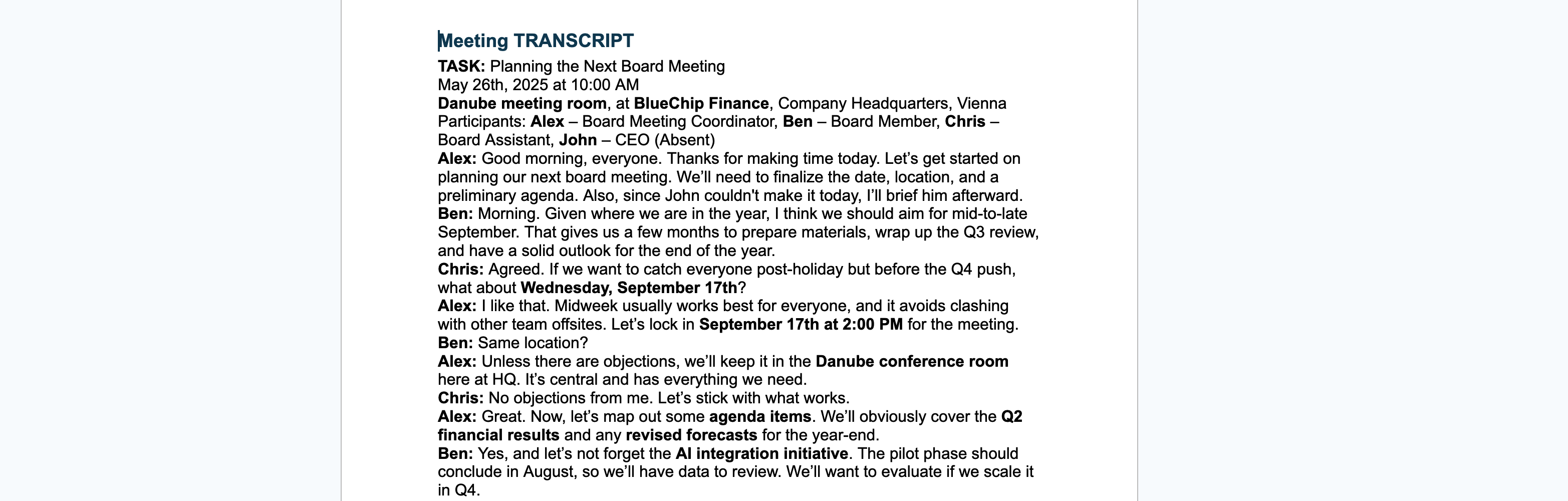
Prehľadný zápis je základom pre AI súhrn. Väčšina moderných platforiem na stretnutia (Zoom, Teams, Google Meet) vie automaticky generovať zápisy. Ak máte aj agendu alebo poznámky, dajte ich dokopy. Pomôžu s kontextom, no sú voliteľné.
Kvalita výsledného súhrnu závisí od zadania pre AI. Pre univerzálny, profesionálny súhrn zo stretnutia použite prompt, ktorý je jasný a konkrétny, ale nie viazaný na konkrétnu rolu či oddelenie.
You are an expert at summarizing meetings. Given the following transcript (and optional agenda/notes), generate a concise, readable summary suitable for sharing with all participants. Focus on the main discussion points, key decisions, and any action items. Avoid role-specific details or jargon, and make sure the summary is easy to understand for anyone who attended. If an agenda or notes are provided, use them to organize the summary, but otherwise use your best judgment to structure it logically.
[PASTE YOUR TRANSCRIPT HERE]
Skopírujte zápis a (voliteľne) agendu alebo poznámky, vložte ich spolu s promptom do ChatGPT, Flowhunt alebo iného AI chatbot nástroja. Počkajte pár sekúnd. AI vám vygeneruje prehľadný súhrn, ktorý môžete ihneď zdieľať.
Tu je príklad kompletne vyplneného promptu:
You are an expert at summarizing meetings. Given the following transcript (and optional agenda/notes), generate a concise, readable summary suitable for sharing with all participants. Focus on the main discussion points, key decisions, and any action items. Avoid role-specific details or jargon, and make sure the summary is easy to understand for anyone who attended. If an agenda or notes are provided, use them to organize the summary, but otherwise use your best judgment to structure it logically.[TRANSCRIPT BEGINS] Moderator (Anna): Good morning, everyone. Let’s start with the first item on the agenda: Q3 marketing results. James: We’ve seen a 12% uptick in engagement across social media, mostly driven by the new video campaign. However, email click-through rates dropped by 5%. Priya: We might want to revisit our email strategy. The content hasn’t been updated in months. Anna: Noted. Let’s set a follow-up meeting with the content team next week. Next item—website redesign. Mark, can you give us an update? Mark: The dev team completed 80% of the front-end work. We’re behind on mobile optimization due to unexpected issues with the CMS. Anna: When can we expect that to be back on track? Mark: We’ve adjusted the timeline. Mobile optimization should be done by August 10. Anna: Great, thank you. Lastly, any updates on the client onboarding process? Lena: We’ve added a walkthrough video and reduced the number of forms. Early feedback has been positive, especially from EU clients. Anna: Excellent. Please compile that feedback and share it in the Slack channel. Any final comments? James: Just a reminder that the Q4 planning session is on the 15th. Anna: Thanks. Meeting adjourned. [TRANSCRIPT ENDS]
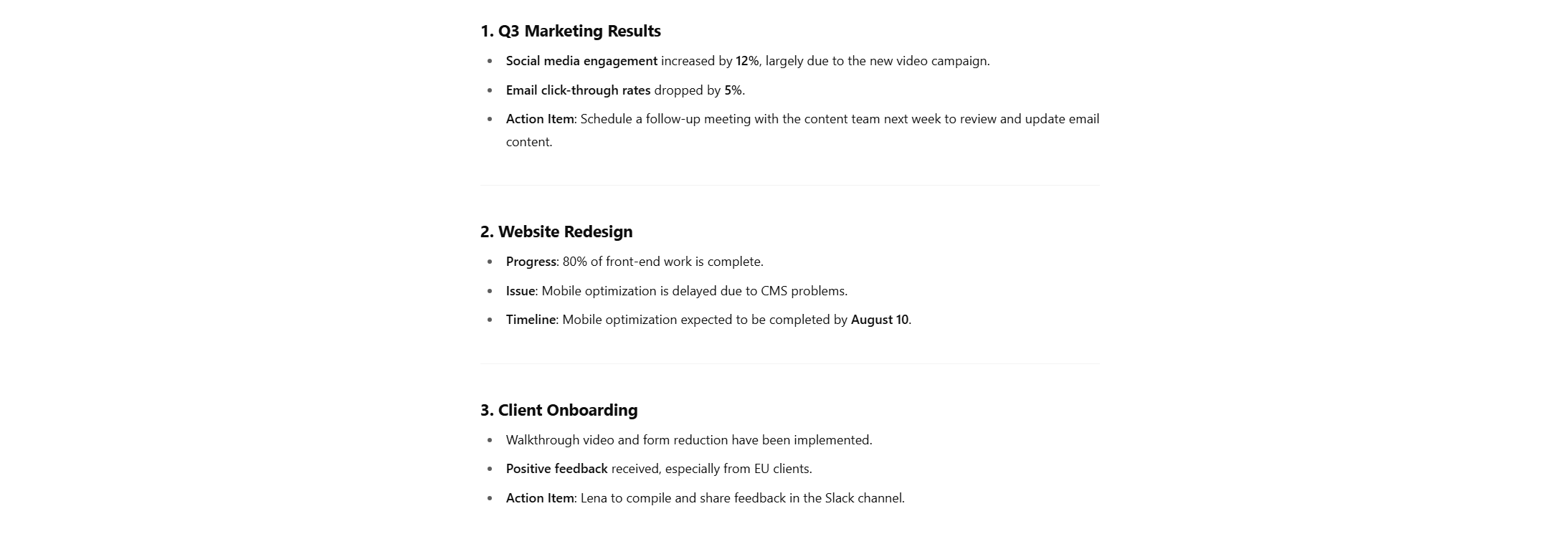
Stretnutia môžu byť dlhé a získanie informácií z nich môže byť náročné, ale vždy to ide, ak ste si zapísali, o čom sa hovorilo, alebo ešte lepšie – ak máte k dispozícii samotný prepis.
Pred začatím si pripravte nasledovné pre čo najlepšie výsledky:

Dobrý prompt povie AI presne, čo chcete. Tu je šablóna, ktorú môžete použiť alebo upraviť:
You are an expert meeting summarizer.Here is a transcript from a recent meeting: [PASTE TRANSCRIPT HERE]
The meeting agenda/topics were: [PASTE AGENDA OR TOPICS HERE]
My role: [DESCRIBE YOUR ROLE AND FOCUS AREAS HERE]
Please write a concise summary highlighting: -Key points relevant to my role -Action items or decisions I should know about -Any follow-ups assigned to me or my team
Format the summary in bullet points, and make it easy to scan.
Ďalším krokom je odovzdať tento prompt AI:
Tip: Namiesto vkladania prepisu alebo programu do textového okna môžete nahrať aj súbor!
Tu je príklad úplne vyplneného promptu:
You are an expert meeting summarizer.Here is a transcript from a recent meeting:
[00:00] Emily: Welcome everyone. Today’s meeting is about the upcoming release of the “Harmony 2.0” AI-generated music assistant. [00:10] Raj: I’ve finalized the backend integration for real-time lyric analysis. Latency is under 150ms. [00:24] Luce: Great. On the frontend, we added voice feedback that guides users through melody correction. [00:36] Samira: Marketing’s planning to launch in mid-August. We need final demos by July 30. [00:44] Emily: Any blockers on the auto-harmonization module? [00:48] Raj: We still need training data for the jazz and funk genre sets. [00:58] Luce: I can follow up with the data curation team to speed that up. [01:04] Emily: Thanks, Luce. Also, we need to finalize privacy compliance for the vocal samples we use. [01:12] Luce: Already in touch with legal about GDPR checks. Should have an update this week. [01:22] Samira: For launch assets, we need a short video showing “melody to harmony” in 30 seconds. [01:32] Emily: Let’s make that a shared task between design and product. [01:40] Raj: Do we need multilingual support in this version? [01:43] Luce: Only English and Spanish for now. German pushed to 2.1 release. [01:50] Emily: Okay, thanks all. Let’s regroup in one week.
The meeting agenda/topics were: Progress on the Harmony 2.0 AI music assistant Technical updates: backend integration, frontend UX Marketing timeline and demo delivery Dataset needs and genre expansion Privacy and GDPR compliance Multilingual support roadmap Launch assets and responsibilities
My role: Luce – Product Owner (AI & UX Focus) Oversee AI interaction design and frontend usability Coordinate between technical, legal, and design teams Ensure product meets data compliance standards Own the roadmap for supported languages and UI feedback systems
Please write a concise summary highlighting: Key points relevant to my role Action items or decisions I should know about Any follow-ups assigned to me or my team Format the summary in bullet points, and make it easy to scan.
Výsledok:

Záverečný tip: AI môžete požiadať, aby tento text vyexportovala priamo ako dokument, ktorý si uložíte do počítača!

Začnite svoju 30-dňovú skúšobnú verziu ešte dnes a vidzte výsledky behom pár dní.
| Výhody | Nevýhody |
|---|---|
| Šetrí čas, už žiadne manuálne sumarizovanie | AI môže prehliadnuť jemné nuansy |
| Prispôsobiteľné pre potreby každého člena tímu | Pre najlepšie výsledky je potrebný kvalitný prepis |
| Jednoduché aj pre netechnických používateľov | Môže vyžadovať drobné úpravy pre zrozumiteľnosť |
| Rýchlo identifikuje akčné body a rozhodnutia | Ochrana údajov, zabezpečte si prepisy |
Stačí vám prepis, agenda a jednoduchý prompt a AI vám vytvorí zamerané, akčné súhrny zo stretnutí pre každého účastníka. Ušetríte hodiny času a každý bude vedieť, čo je pre neho dôležité – bez nutnosti technických znalostí.
Chcete rýchlejší a spoľahlivejší spôsob spracovania poznámok zo stretnutí? Urobte ďalší krok a nastavte si vlastný automatizovaný workflow na sumarizáciu. Je to jednoduché, efektívne a šetrí čas.
👉 Vygenerujte si AI súhrn stretnutia s Flowhunt
Návod krok za krokom, ako vytvoriť jednoduchú zápisnicu zo stretnutia do piatich minút pomocou AI z vašich údajov.
Objavte generátor AI správ zo stretnutí od FlowHunt — nástroj, ktorý premieňa poznámky zo stretnutí na podrobné zápisy, následné e-maily a blogové príspevky. Uš...
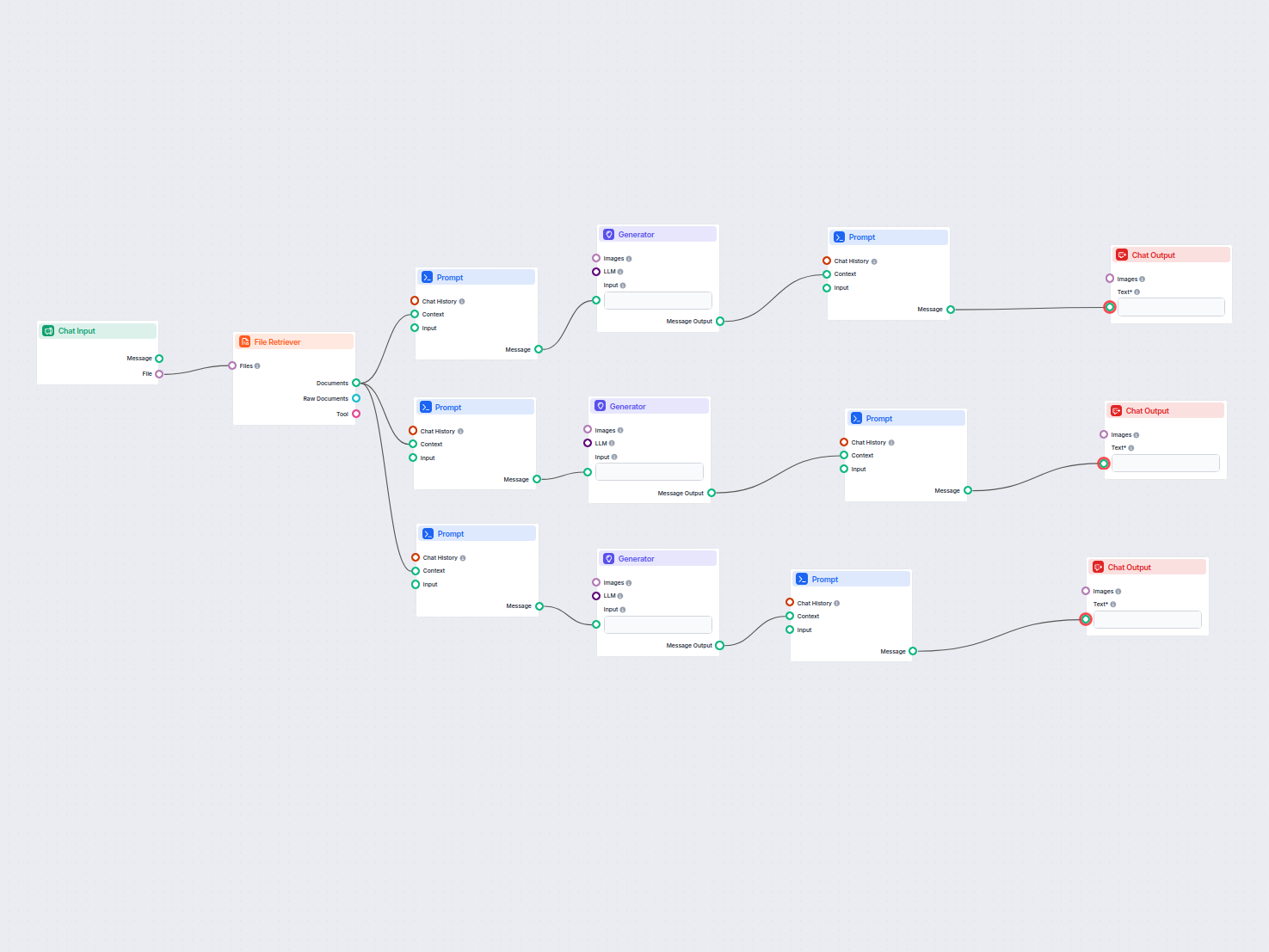
Premeňte prílohy zo stretnutí na akčné súhrny, následné e-maily a blogové príspevky pomocou AI. Tento pracovný postup automatizuje tvorbu obsahu z vašich súboro...
Súhlas s cookies
Používame cookies na vylepšenie vášho prehliadania a analýzu našej návštevnosti. See our privacy policy.