


Come Generare Verbali di Riunione con l'AI per Principianti
Guida passo-passo su come creare verbali di riunione semplici in meno di cinque minuti utilizzando l'AI dai tuoi dati.
7 min di lettura
ChatGPT
Use Case
+2
Scopri come qualsiasi professionista può generare rapidamente un riepilogo chiaro e di uso generale da una trascrizione di riunione utilizzando l’IA—senza bisogno di competenze tecniche. Questa guida è perfetta per HR, amministratori o coordinatori che cercano un modo veloce e affidabile per documentare le riunioni.
Riassumere le riunioni aiuta i team a restare allineati, tracciare le decisioni e seguire i punti d’azione—ma scrivere i riepiloghi può essere noioso e richiedere molto tempo. Con strumenti di IA come ChatGPT o Flowhunt, puoi trasformare istantaneamente qualsiasi trascrizione di riunione in un riepilogo curato e condivisibile, liberando il tuo tempo per attività a più alto valore.
Provalo subito gratuitamente: Hai fretta o ti serve subito? Prova questo strumento pronto all’uso di Flowhand. È già caricato con il prompt, così puoi saltare la configurazione.
👉Lascia che il Generatore di Report di Riunione con IA lo faccia per te.
Che tu sia un professionista HR, un amministratore o un coordinatore di progetto, generare un riepilogo di riunione con l’IA è semplice. Ecco come puoi farlo in pochi minuti:
Una trascrizione chiara è l’input essenziale per il tuo riepilogo IA. La maggior parte delle piattaforme moderne per riunioni (Zoom, Teams, Google Meet) può generare trascrizioni automaticamente. Se hai anche un’agenda o degli appunti, raccoglili. Aiutano a fornire ulteriore contesto, ma sono opzionali.
Il prompt che fornisci all’IA determina la qualità del tuo riepilogo. Per un riepilogo di riunione professionale e di uso generale, usa un prompt che sia chiaro e specifico ma non legato a un solo ruolo o dipartimento.
You are an expert at summarizing meetings. Given the following transcript (and optional agenda/notes), generate a concise, readable summary suitable for sharing with all participants. Focus on the main discussion points, key decisions, and any action items. Avoid role-specific details or jargon, and make sure the summary is easy to understand for anyone who attended. If an agenda or notes are provided, use them to organize the summary, but otherwise use your best judgment to structure it logically.
[PASTE YOUR TRANSCRIPT HERE]
Copia la tua trascrizione e (opzionalmente) l’agenda o gli appunti, incollali insieme al tuo prompt in ChatGPT, Flowhunt o qualsiasi strumento chatbot IA. Attendi qualche istante. L’IA restituirà un riepilogo ben strutturato che potrai condividere immediatamente.
Ecco un esempio di prompt compilato completamente:
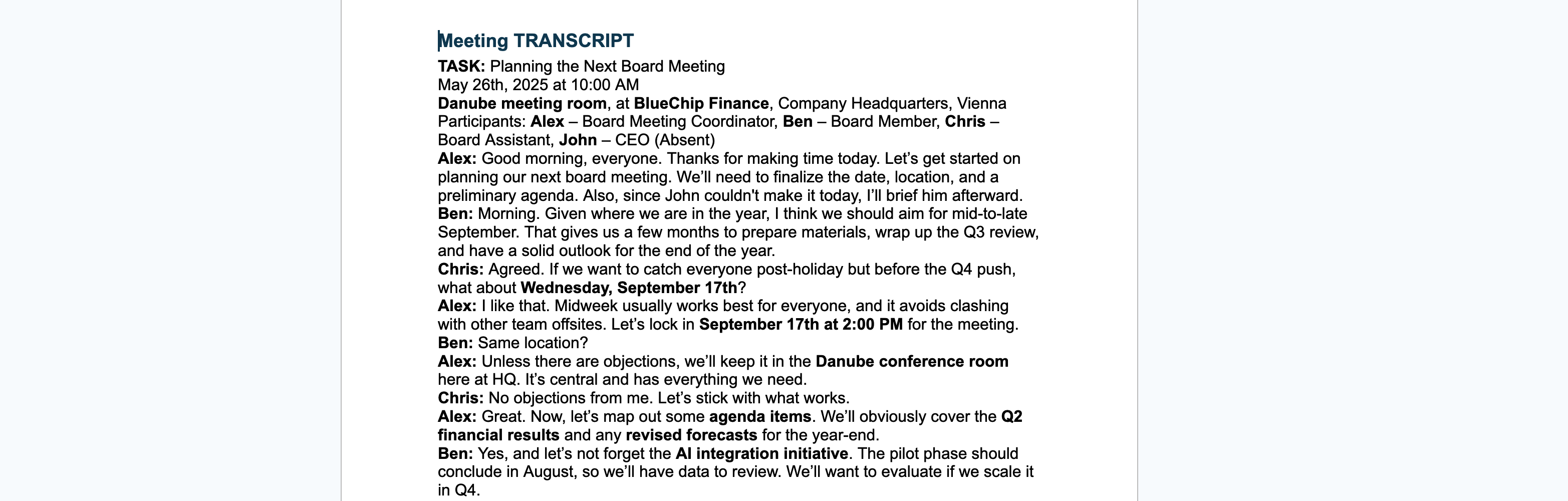
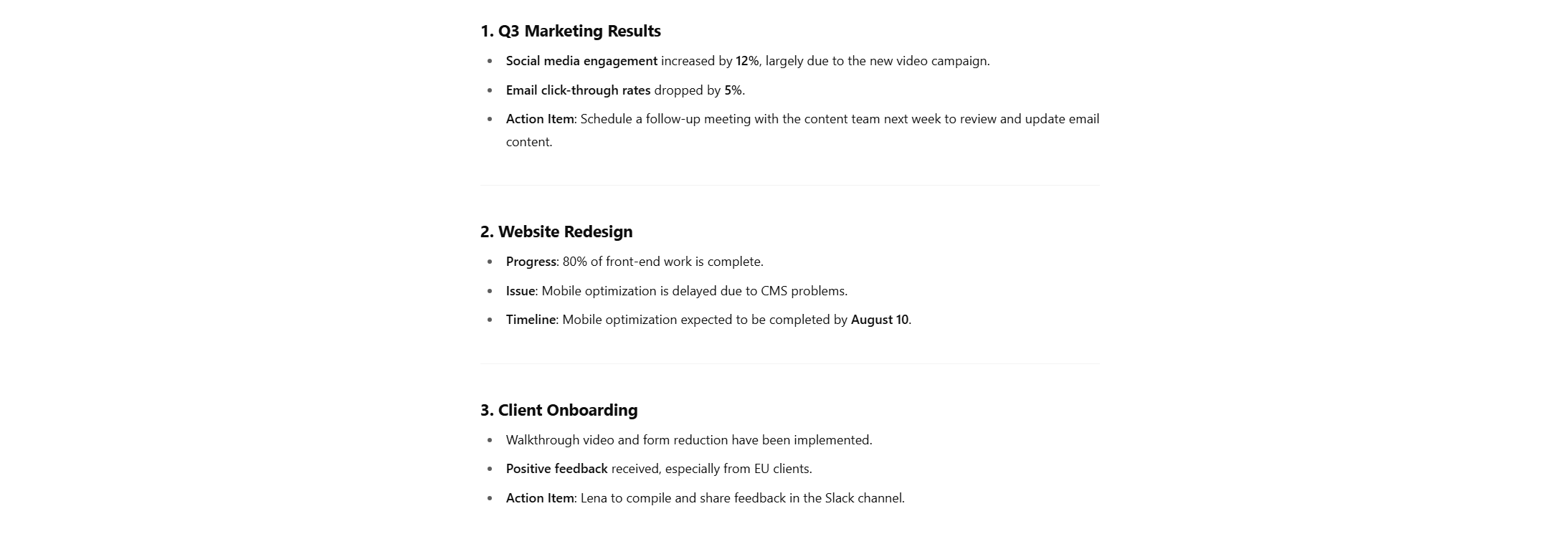
You are an expert at summarizing meetings. Given the following transcript (and optional agenda/notes), generate a concise, readable summary suitable for sharing with all participants. Focus on the main discussion points, key decisions, and any action items. Avoid role-specific details or jargon, and make sure the summary is easy to understand for anyone who attended. If an agenda or notes are provided, use them to organize the summary, but otherwise use your best judgment to structure it logically.[TRANSCRIPT BEGINS] Moderator (Anna): Good morning, everyone. Let’s start with the first item on the agenda: Q3 marketing results. James: We’ve seen a 12% uptick in engagement across social media, mostly driven by the new video campaign. However, email click-through rates dropped by 5%. Priya: We might want to revisit our email strategy. The content hasn’t been updated in months. Anna: Noted. Let’s set a follow-up meeting with the content team next week. Next item—website redesign. Mark, can you give us an update? Mark: The dev team completed 80% of the front-end work. We’re behind on mobile optimization due to unexpected issues with the CMS. Anna: When can we expect that to be back on track? Mark: We’ve adjusted the timeline. Mobile optimization should be done by August 10. Anna: Great, thank you. Lastly, any updates on the client onboarding process? Lena: We’ve added a walkthrough video and reduced the number of forms. Early feedback has been positive, especially from EU clients. Anna: Excellent. Please compile that feedback and share it in the Slack channel. Any final comments? James: Just a reminder that the Q4 planning session is on the 15th. Anna: Thanks. Meeting adjourned. [TRANSCRIPT ENDS]
Le riunioni possono essere lunghe e ricavare informazioni può essere complicato, ma è sempre possibile purché tu abbia annotato ciò di cui si è parlato o, meglio ancora, se hai accesso alla trascrizione stessa.
Raccogli quanto segue prima di iniziare per ottenere i migliori risultati:

Un buon prompt spiega all’IA esattamente cosa vuoi. Ecco un modello che puoi usare o adattare:
You are an expert meeting summarizer.Here is a transcript from a recent meeting: [PASTE TRANSCRIPT HERE]
The meeting agenda/topics were: [PASTE AGENDA OR TOPICS HERE]
My role: [DESCRIBE YOUR ROLE AND FOCUS AREAS HERE]
Please write a concise summary highlighting: -Key points relevant to my role -Action items or decisions I should know about -Any follow-ups assigned to me or my team
Format the summary in bullet points, and make it easy to scan.
Il passo successivo è fornire effettivamente questo prompt all’IA, quindi:
Suggerimento: Puoi anche, invece di incollare la trascrizione o l’agenda nella finestra di testo, caricarla come file!
Ecco un esempio di prompt compilato completamente:
You are an expert meeting summarizer.Here is a transcript from a recent meeting:
[00:00] Emily: Welcome everyone. Today’s meeting is about the upcoming release of the “Harmony 2.0” AI-generated music assistant. [00:10] Raj: I’ve finalized the backend integration for real-time lyric analysis. Latency is under 150ms. [00:24] Luce: Great. On the frontend, we added voice feedback that guides users through melody correction. [00:36] Samira: Marketing’s planning to launch in mid-August. We need final demos by July 30. [00:44] Emily: Any blockers on the auto-harmonization module? [00:48] Raj: We still need training data for the jazz and funk genre sets. [00:58] Luce: I can follow up with the data curation team to speed that up. [01:04] Emily: Thanks, Luce. Also, we need to finalize privacy compliance for the vocal samples we use. [01:12] Luce: Already in touch with legal about GDPR checks. Should have an update this week. [01:22] Samira: For launch assets, we need a short video showing “melody to harmony” in 30 seconds. [01:32] Emily: Let’s make that a shared task between design and product. [01:40] Raj: Do we need multilingual support in this version? [01:43] Luce: Only English and Spanish for now. German pushed to 2.1 release. [01:50] Emily: Okay, thanks all. Let’s regroup in one week.
The meeting agenda/topics were: Progress on the Harmony 2.0 AI music assistant Technical updates: backend integration, frontend UX Marketing timeline and demo delivery Dataset needs and genre expansion Privacy and GDPR compliance Multilingual support roadmap Launch assets and responsibilities
My role: Luce – Product Owner (AI & UX Focus) Oversee AI interaction design and frontend usability Coordinate between technical, legal, and design teams Ensure product meets data compliance standards Own the roadmap for supported languages and UI feedback systems
Please write a concise summary highlighting: Key points relevant to my role Action items or decisions I should know about Any follow-ups assigned to me or my team Format the summary in bullet points, and make it easy to scan.
Risultato:

Suggerimento finale: Puoi anche chiedere all’IA di esportare direttamente questo testo come documento da salvare sul tuo computer!

Inizia oggi la tua prova gratuita e vedi i risultati in pochi giorni.
| Pro | Contro |
|---|---|
| Fa risparmiare tempo, niente più riepiloghi manuali | L’IA può perdere contesti sfumati |
| Personalizzabile per le esigenze di ogni membro | Serve una buona trascrizione per risultati ottimali |
| Facile anche per chi non è tecnico | Può richiedere una leggera revisione per chiarezza |
| Identifica rapidamente attività e decisioni | Privacy dei dati, assicurati che le trascrizioni siano sicure |
Con una semplice trascrizione, agenda e un prompt, l’IA può produrre riepiloghi di riunione mirati e concreti per ogni partecipante. Risparmi ore e tutti sanno cosa conta davvero per loro, senza necessità di competenze tecniche.
Vuoi un modo più veloce e affidabile per gestire le note delle riunioni? Fai il prossimo passo e imposta il tuo flusso di lavoro per riepiloghi automatizzati. È semplice, efficace e ti fa risparmiare tempo.
👉 Genera ora il tuo Riepilogo di Riunione AI con Flowhunt
Guida passo-passo su come creare verbali di riunione semplici in meno di cinque minuti utilizzando l'AI dai tuoi dati.
Scopri come automatizzare i verbali delle riunioni con l’AI. Dalle semplici prompt GPT agli strumenti specializzati di FlowHunt, crea verbali in pochi secondi....
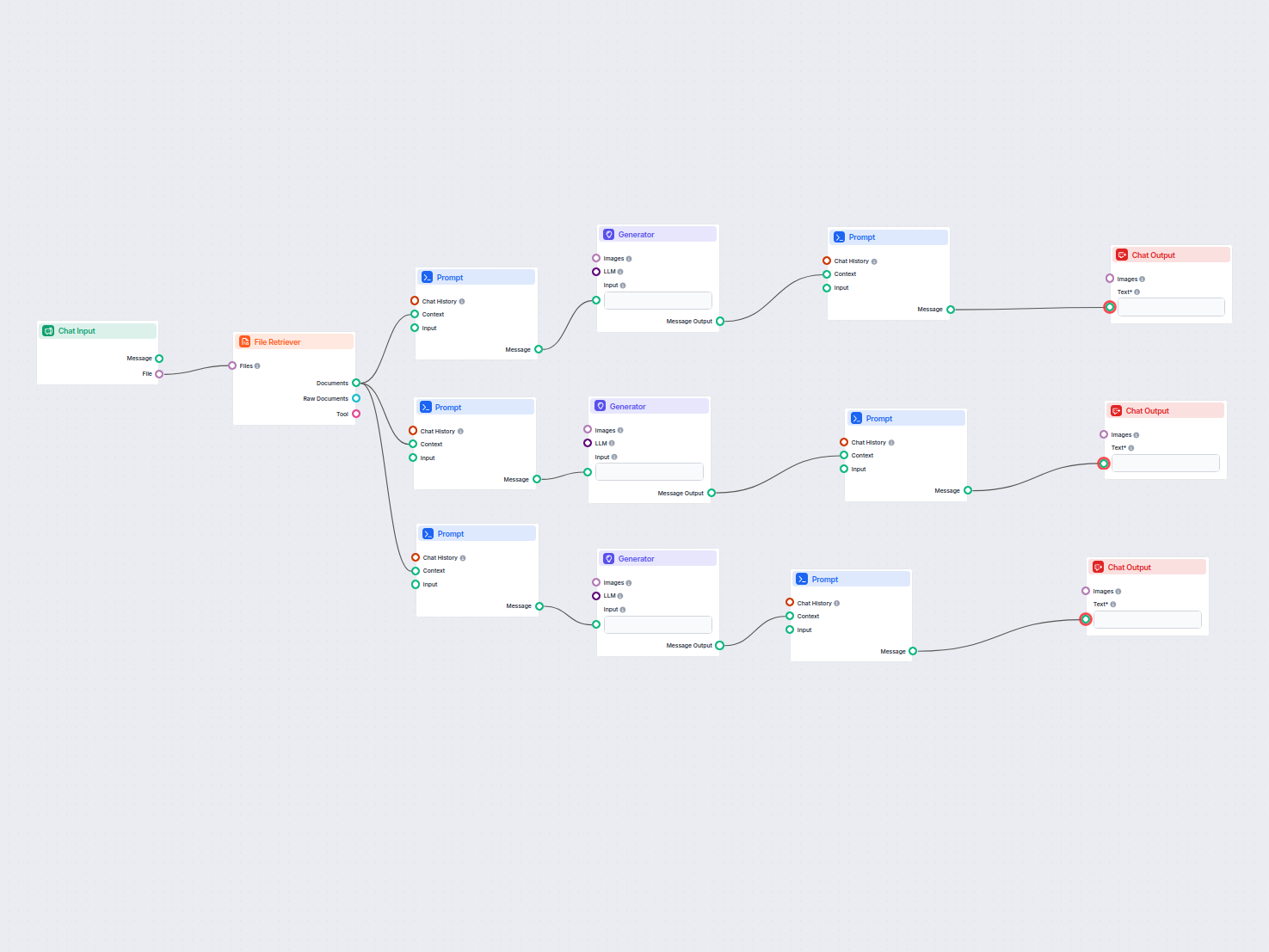
Trasforma gli allegati delle tue riunioni in riepiloghi azionabili, email di follow-up e post per blog con l'AI. Questo workflow automatizza la creazione dei co...
Consenso Cookie
Usiamo i cookie per migliorare la tua esperienza di navigazione e analizzare il nostro traffico. See our privacy policy.