How to Turn Any Document or Outline into a Professional Presentation with AI
An AI presentation maker turns a document or outline you already wrote into a structured slide deck in minutes. Here’s exactly how the process works, and what to polish before you present.
Published on Aug 4, 2026.
AI
Presentations
Productivity
Content Creation
FlowHunt
The thinking part of creating a presentation is usually already done. It’s sitting in a report, a document, or a rough outline you typed up before a meeting. The part that eats the afternoon is translating that thinking into coherent slides, deciding what goes where, breaking paragraphs into bullets, and formatting. An AI presentation makerautomates exactly that translation step. Here’s how it works, and what still needs a human pass before you present.
Why Slide-Making Takes So Long (And Why It Doesn’t Have To)
Slide-making has a reputation for eating far more time than it should, and the data backs that up. Empower’s Big PowerPoint Study
, based on a global survey of office workers, found employees spend an average of seven hours a week creating PowerPoint presentations. Worse, 36% of that time goes to formatting, not to the actual content: adjusting fonts, aligning text boxes, and fixing colors rather than deciding what the presentation should say.
That split matters. The genuinely hard part of a presentation, the thinking, the argument, the structure, is usually finished before anyone opens a slide editor. What eats the clock afterward is mechanical translation: turning a paragraph into a title and three bullets, then doing that another twenty times. It’s tedious precisely because it doesn’t require judgment, which is exactly the kind of task worth automating rather than doing by hand every time.
How AI Presentation Generation Works
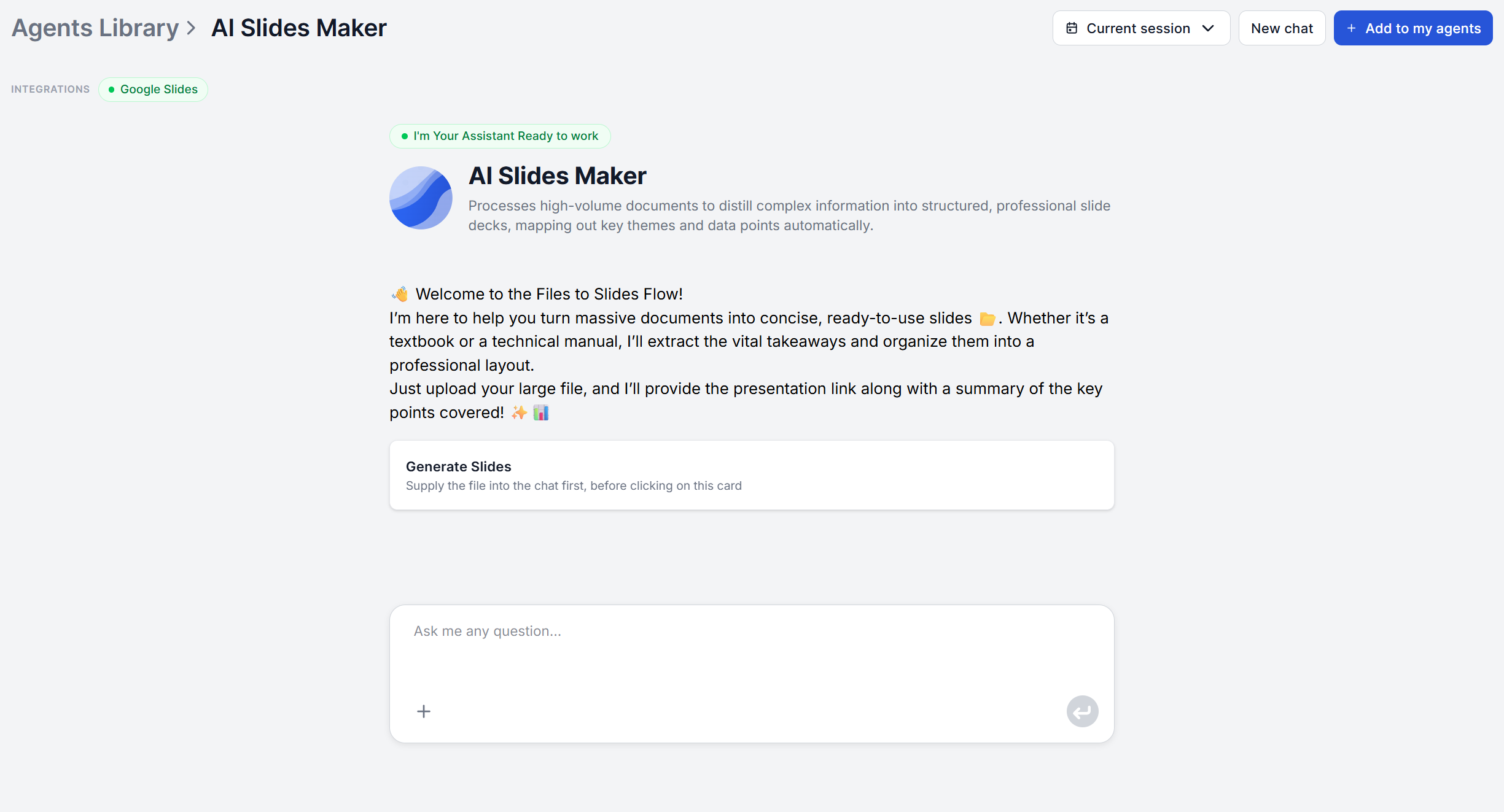
FlowHunt’s AI Slides Maker
works through four stages once you upload a document:
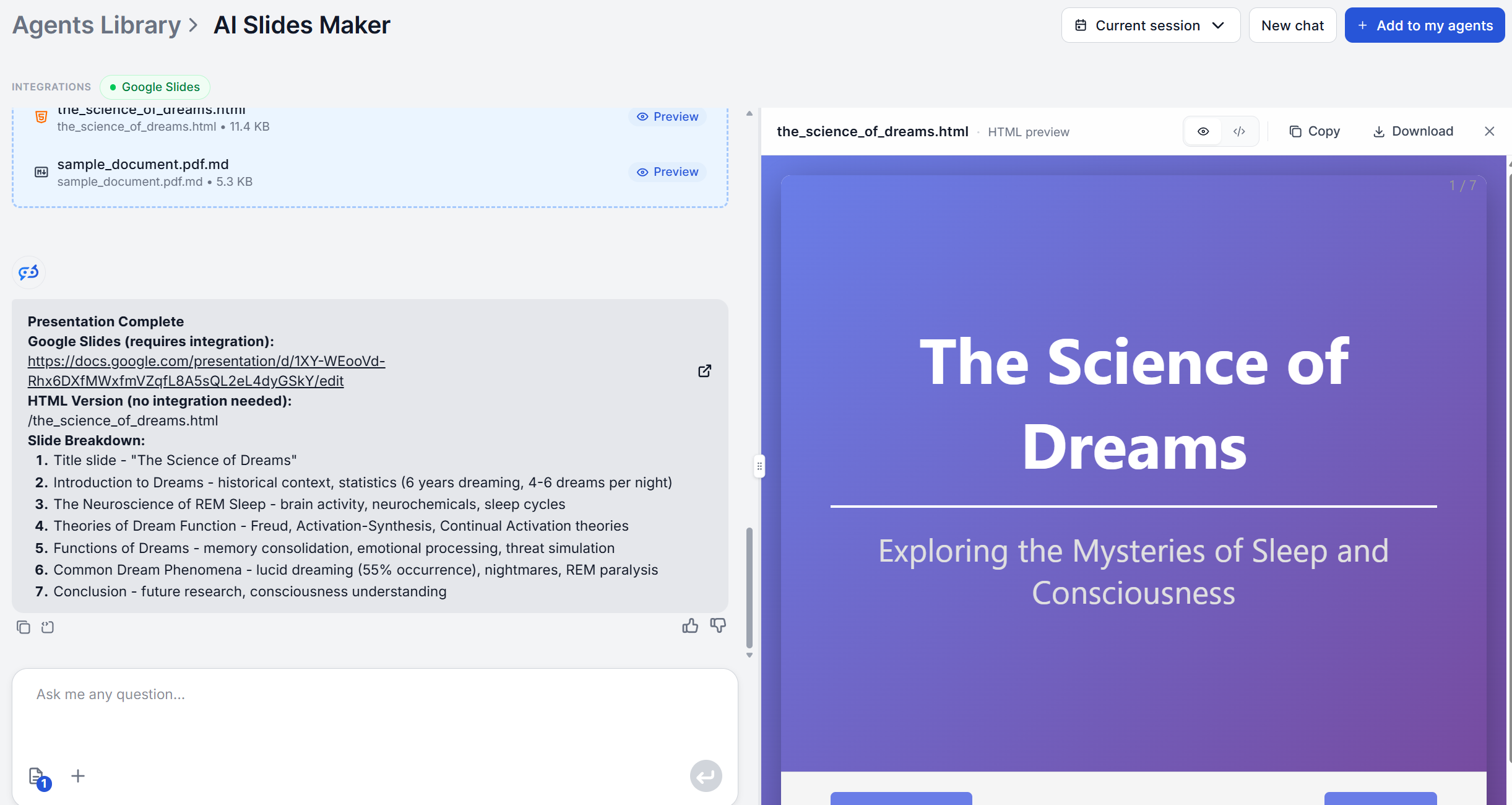
Analyzes the document — reads the file and identifies key themes, essential information, arguments, and conclusions across the entire text.
Organizes into a slide outline — structures that content into a logical slide-by-slide sequence, grouping related ideas so the deck flows from setup to conclusion instead of dumping information in the original document’s order.
Simplifies complex sections — condenses dense or technical passages into concise, slide-appropriate points without losing accuracy or depth.
Delivers a complete draft — hands back a full, structured presentation draft, with a title and content points for each slide, ready to move into a presentation tool.
It’s the same document-to-output pattern behind other FlowHunt content agents. The AI Blog Writer
, for instance, runs a comparable research-analyze-write sequence to turn a topic into a full article, just aimed at a different output format. The AI Slides Maker applies that same logic to a document you already have, rather than starting from a blank topic.
Ready to grow your business?
Start your free trial today and see results within days.
Gather your source material. This can be a finished report, a rough outline, meeting notes, or any text, Word, or PDF document that already contains your thinking.
Upload it to the AI Slides Maker
. No need to pre-format anything or decide on slide breaks yourself; the tool works from the raw document as-is.
Let it analyze and structure the content. The tool identifies the key themes and arguments, then organizes them into a slide-by-slide sequence with a title and content points for each one.
Review the draft. You get back a complete outline, not a partial sketch, so read through it end to end before touching anything.
Move it into your presentation tool. Paste the draft into Google Slides or PowerPoint, or skip the manual step by connecting the flow to the Google Slides integration
.
Layer in visuals and charts. The draft itself is text. Add data visualization, charts, and design polish through the PowerPoint MCP Server
, which adds 32+ tools for exactly that on top of the generated content.
Edit for voice and trim for time. Adjust wording to how you actually talk, cut anything that doesn’t earn its slide, and finalize the visual theme.
What AI Handles vs What You Should Customize
The AI Slides Maker takes on the part of the job that’s mechanical but time-consuming. It handles the reading, deciding what’s slide-worthy, writing titles, and breaking content into structured points in the right order. That’s the 36% of PowerPoint time empower’s research
attributes to formatting and structuring, plus the drafting time on top of it, the exact chunk the time-savings math
works out in full.
What it doesn’t do, and what still needs you:
Visual design and theming. The output is content, not a themed template. Pick or apply a visual style once the draft lands in Google Slides, PowerPoint, or through the PowerPoint MCP Server’s
template tools.
Charts and custom visuals. Add these through a connected integration rather than expecting the core draft to include them.
Tone and delivery. The draft’s wording is a starting point. Rewrite lines to match how you’d actually say them out loud.
Turning a report into a deck for stakeholders is one of the most literal versions of the “document to presentation” problem. If the report itself still needs to be produced, FlowHunt’s Market Analysis Agent
generates a full executive-level report that’s ready to turned into a presentation.
Use Case: Sales Decks and Pitch Presentations
Pitch decks live under a much harsher time constraint than internal reports. DocSend’s Startup Index
found investors spend an average of just 3 minutes and 44 seconds reviewing an entire deck, which works out to roughly 19.2 seconds per slide.
That constraint makes the AI Slides Maker’s structuring step useful in a different way here. It forces a document’s arguments into discrete, titled points rather than dense paragraphs, which is the same discipline a pitch deck needs anyway. For a version built specifically around live research rather than an existing document, FlowHunt’s AI Pitch Deck Creator for Google Slides
flow template gathers web research automatically and builds the deck directly in Google Slides.
Use Case: Internal Update and Team Presentations
Internal decks, sprint reviews, onboarding walkthroughs, project status updates
, tend to already exist as a document somewhere before anyone builds slides from them. Engineering teams documenting a system for an onboarding presentation, for example, can start from FlowHunt’s AI Documentation Writer
, which turns source code into a structured technical document covering architecture, logic flow, and usage instructions. Run that output through the AI Slides Maker and the walkthrough deck comes out the other side without anyone manually restructuring a technical manual into slide form.
Conclusion
The actual thinking behind most presentations is finished long before the slides are. What’s left is mechanical, deciding what goes on which slide, writing the title, trimming the paragraph into bullets, and that’s precisely the part an AI presentation maker
is built to remove. Upload the document or outline you already have, review the structured draft it hands back, and spend your remaining time on thinking and polishing.
Try the AI Slides Makerand turn your next document into a presentation-ready draft before your coffee gets cold.
Frequently asked questions
The AI Slides Maker accepts PDF, Word (.docx), and plain text files. A quick outline typed as plain text works just as well as a polished report, since the tool reads the content regardless of format, extracting the themes, arguments, and details it needs to build the deck.
The AI Slides Maker itself focuses on content, not visual design. it hands you a structured, slide-by-slide draft with titles and bullet points, not a themed template. Styling happens in whichever tool you drop the draft into. If you connect the flow to the [Google Slides integration](/integrations/google-slides/) or the [PowerPoint MCP Server](/integrations/office-powerpoint-mcp-server/), you get access to professional templates and layout tools on top of the generated content.
Not from the core tool. The default output is text only. For charts and visuals, you can connect the flow to the Photomatic AI photo generator and prompt it to create the visuals. On top of that, you can integrate it with powerpoint which adds 32+ tools for charting, data visualization, and professional design on top of the generated slide content.
Yes. The draft is built to be pasted directly into Google Slides or PowerPoint. If you'd rather skip the copy-paste step entirely, connect an MCP server instead: the [AI-Generated Google Slides from Uploaded Documents](/ai-flow-templates/ai-generated-google-slides-from-uploaded-documents/) flow builds the presentation directly in Google Slides, and the [PowerPoint MCP Server](/integrations/office-powerpoint-mcp-server/) does the equivalent for .pptx files.
The draft is meant as a starting point, not a finished deck. Every slide title, bullet, and section is editable, so plan to tighten the wording to your speaking style, pick a visual theme, and add any charts or images through a connected integration. What you shouldn't need to redo is the structural work.
Try the AI Slides Maker
Upload the document or outline you already have and get back a structured, slide-by-slide draft in minutes — titles, bullets, and flow handled, so you can focus on the visuals and the pitch.
AI Slides Maker: From Outline to Presentation in 5 Minutes
Step-by-step guide on creating AI presentations from pasting your outline or document into the AI Slides Maker to reviewing a structured, presentation-ready sli...
Turn any PDF, Word, or text document into a structured, slide-by-slide presentation draft with AI. FlowHunt's AI Slides Maker organizes your content into clear,...
Knowledge workers spend 5-8 hours a week creating presentations, over a third of it on formatting alone. Here's how to save time making presentations with AI.
5 min read
AI
Presentations
+3
Cookie Consent We use cookies to enhance your browsing experience and analyze our traffic. See our privacy policy.