



AI Slides Maker
Turn any PDF, Word, or text document into a structured, slide-by-slide presentation draft with AI. FlowHunt's AI Slides Maker organizes your content into clear,...
2 min read
Presentations
Productivity
+3
Step-by-step guide on creating AI presentations from pasting your outline or document into the AI Slides Maker to reviewing a structured, presentation-ready slide draft.
This FlowHunt slides maker tutorial walks you through generating your first structured presentation draft, from connecting the source document to a reviewed, slide-by-slide outline. The AI Slides Maker reads your file, works out the structure, and hands you a complete draft, without you having to decide on the structure and what goes on which slide. Here’s the exact step by step.
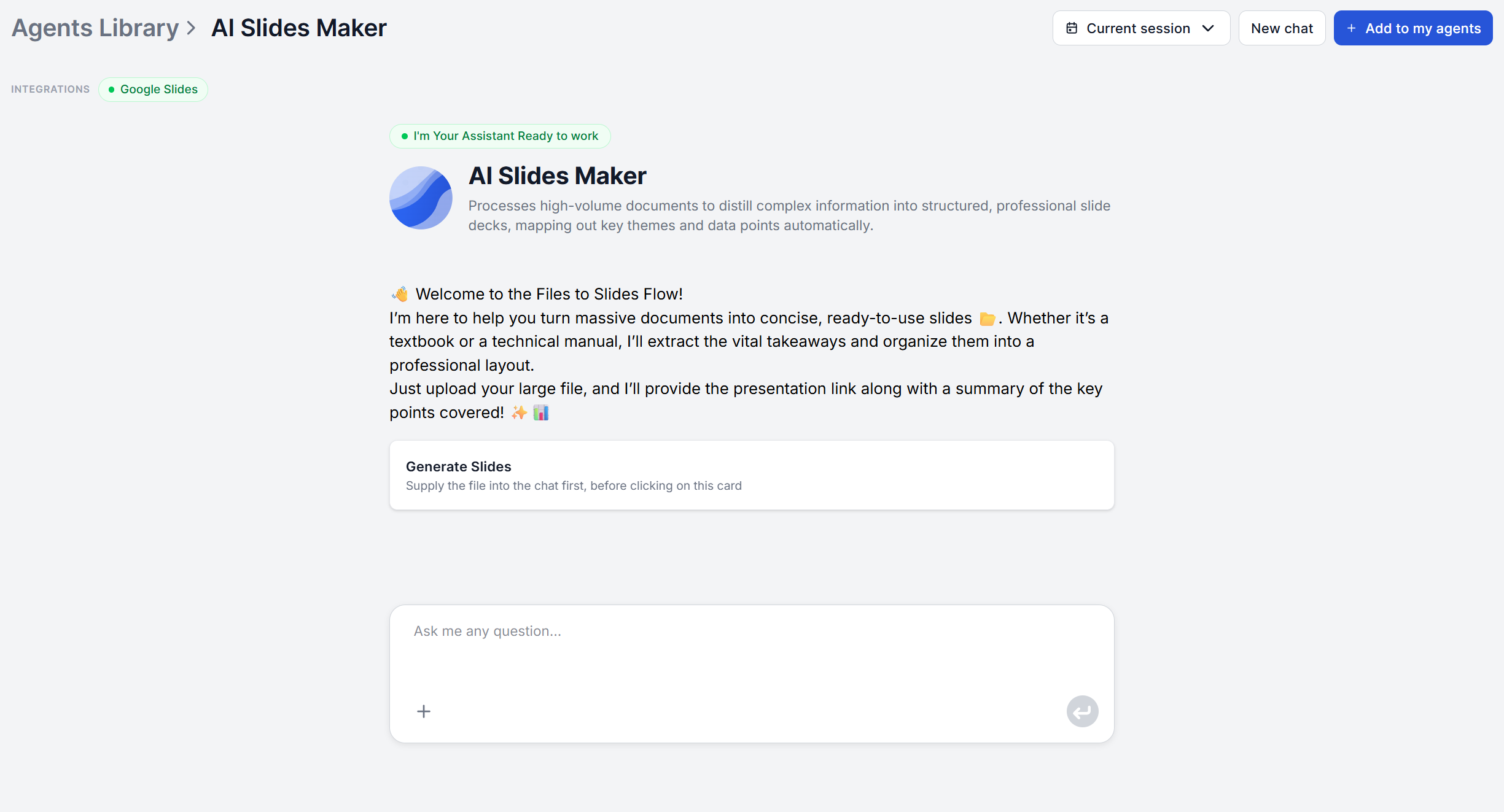
The AI Slides Maker works from a single uploaded file: PDF, Word (.docx), or plain text. Search for it in your Agent Library and add it to your agents to get started.
Would you like to try the tool free before committing? Just follow this link .
A full report is ideal, but it doesn’t have to be polished. A rough outline or a set of notes typed into a plain text file works too, since the tool reads whatever you give it regardless of length or how finished it is. What matters is that your actual thinking is already in there somewhere. The tool restructures existing content, it doesn’t generate the argument for you from a bare topic.
Paste your document’s text directly into the chat, or upload it as a file. There’s no separate presentation-type or tone menu to configure first, as every run follows the same process regardless of what you’re building.
Once it’s in, the tool analyzes the document, reading the whole file and identifying the key themes, essential information, arguments, and conclusions across it, rather than just skimming the first section.

Start your free trial today and see results within days.
From that analysis, the tool structures the content into a logical slide-by-slide sequence, grouping related ideas so the deck flows from setup to conclusion instead of following your source document’s original order.
This is also the step where it’s worth being clear about what doesn’t happen yet. There’s no visual theme, no brand colors, no layout gets applied here. The output at this stage is content only. Design comes later, in Step 6.
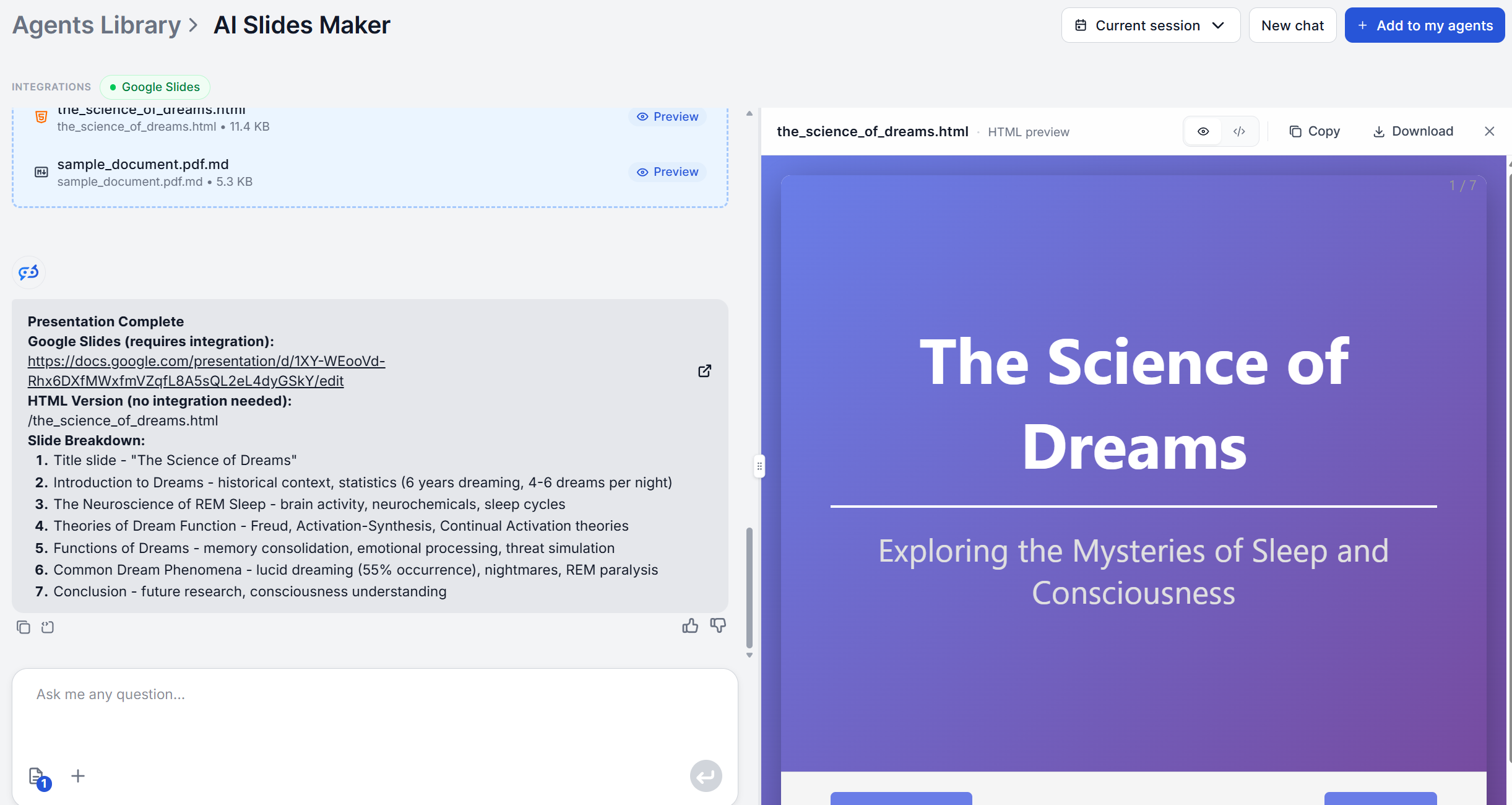
What comes back is a complete draft with a title and a set of content points for every slide, organized end to end from introduction through conclusion. Read through the whole thing before editing anything, so you’re reacting to the overall structure rather than fixing the first three slides and assuming the rest follows the same logic.
Check specifically for whether the slide order actually tells the story in the sequence you’d present it, and whether any of the simplified sections lost a detail you actually needed kept in.
Get latest tips, trends, and deals for free.
Every slide title, bullet point, and section in the draft is editable, and it’s meant as a starting point rather than a finished script. Rewrite the wording on slides you’ll present close to verbatim so it matches how you’d actually say it out loud, and trim or merge slides if the draft ran denser than the occasion calls for.
This is also where you’d add anything the tool can’t produce on its own, such as specific data points you want double-checked against your original source, or a slide you want written from scratch rather than pulled from the document.
The draft is built to be pasted directly into Google Slides or PowerPoint, where you’ll apply an actual visual theme and, if it matters to you, your company’s brand colors and template. This is the step where design finally enters the process.
If you’d rather skip the manual import, connect the flow to the Google Slides integration , the AI-Generated Google Slides from Uploaded Documents flow template builds the presentation directly in Google Slides. For PowerPoint, the PowerPoint MCP Server adds 25+ built-in templates plus charting and image tools on top of the generated content, so the deck comes out the other side already designed.
Feed it one clear document, not several unrelated ones. The tool analyzes what you give it as a single narrative. Mixing in unrelated source material makes the “logical flow from setup to conclusion” harder for it to find, since there isn’t really one.
Let dense material stay dense going in. The simplification step is designed to condense complex sections, so there’s no need to pre-simplify a technical report before uploading it. Doing that yourself first risks losing detail the tool would have preserved and condensed correctly on its own.
Treat the first draft as a structure check, not a finished deck. Since design and brand styling only enter at the export step, judge the AI’s output purely on whether the slide order and content grouping make sense, not on how it looks yet.
Turning a document into a structured slide deck used to mean deciding, slide by slide, what goes where and rewriting every paragraph into bullets by hand. The AI Slides Maker’s four-stage process, analyze, organize, simplify, deliver, does that translation for you, leaving you with a review-and-customize pass instead of a blank-slide problem.
Create your first AI presentation free and see how much of the structuring you get to skip entirely.
Upload the document or outline you already have and FlowHunt's AI Slides Maker returns a structured, slide-by-slide draft in minutes.
Turn any PDF, Word, or text document into a structured, slide-by-slide presentation draft with AI. FlowHunt's AI Slides Maker organizes your content into clear,...
An AI presentation maker turns a document or outline you already wrote into a structured slide deck in minutes. Here's exactly how the process works, and what t...
We compared the best AI presentation makers, including FlowHunt, Beautiful.ai, Gamma, and Plus AI. We ranked them on five presentation types, design quality, co...
Cookie Consent
We use cookies to enhance your browsing experience and analyze our traffic. See our privacy policy.