Knowledge workers spend 5-8 hours a week creating presentations, over a third of it on formatting alone. Here’s how to save time making presentations with AI.
Saving time making presentations with AIisn’t really about writing faster. Most of the thinking behind a presentation, the argument, the numbers, the structure, is usually done before anyone opens a slide editor.
But the mechanical part afterwards is a needless timesink. You have to decide what goes on which slide, write a title, turn a paragraph into three bullets, and do that another twenty times. Here’s the case for automating all of this, with the time savings and the tradeoffs discussed.
How Much Time Do You Actually Spend on Slides Each Week?
More than you’d guess if you haven’t measured it. Empower’s Big PowerPoint Study
, based on a global survey of office workers, found employees average seven hours a week creating PowerPoint presentations, ranging from five hours a week in Legal, up to eight hours in Business Development, Purchasing, Management, and Consulting.
A separate GfK-sourced estimate puts the figure at around 20 hours a month, in the same range once you convert it to a weekly number. Whichever survey you use, the honest floor for anyone whose job involves regular reporting or client-facing decks is somewhere around half a working day per week on the manual work of creating the slides alone.
The Presentation Time Trap: Where the Hours Go
The uncomfortable part of that number isn’t the total, it’s the breakdown. The same empower research found 36% of the time spent on PowerPoint goes to formatting and structuring, rather than deciding what the presentation should actually say. Other coverage of the same research pool puts the figure even higher for pure formatting waste. What’s more, the research estimates 2.6 hours a week lost specifically to fixing colors and font settings only.
The genuinely hard part of a presentation, the argument, the numbers, the narrative, is usually finished before the slide editor even opens. What eats the clock afterward is the work that doesn’t require judgment, which is expensive to do by hand and cheap to automate.
Ready to grow your business?
Start your free trial today and see results within days.
The High-Value Work You’re Not Doing Because of Slide Formatting
Every hour spent nudging a text box is an hour not spent on whatever actually moves the numbers you’re presenting. Microsoft’s Work Trend Index
has repeatedly found that knowledge workers already spend the majority of their working time on communication and coordination rather than focused creative or analytical work, and slide formatting is a particularly painful part, since it looks like productive work while consuming time that produces no actual insight.
How AI Changes the Presentation Workflow
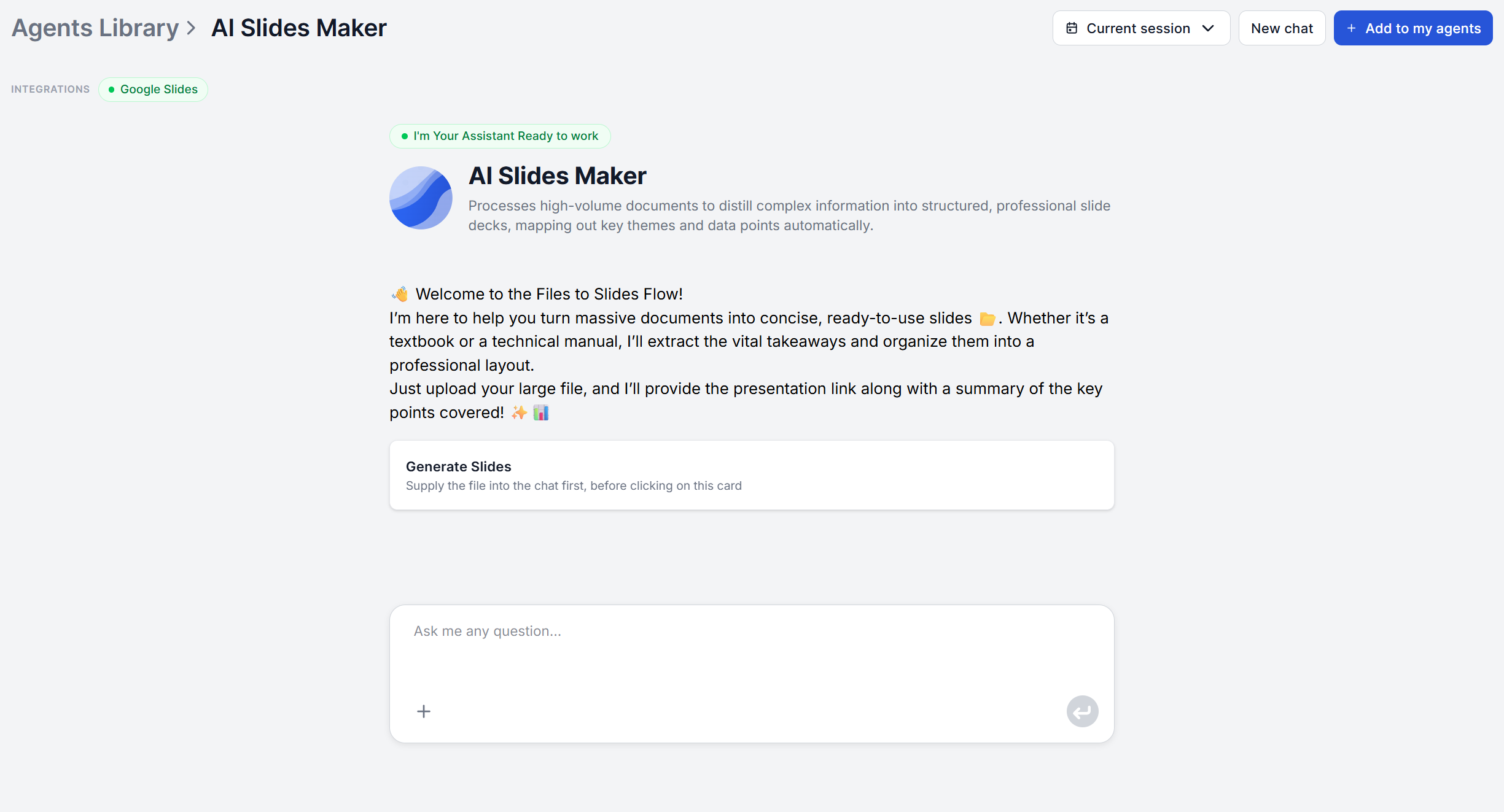
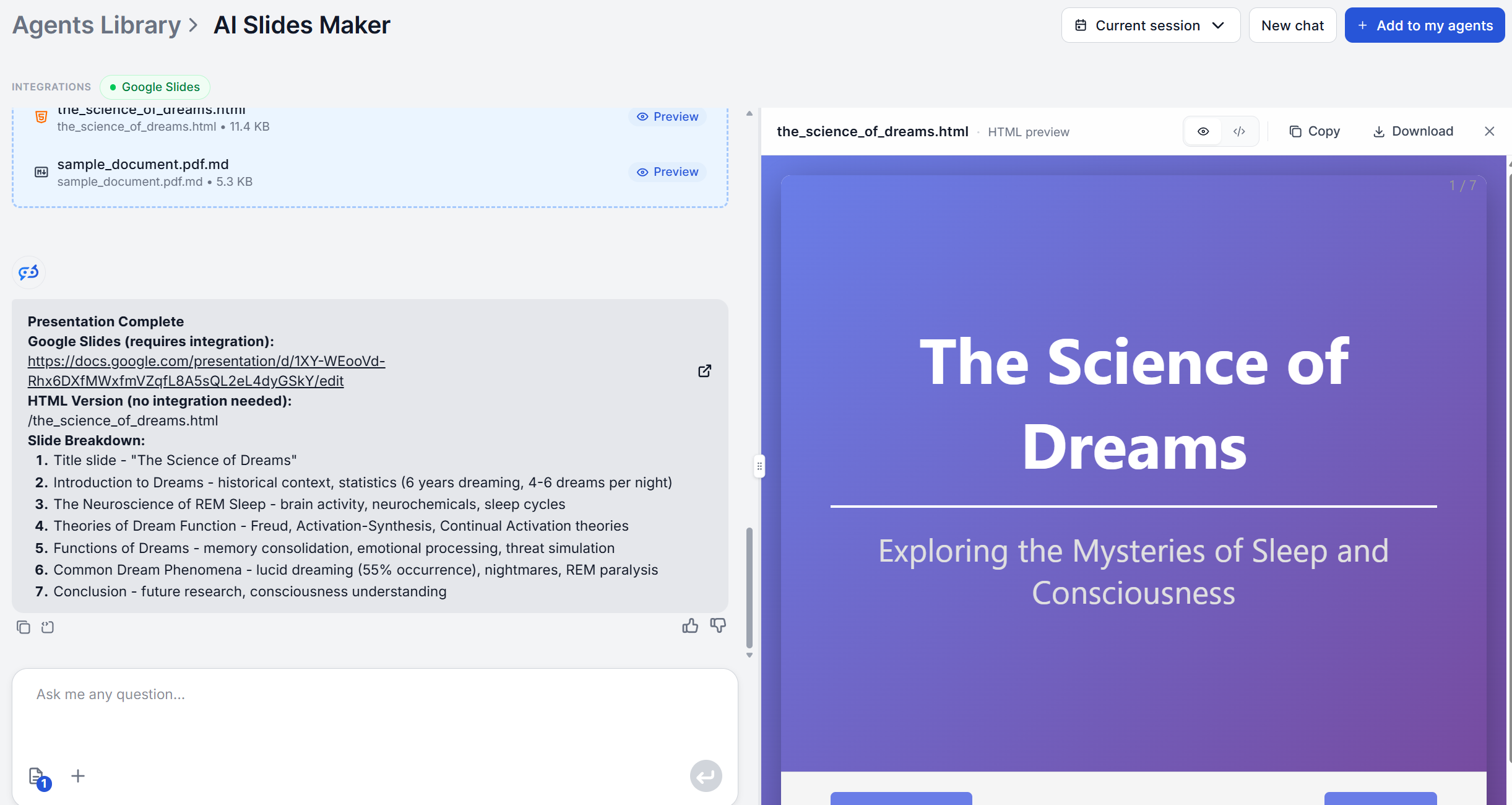
FlowHunt’s AI Slides Maker
targets that mechanical layer directly. Upload a document, PDF, Word file, or plain text, and it works through four stages
. It analyzes the document to identify key themes, arguments, and conclusions. It then organizes that content into a logical slide-by-slide sequence, simplifies dense or technical sections, and delivers a complete draft.
The workflow gets more useful the earlier it plugs into other work you’re already doing. A report from the Market Analysis Agent
or a technical writeup from the AI Documentation Writer
can go straight into the Slides Maker without anyone manually retyping section headers into slide titles first, so the time saved compounds across the whole document-to-deck chain, not just the last step.
None of this replaces judgment, and being clear about what still needs a human pass matters more than the time-savings pitch. The AI Slides Maker’s output is text only, titles and bullets, with no visual design, no charts, and no theme applied.
Getting an actually finished deck still means picking a template, either in Google Slides or PowerPoint, or through the PowerPoint MCP Server’s
built-in template system for charts and professional design.
Wording needs a pass too. The draft’s phrasing comes straight from your source document, not your speaking voice, so read through it and rewrite the lines you’ll actually say out loud.
Anything with numbers, projections, financial figures, claims you’re citing, needs a human to verify against the actual source before it goes in front of anyone who’ll make a decision based on it. The AI restructures what you give it, but it doesn’t fact-check or generate the underlying data.
The 20-Minute Presentation Workflow with AI
Here’s roughly what that division of labor looks like end to end, for a deck built from a document you already have:
Upload the source document (1-2 minutes). Whatever report, notes, or outline already contains your thinking, as-is, no pre-formatting needed.
Let the AI Slides Maker
structure it (a few minutes). It returns a complete draft, titled slides with content points, organized in sequence.
Review the draft end to end (5-10 minutes). Read through the whole thing before editing anything, so you’re reacting to the structure, not just the first few slides.
Rewrite for voice and trim (5 minutes). Adjust wording to how you’d actually present it, cut anything that doesn’t earn its slide.
Apply a template and add visuals (5 minutes). Drop the content into Google Slides or PowerPoint, or automate that step through the Google Slides integration
or the PowerPoint MCP Server if you want charts and a consistent theme applied automatically.
Conclusion
The math behind saving time making presentations with AI isn’t complicated once you separate the two jobs a presentation actually requires. One is deciding what to say, and the second one is translating that decision into slides. The first job is yours and always will be. The second job is exactly what’s been eating five to eight hours a week, mostly on formatting rather than substance, and it’s the part an AI presentation maker
is built to remove.
It depends on which part of the job you're measuring. [Empower's Big PowerPoint Study](https://www.empowersuite.com/hubfs/Marketing/Downloads/The-Big-PowerPoint-Study.pdf) found 36% of the time employees spend on PowerPoint goes to formatting and structuring rather than deciding what to say. An AI presentation maker removes most of that chunk, turning a document into titles and bullets in the right order. What it doesn't remove is the visual design pass, unless you pair it with a template system, so the realistic saving is on the structuring step specifically, not the entire multi-hour process end to end.
That depends much more on the editing pass than on the generation step. An AI-structured draft is a starting point, titles and bullets pulled from your document, not a finished, polished narrative. Skip the review and you risk generic slides. Spend the time the AI just saved you on tightening the wording and cutting what doesn't earn its slide, and the quality bar doesn't have to drop at all.
Anything with a document already behind it and anything that repeats on a cadence. A quarterly report, a [recurring status update](/blog/ai-presentation-generator-use-cases/), and similar documents get the most value, since the source content already exists and just needs restructuring. A presentation you're building from scratch, with no existing document or notes, benefits less, since you're still doing the thinking work manually before AI has anything to structure.
By treating the draft as raw material, not final copy. The AI's wording comes straight from your source document's phrasing, not your speaking voice. Read through it and rewrite lines the way you'd actually say them out loud, especially the title slide and any line you expect to say verbatim. That pass takes minutes, not hours, but skipping it is exactly how AI-generated decks end up sounding interchangeable.
As a structuring tool, yes, with a mandatory human review pass before it goes anywhere near a board or an investor. [DocSend's Startup Index](https://www.docsend.com/pitch-deck-metrics/) found investors spend roughly 19.2 seconds per slide, which rewards exactly the kind of tight, one-idea-per-slide structure AI restructuring is good at producing. What AI doesn't do is generate or verify the underlying numbers, so any figures, projections, or claims in a high-stakes deck need to come from a source you trust and need a human to confirm before the deck goes out, not from the AI filling gaps on its own.
Maria is a copywriter at FlowHunt. A language nerd active in literary communities, she's fully aware that AI is transforming the way we write. Rather than resisting, she seeks to help define the perfect balance between AI workflows and the irreplaceable value of human creativity.
Maria Stasová
Copywriter & Content Strategist
Build Your Next Presentation in Minutes
Upload the document or outline you already have and get back a structured, slide-by-slide draft in minutes, so the hours you'd spend formatting go back to actual thinking.
How to Turn Any Document or Outline into a Professional Presentation with AI
An AI presentation maker turns a document or outline you already wrote into a structured slide deck in minutes. Here's exactly how the process works, and what t...
5 Presentation Types AI Creates Faster Than PowerPoint
Not all presentations are equal. Here are 5 specific AI presentation generator use cases, from board updates to pitch decks, where AI slide generation saves the...
Turn any PDF, Word, or text document into a structured, slide-by-slide presentation draft with AI. FlowHunt's AI Slides Maker organizes your content into clear,...
2 min read
Presentations
Productivity
+3
Cookie Consent We use cookies to enhance your browsing experience and analyze our traffic. See our privacy policy.