Single Sign-On (SSO) allows your team members to access FlowHunt using your organization’s existing identity provider (IdP). This guide walks you through the process of setting up SSO integration for your enterprise FlowHunt account.
Prerequisites
Before you begin the SSO setup process, ensure you have:
An active FlowHunt Enterprise plan
Administrative access to your organization’s Microsoft Azure AD / Entra ID
Owner in a FlowHunt Workspace
Access to your DNS Provider dashboard to verify your domain ownership
Configuration Steps
Step 1: Access SSO Settings in FlowHunt
Log in to your FlowHunt account as an administrator
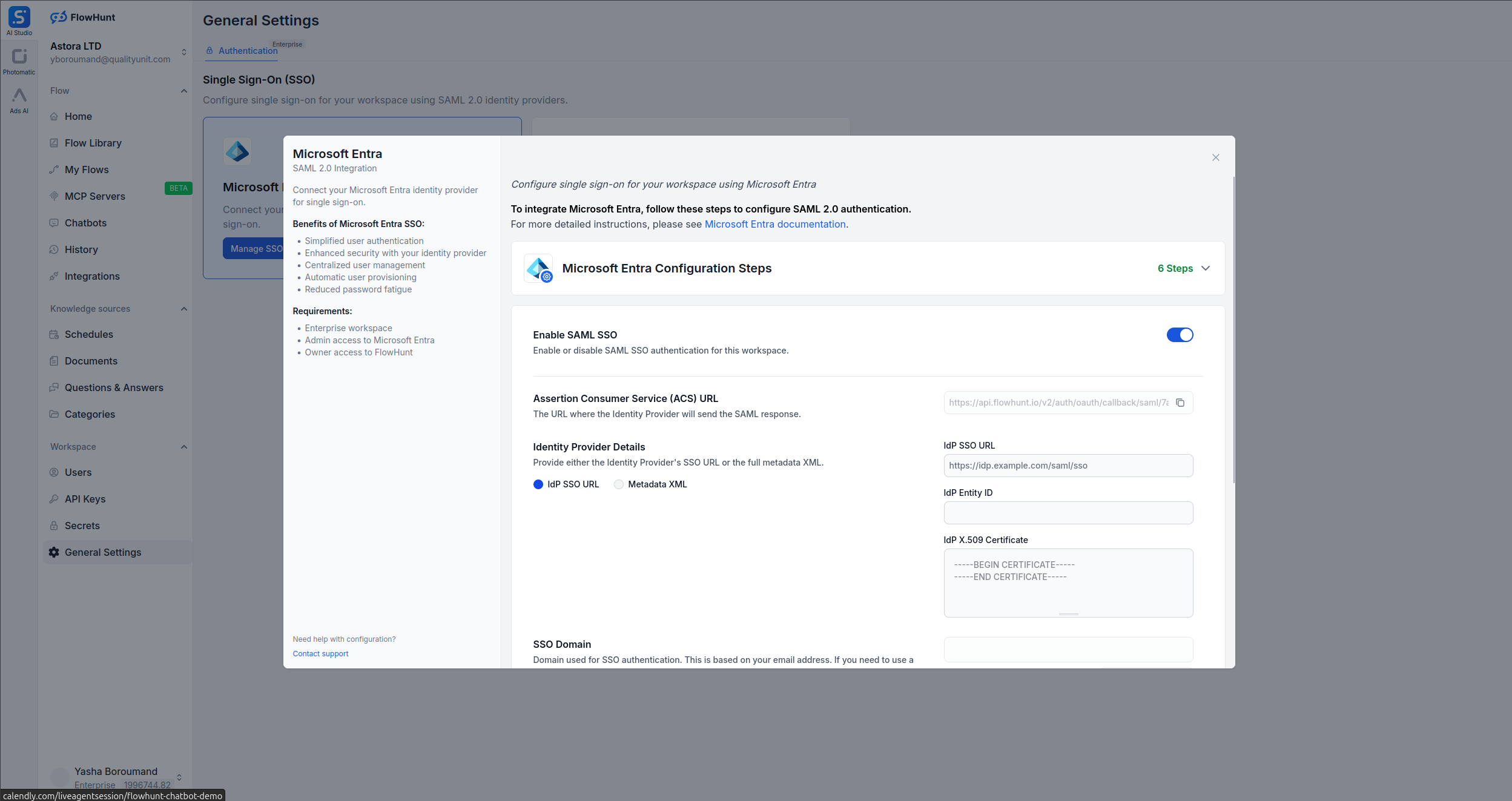
Navigate to General Settings > Authentication
Click on the corresponding Identity Provider by clicking on the Configure SSO button
Step 2: Choose Your Microsoft Azure AD / Entra ID
You will see that SSO will be enabled by default.
Step 3: Gather FlowHunt SSO Information
Copy Assertion Consumer Service (ACS) URL from FlowHunt SSO settings page.
Step 4: Configure Your Identity Provider
Log in to the Azure portal
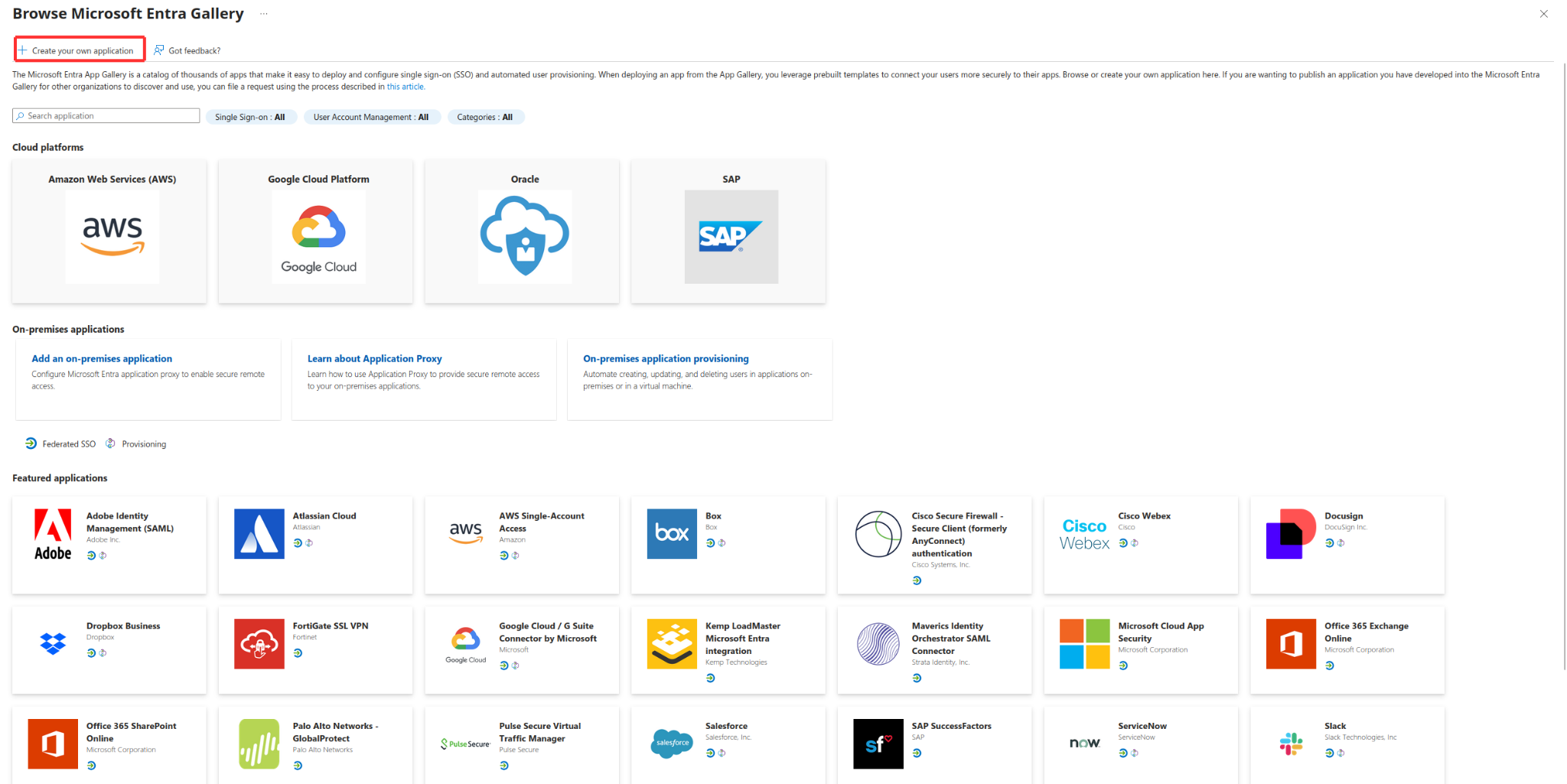
Navigate to Azure Active Directory > Enterprise applications > New application
Select Create your own application
Enter “FlowHunt” as the name and select “Integrate any other application you don’t find in the gallery”
Select Set up Single sign-on
Configure the Basic SAML Configuration:
Identifier (Entity ID): Set this to https://www.flowhunt.io
Reply URL: Set this to the Assertion Consumer Service (ACS) URL from FlowHunt
In the User Attributes & Claims section, ensure the following attributes are mapped. The default should be correct:
Name ID: user.mail (email address)
First Name: user.givenname
Last Name: user.surname
Email: user.mail
Download the Certificate (Base64) file
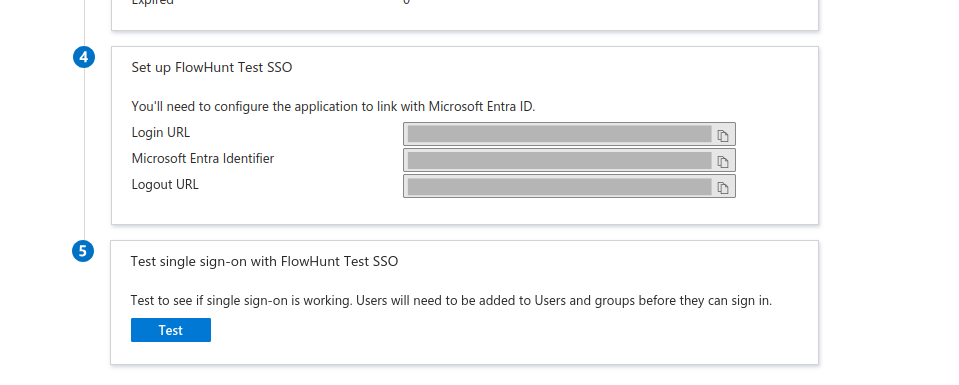
copy the Login URL from the Set up FlowHunt Test SSO section
Step 7: Configure FlowHunt SSO
Head back to FlowHunt
Choose IdP SSO URL and paste the URL you copied from Microsoft Entra ID from Login URL section in field IdP SSO URL
paste the value of field Microsoft Entra Identifier from Entra ID page in field IdP Entity ID
paste the content of the downloaded Certificate (Base64) file in field IdP Certificate. It may start with -----BEGIN CERTIFICATE----- and end with -----END CERTIFICATE-----
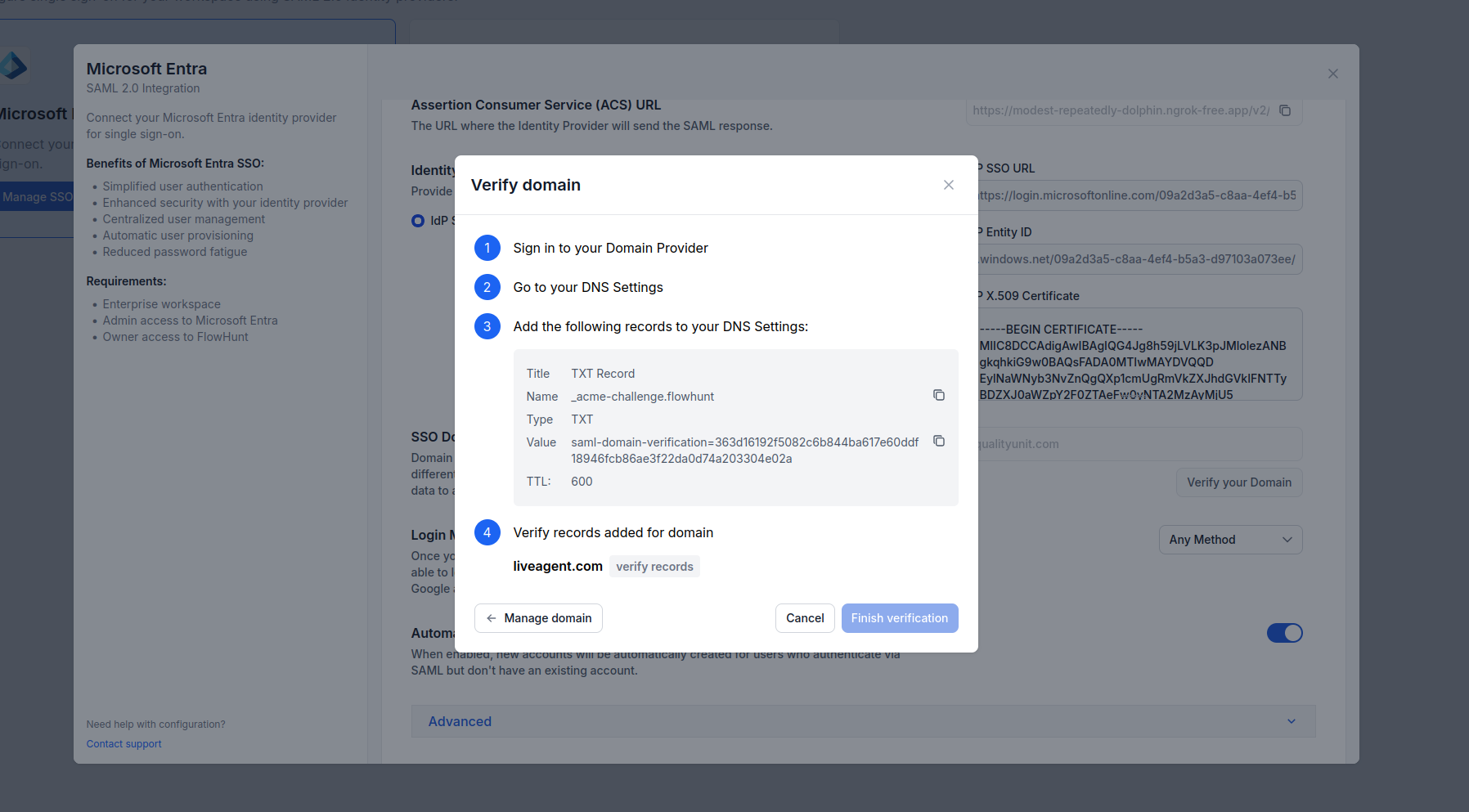
Click on Verify domain button and follow the instructions to verify your domain ownership. You will need to add a TXT record to your DNS provider.
After domain verification is successful, click on Update SAML Settings button. In the next section, we will describe the optional settings available in the SAML Settings section to further configure your SSO setup.
Step 8: Advanced SAML Configuration (Optional)
Login Method
If set to Any Method, users can sign in with SSO or username/password. If set to Enforce SSO, users must use SSO to sign in.
FlowHunt July 2025 Updates: FlowHunt MCP, SSO, Odoo Integration & More
FlowHunt introduces major updates including custom MCP Servers, SSO login for enterprise customers, Odoo integration, new AI models (Grok 4 and Kimi K2), and en...
Integrate FlowHunt with Asgardeo MCP Server to automate identity management, application provisioning, API resource setup, and claim configuration using AI-powe...