


How Does FlowHunt Pricing Works
A comprehensive guide to FlowHunt's pricing, including how credits and interactions work, how complexity impacts costs, and what happens to unused credits.
8 min read
Effortlessly manage your FlowHunt subscription, from billing and payment methods to credits and invoices. Flexible plans, add-ons, credit packs, and easy upgrades.
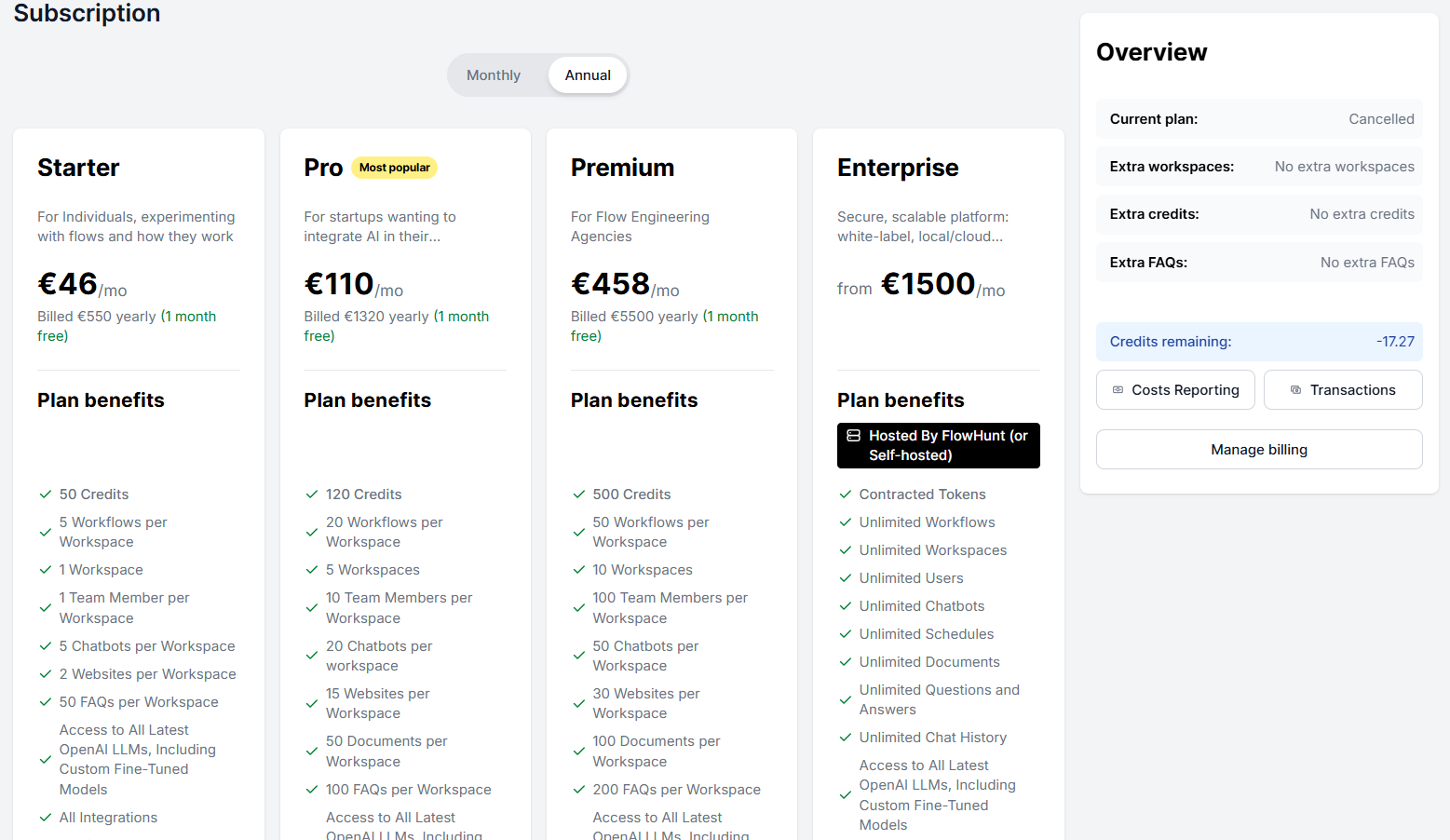
The My Subscription section is your central hub for managing everything related to your billing and subscription. You’ll find your invoices, billing information, and payment method here. You can purchase additional credits or even upgrade your plan.
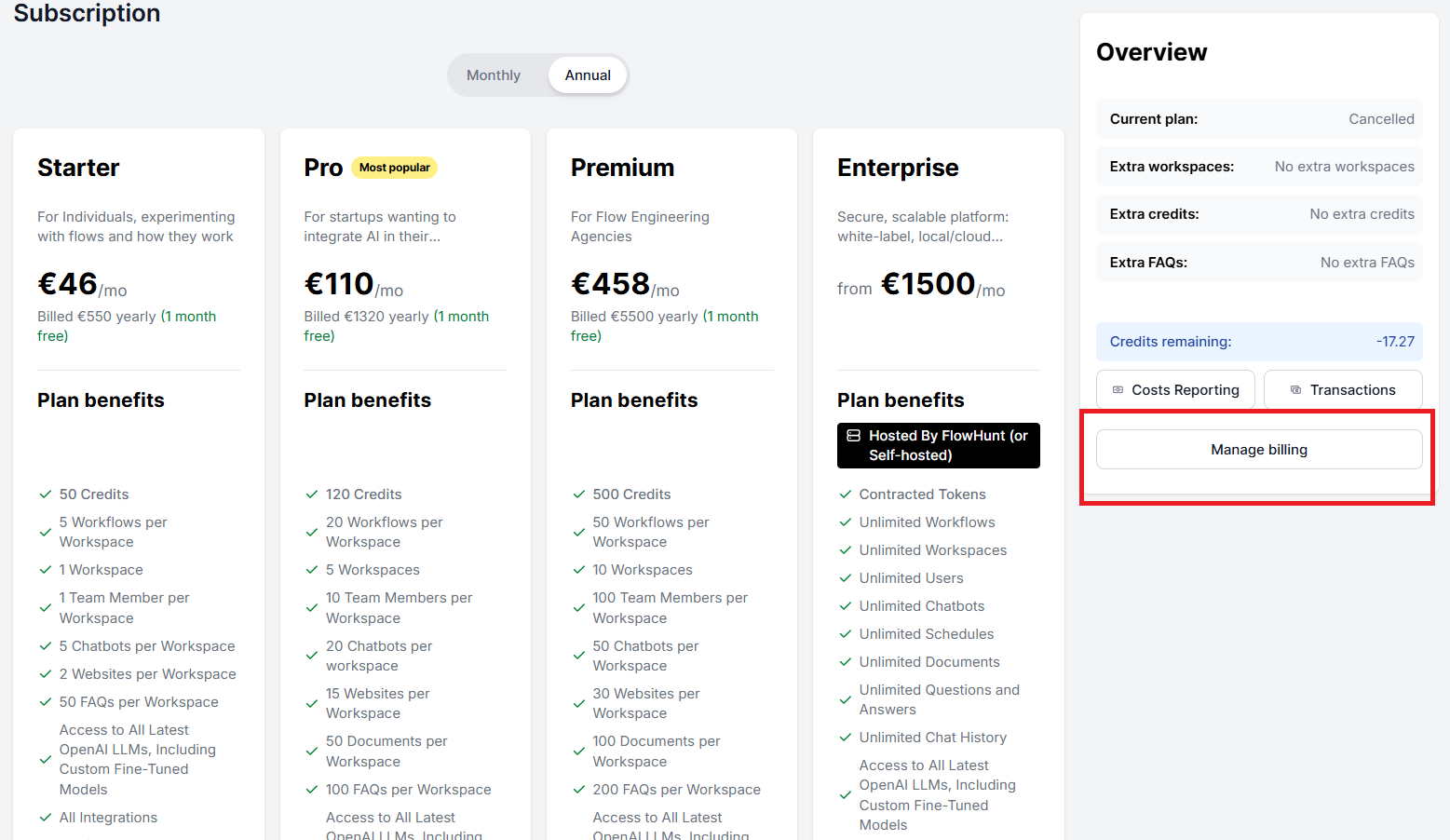
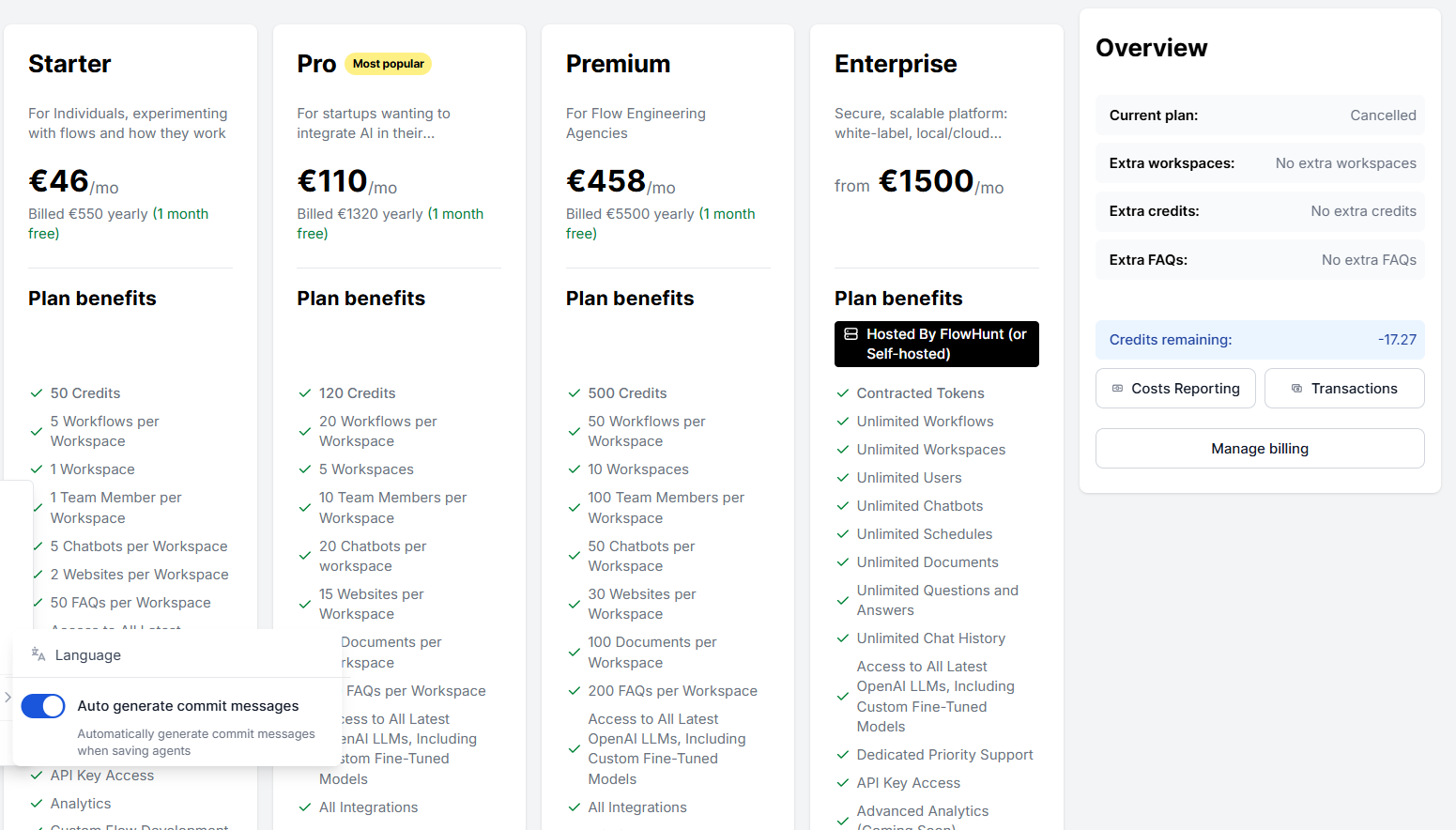
On the right side of the screen, the Overview panel shows your current plan status and remaining credits at a glance. It also includes quick links to Transactions , Cost Reporting , and Manage Billing.
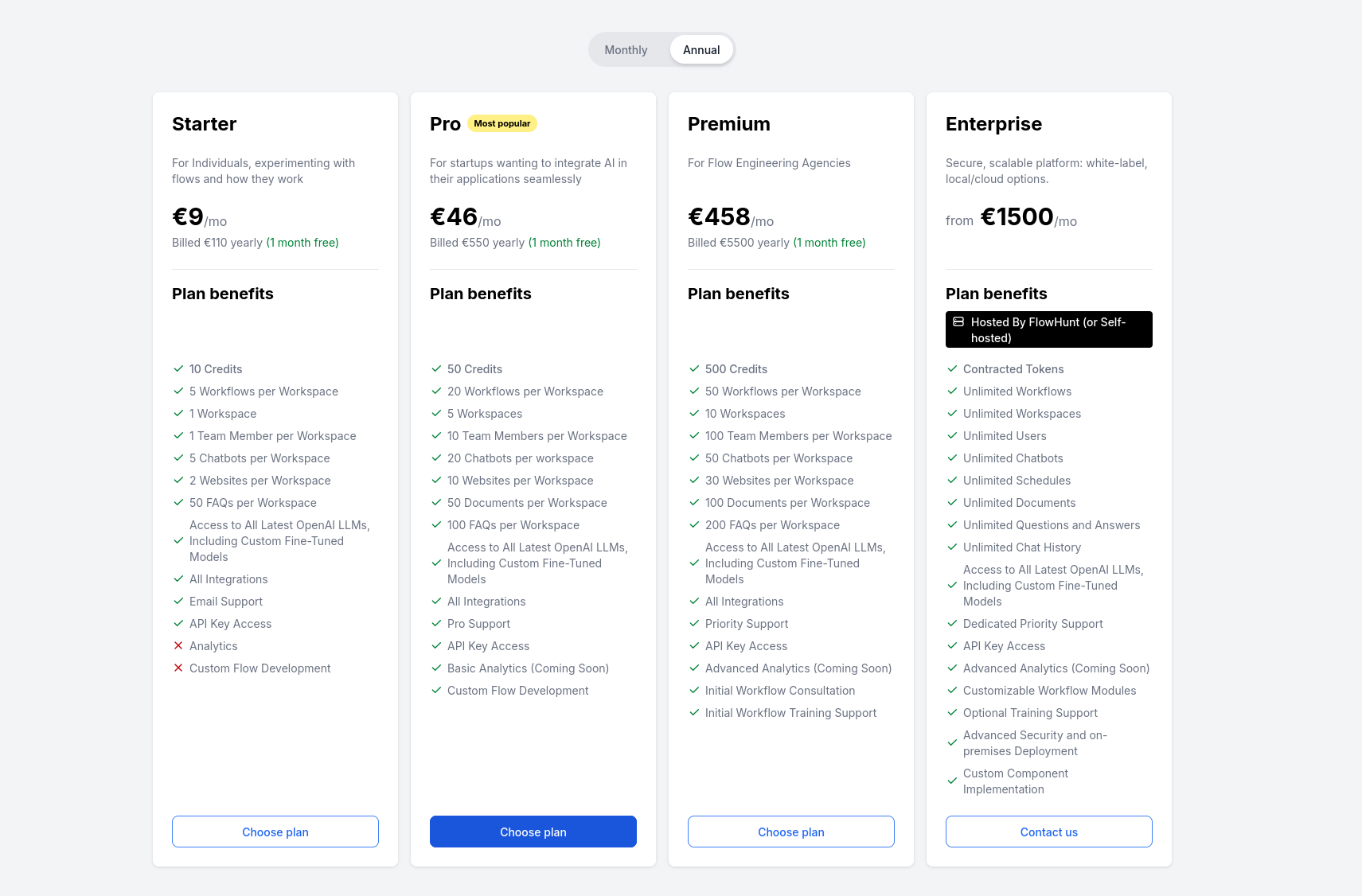
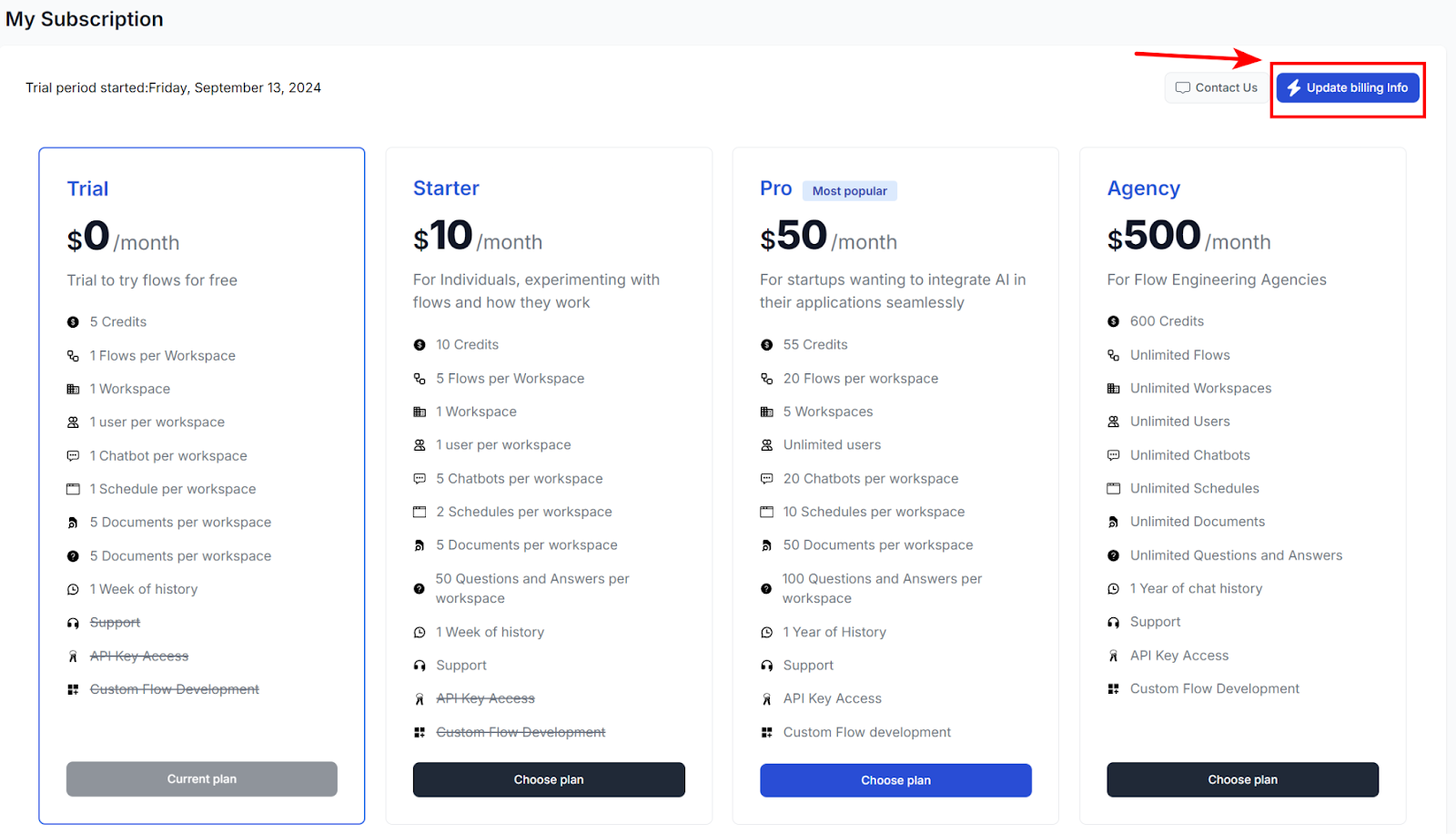
There are four subscription plans available:
FlowHunt offers a 7-day trial with a limit of 5 credits. This is plenty to explore all of FlowHunt’s capabilities. Keep in mind that upgrading your plan during the trial period cancels your trial.
Credits are FlowHunt’s unit for billing AI usage. They translate the millions of AI tokens from different models into something easy to track. One credit is roughly equivalent to one dollar, though most interactions cost only fractions of a credit.
Each plan includes a monthly bundle of credits that resets at the start of every billing period. Unused included credits do not carry over to the next month.
If you need more credits, there are two options:

Start your free trial today and see results within days.
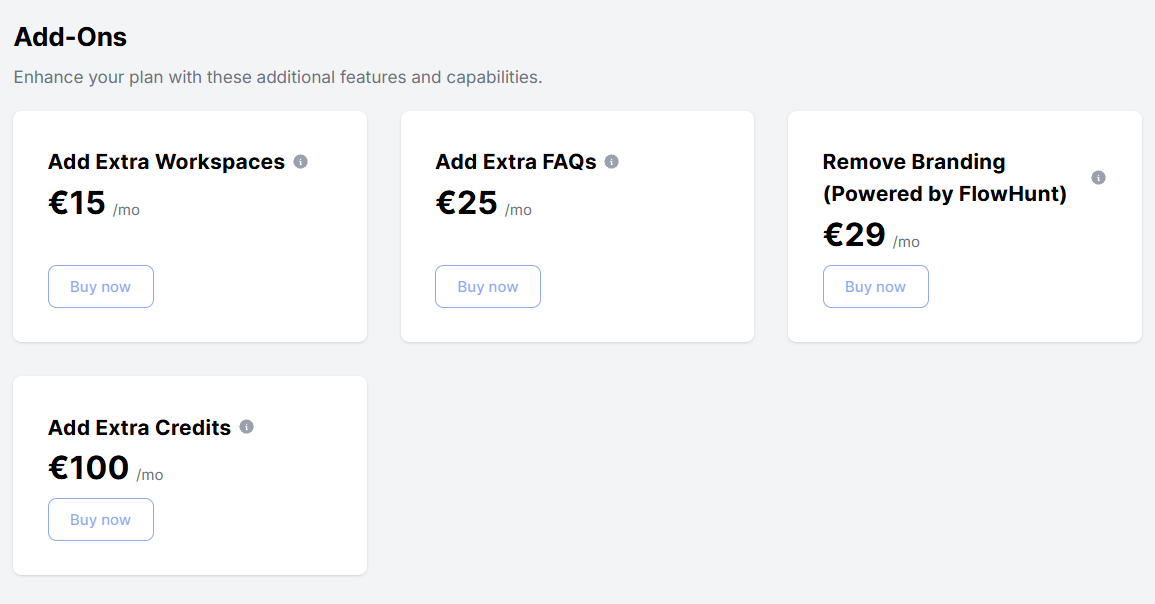
You can enhance any plan with the following add-ons:
| Add-on | Description | Price |
|---|---|---|
| Add Extra Workspaces | Adds one workspace | €15/mo |
| Add Extra FAQs | 500 additional FAQs | €25/mo |
| Remove Branding (Powered by FlowHunt) | Chatbots no longer include any FlowHunt branding | €29/mo |
| Add Extra Credits | Adds a recurring hundred extra credits | €100/mo |
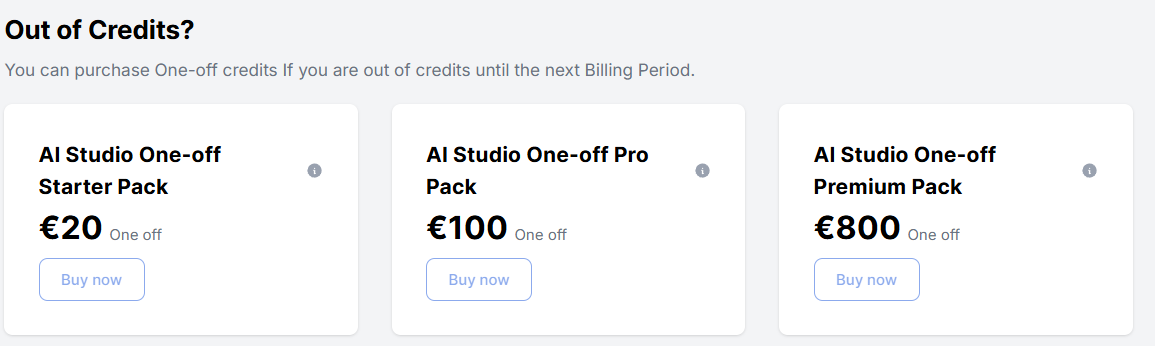
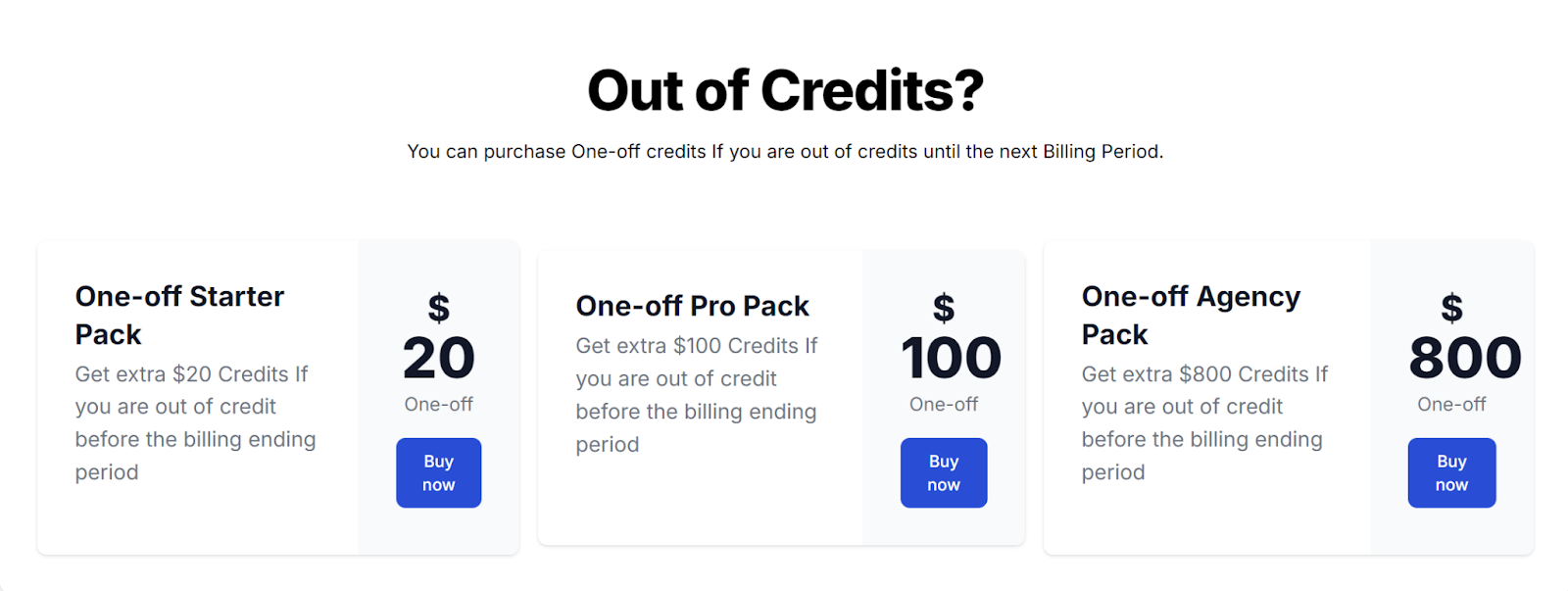
If you run out of credits before your billing period ends, you can purchase a one-off credit pack. You can buy any pack regardless of your current plan:
| Pack | Price |
|---|---|
| AI Studio One-off Starter Pack | €20 |
| AI Studio One-off Pro Pack | €100 |
| AI Studio One-off Premium Pack | €800 |
Credits from one-off packs carry over to the next billing period — unlike your monthly included credits.
Get latest tips, trends, and deals for free.
You can manage credit-related controls per workspace by navigating to Settings in the main menu and selecting the Credits tab.
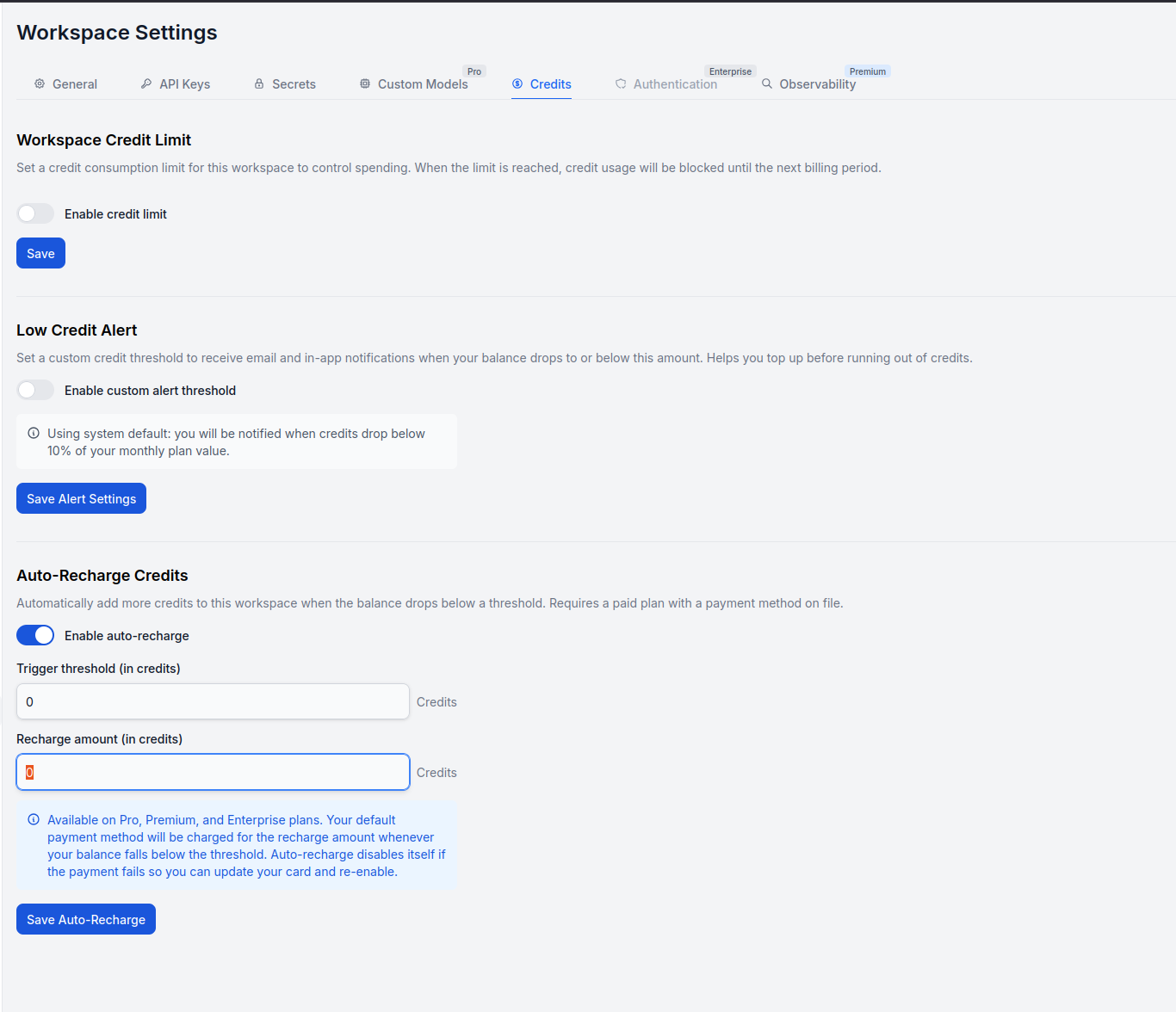
Workspace Credit Limit lets you set a maximum credit consumption limit per workspace. Once the limit is reached, credit usage is blocked for the rest of the billing period. Toggle Enable credit limit to activate it, then click Save. This is especially useful for agencies running one workspace per client.
Low Credit Alert lets you set a custom credit threshold for notifications. When your balance drops to or below that amount, you’ll receive both email and in-app alerts so you can top up before running out.
Toggle Enable custom alert threshold to set your own value, then click Save Alert Settings. If you leave it disabled, the system default applies: you’ll be notified when credits drop below 10% of your monthly plan value.
Auto-Recharge Credits automatically adds more credits to the workspace when the balance drops below a set threshold. This feature requires a paid plan with a payment method on file. Toggle Enable auto-recharge to configure it.
To manage your billing information, navigate to Manage billing in the Overview panel on the right side of the My Subscription screen. This will transfer you to the checkout portal:
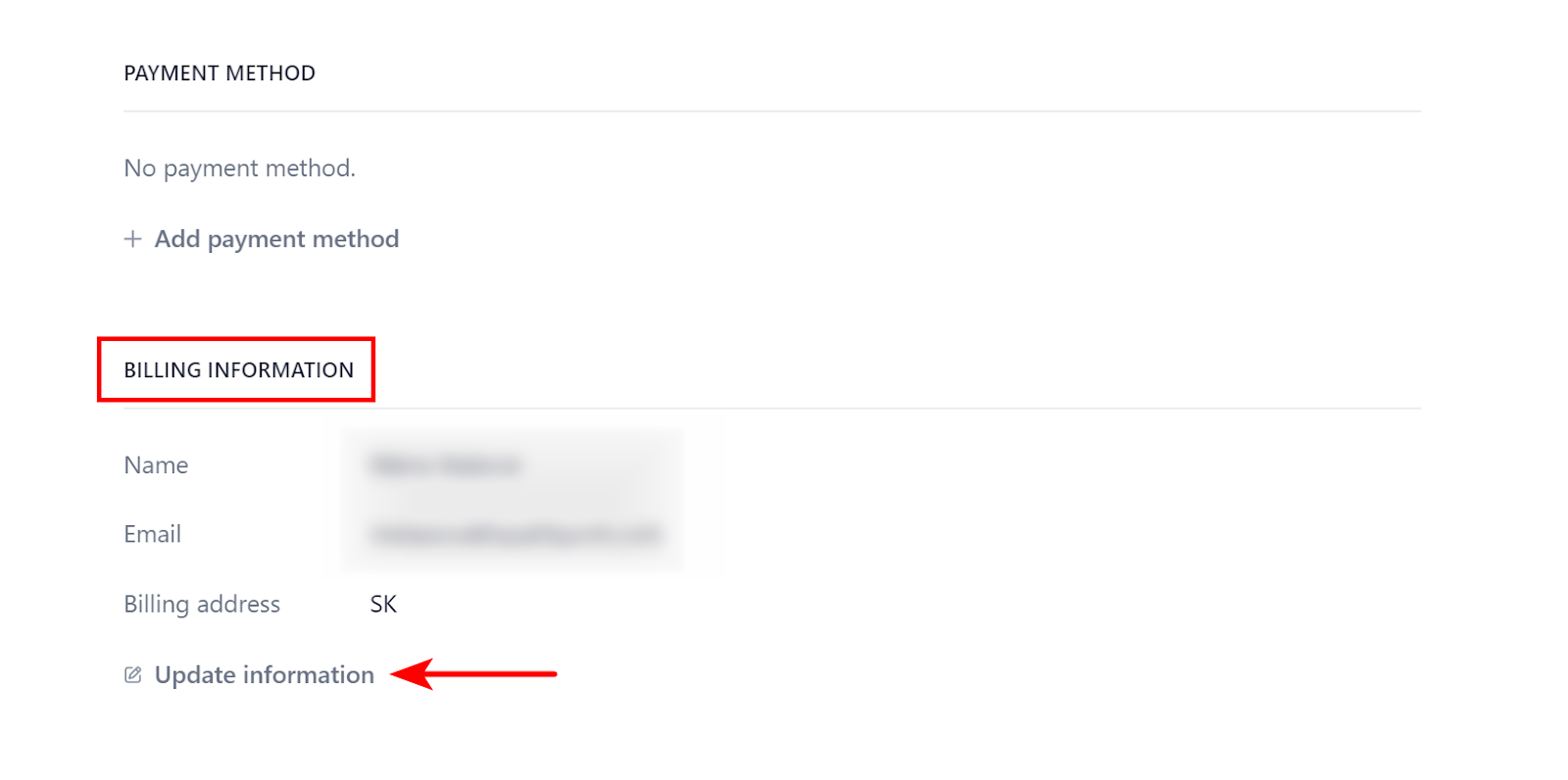
Once in the checkout portal, scroll to the BILLING INFORMATION section and click Update information:
You can update your payment method in the checkout portal. Navigate to Manage billing in the Overview panel on the right side of the My Subscription screen:
Scroll down to PAYMENT METHOD and click + Add payment method.
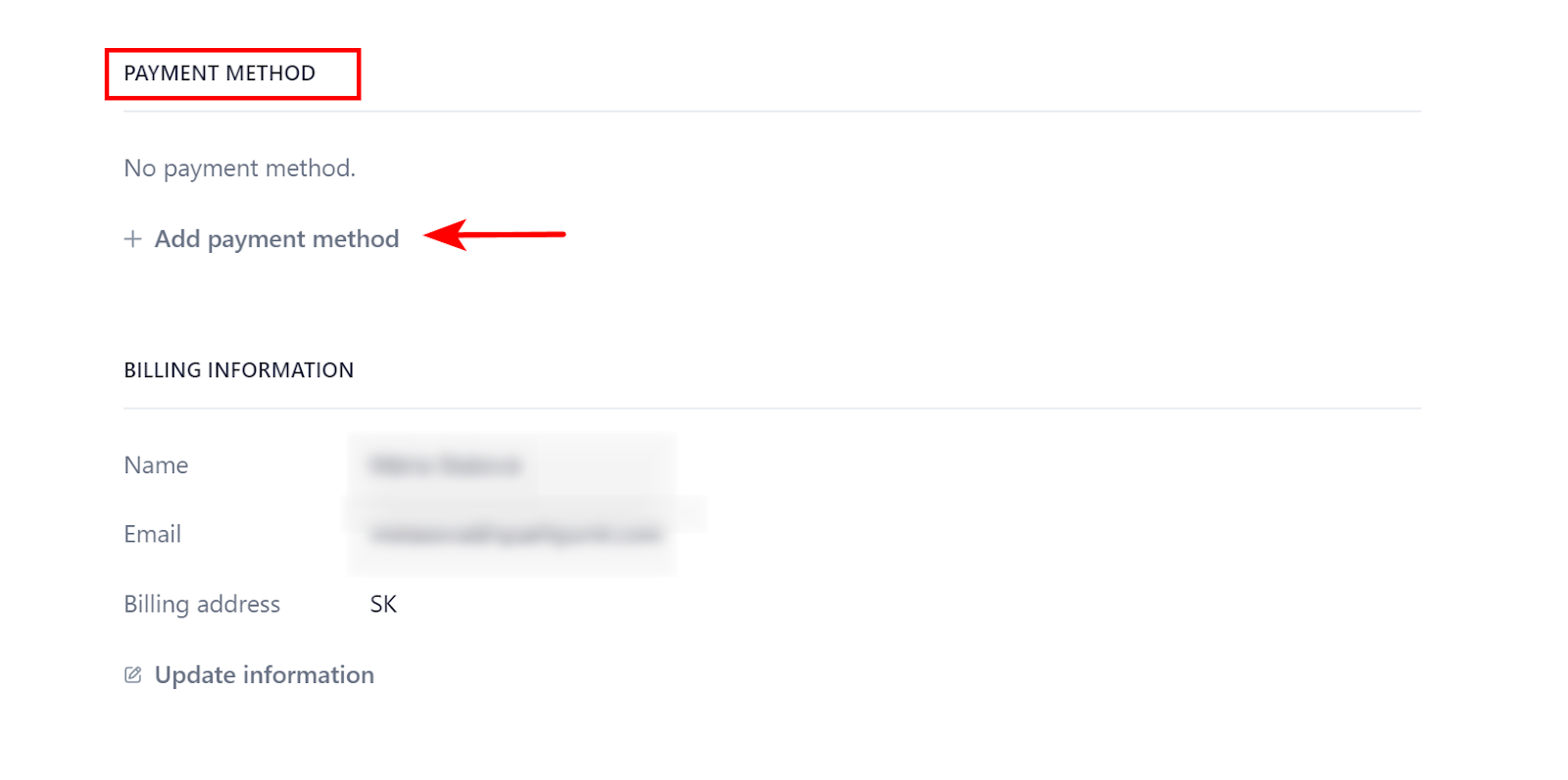
Our checkout is fully powered by Stripe. At the moment, credit cards are the only accepted payment methods.
You can see and download your invoices via the checkout portal. Navigate to Manage billing in the Overview panel on the right side of the My Subscription screen:
Scroll down to invoice history. To see the details of an invoice or download it, click the link button next to the invoice:
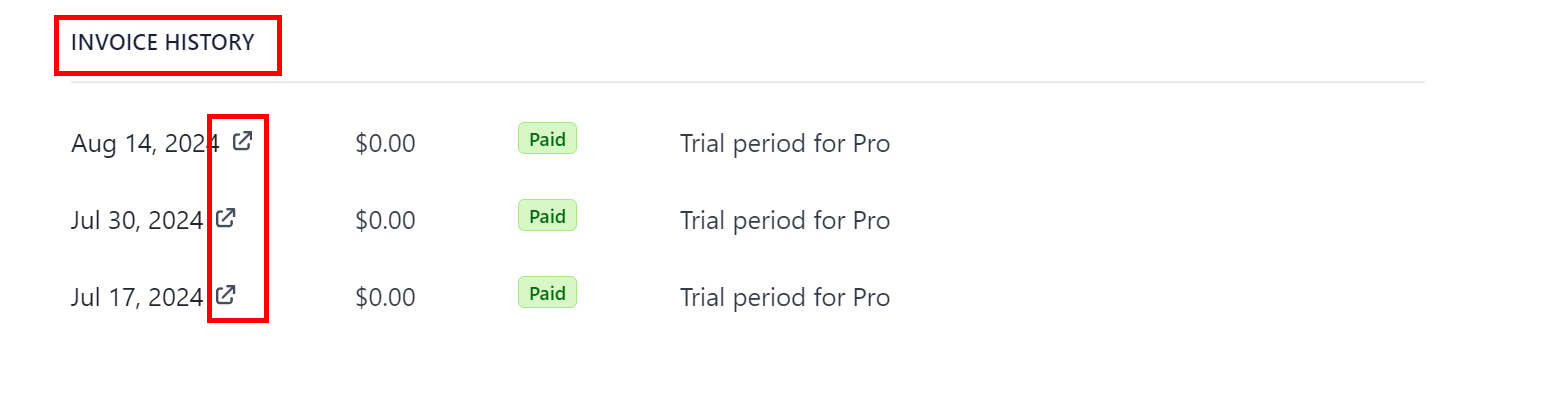
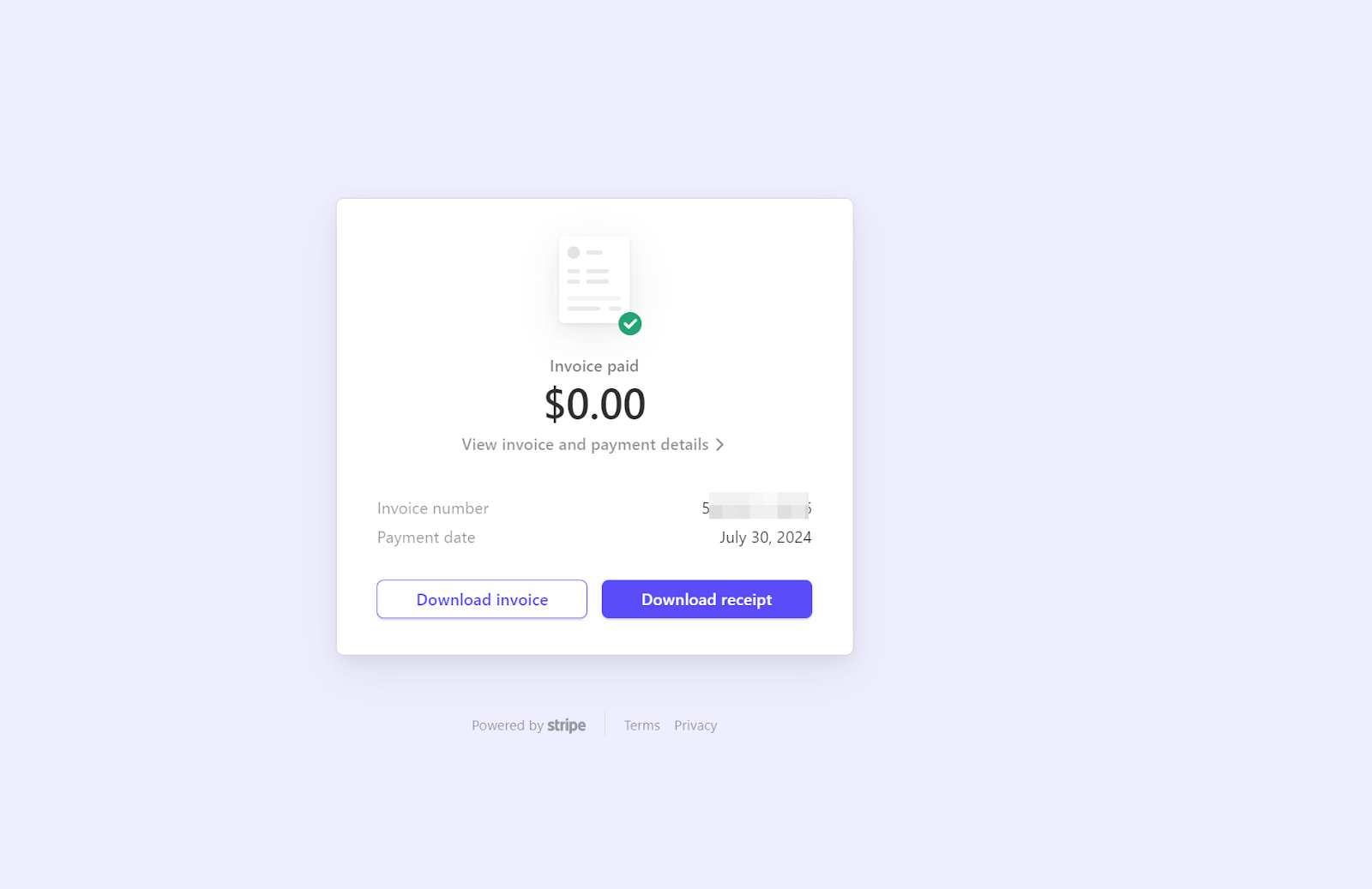
This will transfer you to Stripe invoices. Here, you can see the details, such as the invoice number. You also get to download the invoice or a receipt:
Manage your subscription, explore flexible plans, and unlock the full potential of AI-powered tools. Try our 7-day trial or book a demo today!
A comprehensive guide to FlowHunt's pricing, including how credits and interactions work, how complexity impacts costs, and what happens to unused credits.
The mysterious AI tokens convert into easy-to-understand FlowHunt Credits. Learn how to track your expenses, optimize costs for chatbots, automations, and conte...
Learn how to manage your FlowHunt workspace and account. Invite team members, configure roles and permissions, manage billing, and organize your workspace for c...
Cookie Consent
We use cookies to enhance your browsing experience and analyze our traffic. See our privacy policy.