


SEO Content Brief Outline Generator
Generate an SEO-friendly content brief outline by analyzing top-ranking Google search results for a given keyword. This workflow uses AI and web search tools to...
3 min read

An AI content brief generator turns a single keyword into an SEO title, meta description, and paragraph-by-paragraph outline in minutes. Here’s exactly how it works.
A content brief without the right data is just a list of your opinions on what should rank. It’s the search intent, keyword mapping, competitor structure, and paragraph-level guidance thar create a brief a writer can actually follow to create a ranking article. But building one manually takes one to four hours per article , even with a template.
An AI content brief generator compresses that same research into a few minutes. Here’s what a complete brief actually contains, how AI builds one, and how to generate your first one today.
A brief that’s actually usable to a writer needs a handful of specific elements working together:
Miss any of these and the brief turns into extra back-and-forth. A writer without paragraph-level guidance has to guess at depth and angle, and a title without search intent behind it rarely ranks. A content brief template AI tool that automates the research layer removes the guesswork from all five at once.
The real cost shows up at scale. One brief taking a few hours is manageable, but ten briefs for a monthly content calendar is a part-time job on its own, which is exactly why briefing is the step teams skip first when production ramps up, and the step that causes the most rework later .
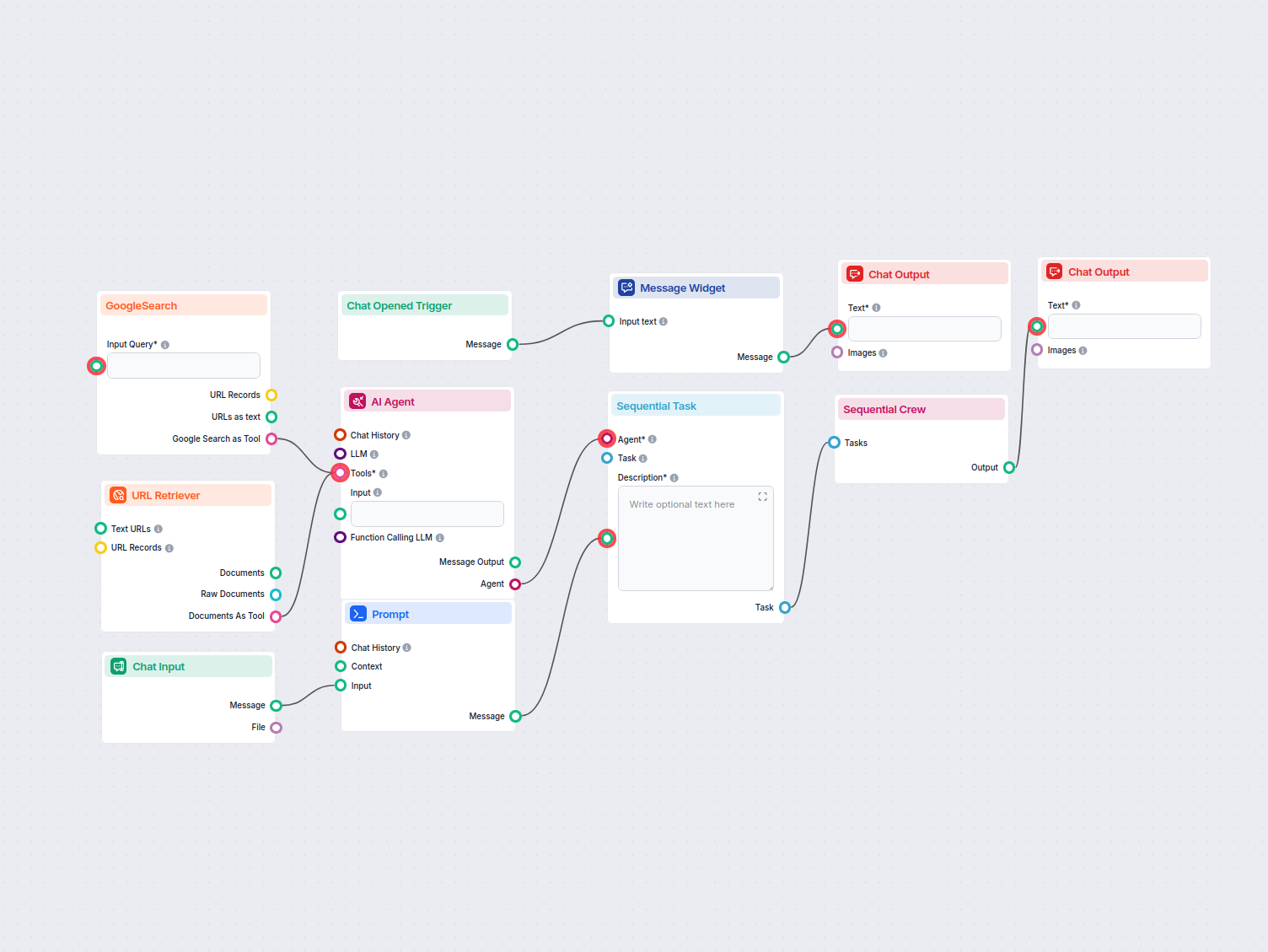
The Content Brief Generator doesn’t write from a template filled with your keyword. It runs a small research pipeline before it drafts anything:

Start your free trial today and see results within days.
Open the Content Brief Generator and follow these steps:
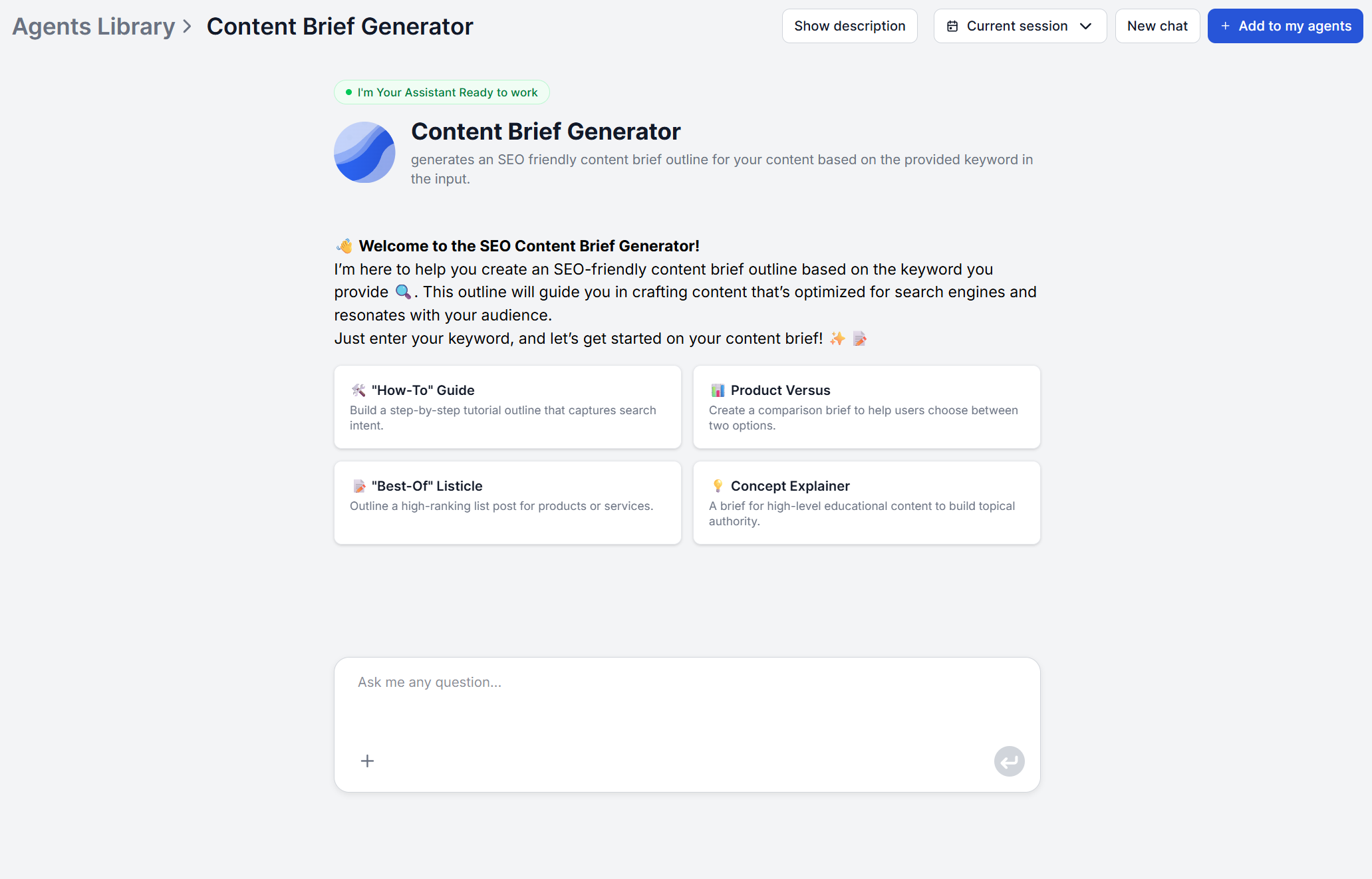
Step 1: Enter your primary keyword. Type the keyword into the chat interface. No URL, no configuration, no research brief to prepare beforehand.
Step 2: Let the AI research the competition. The tool searches Google for that keyword, finds the top-ranking pages, and retrieves their content. This takes a few minutes with no input needed from you.
Step 3: Review the generated brief. The output arrives in a fixed structure. It contains an SEO-friendly title, SEO-friendly meta description, and a section-by-section outline with a description of what each paragraph should contain.
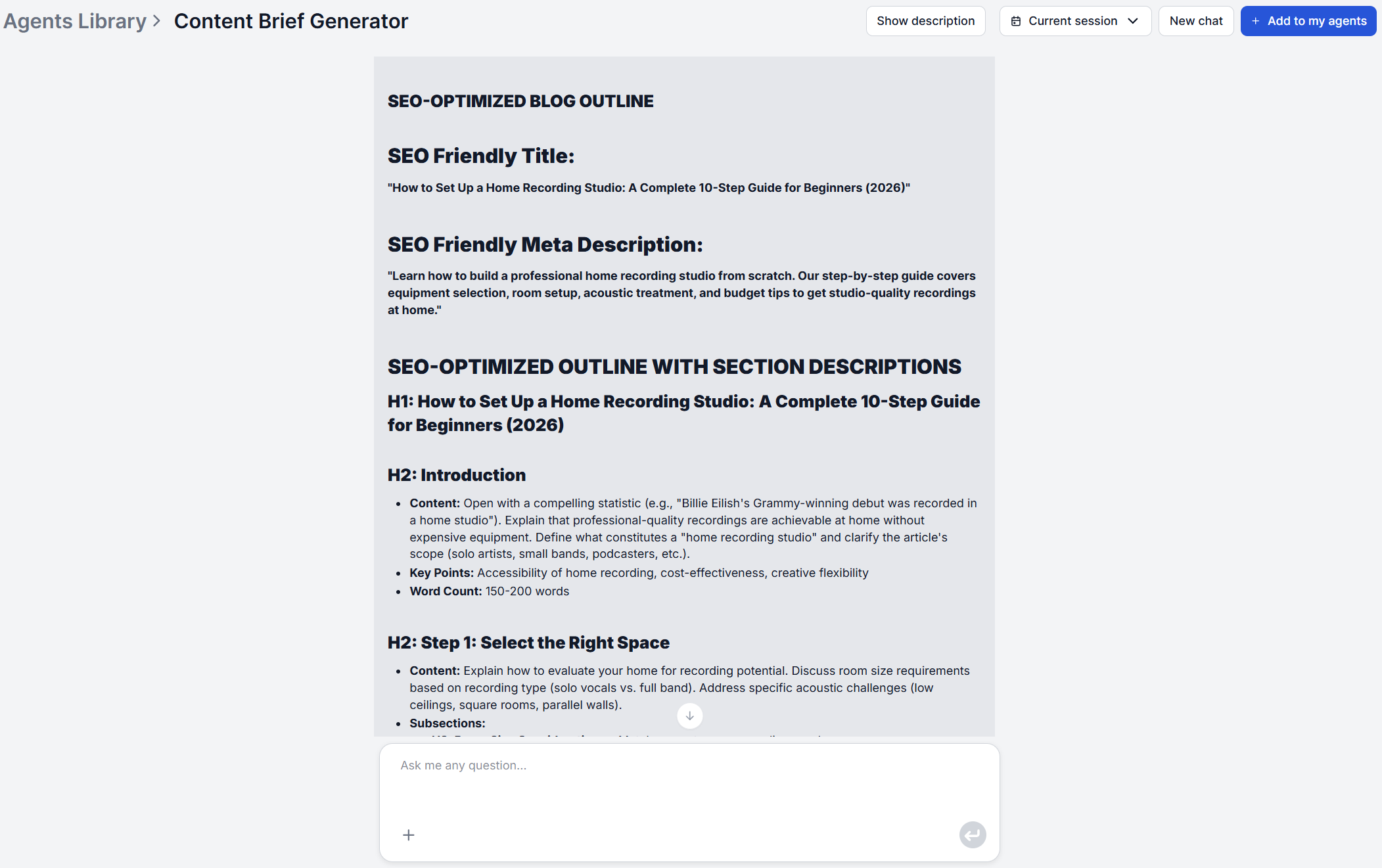
Step 4: Hand it off or adjust it. Use the brief as-is, or adjust any section for your specific angle. If you need the output format itself to change (more sections, different depth, added tone guidance) the underlying flow can be modified directly in FlowHunt.
TIP: No writer free to take this on, in a hurry, or just want a draft to react to instead of a blank page? Pair it with the AI Blog Writer — feed it the same keyword and it turns the brief straight into a publish-ready draft.
The brief isn’t generic advice bolted onto your keyword. The outline and title come out of an actual analysis of the pages currently ranking for that term. That’s the core signal a SEO content brief tool needs to get right. It needs to match what’s already working in the search results, not guess at a structure in isolation .
That said, this tool works at the whole-brief level with one keyword in and a whole outline out. If you need to go a layer deeper on a specific page, comparing your exact headings against one named competitor URL and getting long-tail keyword suggestions per paragraph, pair it with, the Webpage Content GAP Analysis tool.
Get latest tips, trends, and deals for free.
An automated content brief gets you the title, meta description, and outline, but a few things still need a human pass before the brief goes to a writer:
| The AI Generates | You Still Add |
|---|---|
| SEO title and meta description | Brand voice and tone adjustments |
| Section-by-section outline with paragraph guidance | Search volume, CPC, and keyword difficulty (pair with a dedicated keyword research pass) |
| Structure informed by top-ranking competitor pages | Internal links specific to your own site |
| A brief free of generic filler phrasing | A final read for accuracy — verify any competitor claims before they reach the writer |
The brief’s prompt is already instructed to avoid clichés like “in today’s fast-paced world” and to cut straight to substantive information, so most of the filler problem is handled before you ever see the output. You just add an angle that fits your brand, evaluate keyword volume and difficulty, and add any proprietary data or insights unique to your brand.
Once the brief is ready, it doesn’t have to sit in a chat window. The output is plain, structured text so it pastes cleanly into whatever your team already uses without any file conversion. FlowHunt also connects to those tools directly through MCP servers, so you can route the brief wherever writers actually work, for example Notion , Google Docs , or Slack .
Two other paths are worth knowing about depending on what’s next for the brief:
Before a brief goes out to a freelancer or an in-house writer, run it through this checklist:
A brief that passes all eight is ready to hand off. One that’s missing several is still a head start.
An AI content brief generator doesn’t replace editorial judgment, but it removes the multi-hour research bottleneck that keeps briefs from happening consistently. Enter a keyword, get a title, meta description, and a paragraph-by-paragraph outline built from what’s ranking right now, then spend your remaining time on adding brand fit, keyword prioritization, and the final quality pass before it reaches a writer.
Maria is a copywriter at FlowHunt. A language nerd active in literary communities, she's fully aware that AI is transforming the way we write. Rather than resisting, she seeks to help define the perfect balance between AI workflows and the irreplaceable value of human creativity.

FlowHunt's Content Brief Generator turns a single keyword into an SEO-friendly title, meta description, and a paragraph-by-paragraph outline — no manual research required. Try it free and brief your next article in minutes, not hours.
Generate an SEO-friendly content brief outline by analyzing top-ranking Google search results for a given keyword. This workflow uses AI and web search tools to...

Generate SEO-optimized content briefs from a single keyword with FlowHunt's Content Brief Generator. Get an SEO-friendly title, meta description, and a detailed...
An AI content brief gives every writer the same SEO-informed starting point. Here's how agencies, in-house teams, and SEO teams use it to cut revision rounds fr...
Cookie Consent
We use cookies to enhance your browsing experience and analyze our traffic. See our privacy policy.