


FlowHunt Daily News Summary Setup Tutorial
Step-by-step: from your first topic query to an automated daily news digest delivered where your team already works. A FlowHunt news summary setup tutorial for ...
6 min read
AI
Tutorial
+3
An AI news summarizer tool turns daily news monitoring into a five-minute task. Here’s how automated summary generation works and how to set up your first digest today.
Staying on top of industry news manually means opening 20 tabs, reading 30 headlines, and synthesizing the signal from the noise, every single day. An AI news summarizer tool does this automatically, searching recent sources and delivering a structured digest on demand. Here’s how to set up a system that keeps you and your team informed without the daily grind.
Following one topic closely already eats time, requiring you to check a handful of sites, skimm the headlines, filter out what’s recycled or irrelevant. Add a second or third topic and the time spent stops being linear, because each one needs its own set of sources checked, its own headlines skimmed, and its own judgment call about what’s actually worth flagging.
The problem compounds because news monitoring doesn’t tolerate gaps. Skip a day and you’re not just behind, you’re reconstructing what happened across multiple days at once, with no clean way to tell what’s actually new versus what you already half-remember from a headline you skimmed earlier. Most teams resolve this by either assigning it to someone as an ongoing chore, which doesn’t scale past a handful of topics before it becomes a part-time job in itself, or letting it slide until something important is missed and someone asks why nobody flagged it sooner.
The underlying issue isn’t a lack of information, it’s the opposite. There’s too much of it, scattered across too many sources, for any one person to reliably read all of it every day and still get their actual job done. This is exactly the gap an daily AI news summary workflow is built to close.
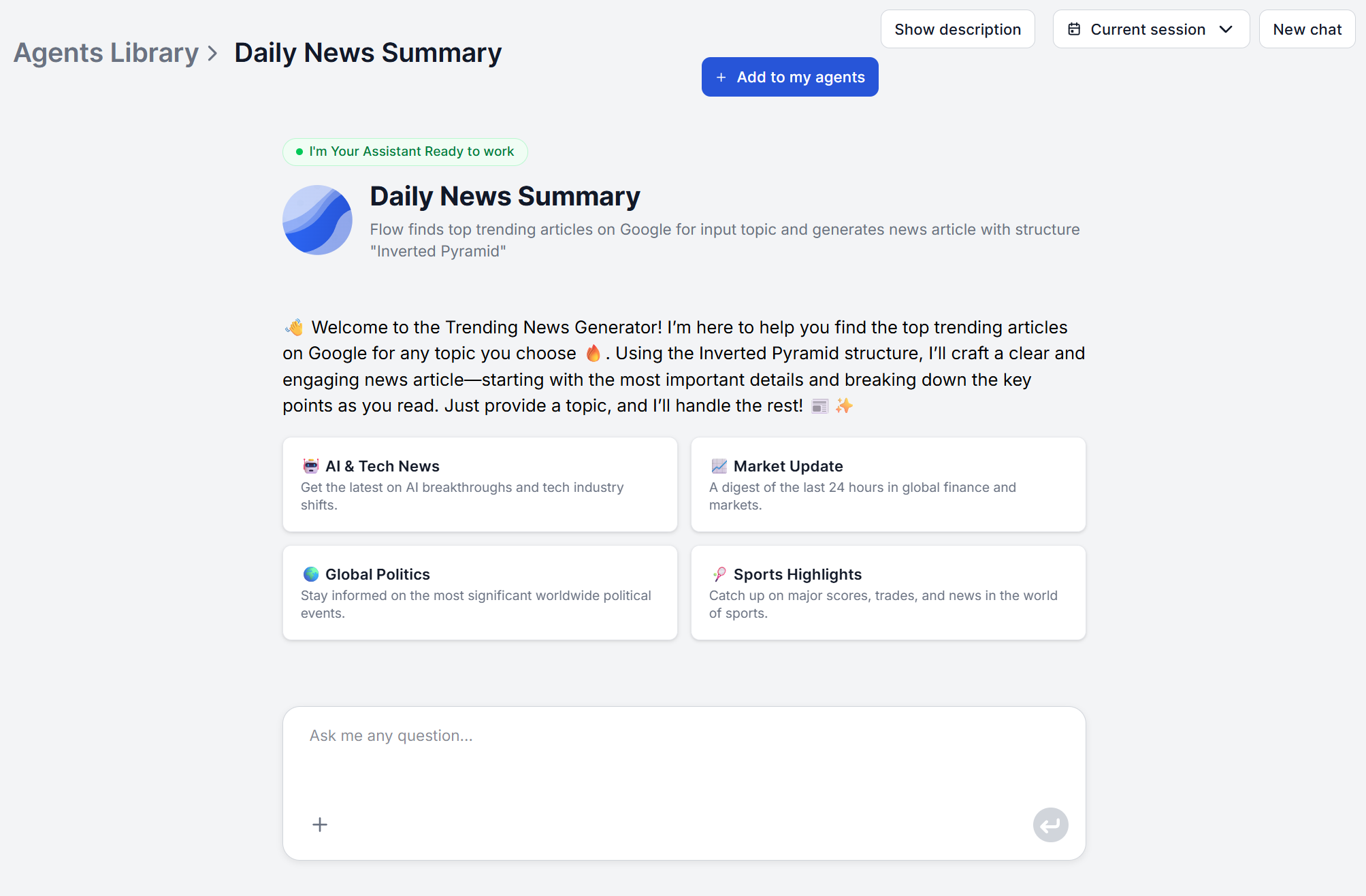
An AI news digest tool replaces manual browsing with three automated steps run against a single topic you provide:
This is very different from a news aggregation tool that simply lists links by relevance or recency. An aggregator still leaves the reading and synthesis to you. A summarizer tool does the reading and hands you the conclusion.

Start your free trial today and see results within days.
Setting up your first digest with FlowHunt’s Daily News Summary takes under a minute, and there’s no research brief or source list to prepare first.
Step 1: Open the tool. Go to the Daily News Summary chat interface. There’s no account configuration or dashboard setup screen to get through first.
Step 2: Enter your topic. Type the topic you want covered directly into the chat, a company name, an industry, a keyword, or a specific event. Niche subjects work as well as broad ones.
Step 3: Let it search and synthesize. The tool searches for current coverage of that topic and extracts the developments that matter most across sources.
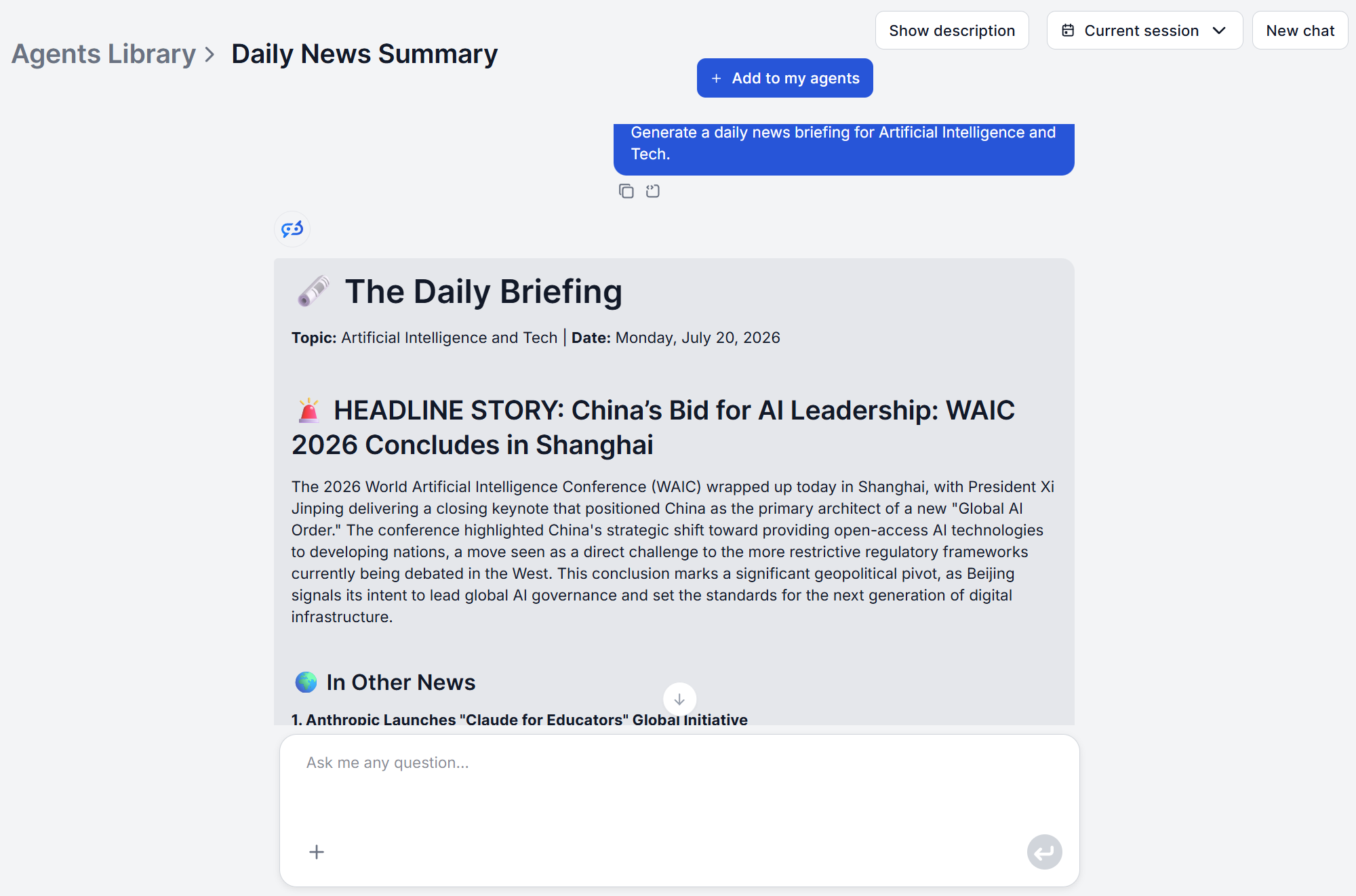
Step 4: Read the structured digest. You get back one coherent summary, organized so the most important points come first.
We ran this ourselves on July 20, 2026, the same day this article was written, to see what an actual digest looks like:
Step 5: Repeat daily, or on demand. Run the same query again tomorrow for a fresh digest, or fire off a new query the moment something changes. There’s no setup to redo each time.
Ready to try it? Try the Daily News Summary and get your first digest in minutes, for free and without signup.
The standard tool is intentionally simple. One topic in, one digest out, with source selection and search handled automatically rather than exposed as settings you manage. That’s what makes it fast to use for a new topic, but it also means two things worth knowing upfront.
By default, you don’t choose “Google only” or “exclude YouTube” from a dropdown. If your team needs monitoring restricted to a defined source set, that’s a change to the underlying flow itself, and FlowHunt’s flows are visual and editable, not locked black boxes, so this is a configuration change rather than a request for a different product.
The tool’s native output is a digest inside the chat, but that doesn’t mean the only option is copying and pasting it elsewhere. FlowHunt connects to the tools your team already runs, including Slack , Gmail , and Notion , so a digest can be routed directly into any channel you need.
Running the query manually each morning works, but it’s not the only option. FlowHunt’s flow editor includes a Scheduled Task component that replaces the chat input as the flow’s trigger, so the digest runs automatically on an interval you define, hourly, daily, weekly, or a custom cron expression. Your topic goes in as the task’s input message (or as a variable, if you want to swap topics without editing the flow each time), and runs on its own, with the output routed to Slack, email, or wherever the team already checks.
Get latest tips, trends, and deals for free.
The scenario: A newsletter writer covers one industry weekly and needs a reliable first draft of “what happened” before adding their own analysis and voice.
Manually: Two to three hours a week spent scanning sources, deciding what’s worth including, and drafting a coherent narrative from scattered headlines.
With an AI daily news summary: Run the digest for the industry topic, and the structural first draft, the key developments in order of importance, is done in seconds. The writer’s time shifts entirely to analysis, framing, and voice. Once drafted, the summary can be pushed into Gmail or Notion as part of the newsletter production workflow.
The scenario: A team lead wants the group to start each week aligned on what happened in their space, without asking everyone to read the same five newsletters individually.
With automated news monitoring AI: Running a digest against the team’s core topics takes a couple of minutes total, and connecting the output to Slack means the briefing lands in the team channel automatically instead of being manually pasted in.
The scenario: A product or sales team wants a standing pulse on what competitors are doing, without dedicating a person to reading every competitor blog and press release.
With an AI daily news generator: Run a digest per competitor to catch launches, pricing changes, and leadership moves as they’re reported. When a headline needs a closer look, the AI Summarizer from URL condenses that specific article without a separate research detour.
For a fuller picture that includes how competitors are being discussed, not just what they’ve announced, the AI Social Listening Tool covers sentiment and conversation trends across social platforms, forums, and video, and the AI Research Assistant can turn a recurring theme in the digest into a fully sourced deep-dive when the topic warrants it.
| Dimension | Manual Monitoring | AI News Summarizer Tool |
|---|---|---|
| Time per topic, per day | 20–30 minutes of tab-hopping | Seconds to minutes |
| Consistency | Depends on who’s covering it that day | Same structure every time |
| Coverage gaps | Common when someone’s out or busy | None, runs on demand |
| Scalability | Linear with headcount | Runs as many topics as needed |
| Output | Scattered notes or none at all | Single structured digest |
| Delivery | Manual copy-paste, if done at all | Routes into Slack, Gmail, or Notion via MCP |
For day-to-day awareness, that trade-off consistently favors automation. For decisions with real stakes attached, a launch call, a legal notice, a market-moving story, treat the digest as the fast first pass and verify the specific detail that matters before acting on it.
Daily news monitoring doesn’t need to be a recurring manual chore. An AI news summarizer tool handles the search and synthesis, returning a structured digest built for fast reading on any topic. Whether you’re drafting a newsletter, briefing a team, or watching competitors, the setup takes minutes and runs on demand from there.
Try the Daily News Summary Generator and get your first digest in seconds.
FlowHunt's Daily News Summary searches recent sources and delivers a structured digest on any topic in seconds — no manual research, no tab-switching.
Step-by-step: from your first topic query to an automated daily news digest delivered where your team already works. A FlowHunt news summary setup tutorial for ...

Get a concise, structured summary of the latest news on any topic with FlowHunt's Daily News Summary. AI searches recent sources and delivers a clear, readable ...
From executive briefings to subscriber newsletters, these are five real AI news monitoring use cases teams rely on to stay informed without hours of manual cura...
Cookie Consent
We use cookies to enhance your browsing experience and analyze our traffic. See our privacy policy.