10 Best Social Media Automation Tools in 2026: Ranked and Reviewed
The 10 best social media automation tools in 2026, ranked by scheduling depth, AI content features, analytics, and pricing. Find the right tool for your team.
Social media automation has evolved far beyond scheduling posts. In 2026, the best tools handle everything from content ideation and AI writing to image generation, publishing, and performance reporting — all automatically. The challenge is knowing which tool does which part well.
This guide ranks the 10 best social media automation tools based on scheduling depth, AI content capabilities, analytics, integration ecosystem, and pricing.
Quick Comparison Table
Tool
Best For
Pricing
Free Tier
AI Content?
FlowHunt
End-to-end AI content workflows
Free + usage-based
✅
Full pipeline automation
Buffer
Simple scheduling, clean UI
Free / $6/mo per channel
✅
Basic AI assist
Hootsuite
Enterprise multi-team management
From $99/mo
❌
AI content suggestions
Later
Instagram & TikTok visual scheduling
From $16.67/mo
✅
Caption suggestions
Sprout Social
Enterprise publishing + listening
From $249/mo
❌
AI content assist
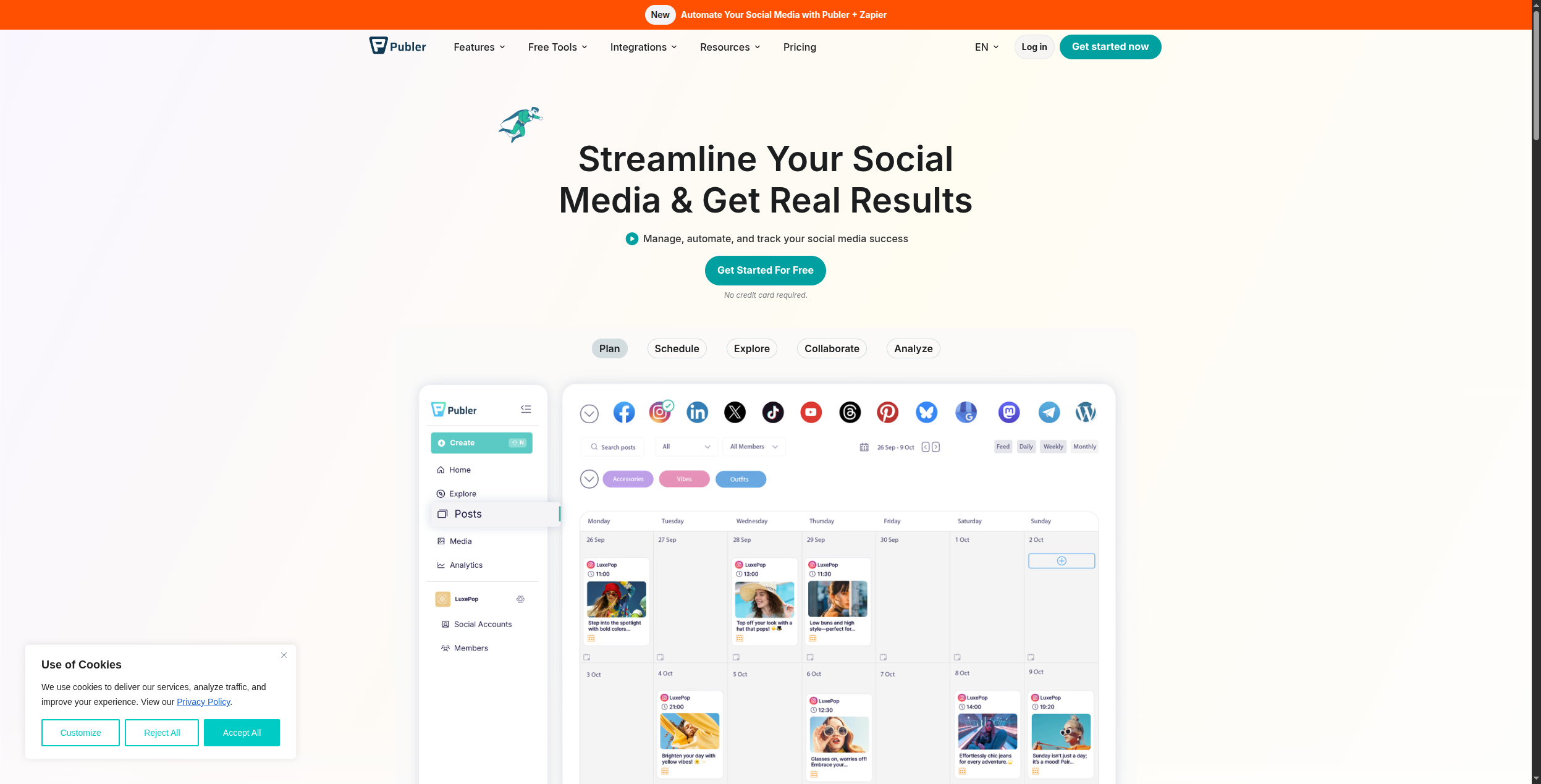
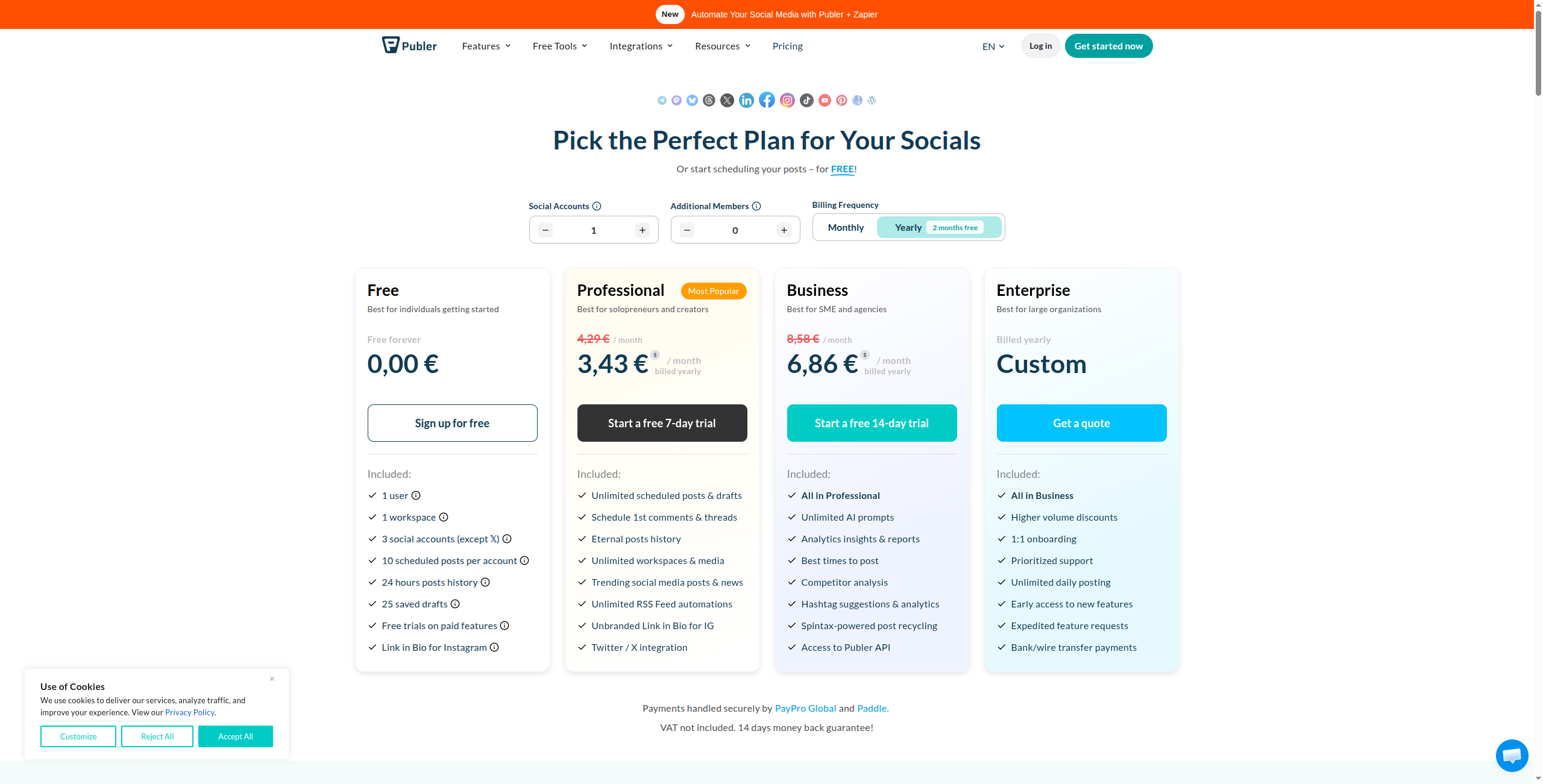
Publer
Feature-rich at affordable price
From $12/mo
✅ (trial)
AI writing built in
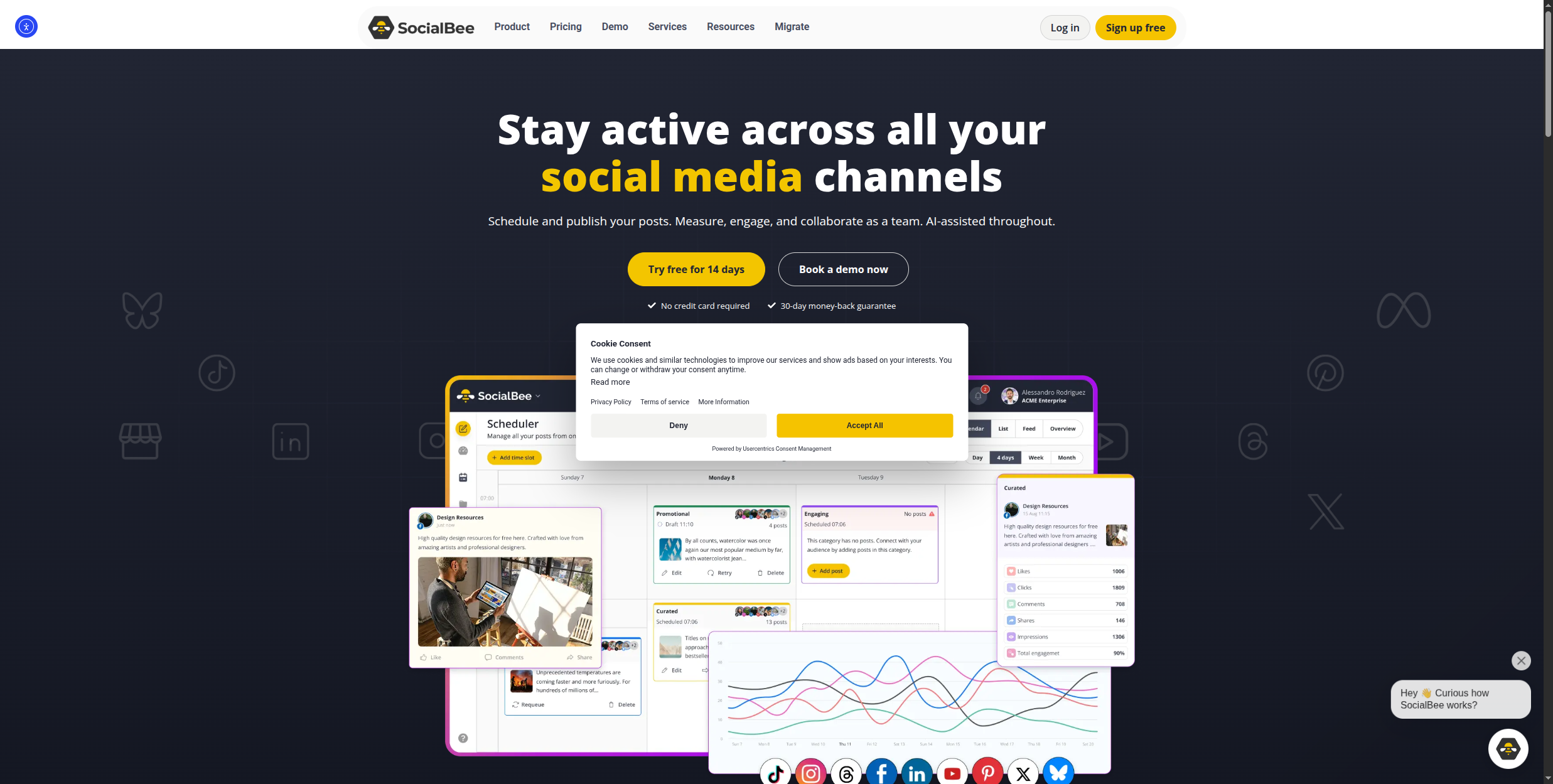
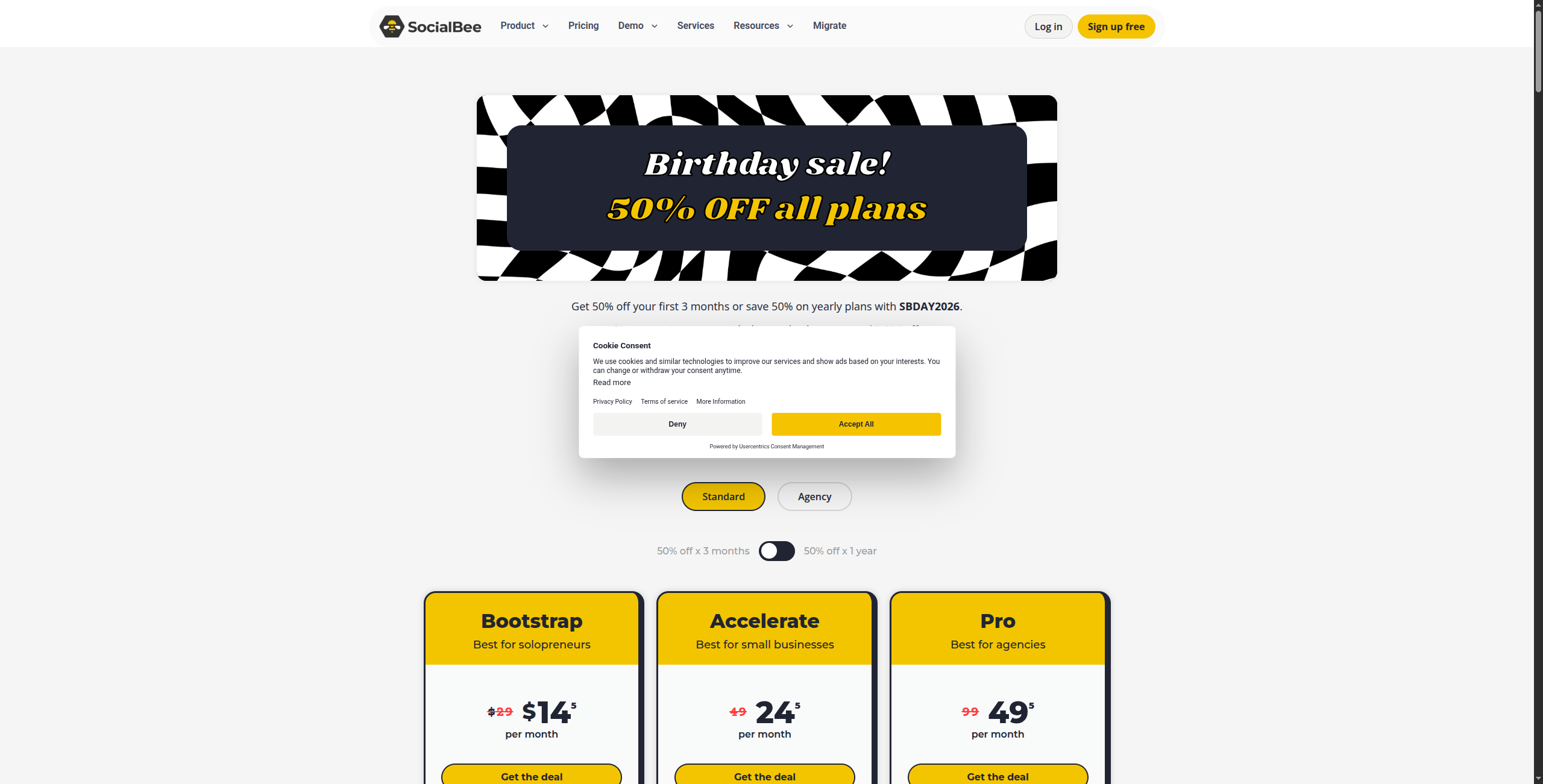
SocialBee
Evergreen content recycling
From $29/mo
✅ (trial)
AI post generation
MeetEdgar
Evergreen content automation
From $29.99/mo
❌
Category-based recycling
Smartly.io
Social advertising at scale
Custom
❌
Dynamic creative AI
Metricool
Analytics + scheduling unified
Free / from $18/mo
✅
Basic AI captions
The Two Tiers of Social Media Automation
In 2026, social media automation tools have split into two distinct categories:
Tier 1 — Scheduling and distribution tools: These handle the logistics of social media — scheduling posts, managing queues, publishing to multiple networks, and reporting on what performed well. Buffer, Later, and Hootsuite are the leaders here.
Tier 2 — AI content workflow platforms: These automate the creation layer too — researching topics, writing platform-native posts, generating images, and scheduling publication without manual content input per post. FlowHunt leads this category.
Understanding which tier you need determines which tool to buy.
Ready to grow your business?
Start your free trial today and see results within days.
1. FlowHunt — Best for End-to-End Social Media Automation
FlowHunt is the only platform on this list that automates the entire social media content pipeline — not just the scheduling. Where Buffer or Hootsuite require you to write the content before scheduling it, FlowHunt can research a topic, draft platform-specific posts (different copy for LinkedIn vs. Twitter vs. Instagram), generate accompanying images, and queue them for publishing — all from a single automated workflow triggered by a schedule or an event.
A typical workflow: scrape industry news sources → identify the top 3 relevant stories → write LinkedIn posts for each → generate header images → schedule for optimal times → post automatically. This runs daily, without a human writing a single word.
What sets FlowHunt apart:
Full content pipeline automation — research, write, design, and schedule in one workflow
Platform-native content — different AI-written copy per social network based on character limits, tone, and format
Triggered automation — post when a competitor publishes, when news breaks, or on a schedule
1,400+ integrations — connect to Buffer, Hootsuite, or any social API for distribution
Multi-agent orchestration — one agent researches, another writes, another designs
Pricing:
Free — $0/month. Generous execution credits to build and test workflows, access to all components and integrations
Pro — Usage-based. Scales with workflow executions and AI API calls — no per-seat or per-post charges
2. Buffer — Best Simple Social Media Scheduling Tool
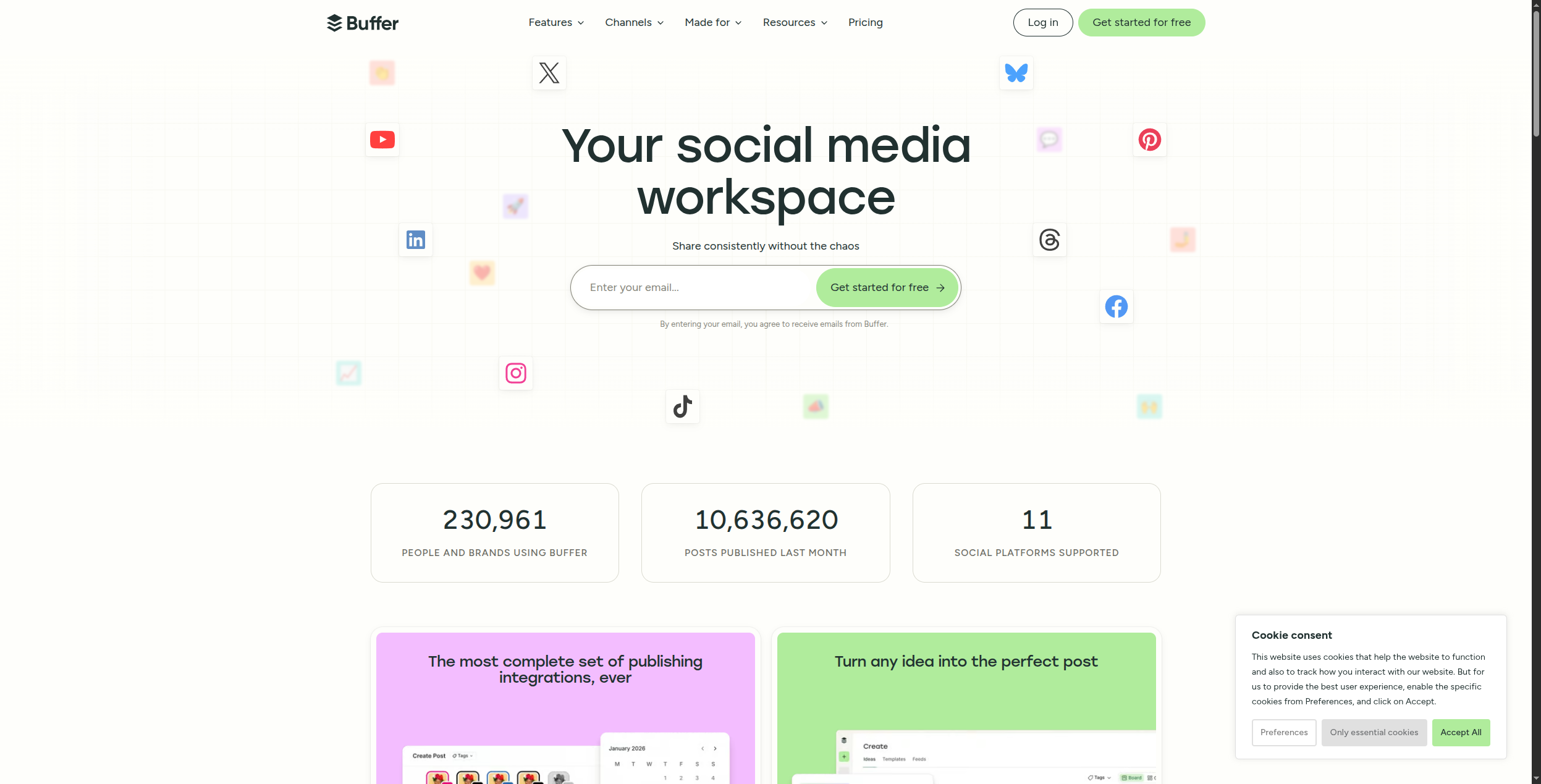
Buffer is the gold standard for clean, no-friction social media scheduling. Its free tier (3 channels, 10 posts queued per channel) is the most generous of any scheduling tool and covers individual creators and small businesses entirely. The paid plans ($6/mo per channel) unlock analytics, unlimited posting, and a team collaboration layer with approval workflows. The interface is deliberately minimal — adding a post to the queue takes 30 seconds, not 5 minutes.
Buffer’s channel coverage spans Instagram (feed, Stories, and Reels), LinkedIn (personal and company), Twitter/X, Facebook (pages and groups), Pinterest, TikTok, and Mastodon. The AI assistant helps with caption rewrites, idea generation, and repurposing existing content into new formats. Buffer Analytics provides engagement-level reporting at the paid tier — best/worst performing posts, optimal posting times per channel, and audience growth tracking.
Pricing:
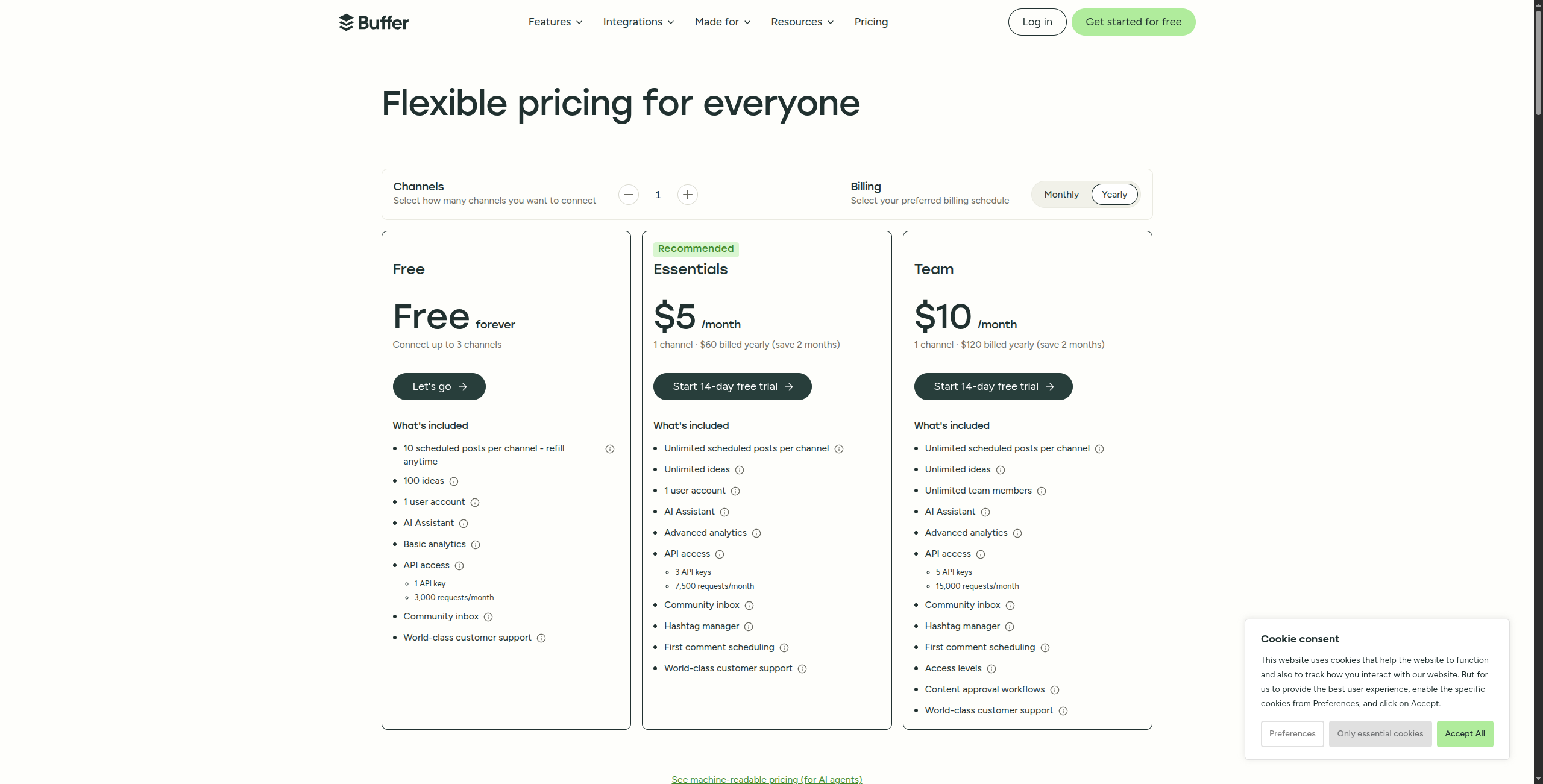
Free — $0/month. 3 social channels, 10 scheduled posts per channel, 1 user, basic analytics
Essentials — $6/month per channel (billed monthly) or $5/month (billed annually). Unlimited posting, analytics dashboard, 1 user
Team — $12/month per channel (billed monthly) or $10/month (billed annually). Unlimited users, team collaboration, approval workflows, draft posts
Agency — $120/month (billed monthly) for 10 channels. Agency-focused billing and team management
Key features:
Post composer with media upload, link shortening, and per-channel character limit guidance
Queue-based scheduling with custom posting schedules per channel
Buffer AI Assistant for caption generation, content ideas, and post repurposing
Approval workflows: team members submit posts, managers approve before publishing
Analytics: engagement metrics, best time to post, audience growth, and post performance breakdown
Start Page: simple link-in-bio tool for Instagram and TikTok
Content calendar view for visualising scheduled content across all channels
Instagram-specific features: first comment, carousel posts, and tagging support
Pros:
Cleanest, most intuitive interface in the scheduling category — minimal learning curve
Strong free tier (3 channels, 10 queued posts) that covers most individual creator needs without payment
Supports 8+ platforms including Instagram, LinkedIn, Twitter/X, Facebook, Pinterest, TikTok, and Mastodon
AI assistant for caption suggestions and content repurposing built into the composer
Team approval workflows available at competitive pricing — $10/channel/month for full team access
Cons:
Analytics are basic compared to Sprout Social or Metricool — no competitor tracking or deep reporting
No social inbox for engagement management — can’t reply to comments or DMs from Buffer
AI content features are thin compared to dedicated content generation tools like FlowHunt
No content recycling or evergreen queue — unlike SocialBee or MeetEdgar
Best for: Individual creators, small businesses, and teams that want reliable, simple scheduling without complexity — where ease of use matters more than analytics depth.
Join our newsletter
Get latest tips, trends, and deals for free.
3. Hootsuite — Best Enterprise Social Media Platform
Hootsuite is the most comprehensive enterprise social media management platform, covering publishing, monitoring, analytics, team workflows, and advertising management in one suite. For enterprise teams managing multiple brands, dozens of social accounts, and complex approval chains, Hootsuite provides the governance layer that simpler scheduling tools can’t match.
The Streams interface aggregates mentions, hashtags, keywords, and competitor activity in real-time columns — giving social teams a live view of what’s being said about their brand without switching to separate listening tools. OwlyWriter AI generates caption variations, hashtag suggestions, and repurposed content from URLs or pasted text. The analytics suite covers 35+ networks with exportable reports, team performance tracking, and ROI measurement that connects social activity to business outcomes through UTM tracking and custom conversion events.
Pricing:
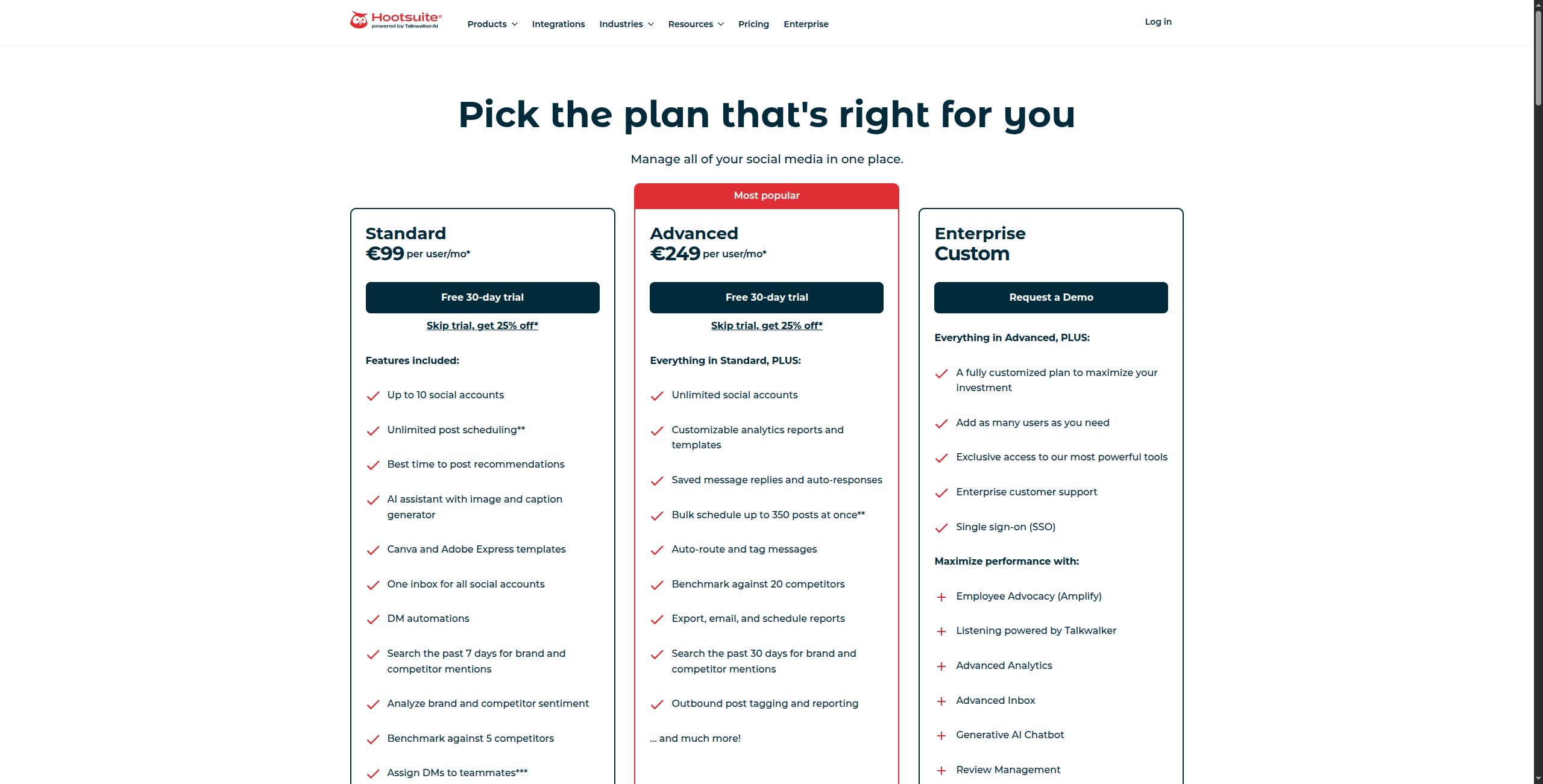
Professional — $99/month (billed annually). 10 social accounts, 1 user, unlimited posts, basic analytics, scheduling
Team — $249/month (billed annually). 20 accounts, 3 users, team collaboration, approval workflows, custom analytics, bulk scheduling
Business — $739/month (billed annually). 35 accounts, 5 users, advanced analytics, custom URLs, SLA support
Streams: real-time monitoring columns for mentions, hashtags, keywords, and competitor tracking
OwlyWriter AI: generates captions, post ideas, and content repurposing from URLs or existing content
Bulk scheduling: import and schedule hundreds of posts via CSV for campaign management
Team workflows: multi-level approval chains with role-based permissions and comment history
Hootsuite Analytics: cross-network reporting with custom report builder and automated email delivery
Ads management: social advertising creation and management for Facebook, Instagram, and Twitter/X
Content calendar: unified view of all scheduled content across every connected account
35+ social network integrations including YouTube, Pinterest, TikTok, WhatsApp Business, and LinkedIn
Pros:
Best enterprise team collaboration — multi-level roles, approval workflows, and shared content calendars
Streams-based social listening for real-time brand monitoring without a separate tool
Comprehensive analytics and ROI reporting across 35+ networks in one dashboard
OwlyWriter AI generates caption variations and content repurposing at scale
Bulk scheduling via CSV enables campaign-level content uploads efficiently
Cons:
Starting price ($99/mo Professional) is expensive for small teams or individual creators
Interface is complex and has a steeper learning curve than Buffer or Later
AI content features don’t match dedicated writing tools or FlowHunt’s full content pipeline
Team and Business plans add up quickly — $249-$739/month before reaching Enterprise
Best for: Enterprise marketing teams managing multiple brands, large social presences (35+ accounts), and requiring multi-level team approval workflows and cross-platform analytics.
4. Later — Best for Instagram and TikTok Visual Content
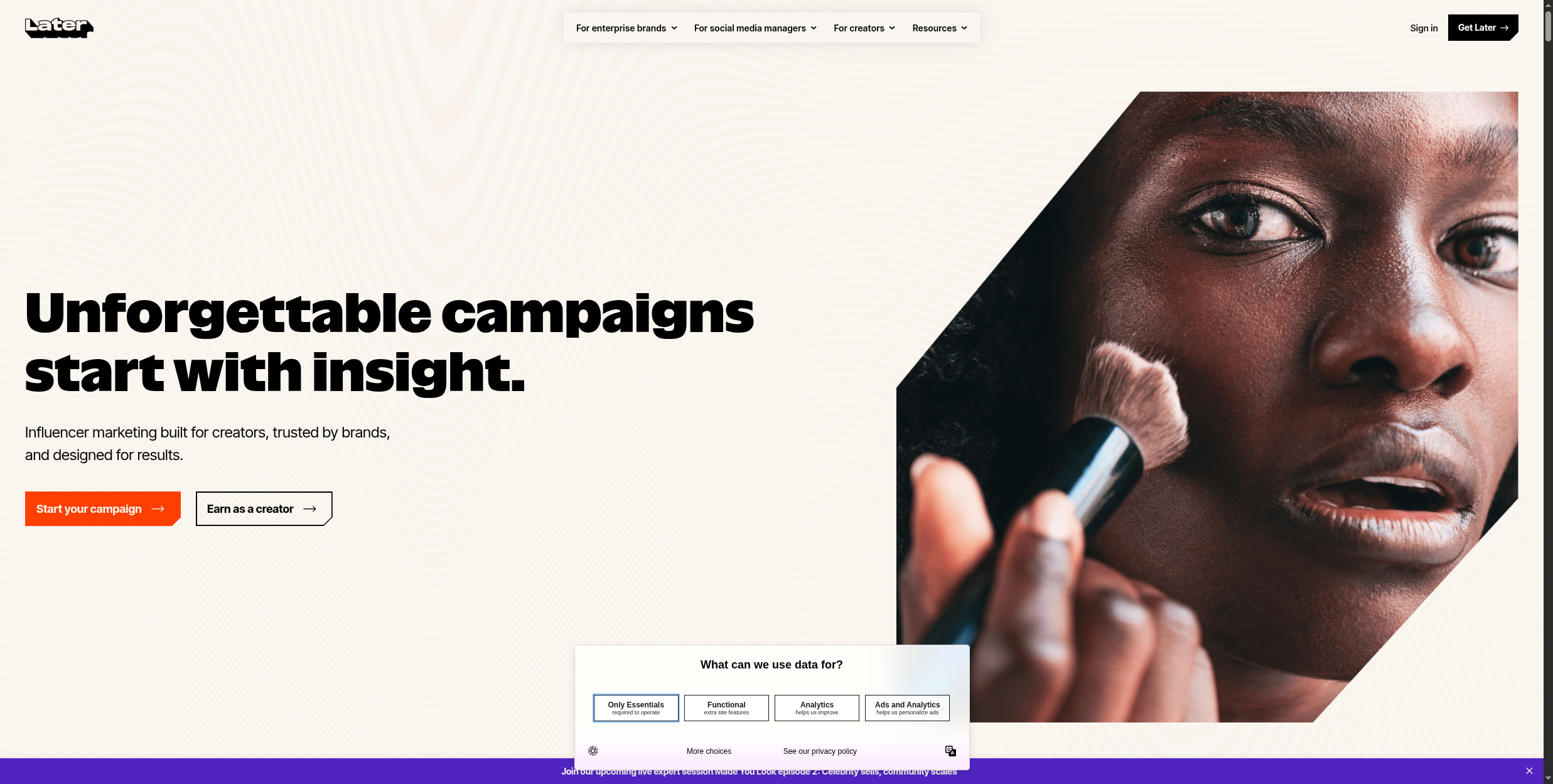
Later is purpose-built for visual-first platforms — Instagram, TikTok, and Pinterest. Its visual content calendar shows your upcoming posts as a grid preview, letting you see how your Instagram feed will look before publishing — a feature that matters for brands managing a cohesive visual aesthetic. Drag-and-drop rescheduling makes adjusting the content calendar intuitive without disrupting the planned grid layout.
The Linkin.bio tool turns a single Instagram bio link into a shoppable landing page that mirrors your feed — clicking a post takes followers to the exact product or article it references, driving measurable traffic from Instagram to product pages. Later’s media library stores photos, videos, and copy assets for team access, with labelling and search to make finding assets faster in high-volume content teams. The TikTok scheduling is native (not via third-party integration), supporting auto-publishing with cover image selection and caption formatting.
Pricing:
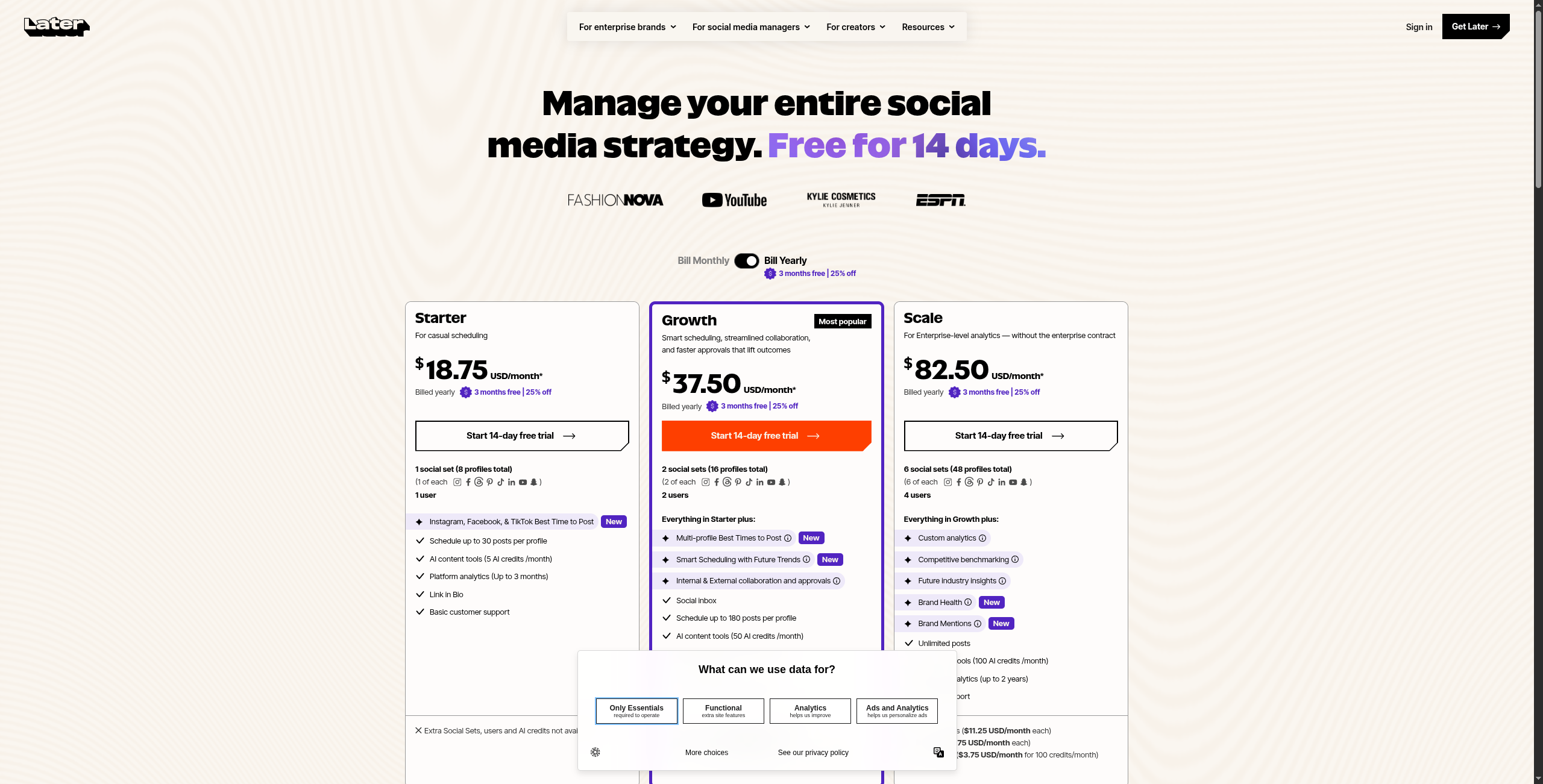
Starter — $16.67/month (billed annually). 1 social set, 30 posts per profile/month, basic analytics, Linkin.bio, 1 user
Growth — $30/month (billed annually). 1 social set, 150 posts per profile/month, full analytics, unlimited Linkin.bio links, 3 users
Advanced — $53.33/month (billed annually). 1 social set, unlimited posts, best time to post, hashtag analytics, 6 users
Agency — $133.33/month (billed annually). 6 social sets, all features, collaboration tools, client access, dedicated support
Key features:
Visual grid planner: drag-and-drop content calendar with live Instagram grid preview
Linkin.bio: shoppable link-in-bio page that mirrors Instagram feed with clickable post links
Auto-publish to Instagram, TikTok, Pinterest, Facebook, Twitter/X, and LinkedIn
First comment scheduling: automatically post hashtags as a comment after Instagram publishing
Media library: centralised asset management with tagging, search, and team access
Best time to post: AI recommendations based on your audience’s historical engagement patterns
Caption AI: suggests hashtags and generates caption ideas from post content
TikTok native scheduling with cover image selection and sound attribution
Pros:
Best visual grid preview for Instagram planning — essential for brands managing feed aesthetics
Strong TikTok and Pinterest native scheduling with auto-publish (not notification-based)
Linkin.bio tool drives measurable traffic from Instagram to product pages and blog posts
First comment scheduling for Instagram hashtags keeps captions clean while maintaining reach
Media library keeps creative assets organised and accessible for distributed teams
Cons:
Less strong for LinkedIn and Twitter/X — those platforms are secondary features, not the focus
Analytics are weaker than Sprout Social or Hootsuite — no competitor tracking at most tiers
AI writing features are limited to caption suggestions — no full content generation pipeline
Post limits on Starter and Growth plans restrict high-volume publishers
Best for: eCommerce brands, creators, and agencies focused primarily on Instagram and TikTok where visual grid planning and shoppable bio links matter.
5. Sprout Social — Best for Enterprise Analytics and Listening
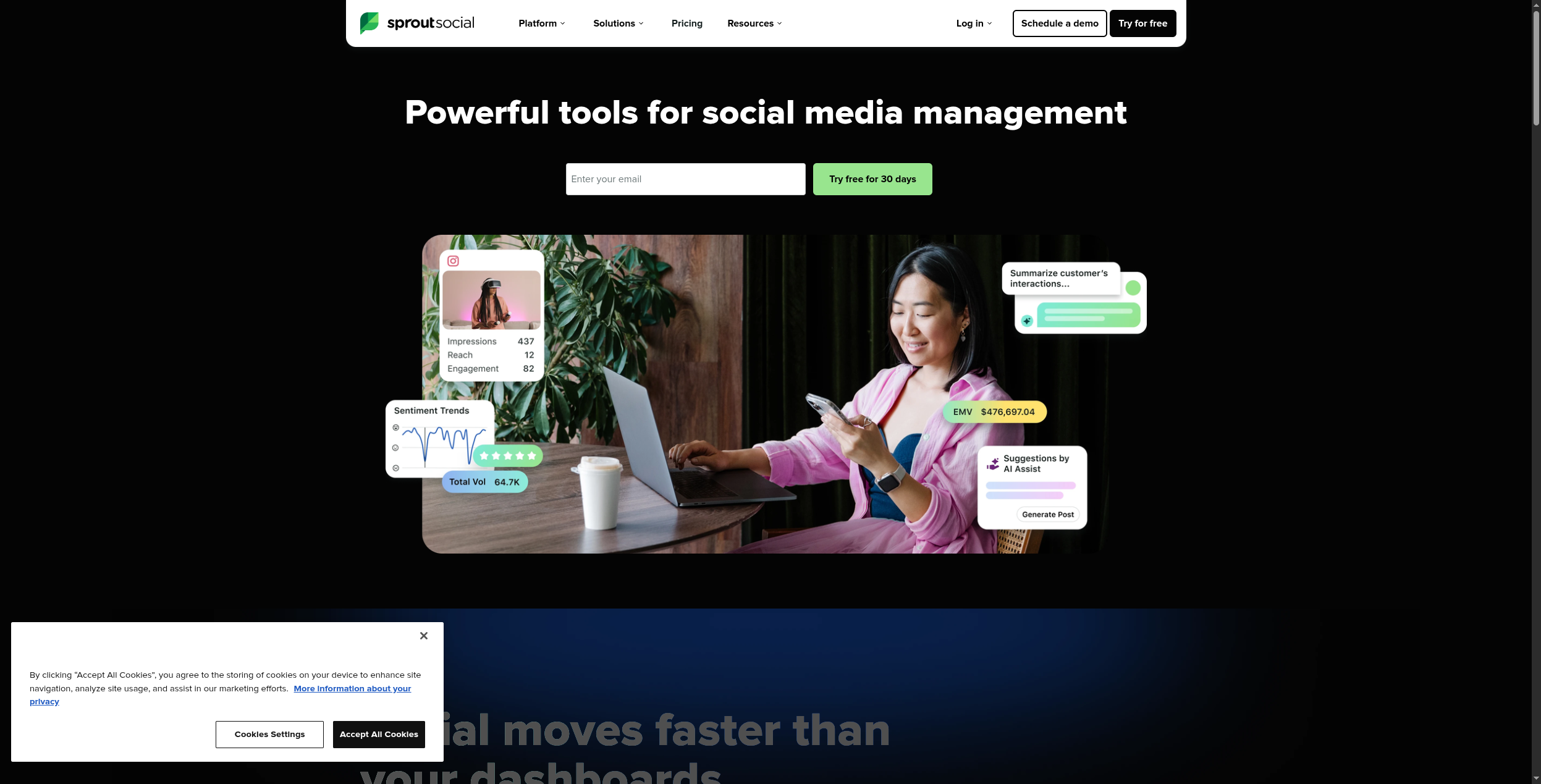
Sprout Social combines publishing, social listening, customer care, and enterprise analytics in a platform built for large marketing teams. Its Smart Inbox unifies all social messages — comments, DMs, mentions, and review responses — across all platforms in a single team response queue. The analytics suite — including competitor benchmarking, custom report builder, and premium analytics add-on — is the most comprehensive of any tool on this list, justifying the premium pricing for teams that need to demonstrate social ROI to executives.
The social listening capability (Listening add-on) monitors brand mentions, sentiment trends, competitor share of voice, and topic-level engagement across public social conversations. This is distinct from the basic monitoring streams in Hootsuite: Sprout’s Listening synthesises signal from millions of posts to surface trend lines, sentiment shifts, and emerging topics, rather than just showing a raw stream. The Bot Builder lets customer care teams automate routine DM responses for platforms like Facebook Messenger before escalating to a human agent.
Pricing:
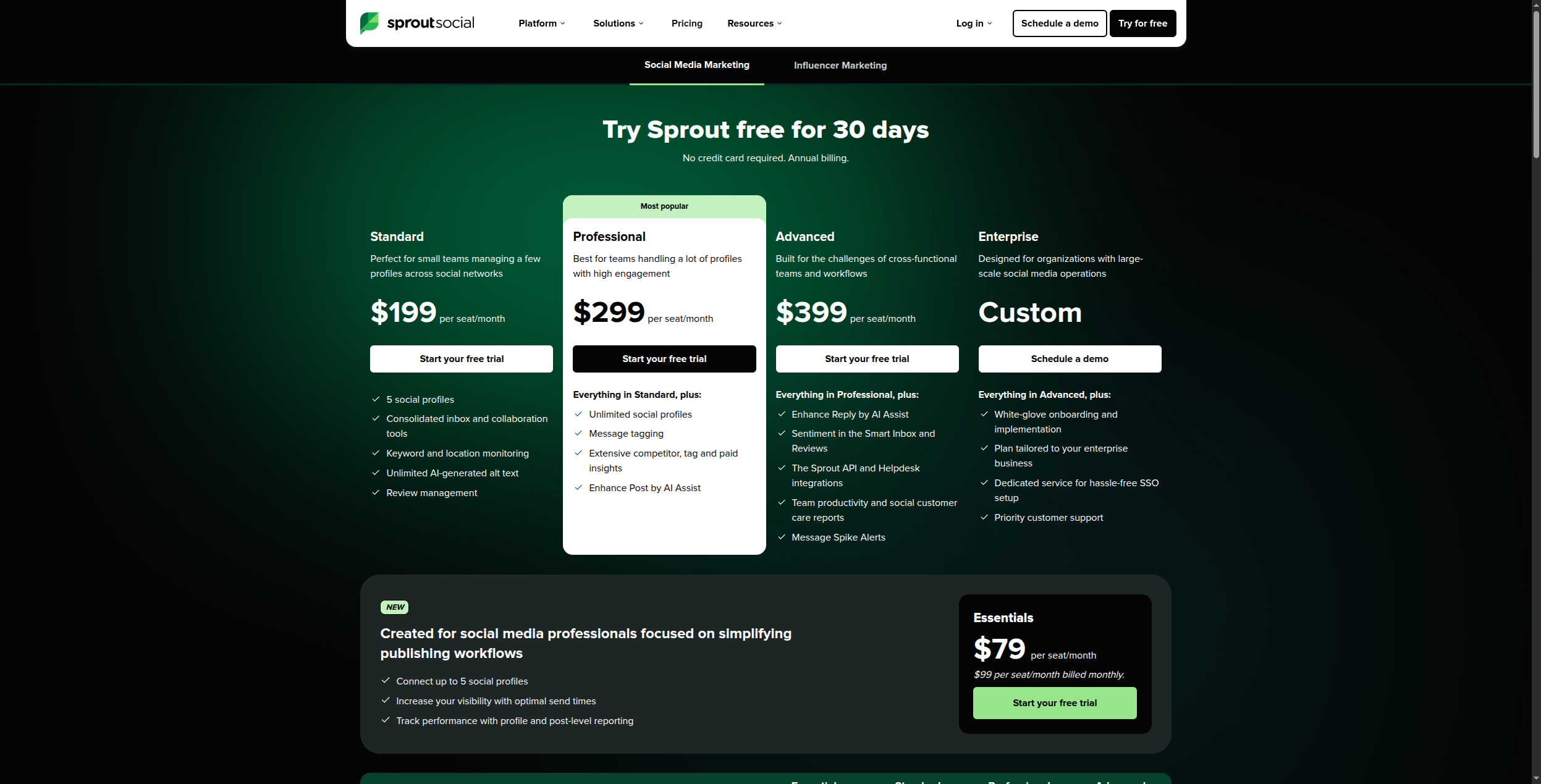
Standard — $249/month (5 users, billed annually). 5 social profiles, unlimited posts, Smart Inbox, basic analytics, scheduling, content calendar
Advanced — $499/month (5 users, billed annually). AI assist, sentiment analysis, CSAT surveys, digital asset library, approval workflows
Enterprise — Custom pricing. Premium analytics, Listening (separate add-on), API access, SSO, custom solutions, dedicated support
Key features:
Smart Inbox: unified queue for all messages, comments, and DMs across platforms with team assignment
Competitor benchmarking: compare engagement, posting frequency, and audience growth vs selected competitors
Custom report builder: drag-and-drop analytics reports with scheduled email delivery to stakeholders
Social Listening (add-on): sentiment tracking, share of voice, and trend detection across public conversations
Bot Builder: automate DM responses for routine queries before human agent escalation
Approval workflows: multi-level content approval with edit history and comment tracking
Employee Advocacy: internal content sharing programme for amplifying organic reach via team members
Asset library: brand-approved creative assets and templates for consistent team publishing
Pros:
Best analytics and reporting suite in the social management category — executive-ready reports built in
Unified Smart Inbox for customer engagement and care management across all platforms
Strong social listening capability (add-on) for brand monitoring and competitive intelligence
Solid team collaboration and approval workflows — enterprise governance for large social teams
Employee Advocacy feature turns employees into brand amplifiers for organic reach extension
Cons:
Most expensive tool on this list — starting at $249/month for 5 users before adding listening or advanced analytics
Publishing features are less innovative than Later (visual grid) or Buffer (clean UX)
AI content generation lags behind dedicated tools — more assistance than automation
Social Listening is a separate add-on, not included in base plans — adds significant cost
Best for: Enterprise marketing and customer care teams that need deep analytics, competitive intelligence, social listening, and multi-team governance in one platform — where the analytics reporting value justifies the premium pricing.
6. Publer — Best Value Feature-Rich Tool
Publer punches above its weight on features relative to price. It includes AI writing, auto-scheduling, content recycling, watermarking, RSS auto-posting, and bulk scheduling — all on plans starting at $12/mo. For small agencies managing multiple clients, the Agency plan offers unlimited workspaces at a fraction of Hootsuite’s price. It’s the tool you buy when you’ve outgrown Buffer but can’t justify Hootsuite’s pricing.
Publer’s RSS auto-posting feature automatically pulls new articles from any RSS feed and schedules them as social posts — making it a strong tool for content curators who want to share industry news without manual copy-paste work. The watermarking feature adds a brand logo to every image before publishing, ensuring brand consistency without opening a design tool. Publer AI (powered by OpenAI) writes caption variations, generates hashtag sets, and suggests posting ideas directly in the composer.
Pricing:
Free — $0/month. 3 social accounts, 10 scheduled posts per account, no RSS, limited analytics (14-day trial of premium features)
Professional — $12/month (billed annually). 5 social accounts, unlimited posts, RSS feeds, content recycling, bulk scheduling, basic analytics
Business — $21/month (billed annually). 10 social accounts, team collaboration, watermarking, link in bio, advanced analytics
AI writing assistant: generates captions, hashtag suggestions, and post ideas in the composer
RSS auto-posting: automatically turns new articles from any RSS feed into scheduled social posts
Content recycling: re-queues high-performing posts automatically after a defined interval
Watermarking: adds brand logo overlays to images before publishing — no design tool needed
Bulk scheduling: import and schedule posts via CSV or spreadsheet for campaign management
Link in bio: customisable landing page for Instagram and TikTok bio links
Auto-scheduling: AI recommends optimal posting times per platform based on engagement history
Multi-platform support: Instagram, Facebook, Twitter/X, LinkedIn, Pinterest, TikTok, Google Business Profile
Pros:
Excellent feature-to-price ratio — more features than Buffer at a similar or lower price point
RSS auto-posting automates content curation without manual copy-paste from news sources
Watermarking and brand kit for consistent visual identity across all published posts
AI writing built directly into the composer — no switching to a separate tool
Agency plan with unlimited workspaces makes it practical for freelancers managing multiple clients
Cons:
Interface is busier than Buffer or Later — more features means more visual complexity
Analytics are less powerful than Sprout Social or Hootsuite — no competitor benchmarking
Less well-known — smaller community, fewer tutorials, and limited third-party integrations
Free plan is quite restricted compared to Buffer’s free offering
Best for: Freelancers and small agencies needing a feature-complete social media tool — RSS curation, recycling, watermarking, and AI writing — at an affordable price.
7. SocialBee — Best for Content Variety and Recycling
SocialBee’s category-based content system is its defining differentiator: you organise posts into content categories (promotional, educational, curated, engagement, behind-the-scenes), define a posting schedule per category, and SocialBee automatically rotates through them to maintain a varied feed. This systematic approach to content variety means you never accidentally publish three promotional posts in a row or let educational content go dark for two weeks.
Evergreen content recycles automatically: posts at the end of a category queue cycle back to the beginning, so your best-performing content keeps working without being manually rescheduled. The AI post generator creates platform-native content for each social network within a category’s topic parameters — different copy for LinkedIn vs Instagram vs Twitter/X. Good native integrations with Canva (for visual creation) and Unsplash (for stock imagery) keep the creation-to-publishing workflow inside the platform.
Pricing:
Bootstrap — $29/month (billed annually). 5 social profiles, 1 workspace, all core features, 10 content categories, 14-day trial
Accelerate — $49/month (billed annually). 10 social profiles, 1 workspace, unlimited categories, AI writer credits, Canva integration
Pro — $99/month (billed annually). 25 social profiles, 5 workspaces, team collaboration, approval workflows, Unsplash integration
Pro50 — $179/month. 50 social profiles, 10 workspaces, team management, advanced analytics
Category-based scheduling: assign posts to content types and define per-category posting frequency
Evergreen recycling: posts automatically cycle through queue and restart when category is exhausted
AI post generator: writes platform-specific content variations within defined category topics
Canva integration: design visuals directly in Canva and publish through SocialBee without downloading
RSS import: automatically import and schedule articles from RSS feeds as social posts
Content calendar: visualise all scheduled posts across categories and platforms by day/week/month
Analytics: engagement reports per post, per category, and per platform with best-time insights
Approval workflows: team members submit, managers approve before publishing goes live
Pros:
Category-based scheduling ensures content variety automatically — no risk of imbalanced posting
Best evergreen content recycling system of any scheduling tool — top posts keep working indefinitely
AI content generator for platform-specific posts and images within the platform
Good Canva and Unsplash integrations keep creation and publishing in one workflow
Category analytics shows which content types perform best — informs strategy systematically
Cons:
Interface has a learning curve for the category system — takes time to set up properly
Analytics are less comprehensive than Sprout Social — no competitor benchmarking or deep reporting
Not ideal for news-driven or reactive social strategies — best suited to planned evergreen content
AI writer has credit limits on lower tiers — heavy users need higher plans
Best for: Coaches, consultants, and content creators who maintain an evergreen content library and need systematic automated variety across promotional, educational, and engagement content types.
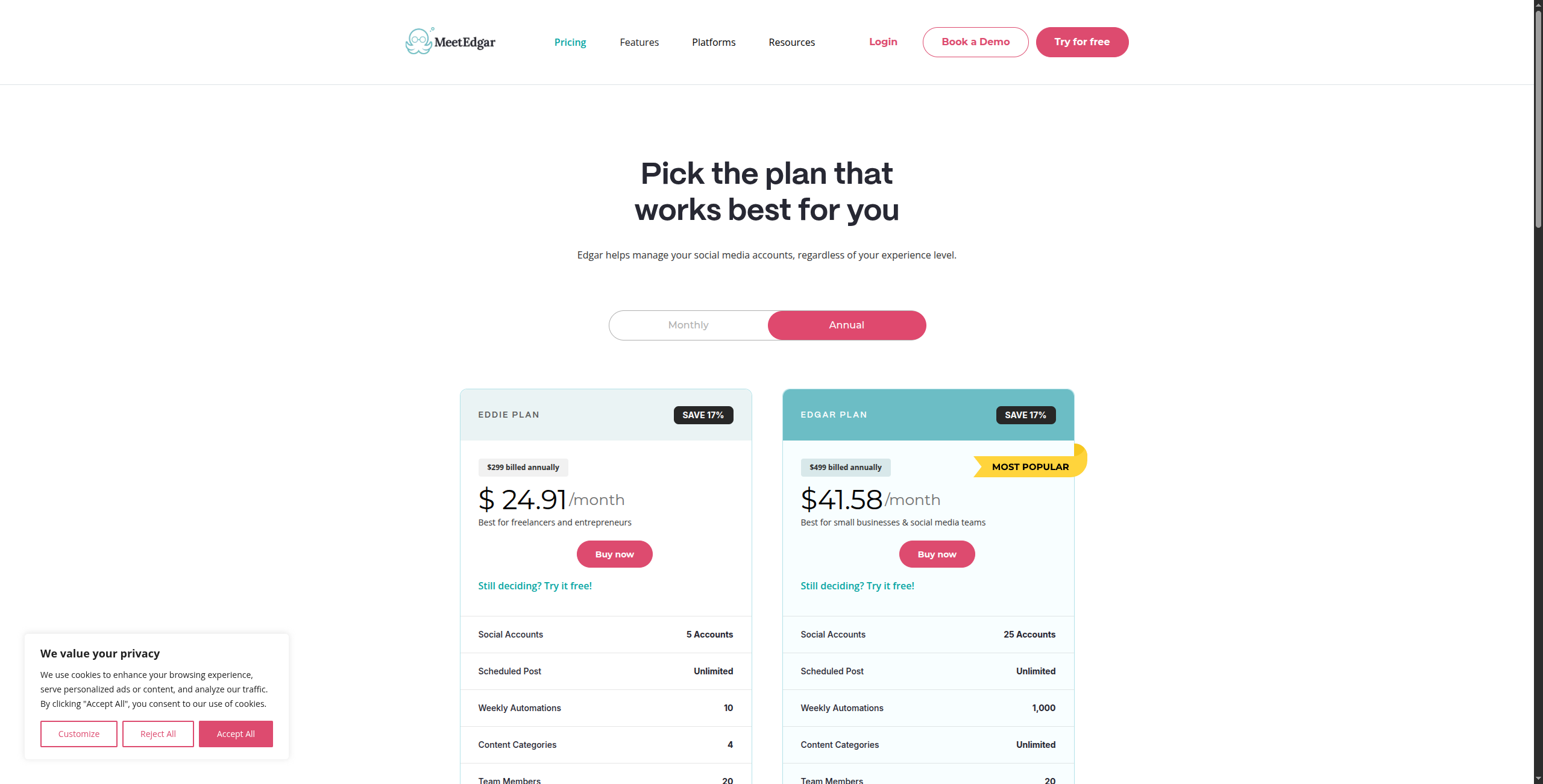
8. MeetEdgar — Best for Evergreen Content Recycling
MeetEdgar pioneered content recycling for social media and remains the most focused tool for teams whose primary social strategy is a library of timeless content rather than a daily content production pipeline. It automatically reshares your best-performing evergreen content when the queue runs dry — ensuring consistent posting without a team member manually scheduling every single piece day after day.
The Variations feature is a meaningful differentiator: for each piece of content in your library, MeetEdgar generates multiple reworded versions so the same underlying idea is expressed differently each time it recycles, reducing the “I’ve seen this before” feeling for long-term followers. The URL import tool automatically extracts key quotes from a blog post and turns them into multiple social post variations with one click — making it fast to build a content library from existing published content.
Pricing:
Eddie — $29.99/month (billed annually). 5 social accounts, 10 weekly automations, unlimited content library, 4 content categories
Edgar — $49.99/month (billed annually). 25 social accounts, unlimited weekly automations, unlimited categories, URL import, variations, reporting
Key features:
Evergreen content library: organise posts into categories with automatic recycling when queue is exhausted
Variations: auto-generate multiple reworded versions of each post for feed freshness over time
URL import: extract shareable quotes and summaries from any blog URL to create multiple posts instantly
Category scheduling: define separate posting schedules per content category and per social platform
Auto-publish: supports Facebook, Twitter/X, LinkedIn, Instagram, and Pinterest
Queue management: visual calendar showing which content is scheduled and when each piece will next publish
Browser extension: save content to MeetEdgar library while browsing without opening the app
Pros:
Best automatic content recycling of any tool tested — genuinely effective for evergreen-first strategies
Simple, clean interface focused on queue management — minimal features means minimal confusion
Variations feature writes multiple versions of the same post automatically for long-term freshness
Good LinkedIn and Twitter/X support — performs well for professional content strategies
URL import accelerates content library building from existing blog archives
Cons:
Limited analytics depth — basic performance metrics only, no competitor or audience growth reporting
No social listening or engagement inbox — not suitable for teams managing community responses
Less useful for news-driven or time-sensitive content that doesn’t recycle well
Limited platform support — no TikTok or YouTube scheduling
Best for: Personal brands, consultants, and small businesses that publish evergreen educational content and want their best posts to keep working without manual rescheduling.
9. Smartly.io — Best for Paid Social Advertising Automation
Smartly.io is in a different category from every other tool on this list — it’s a social advertising automation platform, not an organic scheduling tool. It automates the creation, testing, and optimisation of paid social ads across Meta (Facebook and Instagram), TikTok, Snapchat, Pinterest, and Google. Dynamic creative optimisation (DCO) automatically generates and tests thousands of ad variants at scale — combining headline variations, image assets, audience segments, and bid strategies into a factorial test matrix that no human team could manage manually.
The platform’s creative automation layer uses data-driven templates to generate personalised ad creative at scale: for a retail advertiser, it can automatically populate product images, prices, and promotional text from a product feed into a brand-approved template, creating thousands of unique ads in minutes. Creative Analytics identifies which creative elements (imagery style, copy length, CTA phrasing, colour) are driving performance — a level of granularity that standard Meta Ads Manager reporting doesn’t provide. Budget and bid automation optimises spend allocation across campaigns in real time based on performance data.
Pricing:
Enterprise — Custom pricing only. Smartly.io does not publish pricing; typically requires minimum ad spend of $100,000+/month to justify platform cost
Pricing is typically based on a percentage of managed ad spend, with implementation and success fees
Key features:
Dynamic Creative Optimisation (DCO): generates thousands of ad variants by combining creative elements programmatically
Creative automation: data-feed-driven templates that auto-populate product, pricing, and promotional content
Creative Analytics: granular reporting on which creative elements (image, headline, CTA) drive performance
Budget and bid automation: real-time spend reallocation across campaigns based on performance signals
Audience management: custom and lookalike audience creation and management at scale
Predictive Budget Allocator: AI model distributes budget across placements to maximise ROAS
Meta, TikTok, Snapchat, Pinterest, and Google channel integrations
Creative collaboration tools: brief management, approval workflows, and asset libraries for creative teams
Pros:
Best dynamic creative optimisation (DCO) for social advertising — generates and tests at a scale impossible manually
Automated A/B testing at massive scale across audience, creative, and bid combinations simultaneously
Strong creative asset management and team workflows for large creative production operations
Deep integration with all major paid social platforms in a single managed interface
Creative Analytics provides element-level performance insights standard ad managers don’t show
Cons:
Enterprise-only pricing — not accessible to small or mid-size teams or those below significant ad spend thresholds
Focused exclusively on paid social — no organic scheduling or community management
Requires significant ad spend ($100k+/month typically) to justify the platform cost
Complex implementation — typically requires a dedicated Smartly.io team or agency support
Best for: Enterprise performance marketing teams running large-scale paid social advertising programmes across multiple channels where creative volume and optimisation automation are the primary bottlenecks.
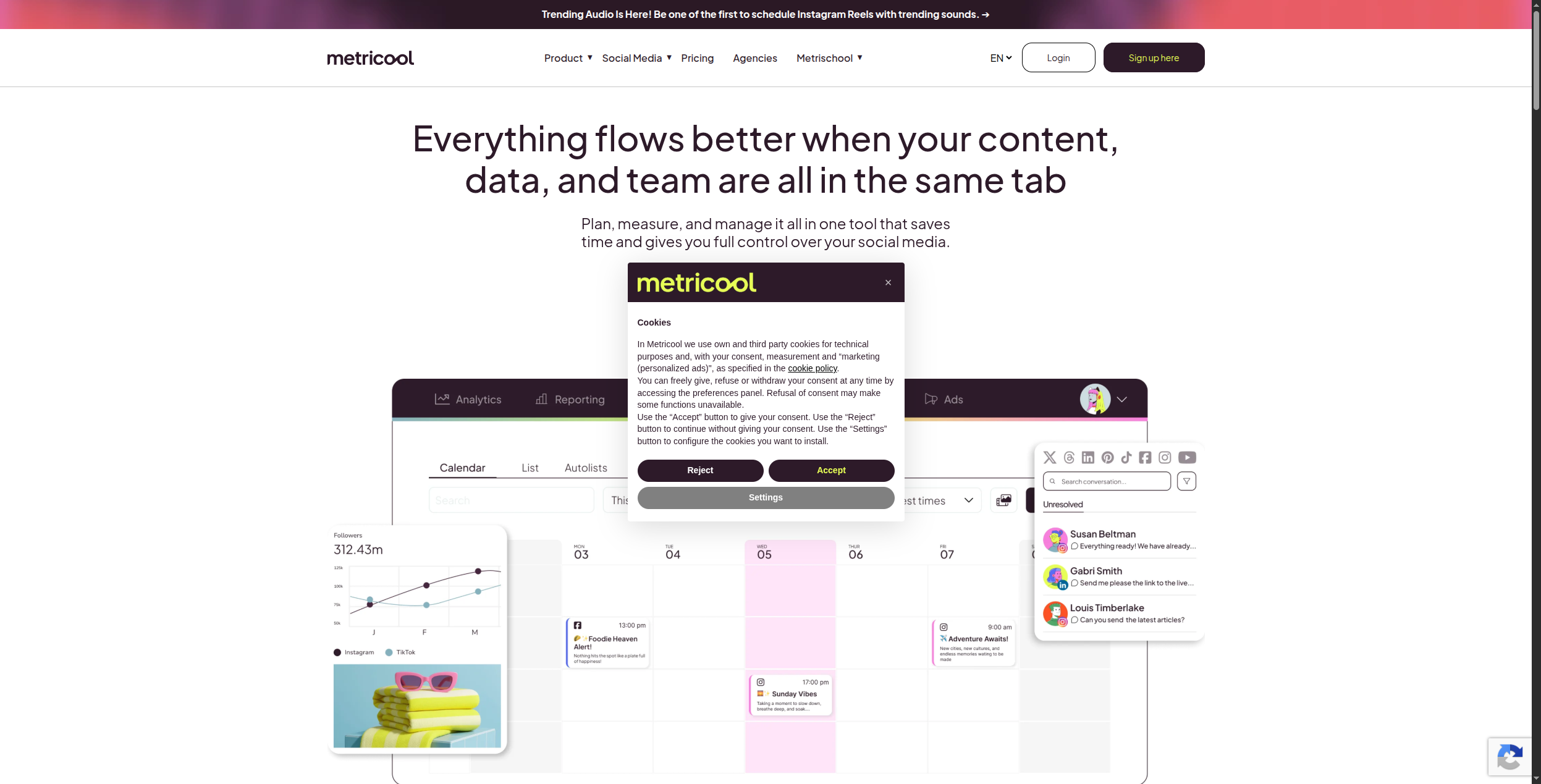
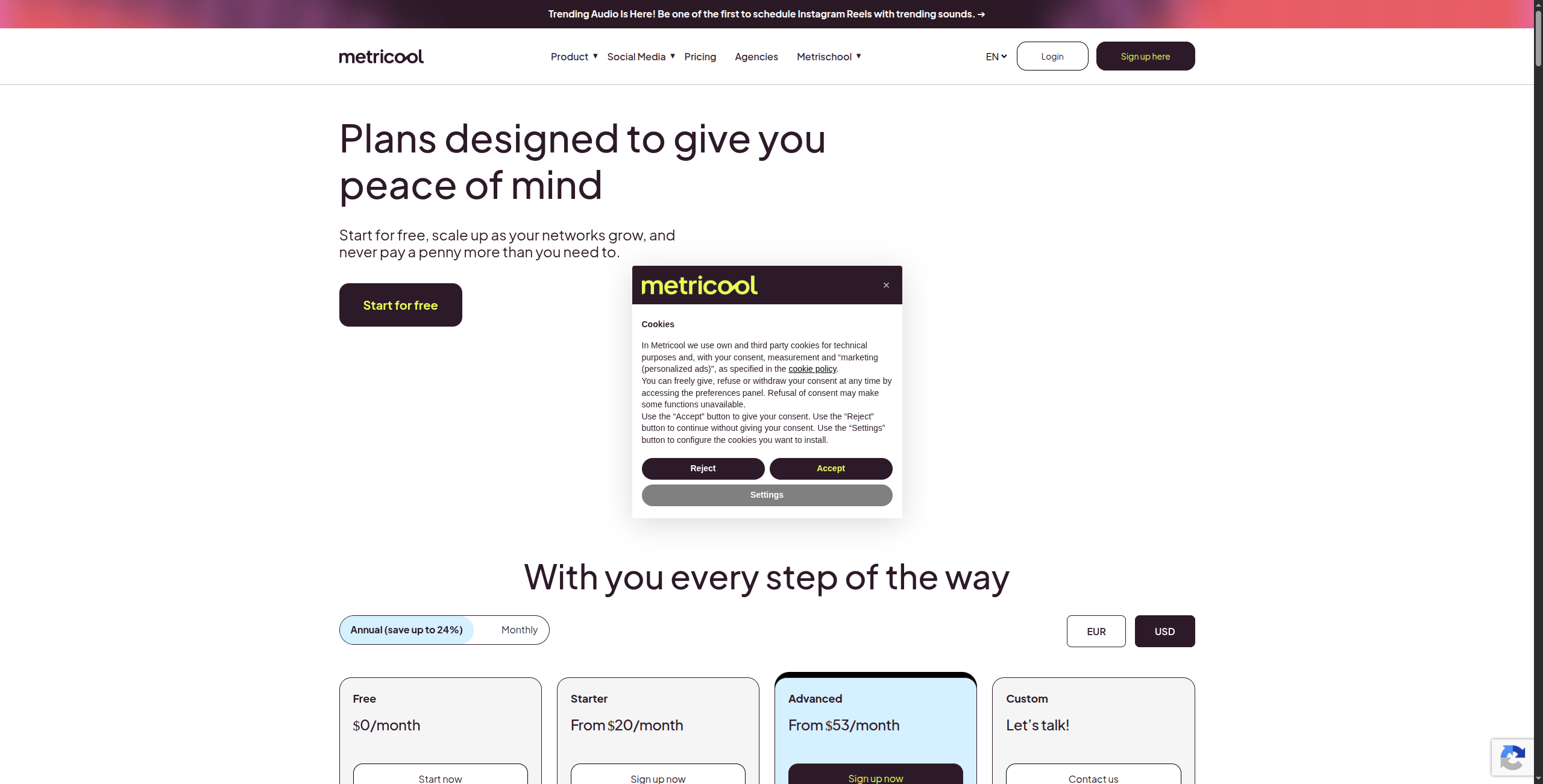
10. Metricool — Best Social Media Analytics Platform
Metricool stands out for its combination of scheduling, analytics, and competitor analysis at a very accessible price. The free tier includes analytics for unlimited social accounts (read-only) and basic scheduling — making it genuinely useful without payment, unlike Hootsuite’s feature-gated free version. The paid plans add unlimited scheduling, auto-posting, and a unified competitor tracking dashboard that rivals platforms costing 3x as much.
The competitor analysis feature is where Metricool earns its place on this list: you can track up to 100 competitor accounts across Instagram, Facebook, Twitter/X, LinkedIn, and YouTube — monitoring their posting frequency, engagement rates, top-performing content, and audience growth trends. This competitive intelligence informs your own strategy without paying for a separate analytics tool. The smart scheduling feature analyses your own historical engagement data and recommends the optimal posting times per platform, per day of week.
Pricing:
Free — $0/month. 1 brand, analytics and scheduling for all connected accounts, 50 scheduled posts/month, basic competitor tracking (3 accounts)
Competitor tracking: monitor up to 100 competitor accounts for posting frequency, engagement, and growth trends
Unified inbox: manage comments, DMs, and mentions across all connected platforms in one view
Smart scheduling: AI recommends optimal posting times based on your historical engagement patterns
Custom report builder: generate branded analytics reports with selected metrics for client or executive delivery
Hashtag analytics: track hashtag reach and engagement performance over time
Auto-publishing to Instagram, Facebook, Twitter/X, LinkedIn, Pinterest, TikTok, and YouTube
Paid social analytics: integrates Facebook Ads and Google Ads data alongside organic metrics
Content calendar: unified view of scheduled posts across all accounts with drag-and-drop rescheduling
Pros:
Generous free tier with real analytics access — one of the strongest free plans in the market
Best competitor benchmarking of any affordable tool — track 100 accounts at a fraction of Sprout Social’s cost
Unified inbox for basic engagement management across platforms in one view
Auto-best-time scheduling optimises posting times per account based on actual historical data
Paid social analytics integration connects organic and paid performance in one dashboard
Cons:
Analytics are less deep than Sprout Social for enterprise-grade reporting and custom attribution
Interface is functional but less visually polished than Buffer or Later
AI content features are basic — caption suggestions only, no full content generation
Free plan limits (50 posts/month, 3 competitor accounts) are restrictive for active teams
Best for: Small to mid-size teams that want solid analytics, competitor monitoring, and scheduling in one affordable platform — particularly those that need competitor intelligence without an enterprise analytics budget.
How to Choose the Right Social Media Automation Tool
By team size:
Solo creator/freelancer → Buffer (free) or Publer
Small team → SocialBee or Metricool
Mid-size marketing team → Hootsuite or Later
Enterprise → Sprout Social or Hootsuite
By content strategy:
Evergreen content library → SocialBee or MeetEdgar
News-driven/reactive → FlowHunt (monitors sources and auto-creates)
Visual-first Instagram/TikTok → Later
Paid social advertising → Smartly.io
By AI maturity:
Basic AI captions → Buffer, Later, Publer
Full pipeline automation → FlowHunt
For teams building social media into a broader content marketing strategy, our solutions for content marketing
page shows how FlowHunt handles the full content lifecycle. And for connecting social tools to your wider automation stack, see our best workflow automation tools guide
.
The Bottom Line
Buffer wins for simplicity. Hootsuite and Sprout Social win for enterprise teams that need monitoring and team management. Later wins for visual platforms. SocialBee and MeetEdgar win for evergreen content strategies.
But if you want social media content created automatically — not just scheduled — FlowHunt is the only platform that automates the full pipeline from research to publishing. For teams drowning in the manual work of content creation, that’s the most valuable automation available.
Frequently asked questions
Social media automation is the use of tools to handle repetitive social media tasks automatically — scheduling posts in advance, recycling evergreen content, auto-responding to comments, and generating performance reports. Advanced AI automation tools like FlowHunt go further, automatically researching topics, writing platform-specific posts, generating visuals, and publishing content with no manual input per post.
Buffer has the strongest free tier for scheduling (3 channels, 10 posts queued per channel). Metricool also offers a free plan with analytics and basic scheduling. For AI-powered content generation and automation, FlowHunt's free tier provides workflow execution credits. The 'best' free tool depends on whether your priority is scheduling (Buffer), analytics (Metricool), or full AI automation (FlowHunt).
Automation tools themselves don't hurt engagement — poor content and robotic posting schedules do. Teams that use automation for scheduling while maintaining authentic, audience-specific content consistently outperform those posting manually without a strategy. The risk is when automation replaces all human judgment: cookie-cutter content, tone-deaf timing, and ignoring community responses. Use automation for logistics, not for creativity and community management.
This varies by tool and plan. Buffer's free tier covers 3 channels; paid plans cover 8-100+. Hootsuite's paid plans start at 10 social accounts. SocialBee covers unlimited accounts on higher-tier plans. Publer supports unlimited accounts on Agency plans. For enterprise teams managing 50+ accounts, Hootsuite, Sprout Social, and Smartly.io are the most scalable options.
Yes — and this is where the market is splitting. Traditional scheduling tools (Buffer, Later) are adding basic AI writing features. Purpose-built AI platforms like FlowHunt can fully automate the entire content pipeline: research trending topics, write platform-native posts for each network, generate images, and schedule publishing — without a human writing each piece individually. This is the emerging standard for teams managing high content volumes.
Arshia is an AI Workflow Engineer at FlowHunt. With a background in computer science and a passion for AI, he specializes in creating efficient workflows that integrate AI tools into everyday tasks, enhancing productivity and creativity.
Arshia Kahani
AI Workflow Engineer
Automate Your Social Media with AI — Try FlowHunt Free
FlowHunt goes beyond scheduling. Build AI workflows that research trending topics, write platform-specific posts, generate images, and publish automatically — end-to-end.
10 Best Marketing Automation Software Platforms in 2026: Ranked and Reviewed
The 10 best marketing automation software platforms in 2026, ranked by AI capability, ease of use, and pricing. Find the right platform for your team's size and...
Best Workflow Automation Tools in 2026: 12 Platforms Ranked and Reviewed
Ranked and reviewed: the 12 best workflow automation tools in 2026. Comparison table, pricing, free tiers, and a clear verdict on which platform fits your team.
10 Best Sales Automation Tools in 2026: Ranked and Reviewed
The 10 best sales automation tools in 2026, ranked by outreach capability, AI personalisation, CRM integration, and pricing. Close more deals with less manual e...
25 min read
Sales Automation
AI Tools
+2
Cookie Consent We use cookies to enhance your browsing experience and analyze our traffic. See our privacy policy.