How to Build a Customer Service Chatbot from Your Existing Knowledge Base
Learn how to use an AI customer service chatbot builder to turn your FAQs, help docs, and product guides into a 24/7 support bot. Simply connect, configure, test, and deploy.
A customer service chatbot is only as good as the knowledge it’s trained on. Bolt a generic bot onto your website and you’ll get generic answers, and trust us, the customers will notice immediately. One widely cited survey
found that as many as 70% of users have sworn at a chatbot out of pure frustration, and a separate Forrester-commissioned study
found that 30% of consumers who have a bad chatbot experience take their business elsewhere, abandon the purchase, or tell others about it.
Building a chatbot from your existing documentation, FAQs, help articles, product guides, is the fix here, and it can take just minutes with the rightAI customer service chatbot builder. Here’s how to connect your knowledge base and deploy a support chatbot in a fraction of the time.
From Rule-Based Bots to Knowledge-Base Chatbots
Customer service chatbots have gone through three distinct generations, and most of the frustration customers report traces back to whichever generation a business is still stuck on.
Generation one: rule-based bots. The earliest chatbots were built on decision trees, where a customer picks from a menu of pre-written options, or the bot pattern-matches a handful of expected phrasings. The moment a question is phrased differently or goes outside of the script, the bot would either loop, misfire, or hand out a generic non-answer. These bots don’t understand language so much as match it against a fixed script, so anything outside that script is a dead end by design.
Generation two: generic AI chatbots. Swapping the decision tree for a general-purpose LLM fixes the language problem. The bot can now parse an oddly phrased question and reply fluently, but it doesn’t fix the knowledge problem. A generic AI chatbot still doesn’t know anything about the business it’s representing. Worse, an ungrounded LLM will often answer confidently anyway, producing a fluent, plausible-sounding response that’s simply wrong. The main point of frustration here is the gap between what the customer needs and what the bot actually knows.
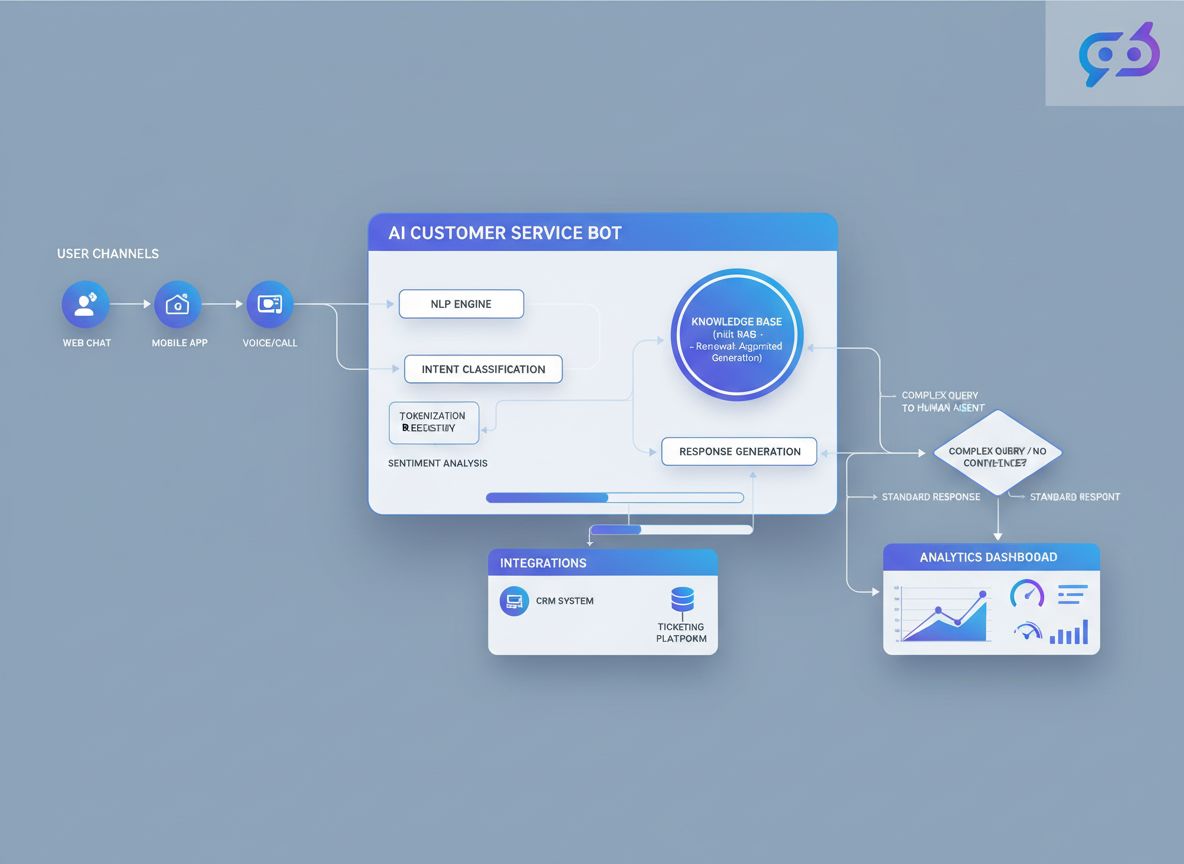
Generation three: knowledge-base & real-time internet access chatbots. A knowledge base chatbot solves both problems at once. Instead of scripting every possible conversation path, or relying on whatever an LLM happened to learn during training, you connect the documentation you already maintain, and optionally real-time internet access, and the bot searches that content live, on every question. Every response reflects your actual policies and offerings instead of a scripted menu or a generic, ungrounded guess.
You can see the same underlying approach in action in FlowHunt’s ChatGPT with Internal Knowledge
demo, which answers live questions using FlowHunt’s own internal documentation. The same mechanism a customer-facing support bot runs on, just pointed at your content instead.
Step-by-Step: Build Your First Support Chatbot
Building a knowledge-base-grounded support chatbot comes down to six steps.
1. Set up scheduled crawls. FlowHunt’s Schedules feature
lets you crawl and re-crawl your public content automatically, so the bot stays current without manual re-uploads. Point a schedule at your website (domain crawl), your public documentation (sitemap crawl), your pricing page or another frequently changing page (single URL crawl), or even outside sources you want the bot to draw on. Set the frequency — daily, weekly, monthly, or yearly — based on how often that content actually changes.
2. Upload your documents. In FlowHunt’s Documents feature
, navigate to Documents, click Add Document, and choose either Upload from file or Upload from URL. This is the path for proprietary and non-public knowledge — internal policies, product specs, or support playbooks you don’t want to (or can’t) publish publicly but still want the chatbot to draw on. Indexing takes a couple of seconds per document.
3. Optionally, add real-time internet access. Connecting a real-time search retriever, such as Google Search or DuckDuckGo Search, lets the bot pull in live results for questions your indexed content doesn’t cover. Unlike your documents and scheduled crawls, this content isn’t something you’ve vetted, so it’s much harder to police what the bot ends up citing or repeating to a customer.
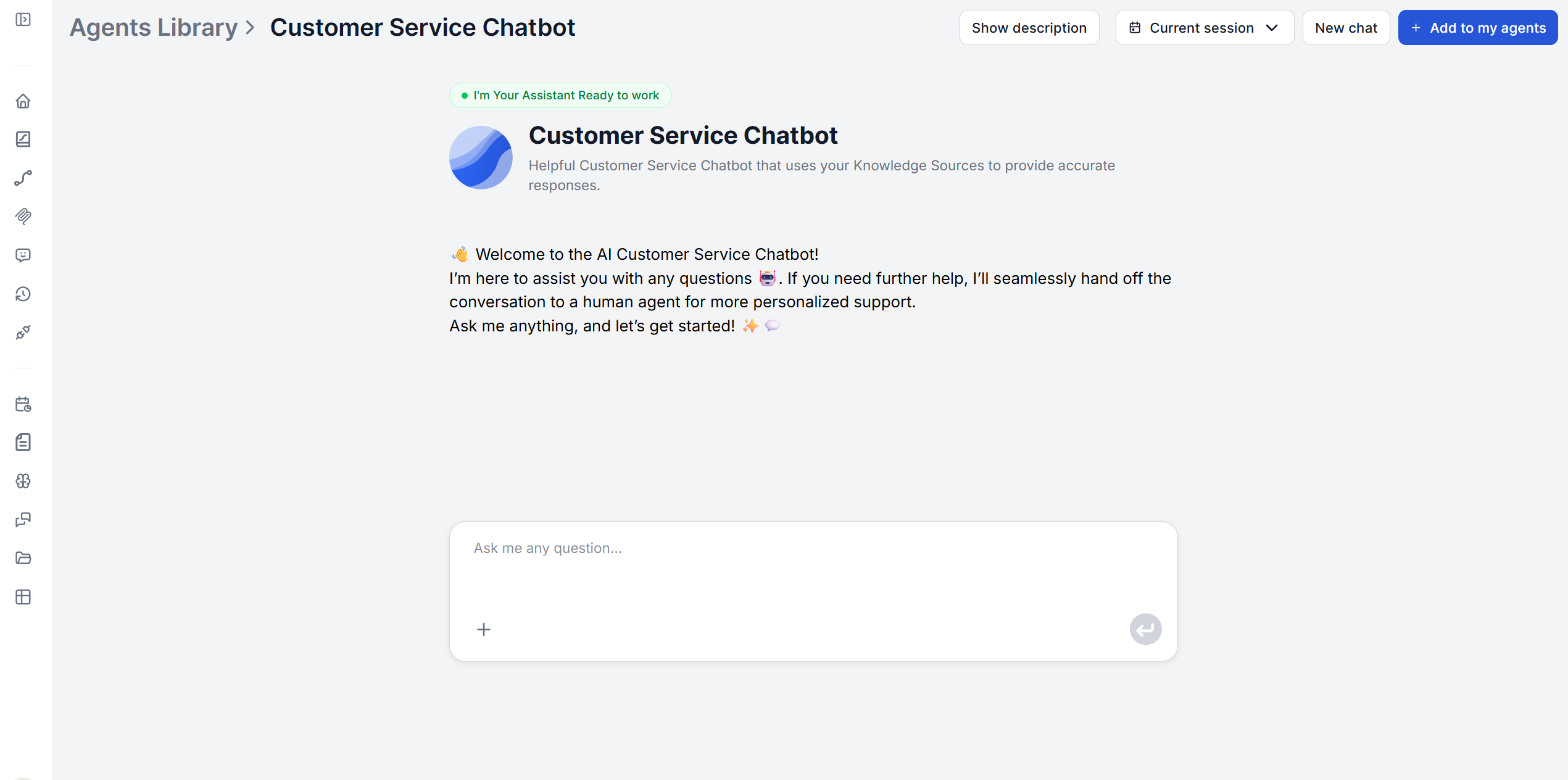
4. Configure the welcome message and prompt. When a chat session opens, the bot greets the visitor with a welcome message, then waits for their question. The prompt behind that conversation is a template you control directly. It defines the bot’s persona, tone, and what happens when a question falls outside the knowledge base (more on that below).
5. Test with real questions. Before anything goes live, run it through actual past support questions, not just the ones you expect (see the testing section below).
6. Deploy it. Once you’re satisfied with the responses, deploy the chatbot on your website, support portal, or any platform that accepts an embeddable chat widget — no separate infrastructure to stand up.
What to Include in Your Knowledge Base for Best Results
The chatbot’s document knowledge source accepts PDF, DOCX, Markdown, and TXT files, along with HTML pages and YouTube videos added by URL. Other file types can still be uploaded, they’re likely to be flagged as an unrecognized format but may still be usable.
A few things make a meaningful difference in answer quality:
Organize with categories. Group documents by topic (billing, onboarding, troubleshooting) so retrieval pulls the most relevant chunk rather than searching a flat, undifferentiated pile.
Prioritize your highest-traffic content first.FAQs and top support articles
give the biggest accuracy return for the least setup effort.
Keep it current. A knowledge base chatbot is only as accurate as the documents behind it. See our guide on how to keep your knowledge base up to date
for ways to automate that refresh instead of doing it manually every time something changes.
A well-written welcome message also matters more than it seems. It’s the customer’s first signal that they’re talking to something that actually knows the product, not a generic script. For examples and patterns, see well-designed chatbot welcome messages
.
How to Test Your Chatbot Before Going Live
Test with the questions customers actually ask. Pull a sample of real historical tickets or FAQ submissions and run them through the bot before launch.
While you’re at it, verify each document was indexed correctly rather than assuming it worked. You can inspect this directly by opening a document’s detail view and checking its content tree, which reveals exactly what the system extracted from that file. A document that silently failed to index correctly will produce confidently wrong answers, which is worse than no answer at all.
Finally, test the failure path deliberately. Ask something you know isn’t covered in the knowledge base, and confirm the bot escalates gracefully instead of guessing.
Join our newsletter
Get latest tips, trends, and deals for free.
Escalation Design: When the Bot Hands Off to a Human
A knowledge-base chatbot should never bluff. The prompt behind FlowHunt’s Customer Service Chatbot is explicitly instructed that if it doesn’t know the answer, it should provide offer to hand-off to human support rather than fabricate an answer.
Design this deliberately rather than leaving it as an afterthought:
Decide what “out of scope” means for your knowledge base, and make sure the prompt reflects it.
Point the fallback at a real, monitored channel — a support email, a ticket form, or a live chat queue — not a dead end. FlowHunt also connects directly to help desk software you may already run your escalation queue through, such as LiveAgent
, via its integrations library
, so the handoff can land in a tool your team is already watching rather than a new inbox no one checks.
Review conversations where escalation triggered. They’re a direct signal of gaps in your documentation.
Measuring Chatbot Success: The Right Metrics
Once live, every conversation is a data point. Given how quickly a single bad chatbot interaction can push a customer to churn or complain publicly, treating these metrics as an early-warning system pays off:
Resolution vs. escalation rate— how often the bot answers fully versus hands off to a human. A rising escalation rate on a specific topic usually means a documentation gap, not a bot failure.
Repeat questions and confusion patterns — recurring questions the bot handles poorly point directly at content that needs rewriting or expanding.
Customer satisfaction on bot-handled conversations, tracked separately from human-agent conversations so you’re not conflating the two.
Conclusion
Generic chatbots frustrate customers because they answer from a script or a general-purpose model instead of your actual content. Connecting your existing knowledge base fixes that at the source. The bot answers from your documentation, escalates honestly when it doesn’t know something, and gets more accurate every time you update what it’s connected to. The teams that get the most out of a knowledge-base chatbot treat testing, escalation review, and knowledge updates as an ongoing habit, not a launch checklist.
Ready to put your own documentation to work? Try the Customer Service Chatbotand turn your existing knowledge base into a support bot your customers can actually rely on.
Frequently asked questions
FlowHunt's document knowledge source accepts PDF, DOCX, Markdown, and TXT files, plus HTML pages and YouTube videos added by URL. Other file types can be uploaded too — they'll be marked as unknown format but may still be usable.
The chatbot's prompt is configured to recognize when a question falls outside the connected knowledge base and respond by offering a support link or handoff instead of guessing, so customers are never left with a fabricated or misleading answer.
Yes. The prompt template controlling the bot's persona, tone, and escalation behavior is fully editable, so you can match your brand voice and support standards without touching code.
Once your knowledge base is connected and the prompt is configured, the chatbot deploys as a chat widget on your website, support portal, or any platform that accepts an embeddable chat interface.
It depends on how often your underlying content changes. Dynamic information like product or policy updates warrants daily or weekly refreshes, while largely static documentation can be reviewed monthly. See our guide on how to keep your knowledge base up to date for automation options.
Maria is a copywriter at FlowHunt. A language nerd active in literary communities, she's fully aware that AI is transforming the way we write. Rather than resisting, she seeks to help define the perfect balance between AI workflows and the irreplaceable value of human creativity.
Maria Stasová
Copywriter & Content Strategist
Turn Your Knowledge Base Into a 24/7 Support Chatbot
FlowHunt's Customer Service Chatbot connects directly to your documentation, FAQs, and support materials to deliver accurate, always-on answers — no coding, no retraining. Try it free and see how fast you can go live.
How Can I Make an AI Bot That Talks to Customers 24/7? The Definitive Guide
Learn how to design, build, and deploy a 24/7 AI customer service bot. Includes real-world case studies, technical breakdowns, best practices, actionable steps,...
Discover how a customer service chatbot can enhance your support operations with quick, accurate responses, 24/7 availability, and seamless platform integration...
5 Customer Service Scenarios Where AI Chatbots Outperform Human Agents
Five specific customer service scenarios, from repetitive FAQs to after-hours coverage, where AI chatbot customer service use cases consistently beat human agen...
5 min read
AI
Chatbot
+4
Cookie Consent We use cookies to enhance your browsing experience and analyze our traffic. See our privacy policy.