

Shopify
Integrate FlowHunt with Shopify to automate product discovery, order tracking, and streamline your e-commerce workflows with AI.
2 min read
AI
Shopify
+3
Integrating XML product feeds into FlowHunt enables your AI agents to automatically access product information and answer customer questions about inventory, pricing, specifications, and availability. This guide shows you two simple methods to connect your product catalog to FlowHunt flows.
XML product feeds are structured data files containing product information such as names, descriptions, prices, SKUs, categories, and availability. By connecting these feeds to FlowHunt, your AI agents can instantly search through thousands of products and provide accurate, real-time information to customers.

Start your free trial today and see results within days.
Before starting, ensure you have:
This method is ideal when you have an XML file to upload directly into FlowHunt.
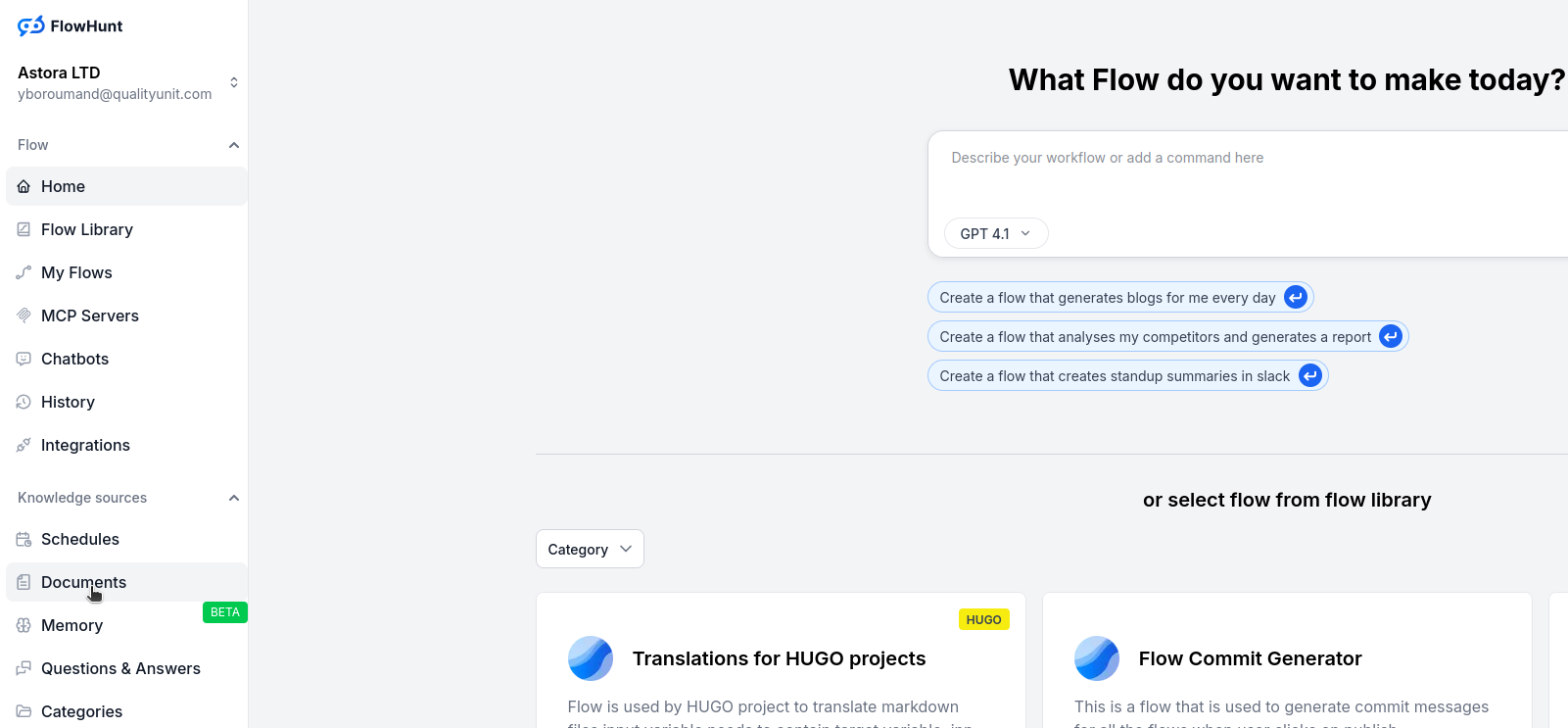
Go to the Documents tab in FlowHunt and click Add Document.
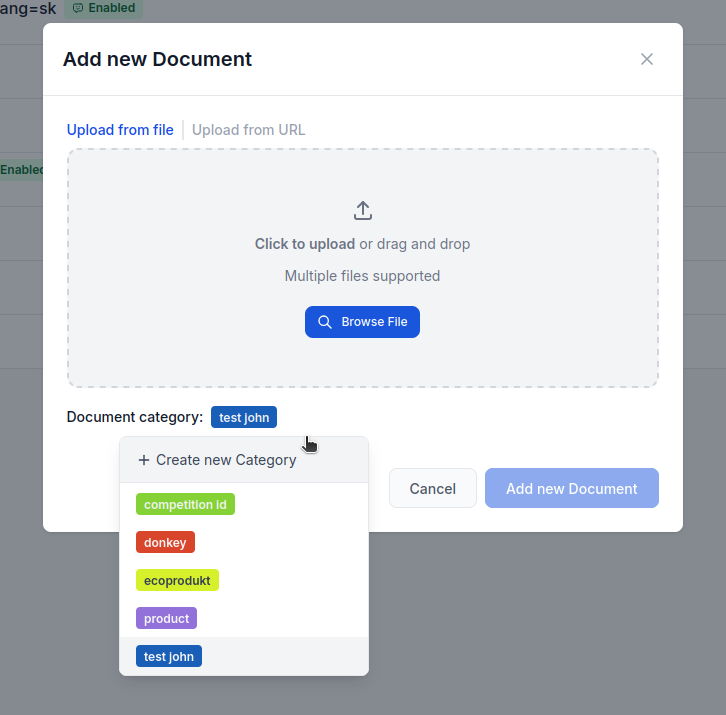
Create or choose a category, then drag and drop your XML file into the upload box.
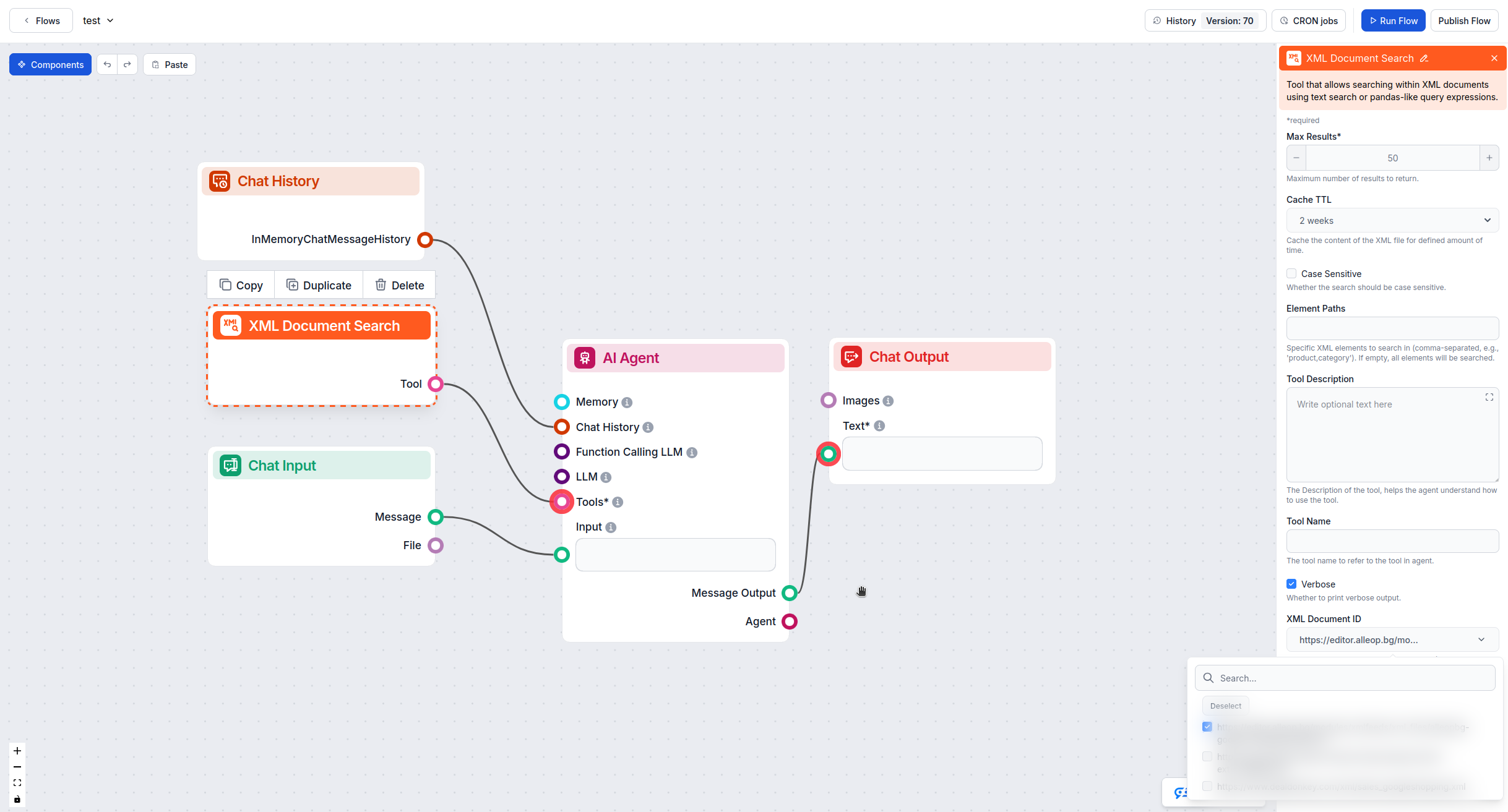
Go to the Flow Editor, open your flow, and drag the XML Document Search tool onto your canvas. Connect it to your AI agent.
Click on the XML Document Search component, go to Advanced Settings, and select your uploaded XML file from the XML Document ID dropdown.
Get latest tips, trends, and deals for free.
This method works when your XML feed is hosted online and accessible via URL.
In the Flow Editor, drag the XML Document Search tool onto your flow canvas.
Click the component, scroll to Advanced Settings, and paste your XML feed URL into the XML File URL field.
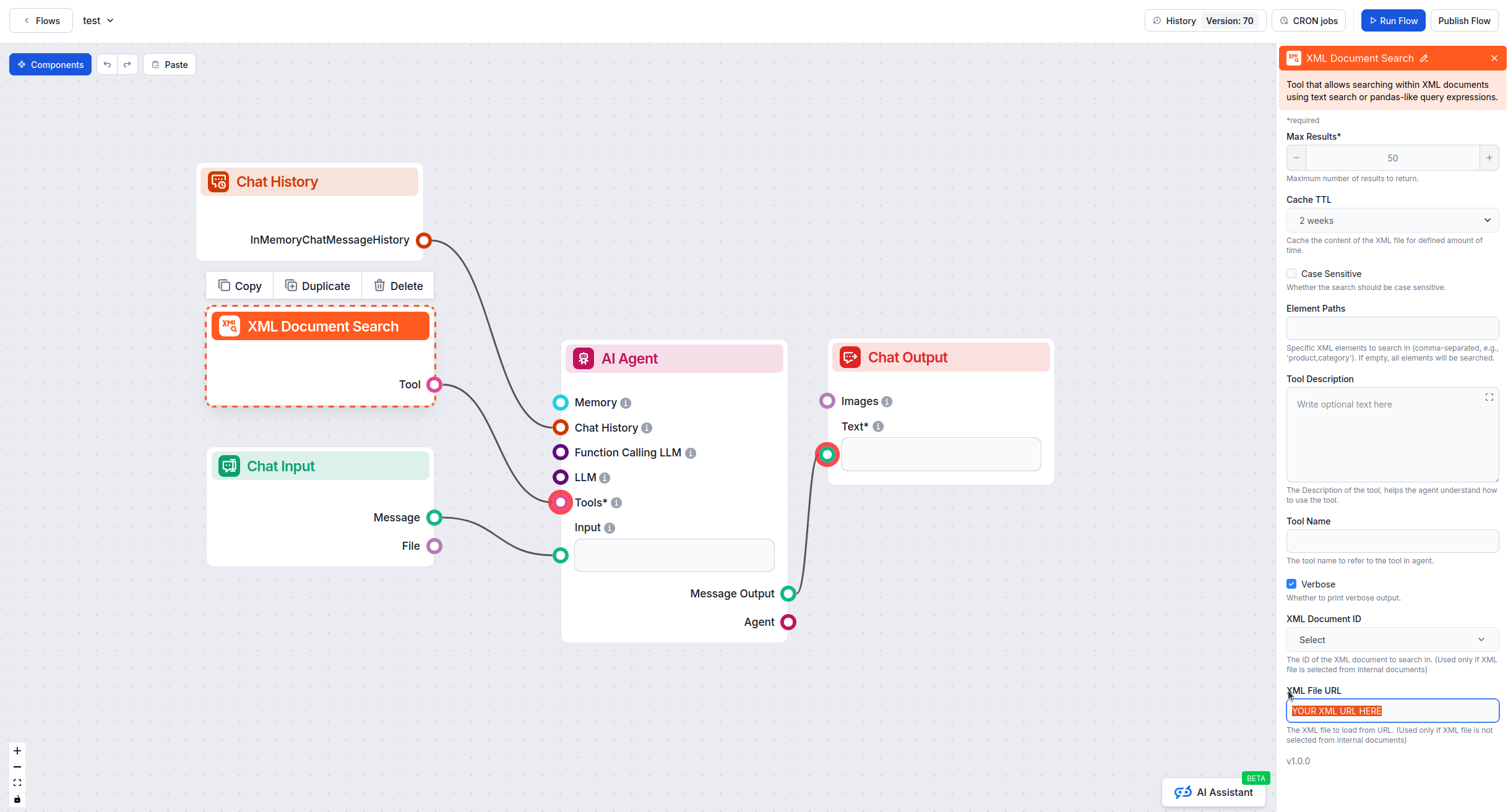
Connect the XML Document Search tool to your AI agent component to enable product queries.
Upload Method (Method 1):
URL Method (Method 2):
After setup, test your flow by asking product-related questions:
Verify that your AI agent retrieves accurate information from the XML feed.
By following these steps, you can successfully integrate XML product feeds into FlowHunt and empower your AI agents with comprehensive product knowledge.
FlowHunt supports XML file format for product feed integration. You can upload XML files directly through the Documents tab or connect to XML feeds via URL.
Yes, if your XML product feed is accessible via URL, you can integrate it directly by adding the XML Document Search tool to your flow and entering the URL in the XML File URL field in the advanced settings.
After uploading your XML file to the Documents tab, add the XML Document Search tool to your flow editor, attach it to your AI agent, and select the uploaded document from the XML Document ID dropdown in the component's advanced settings.
Use file upload if your catalog changes infrequently or isn't publicly accessible. Use URL method if your product feed updates automatically and you want FlowHunt to always access the most current information.
Integrate FlowHunt with Shopify to automate product discovery, order tracking, and streamline your e-commerce workflows with AI.

Generate compelling and accurate product descriptions effortlessly. Learn how to create your own Product Description Generator in FlowHunt.
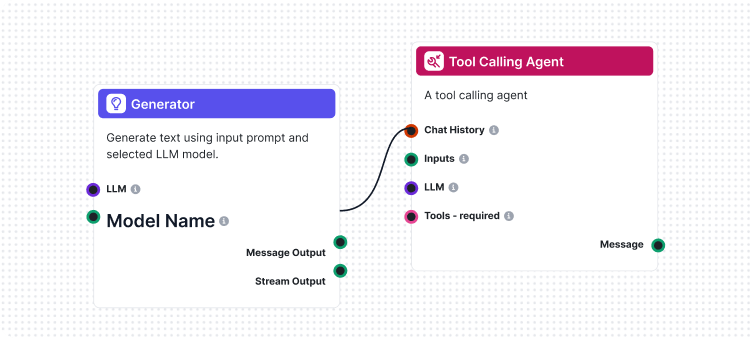
Flows are the brains behind it all in FlowHunt. Learn how to build them with a no-code visual builder, from placing the first component to website integration, ...
Cookie Consent
We use cookies to enhance your browsing experience and analyze our traffic. See our privacy policy.