


AI Chatbot met LiveChat.com-integratie
Implementeer een AI-gestuurde chatbot op uw website die gebruikmaakt van uw interne kennisbank om klantvragen te beantwoorden en complexere of onopgeloste vrage...
4 min lezen
Integreer FlowHunt Chatbot met LiveChat voor moeiteloze menselijke ondersteuning. Laat AI-agenten beslissen wanneer chats worden overgedragen, voor soepele overgangen en hogere klanttevredenheid.
Componentbeschrijving
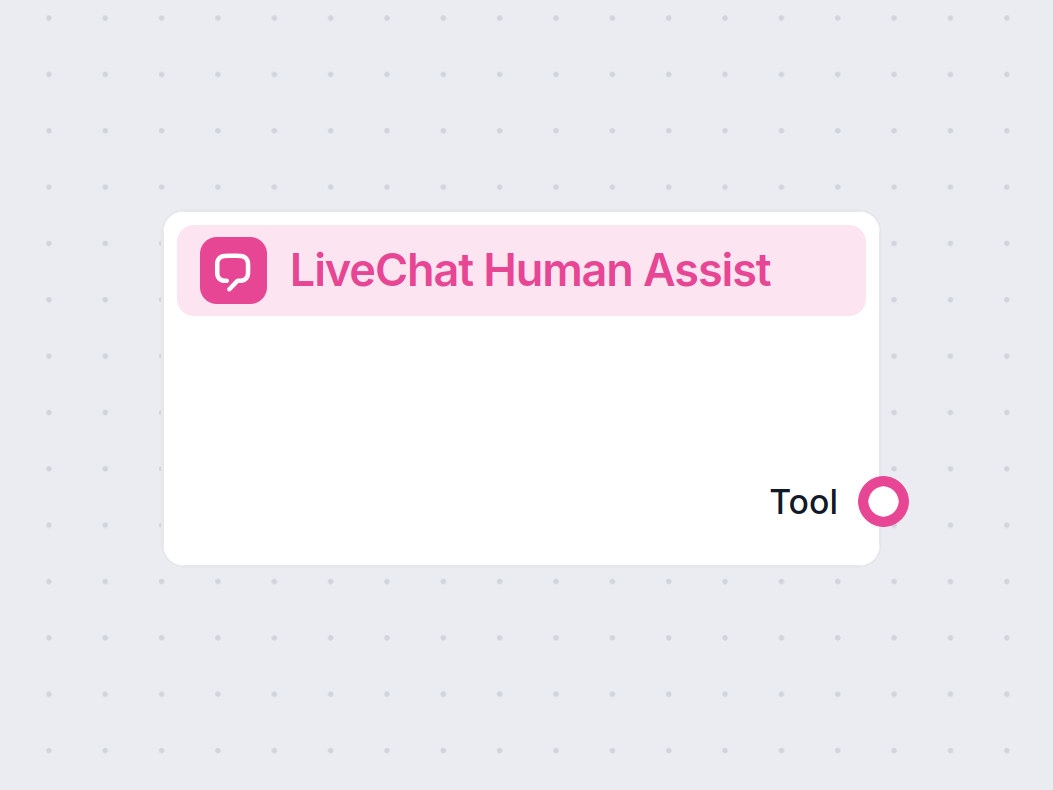
De LiveChat Human Assist Tool verbindt de FlowHunt AI-chatbot met je LiveChat.com-workspace, zodat bezoekers naar een menselijke agent in de LiveChat-wachtrij gaan op het moment dat je AI-agent escalatie beslist. In tegenstelling tot de LiveAgent- of Freshchat-integraties is deze component specifiek voor de LiveChat.com SaaS — je hebt alleen een LiveChat-licentiesleutel nodig, en het chatvenster na overdracht is de native LiveChat-widget die je team al gebruikt.
The Human Assist Tools allow you to integrate your Flows with the leading customer service solutions. Once integrated, an AI Agent decides when connecting to human support is the better option.
AI Agents are computer programs that can perform tasks or make decisions independently. The Agents observe their environment, process information, and take action. Their decisions are based on their unique programming, knowledge, and goals.
The LiveChat Human Assist Tool tells the AI agent to look out for whenever a user might prefer human assistance. If the user accepts to be transferred, the chatbot immediately transforms into your LiveChat chat window.
The Agent will offer human support whenever it can’t answer a question, detects a negative sentiment, or when a user specifically asks to be transferred. This means a significant reduction in AI hallucinations and annoyed customers.
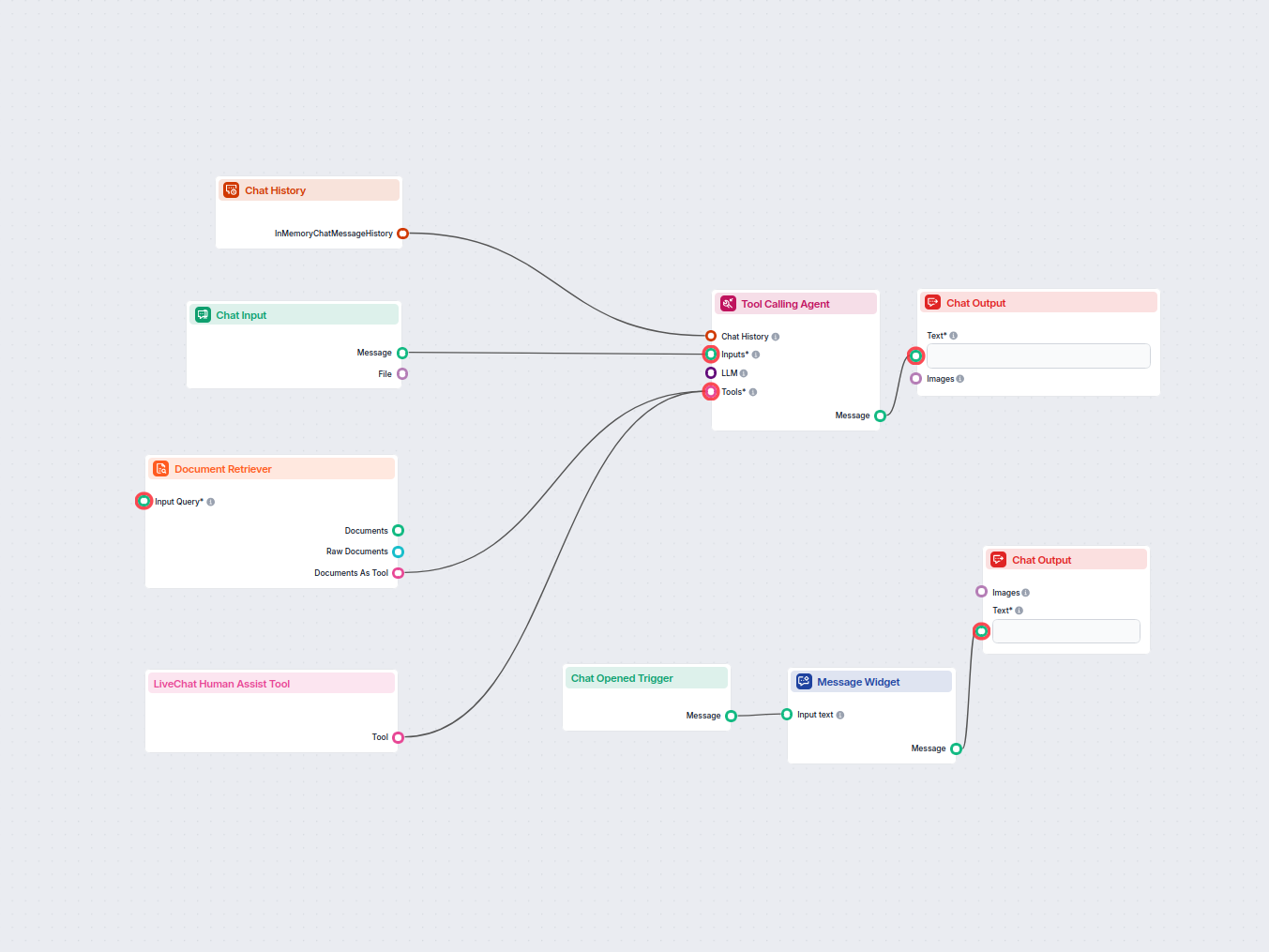
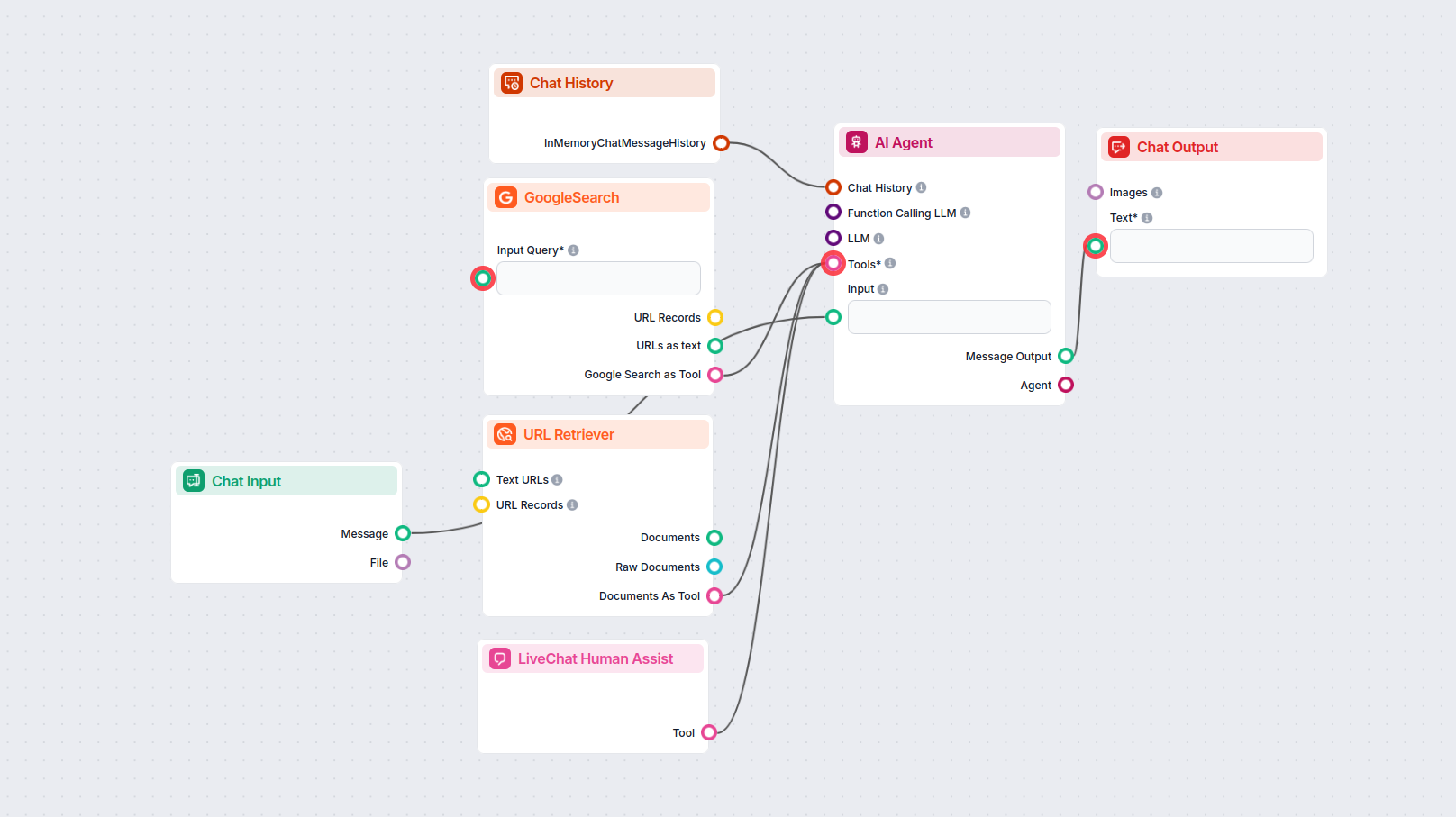
Thanks to the use of agents, the integration Flow is super simple and contains just a few components:
TIP:
You can take a shortcut and simply use our Chatbot template with LiveChat integration.
If you’re looking to build on your own:
To integrate with LiveChat, you’ll need your LiveChat License key. Here’s how to get it:
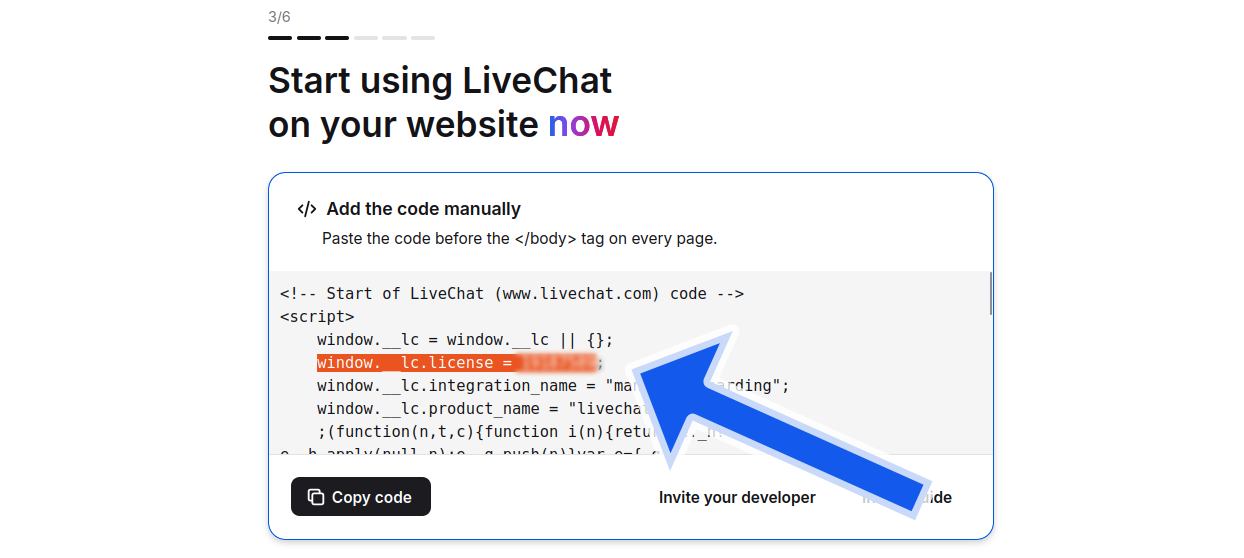
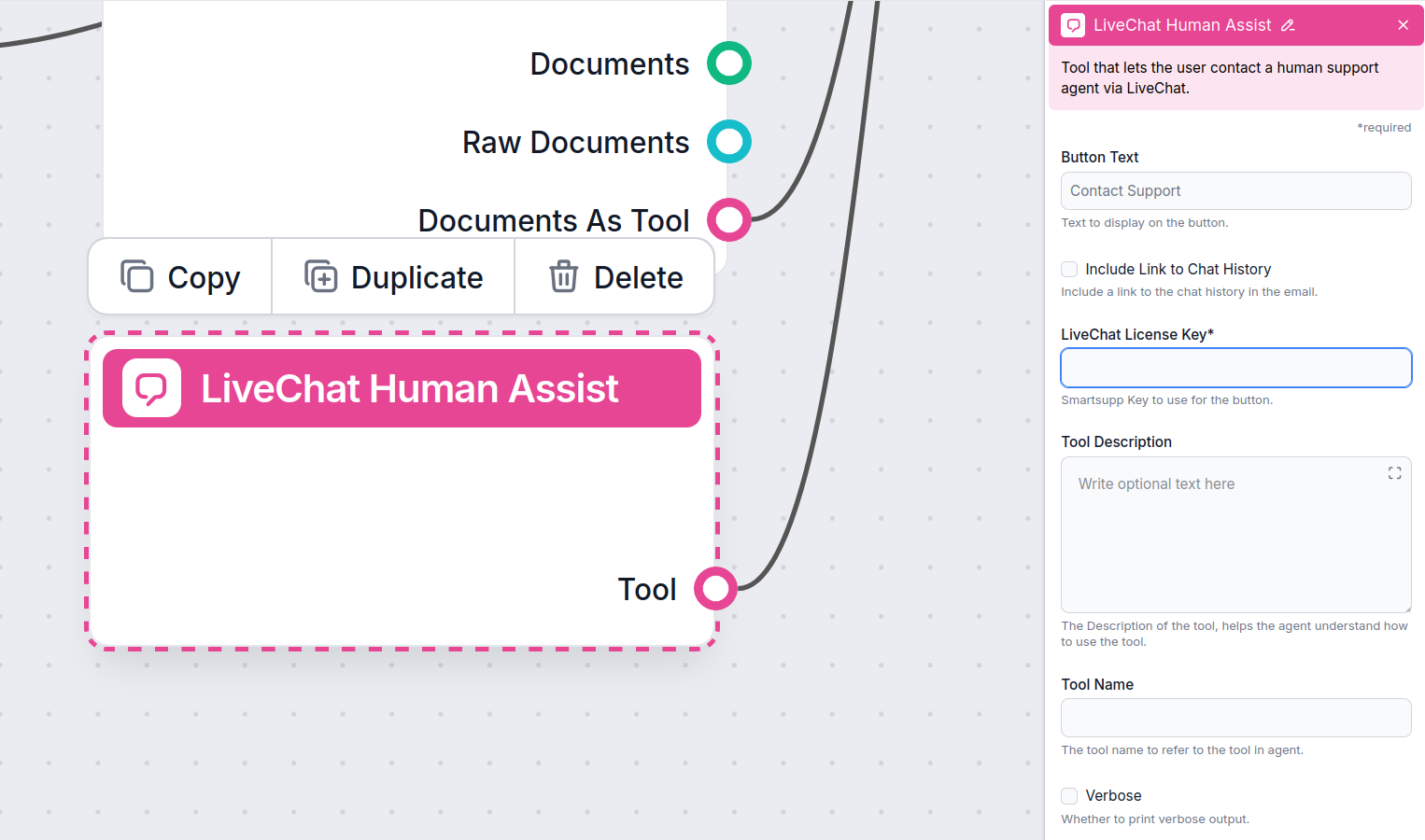
Once LiveChat is integrated into your Chatbot, the AI agent will offer human support whenever it can’t answer a question or detects that the user might prefer talking to a human. Of course, the Contact Support button can also be triggered by asking to be transferred.
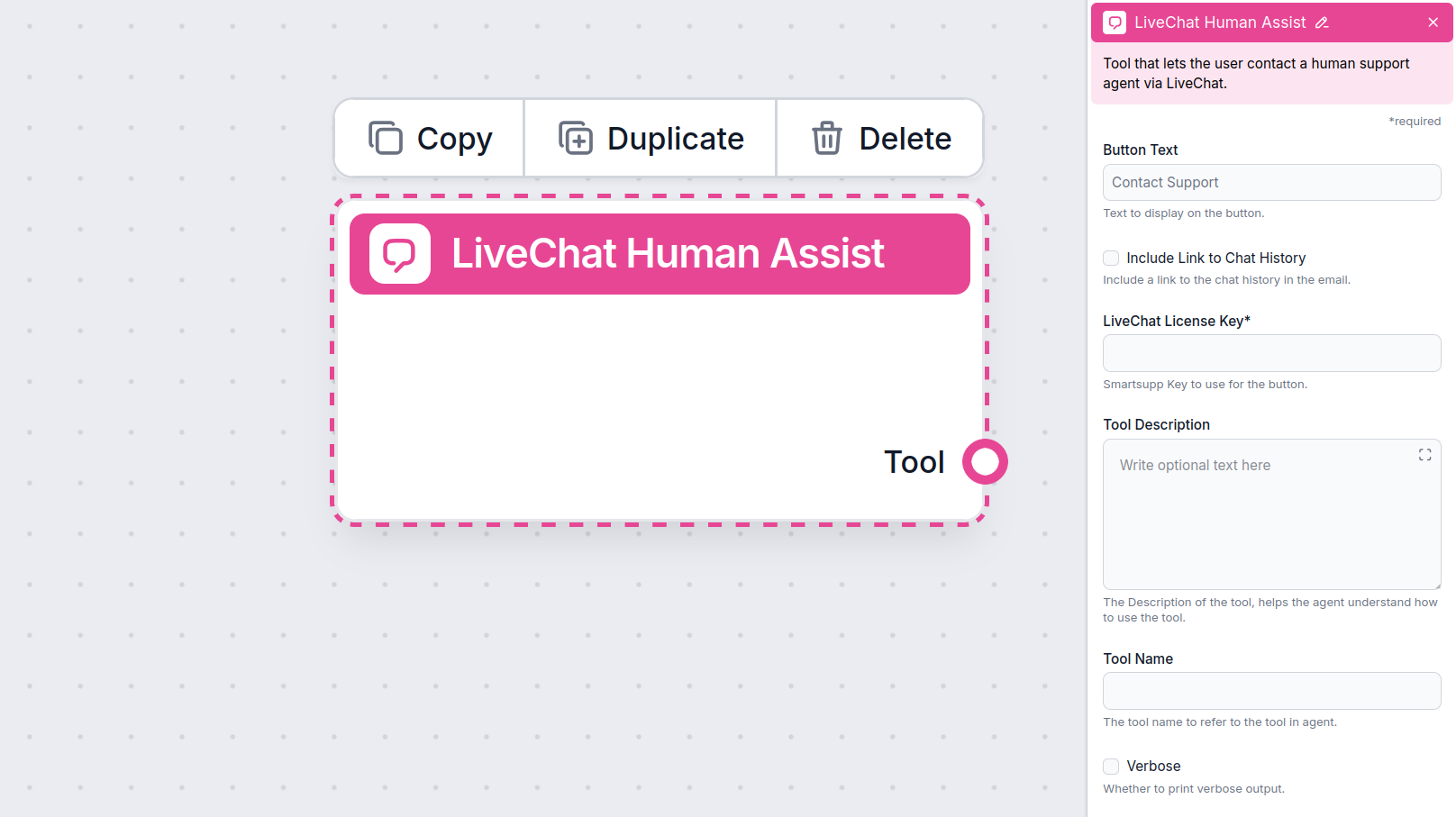
The button says “Contact support” by default, but you can always change this in the Button Text field of the component:
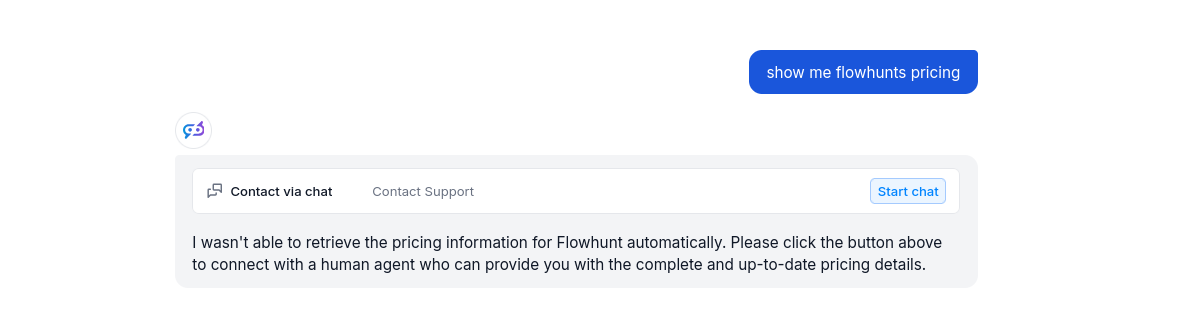
When the button is clicked, the FlowHunt bot immediately transforms into your LiveChat chat window:
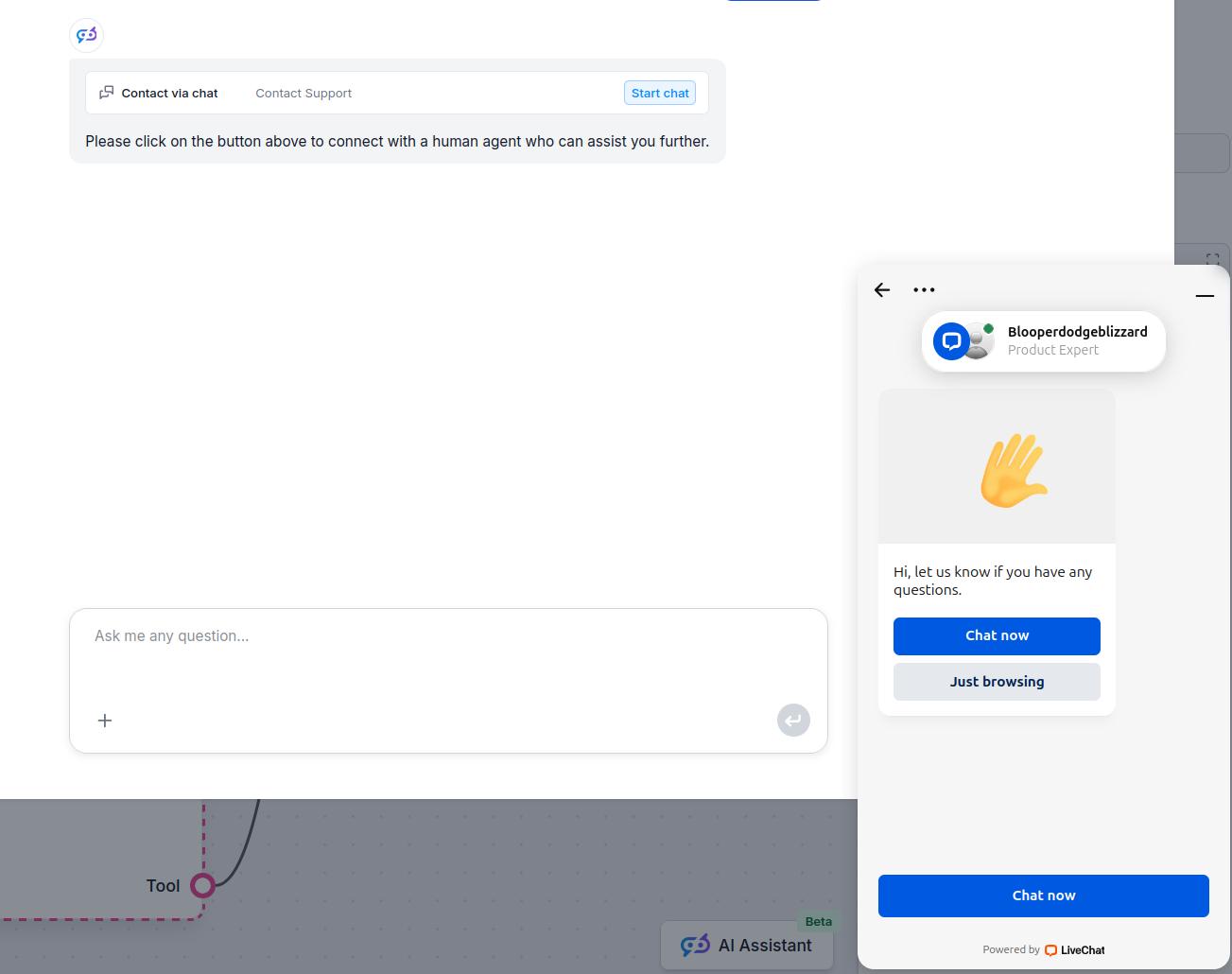
You can test it out and send a message. It should land in your LiveChat inbox immediately.
Om u snel op weg te helpen, hebben we verschillende voorbeeld-flowsjablonen voorbereid die laten zien hoe u de LiveChat-integratie-component effectief kunt gebruiken. Deze sjablonen tonen verschillende gebruikscases en best practices, waardoor het voor u gemakkelijker wordt om de component te begrijpen en te implementeren in uw eigen projecten.
Implementeer een AI-gestuurde chatbot op uw website die gebruikmaakt van uw interne kennisbank om klantvragen te beantwoorden en complexere of onopgeloste vrage...
Ervaar naadloze klantenservice door LiveChat te integreren met de AI-gedreven chatbot van FlowHunt. Boek een demo om het in actie te zien.
Integreer FlowHunt met LiveChat om intelligente AI-naar-mens escalatie mogelijk te maken. Implementeer AI chatbots die gesprekken automatisch aan LiveChat-agent...
Verbind FlowHunt AI chatbots met LiveAgent voor naadloze AI-naar-menselijke escalatie. Draai automatisch gesprekken over wanneer de AI onbeantwoorde vragen of n...
Cookie Toestemming
We gebruiken cookies om uw browse-ervaring te verbeteren en ons verkeer te analyseren. See our privacy policy.