


MCP & Integrations
Learn how to connect FlowHunt with external tools and services using MCP (Model Context Protocol) and native integrations. Extend your AI workflows with third-p...
3 min read
MCP
Integrations
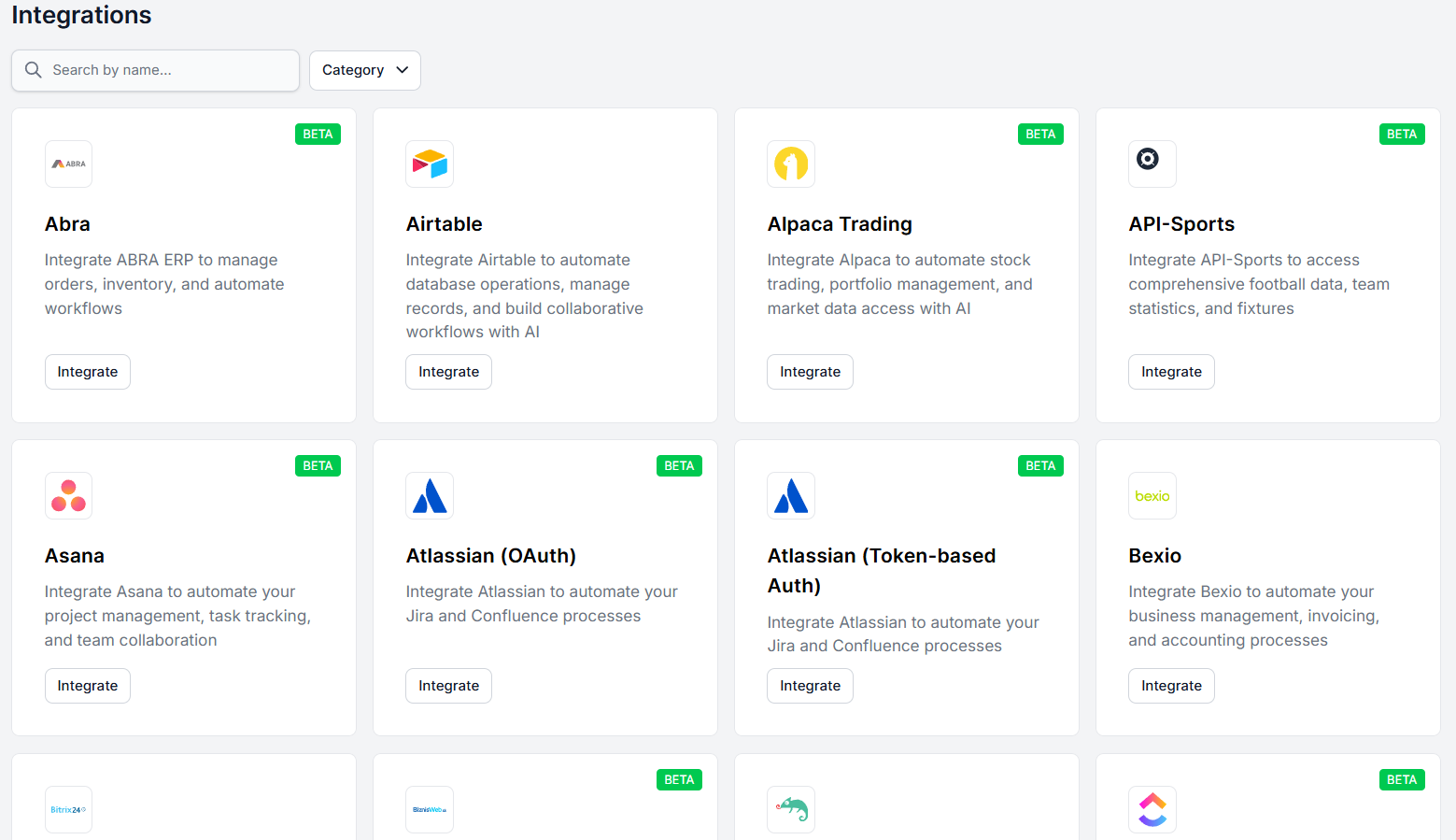
Connect FlowHunt to dozens of native integrations or virtually any tool via MCP servers. Follow this guide to set up your first integration in minutes.
FlowHunt connects with dozens of native integrations — customer service platforms, CRMs, content tools, data sources, productivity apps, and more. And for anything that isn’t on the native list, you can connect virtually any tool or service via custom MCP servers . Whether you’re plugging in a popular SaaS platform or a custom internal system, FlowHunt is built to work with the tools your business already runs on.
There are several ways to get to the integrations screen, depending on where you are in FlowHunt.
The most straightforward way is to go directly to the Integrations section in the main navigation bar. From there you can browse all available integrations and manage the ones you’ve already connected.
You can also reach integrations contextually from within the Flow editor. If you add a component to your workflow that requires an integration you haven’t set up yet, FlowHunt will detect this and prompt you to connect it right then and there.
Once you’re in the Integrations section, browse or search for the tool you want to connect. The list covers a wide range of categories, so most popular platforms will be there.
If you can’t find what you’re looking for, you’re not out of options:

Start your free trial today and see results within days.
Once you’ve found the tool you want to connect, click Integrate. The integration screen will guide you through every step of the process. You don’t need to figure anything out on your own.
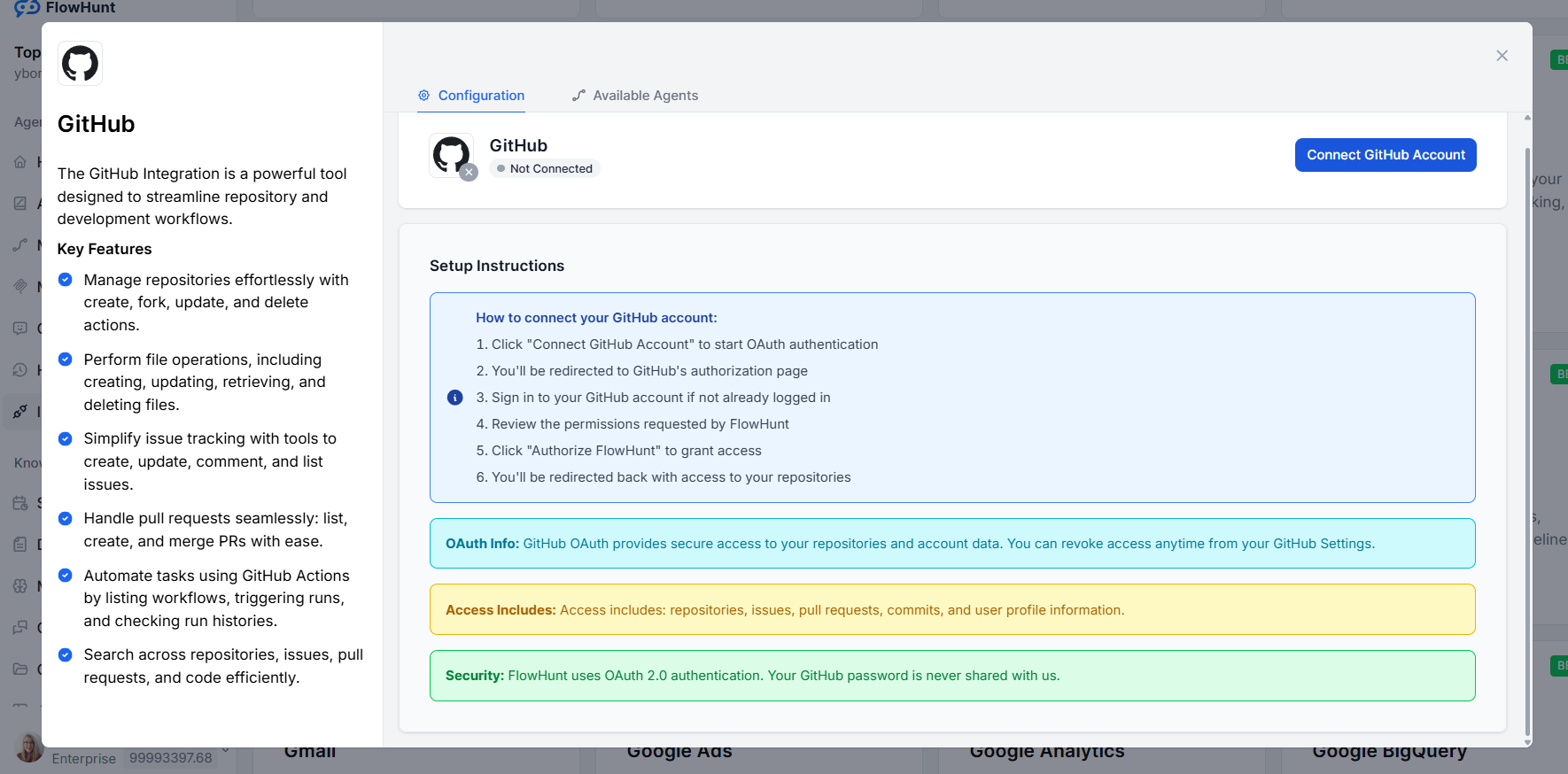
For most integrations, the bulk of the work happens on the side of the tool you’re connecting. This typically means logging into that platform, granting FlowHunt the necessary permissions, or generating an API key. FlowHunt will tell you exactly what to do and in what order.
In some cases, FlowHunt also needs a piece of information from you — like a site URL, a username, or a credential. When that’s the case, the integration screen will ask for it directly.
The WordPress integration is a good example of one that requires a small amount of input on the FlowHunt side. After following the steps on the WordPress side to generate an Application Password, you’ll be asked to fill in three fields in FlowHunt: your site URL, your WordPress username, and the Application Password you just generated.
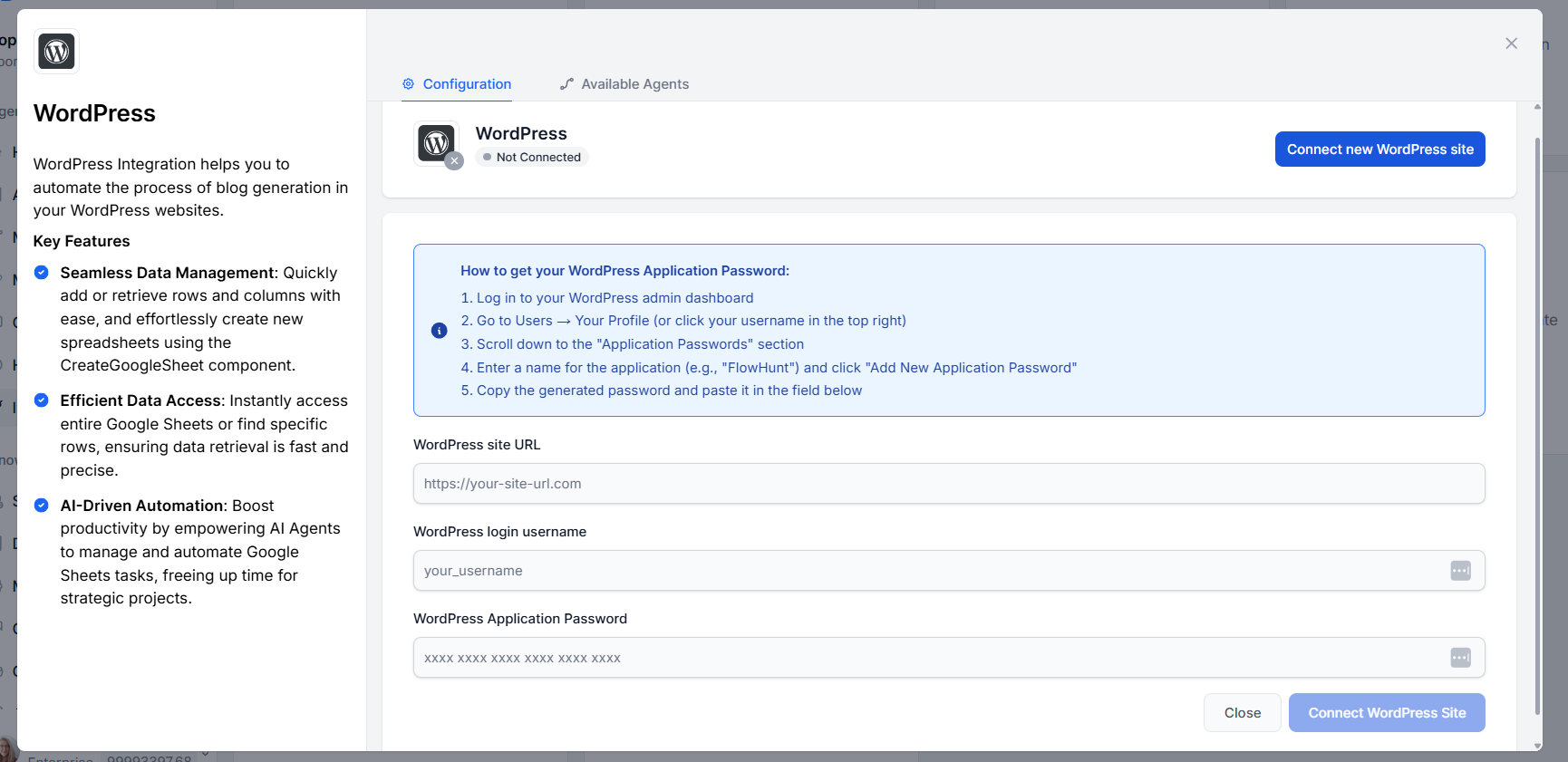
Once you fill those in and click Integrate WordPress, the connection is complete. Every integration has its full process documented directly in the integration screen, so you’ll always know exactly what’s needed.
FlowHunt integrates with dozens of platforms out of the box — and with MCP servers, the list is virtually unlimited. Start building smarter workflows today.
Learn how to connect FlowHunt with external tools and services using MCP (Model Context Protocol) and native integrations. Extend your AI workflows with third-p...
Integrate FlowHunt with the MCP Server to enable seamless Model Context Protocol (MCP) connectivity, real-time bidirectional streaming, secure authentication, a...
The Zoho CRM MCP Server enables seamless integration between AI tools and Zoho CRM, allowing automated workflows to manage leads, contacts, deals, and records d...
Cookie Consent
We use cookies to enhance your browsing experience and analyze our traffic. See our privacy policy.