


Chatbot de IA con FreshChat y Soporte de Base de Conocimientos
Despliega un chatbot de IA inteligente que se integra perfectamente con FreshChat. El chatbot responde a las consultas de los usuarios utilizando tu base de con...
4 min de lectura
Integra FlowHunt con Freshchat para transiciones fluidas impulsadas por IA hacia el soporte humano. Escalamiento inteligente, configuración sencilla y una experiencia de cliente mejorada.
Descripción del componente
La herramienta Freshchat Human Assist conecta el chatbot de IA de FlowHunt con tu espacio de Freshworks Freshchat, de modo que la conversación se transfiere a tus agentes de Freshchat en el momento en que la IA decide que hace falta una persona. Si tu stack de soporte funciona sobre Freshworks (Freshdesk + Freshchat) y no sobre LiveAgent o LiveChat.com, esta es la integración adecuada — solo necesitas la URL del script Web Chat de Freshchat.
The Human Assist Tools allow you to integrate your Flows with the leading customer service solutions. Once integrated, an AI Agent decides when connecting to human support is the better option.
AI Agents are computer programs that can perform tasks or make decisions independently. The Agents observe their environment, process information, and take action. Their decisions are based on their unique programming, knowledge, and goals.
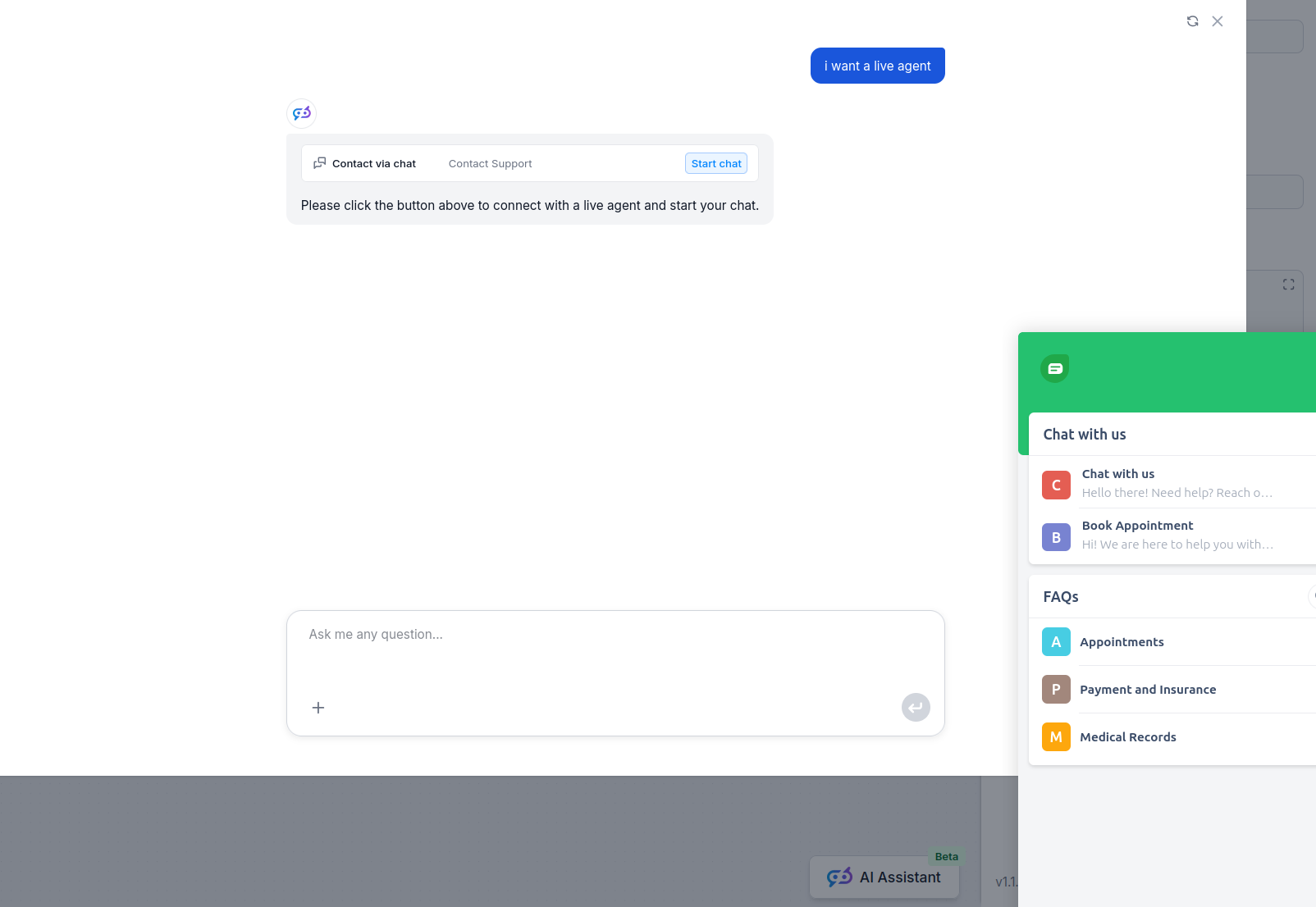
The Freshchat Human Assist Tool tells the AI agent to look out for whenever a user might prefer human assistance. If the user accepts to be transferred, the chatbot immediately transforms into your FreshChat chat window.
The Agent will offer human support whenever it can’t answer a question, detects a negative sentiment, or when a user specifically asks to be transferred. This will significantly reduce AI hallucinations and annoyed customers.
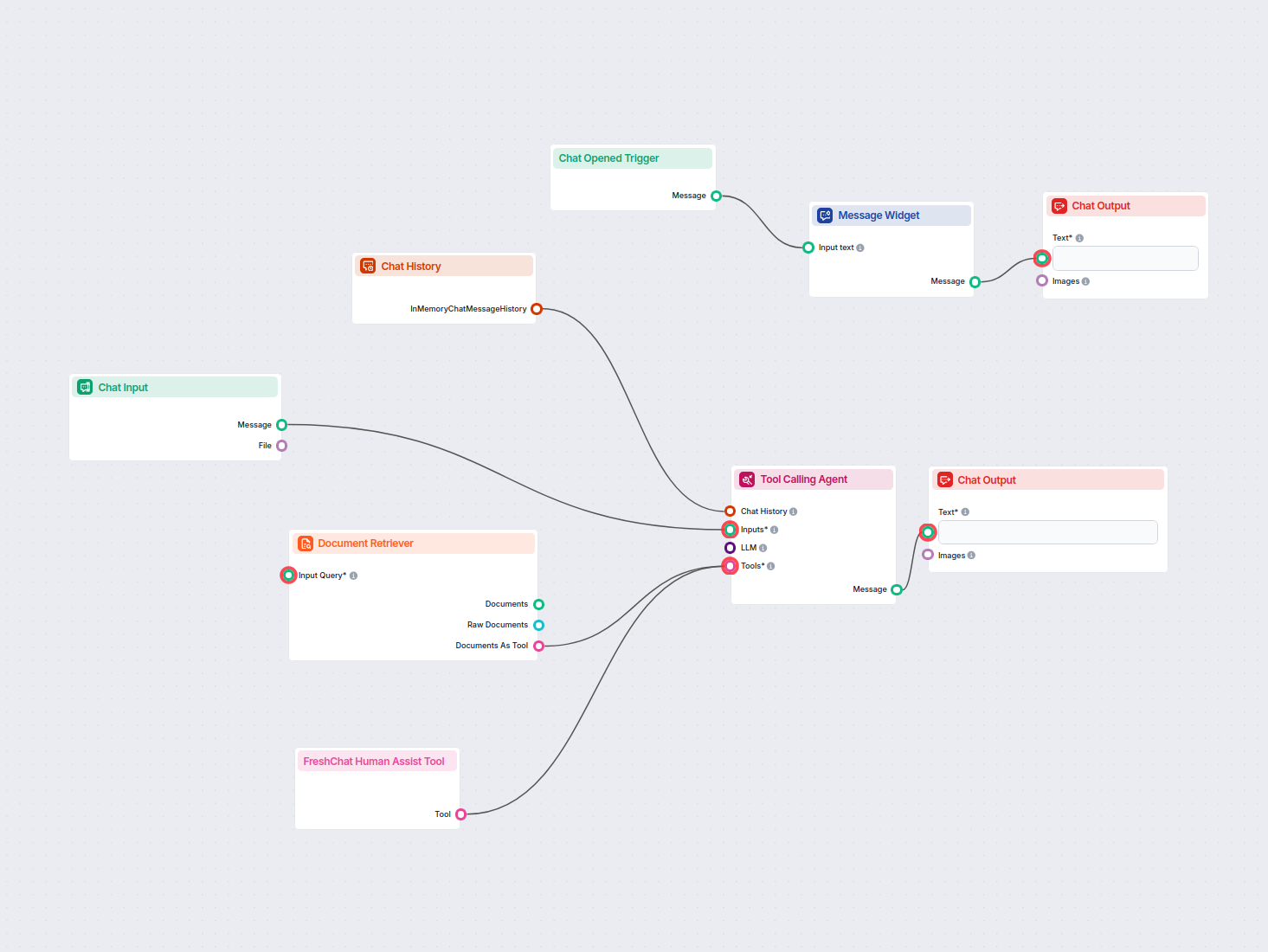
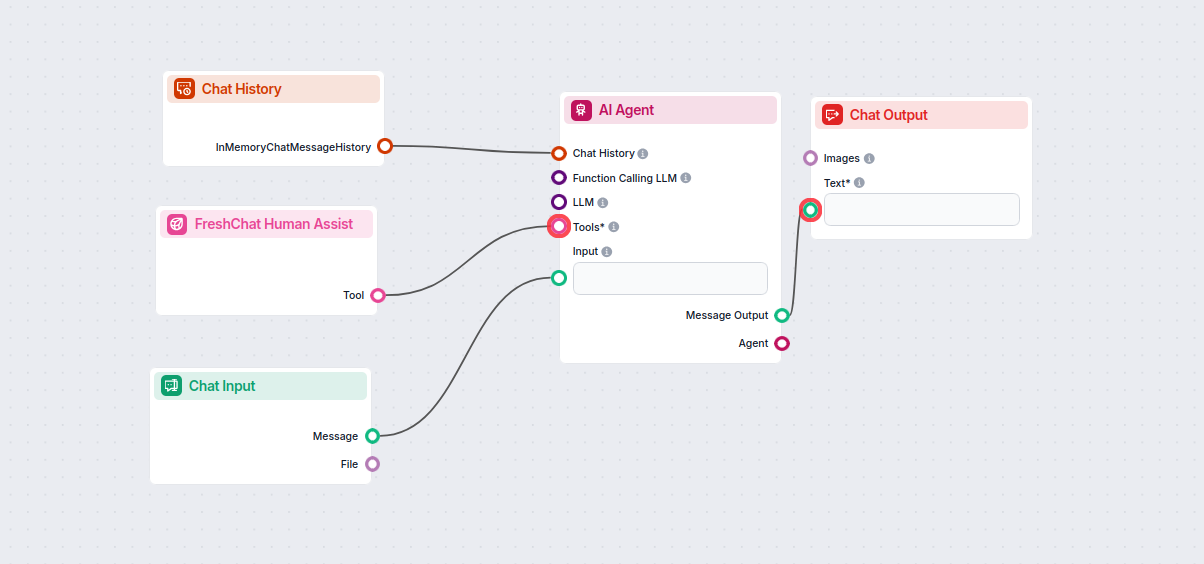
Thanks to the use of agents, the integration Flow is super simple and contains just a few components:
Take a shortcut and simply use our Chatbot template with FreshChat integration.
To integrate with Freshchat, you’ll need your Web Chat script URL. Here’s how to get it:
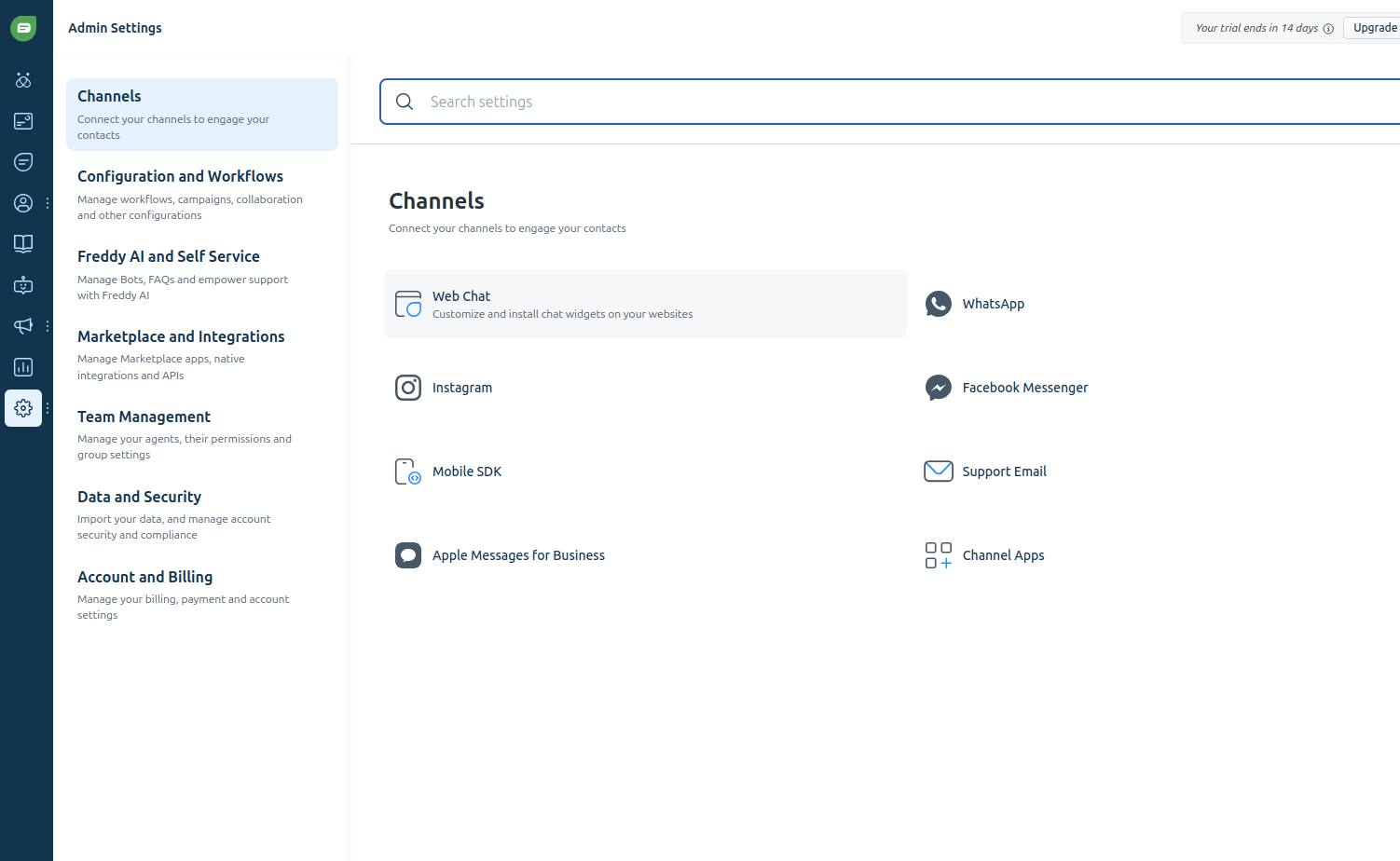
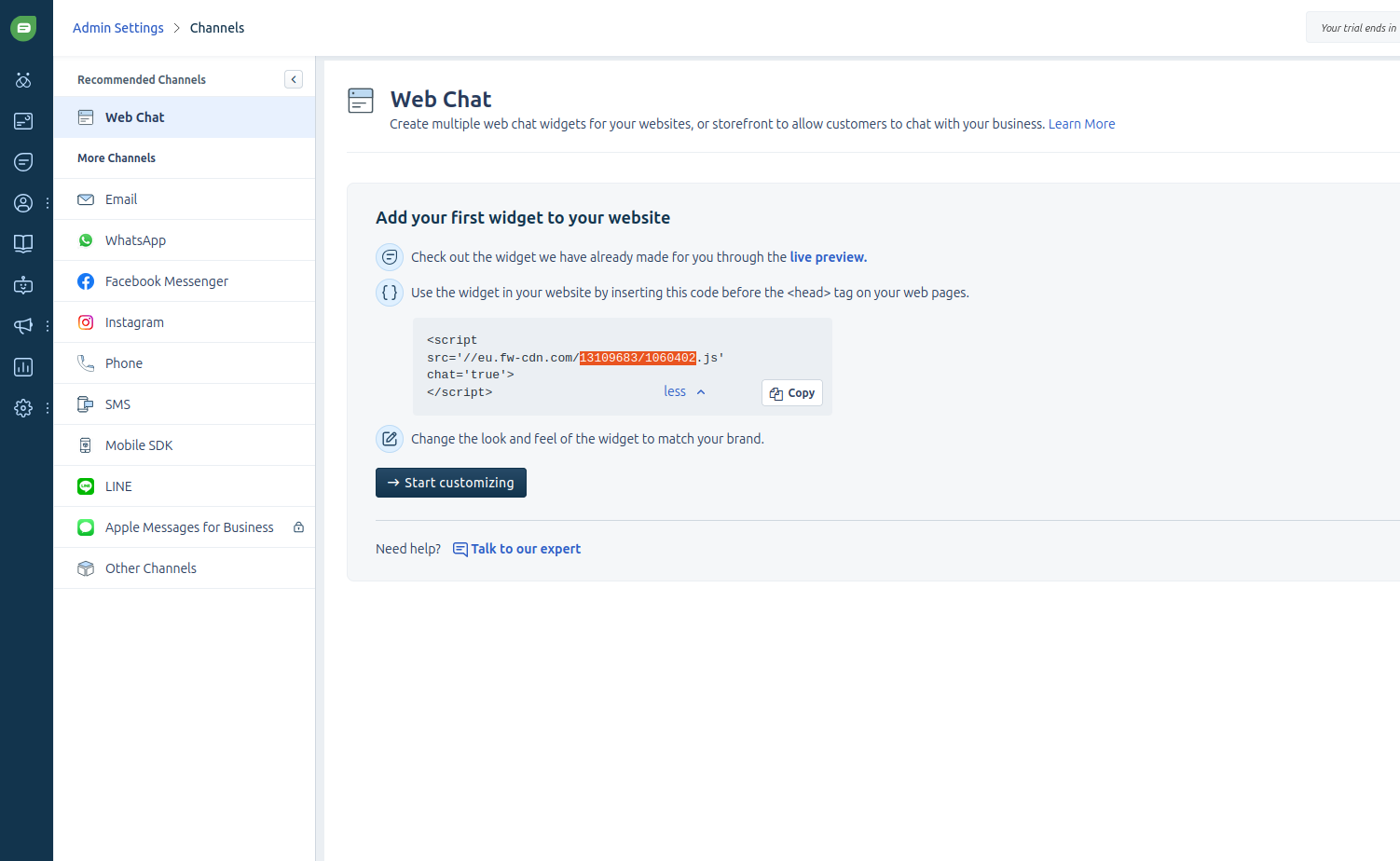
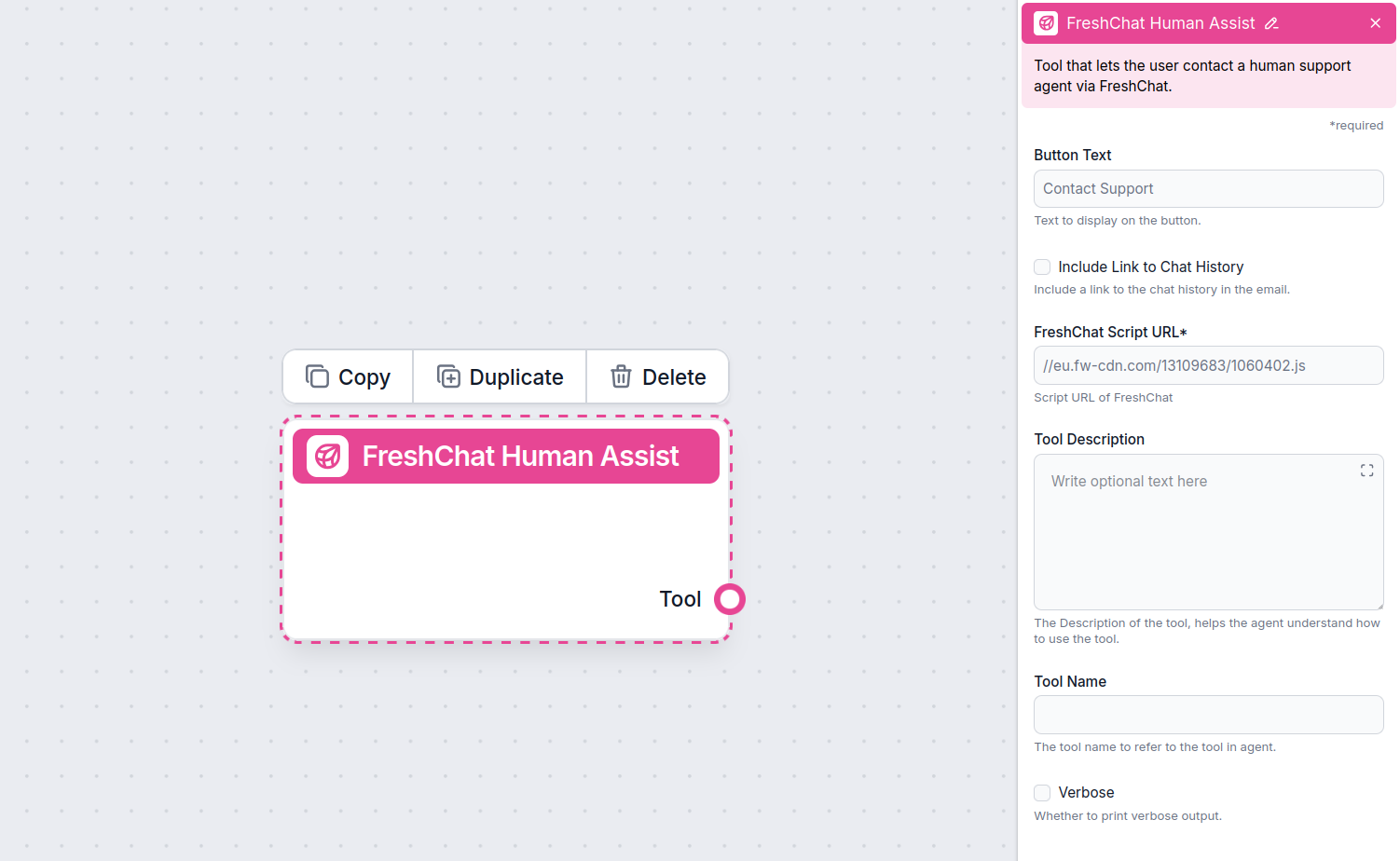
Once Freshchat is integrated into your Chatbot, the AI agent will offer human support whenever it can’t answer a question or detects that the user might prefer talking to a human. Of course, the Contact Support button can also be triggered by simply asking to be transferred.
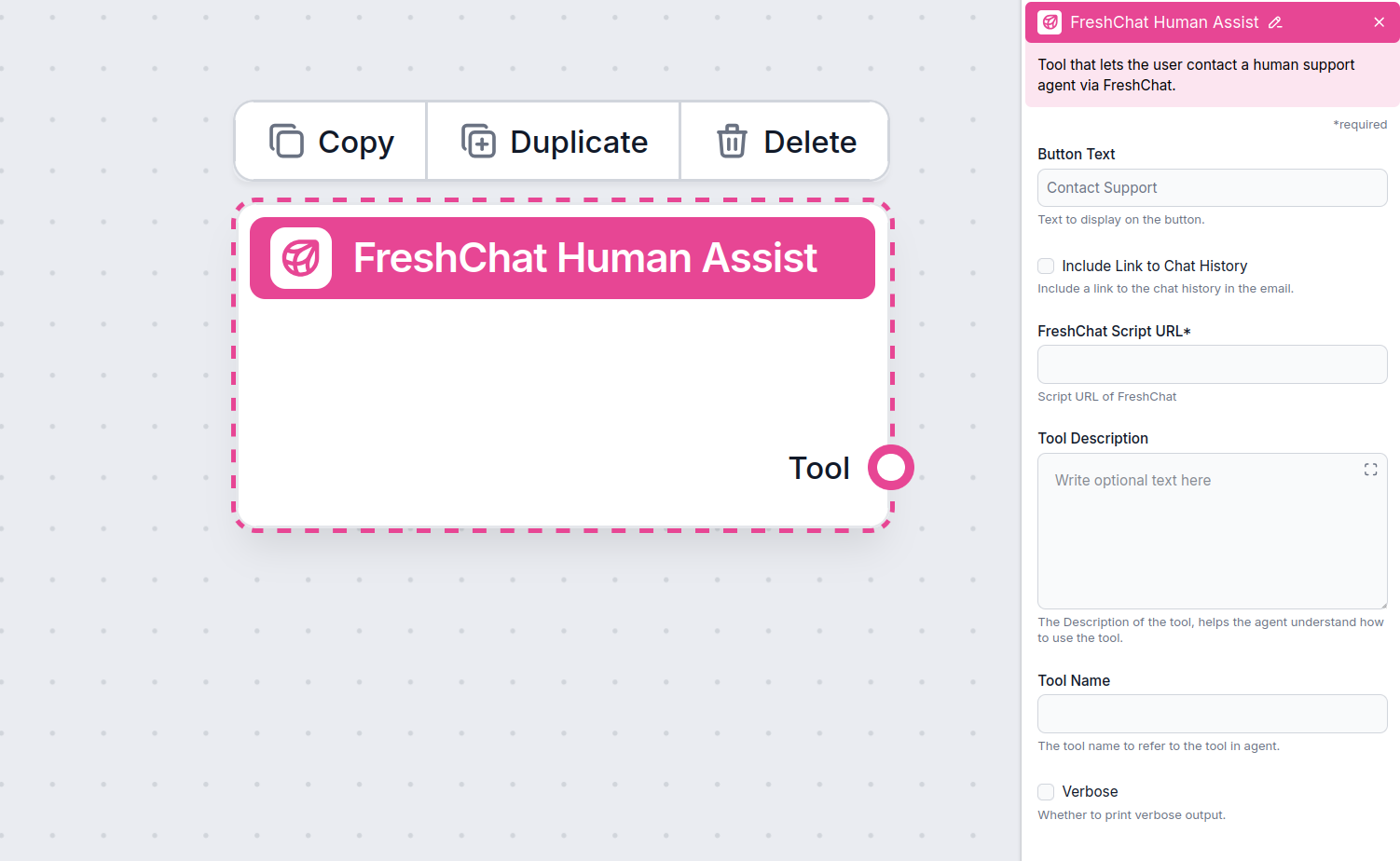
The contact button says “Contact support” by default, but you can always change it in the Button Text setting of the component:
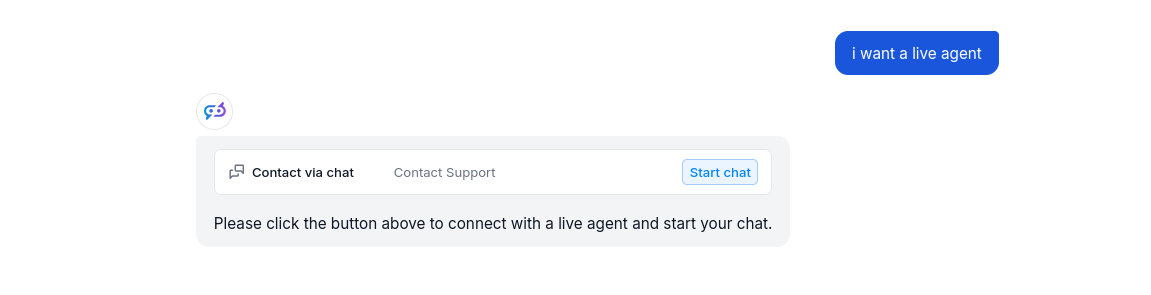
When the button is clicked, the FlowHunt bot immediately transforms into your Freshchat chat window. Go ahead and try it! The message will land in your Freshchat inbox immediately.
Para ayudarle a comenzar rápidamente, hemos preparado varios ejemplos de plantillas de flujo que demuestran cómo utilizar el componente Integración con Freshchat de manera efectiva. Estas plantillas muestran diferentes casos de uso y mejores prácticas, facilitando la comprensión e implementación del componente en sus propios proyectos.
Despliega un chatbot de IA inteligente que se integra perfectamente con FreshChat. El chatbot responde a las consultas de los usuarios utilizando tu base de con...
Transforma tu atención al cliente con chatbots inteligentes de IA y una transición sin esfuerzo a humanos utilizando la integración de FlowHunt con Freshchat.
Despliega un chatbot de IA inteligente que se integra perfectamente con FreshChat. El chatbot responde a las consultas de los usuarios utilizando tu base de con...
Integra FlowHunt con LiveChat para habilitar escalada inteligente de IA a humano. Despliega chatbots de IA que transfieren automáticamente conversaciones a agen...
Consentimiento de Cookies
Usamos cookies para mejorar tu experiencia de navegación y analizar nuestro tráfico. See our privacy policy.