


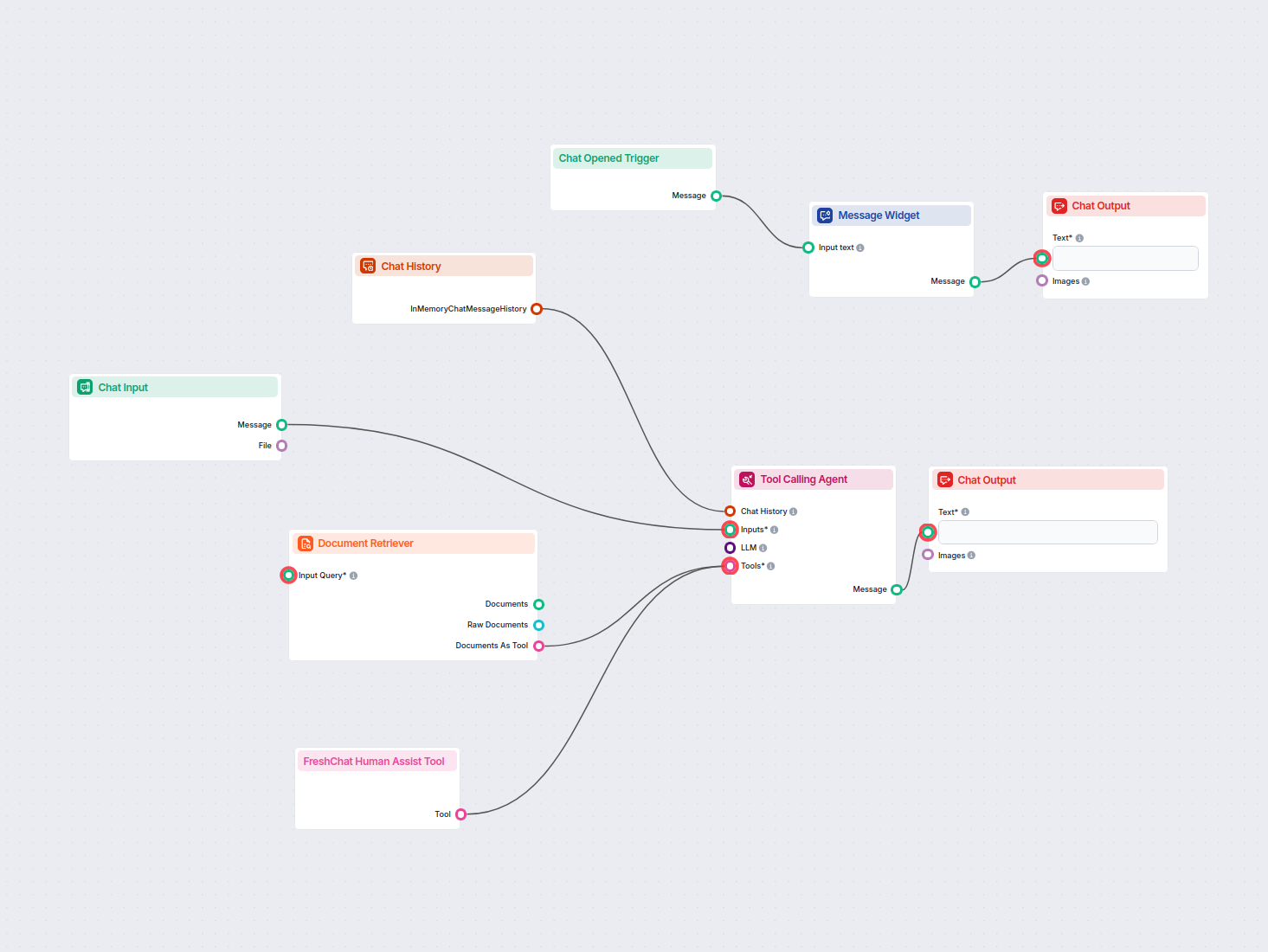
Czatbot AI z integracją FreshChat i wsparciem bazy wiedzy
Wdróż inteligentnego czatbota AI, który bezproblemowo integruje się z FreshChat. Czatbot odpowiada na zapytania użytkowników, korzystając z Twojej wewnętrznej b...
3 min czytania
Zintegruj FlowHunt z Freshchat, aby zapewnić płynne przejścia opierające się na AI do wsparcia ludzkiego. Inteligentna eskalacja, łatwa konfiguracja i lepsze doświadczenie klienta.
Opis komponentu
Narzędzie Freshchat Human Assist łączy chatbota AI FlowHunt z twoim workspace Freshworks Freshchat, więc rozmowa trafia do agentów Freshchat w chwili, gdy AI uzna, że potrzebny jest człowiek. Jeśli twój stack supportu działa na Freshworks (Freshdesk + Freshchat), a nie na LiveAgent ani LiveChat.com, to właśnie ta integracja — wystarczy URL skryptu Web Chat Freshchata.
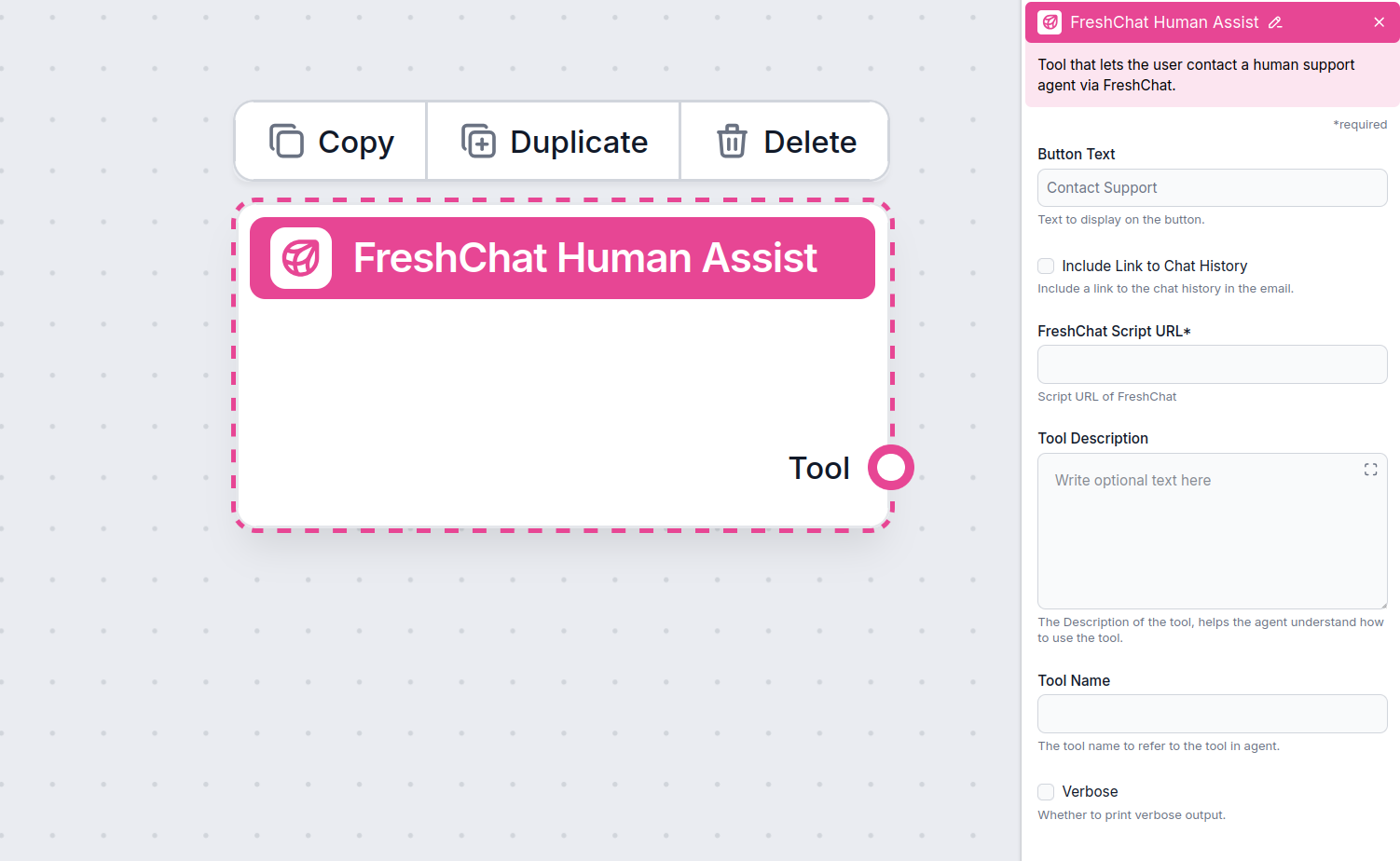
The Human Assist Tools allow you to integrate your Flows with the leading customer service solutions. Once integrated, an AI Agent decides when connecting to human support is the better option.
AI Agents are computer programs that can perform tasks or make decisions independently. The Agents observe their environment, process information, and take action. Their decisions are based on their unique programming, knowledge, and goals.
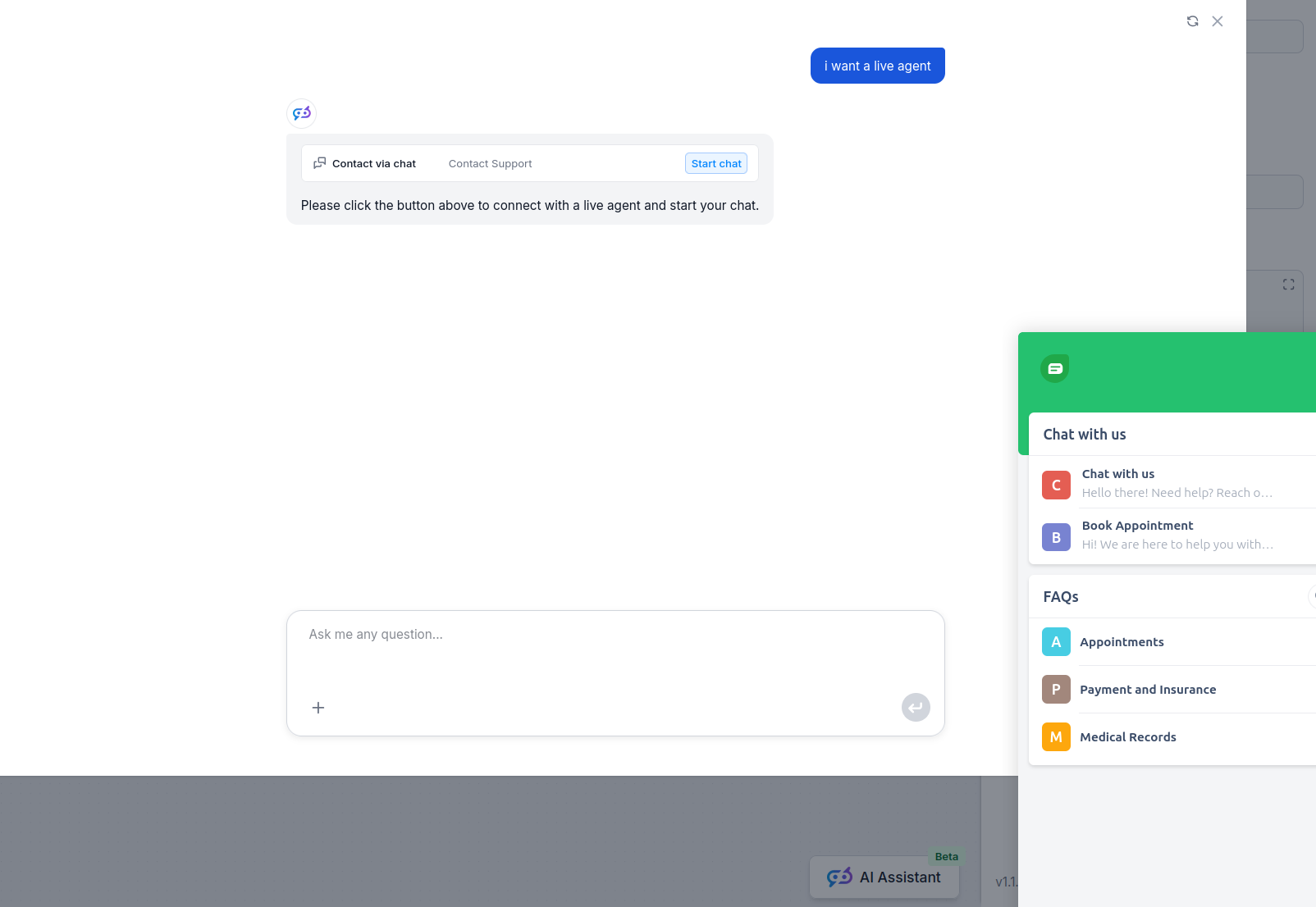
The Freshchat Human Assist Tool tells the AI agent to look out for whenever a user might prefer human assistance. If the user accepts to be transferred, the chatbot immediately transforms into your FreshChat chat window.
The Agent will offer human support whenever it can’t answer a question, detects a negative sentiment, or when a user specifically asks to be transferred. This will significantly reduce AI hallucinations and annoyed customers.
Thanks to the use of agents, the integration Flow is super simple and contains just a few components:
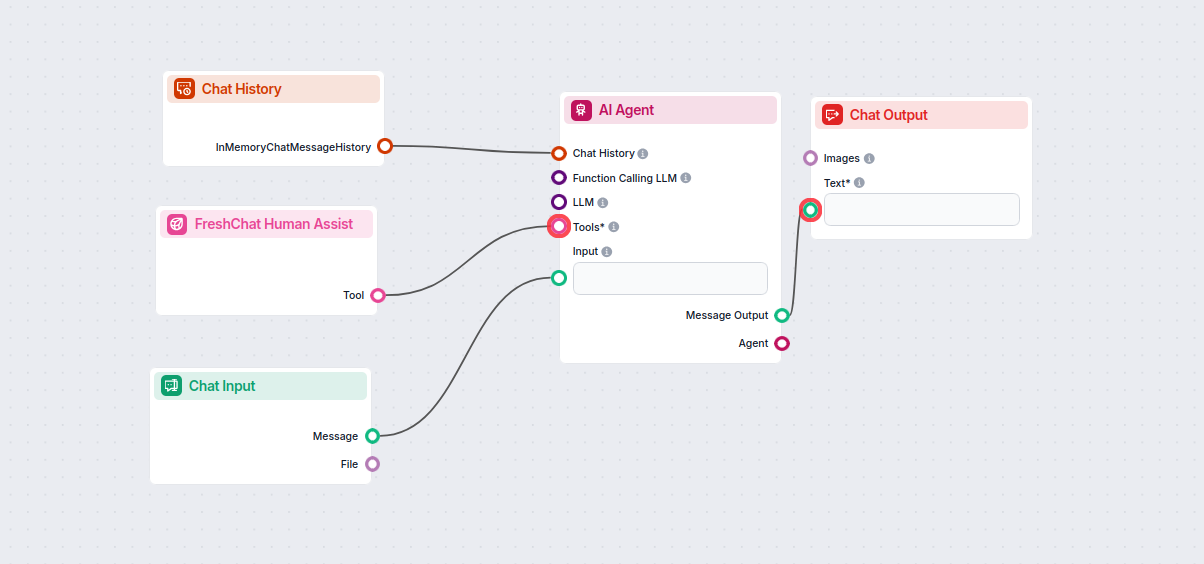
Take a shortcut and simply use our Chatbot template with FreshChat integration.
To integrate with Freshchat, you’ll need your Web Chat script URL. Here’s how to get it:
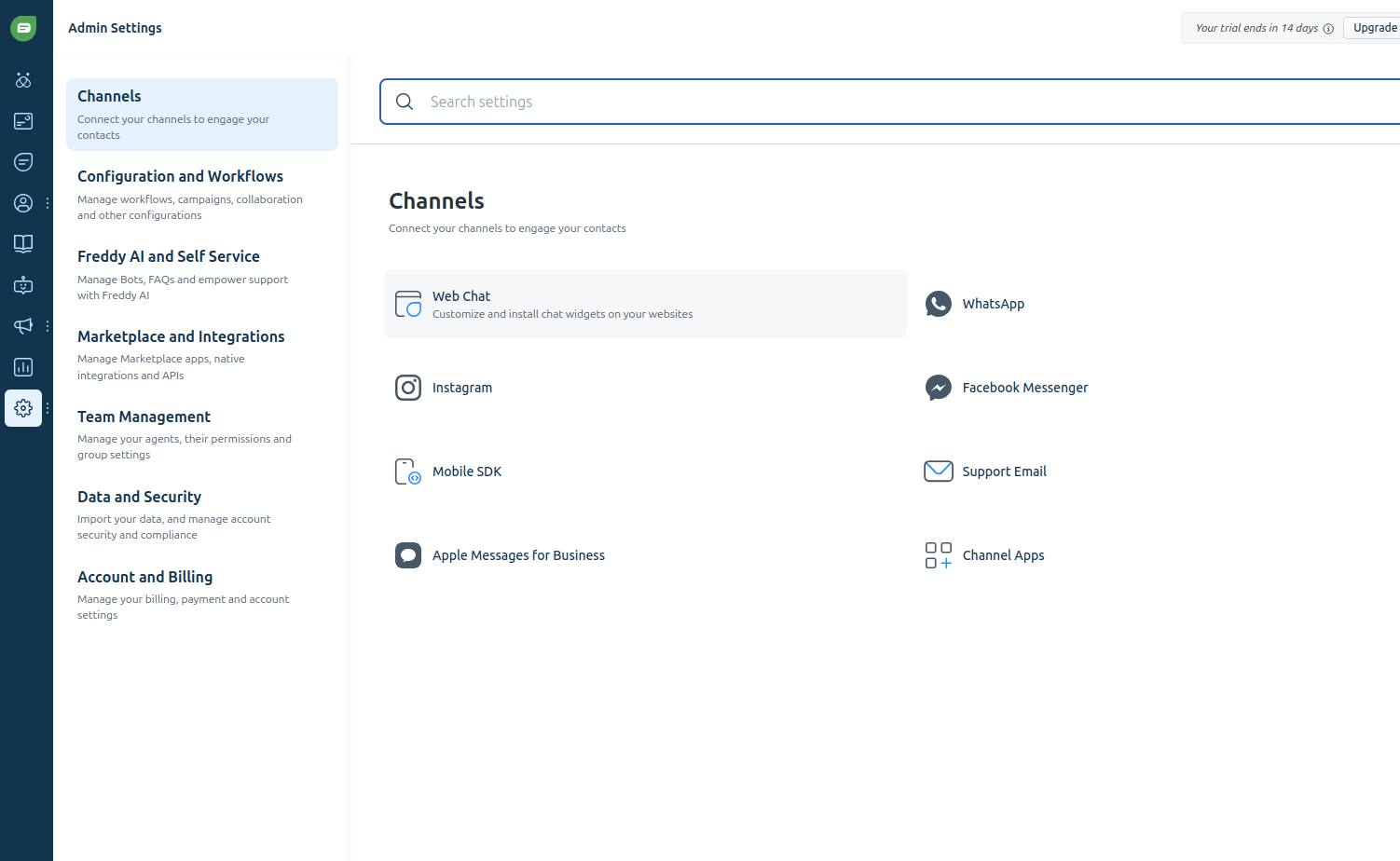
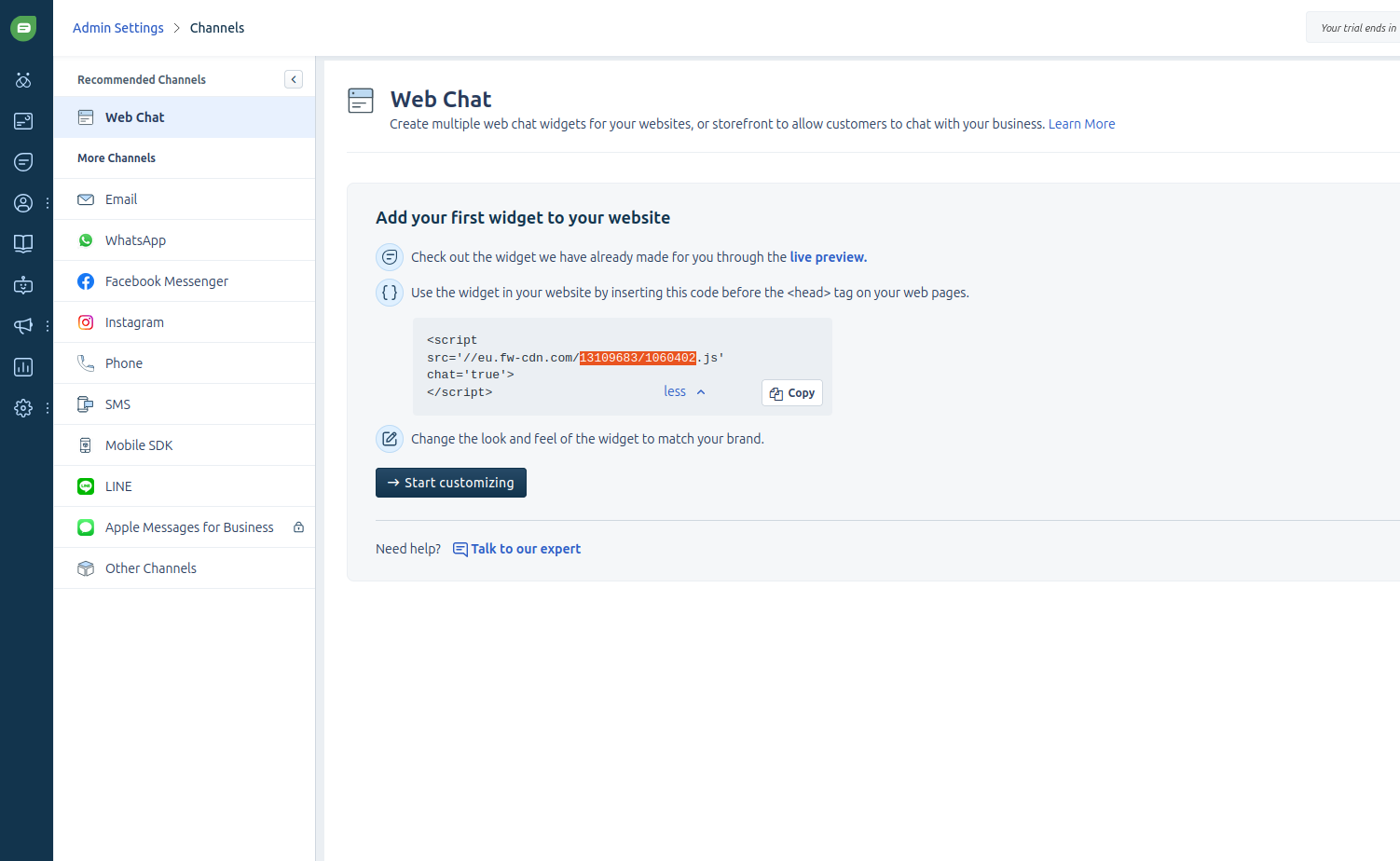
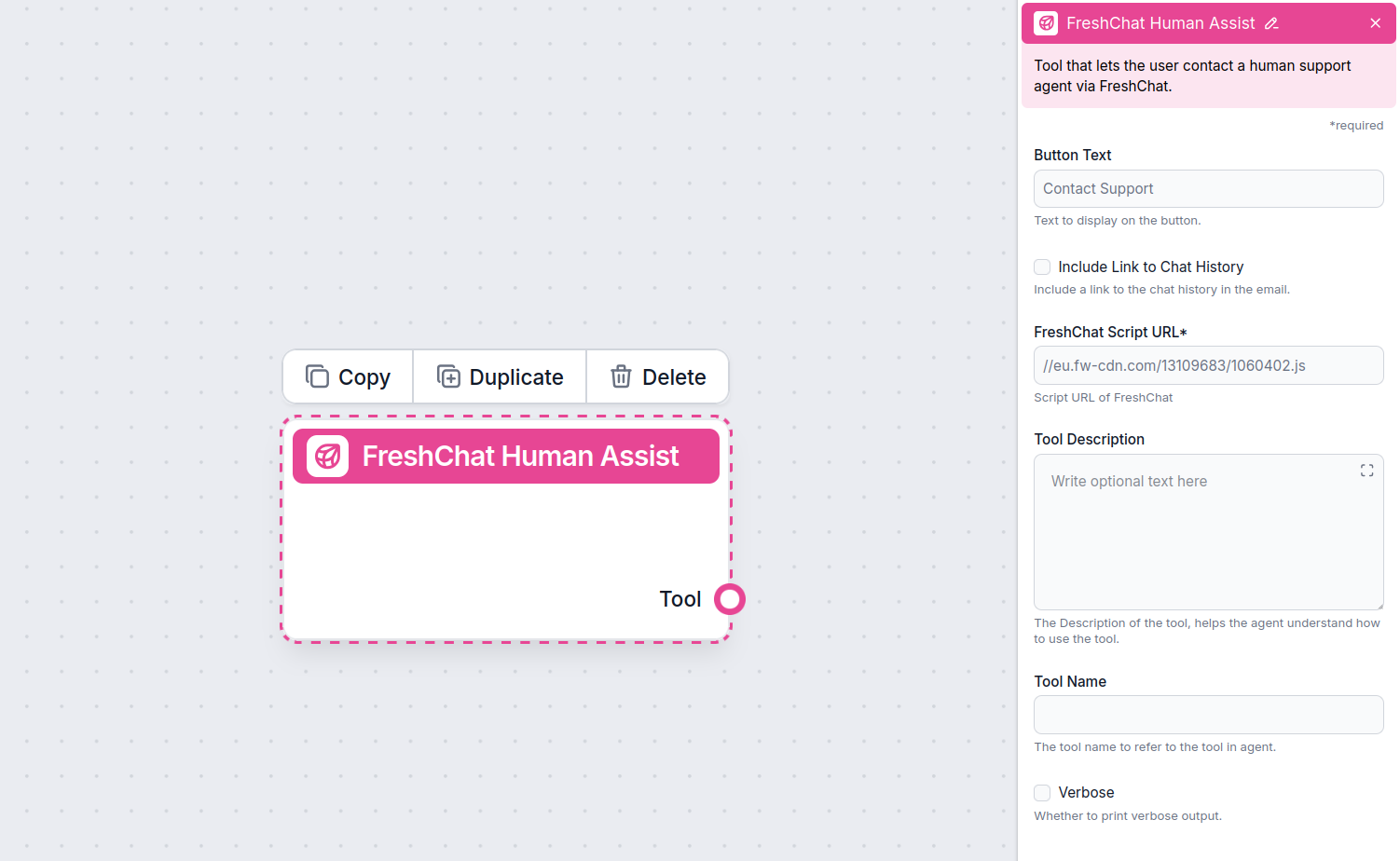
Once Freshchat is integrated into your Chatbot, the AI agent will offer human support whenever it can’t answer a question or detects that the user might prefer talking to a human. Of course, the Contact Support button can also be triggered by simply asking to be transferred.
The contact button says “Contact support” by default, but you can always change it in the Button Text setting of the component:
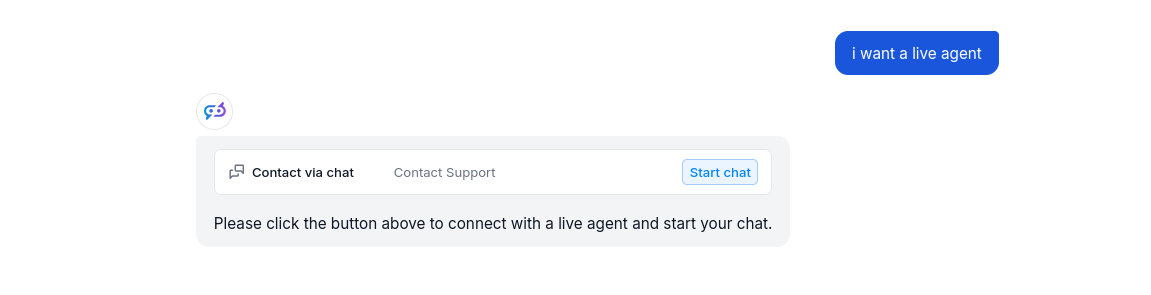
When the button is clicked, the FlowHunt bot immediately transforms into your Freshchat chat window. Go ahead and try it! The message will land in your Freshchat inbox immediately.
Aby pomóc Ci szybko zacząć, przygotowaliśmy kilka przykładowych szablonów przepływu, które pokazują, jak efektywnie używać komponentu Integracja z Freshchat. Te szablony prezentują różne przypadki użycia i najlepsze praktyki, ułatwiając zrozumienie i implementację komponentu w Twoich własnych projektach.
Wdróż inteligentnego czatbota AI, który bezproblemowo integruje się z FreshChat. Czatbot odpowiada na zapytania użytkowników, korzystając z Twojej wewnętrznej b...
Odmień swoją obsługę klienta dzięki inteligentnym chatbotom AI i bezproblemowemu przekazaniu do człowieka, korzystając z integracji FlowHunt z Freshchat.
Zintegruj FlowHunt z LiveChat, aby umożliwić inteligentną eskalację z AI na człowieka. Wdrażaj chatboty AI, które automatycznie przekazują rozmowy agentom LiveC...
Wdróż inteligentnego czatbota AI, który bezproblemowo integruje się z FreshChat. Czatbot odpowiada na zapytania użytkowników, korzystając z Twojej wewnętrznej b...
Zgoda na Pliki Cookie
Używamy plików cookie, aby poprawić jakość przeglądania i analizować nasz ruch. See our privacy policy.