


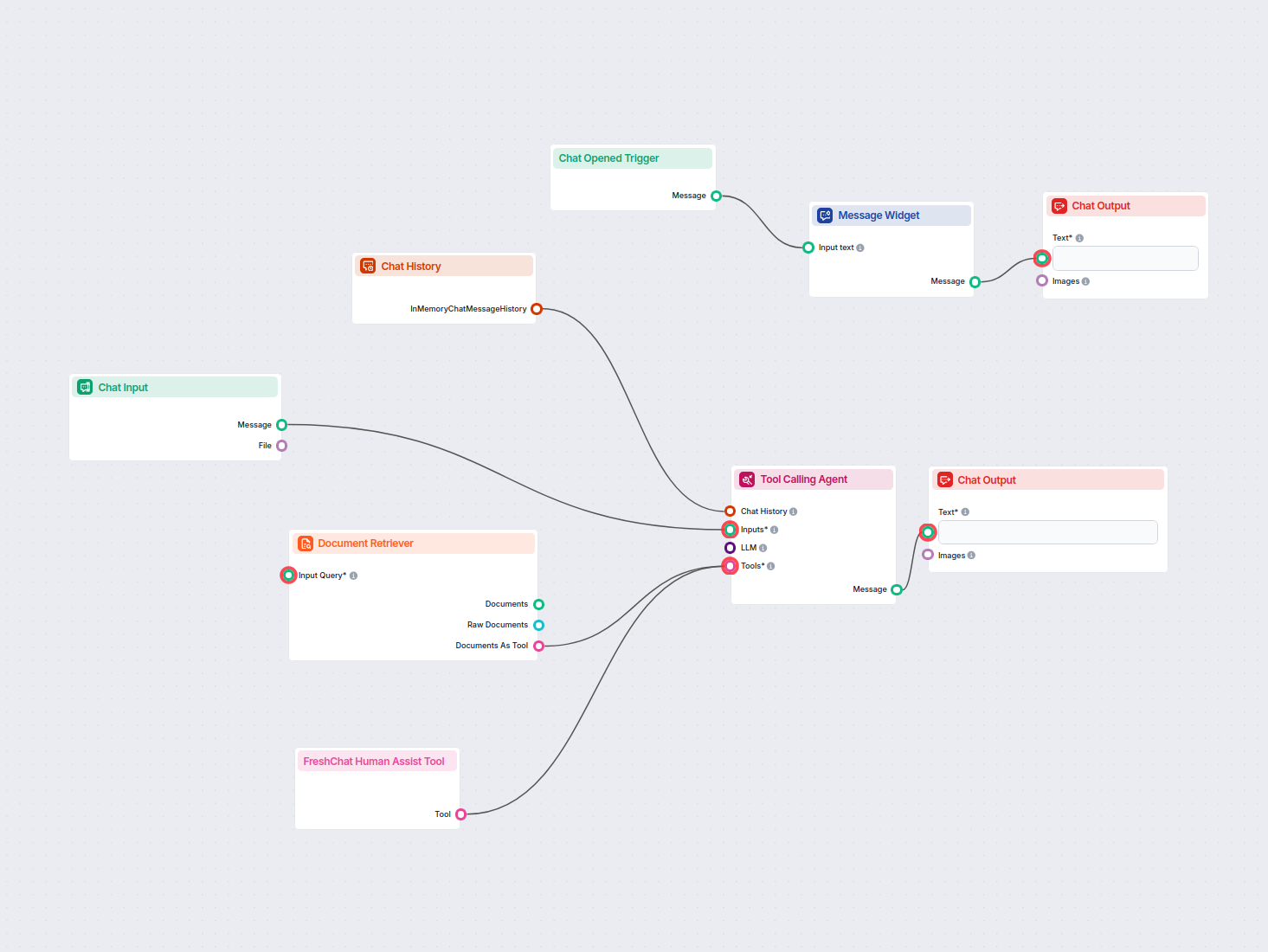
Chatbot IA avec FreshChat et Base de Connaissances
Déployez un chatbot IA intelligent qui s’intègre parfaitement à FreshChat. Le chatbot répond aux questions des utilisateurs en utilisant votre base de connaissa...
4 min de lecture
Intégrez FlowHunt à Freshchat pour des transitions fluides vers l’assistance humaine pilotée par l’IA. Escalade intelligente, configuration facile et expérience client améliorée.
Description du composant
L’outil Freshchat Human Assist connecte le chatbot IA FlowHunt à votre espace Freshworks Freshchat pour que la conversation soit remise à vos agents Freshchat dès que l’IA décide qu’un humain est nécessaire. Si votre stack support tourne sur Freshworks (Freshdesk + Freshchat) plutôt que LiveAgent ou LiveChat.com, c’est cette intégration qu’il vous faut — il suffit de l’URL du script Web Chat Freshchat.
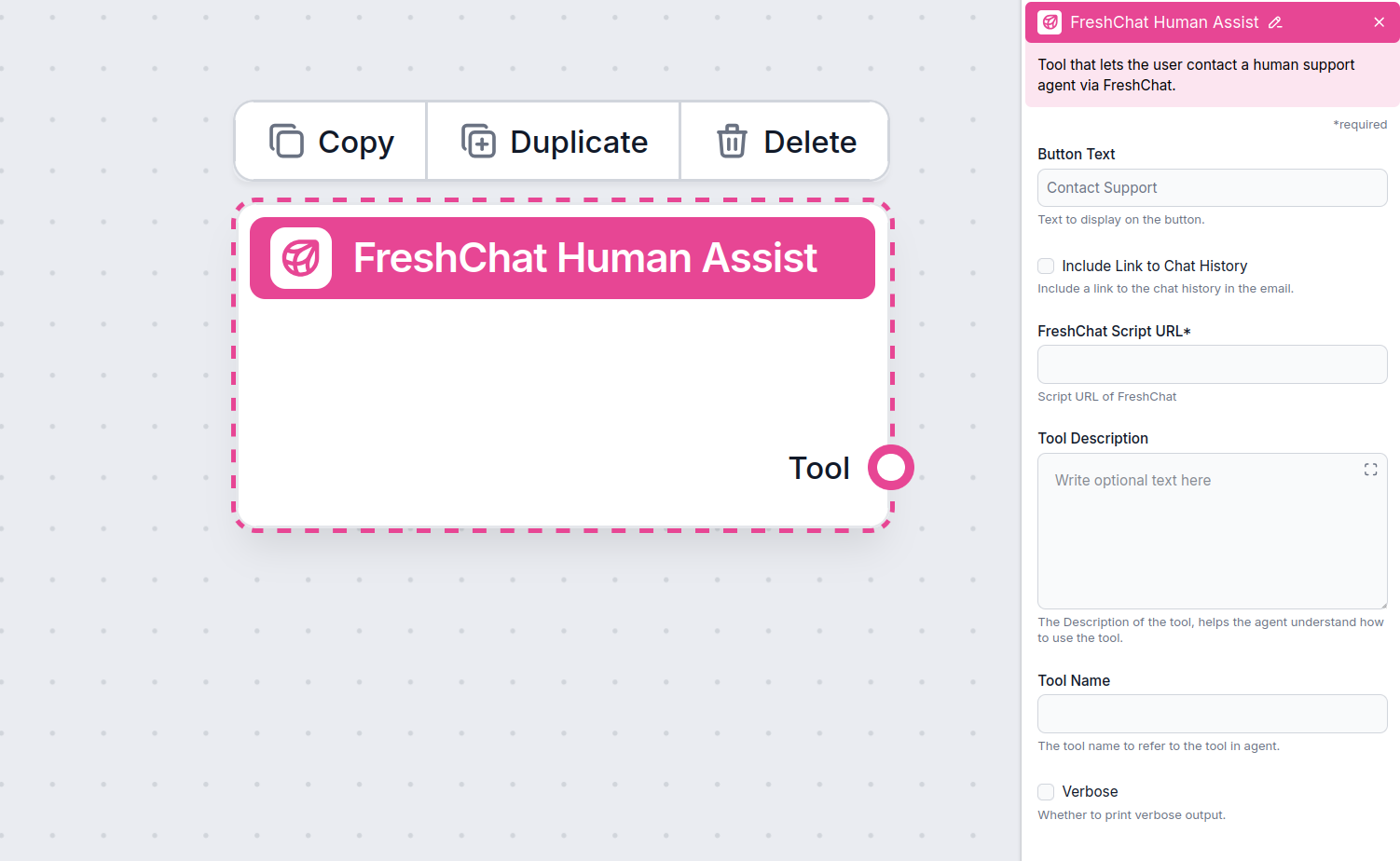
The Human Assist Tools allow you to integrate your Flows with the leading customer service solutions. Once integrated, an AI Agent decides when connecting to human support is the better option.
AI Agents are computer programs that can perform tasks or make decisions independently. The Agents observe their environment, process information, and take action. Their decisions are based on their unique programming, knowledge, and goals.
The Freshchat Human Assist Tool tells the AI agent to look out for whenever a user might prefer human assistance. If the user accepts to be transferred, the chatbot immediately transforms into your FreshChat chat window.
The Agent will offer human support whenever it can’t answer a question, detects a negative sentiment, or when a user specifically asks to be transferred. This will significantly reduce AI hallucinations and annoyed customers.
Thanks to the use of agents, the integration Flow is super simple and contains just a few components:
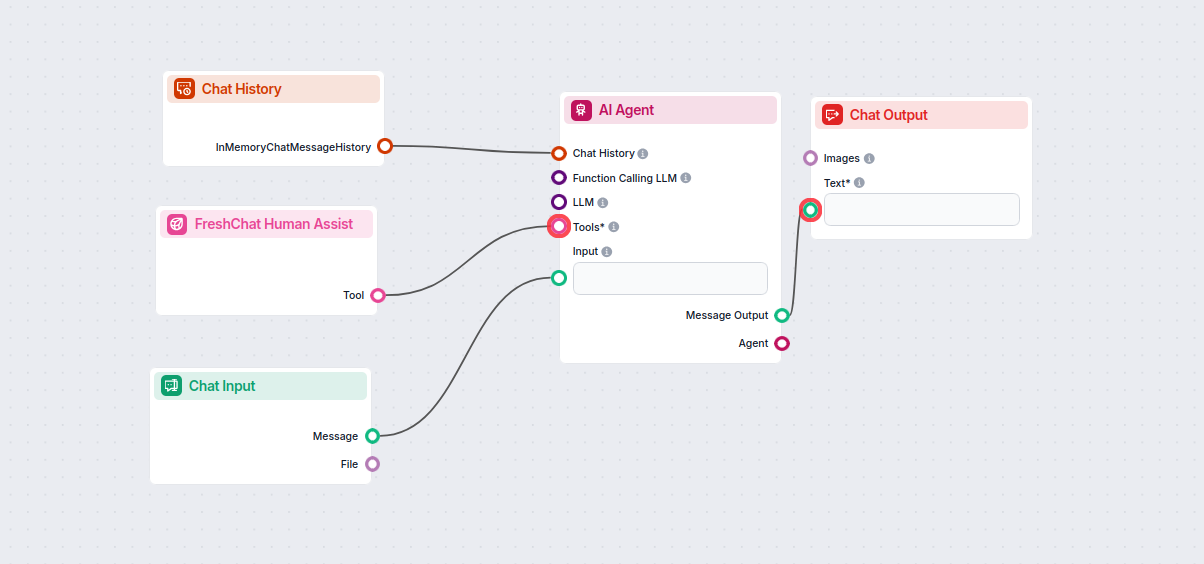
Take a shortcut and simply use our Chatbot template with FreshChat integration.
To integrate with Freshchat, you’ll need your Web Chat script URL. Here’s how to get it:
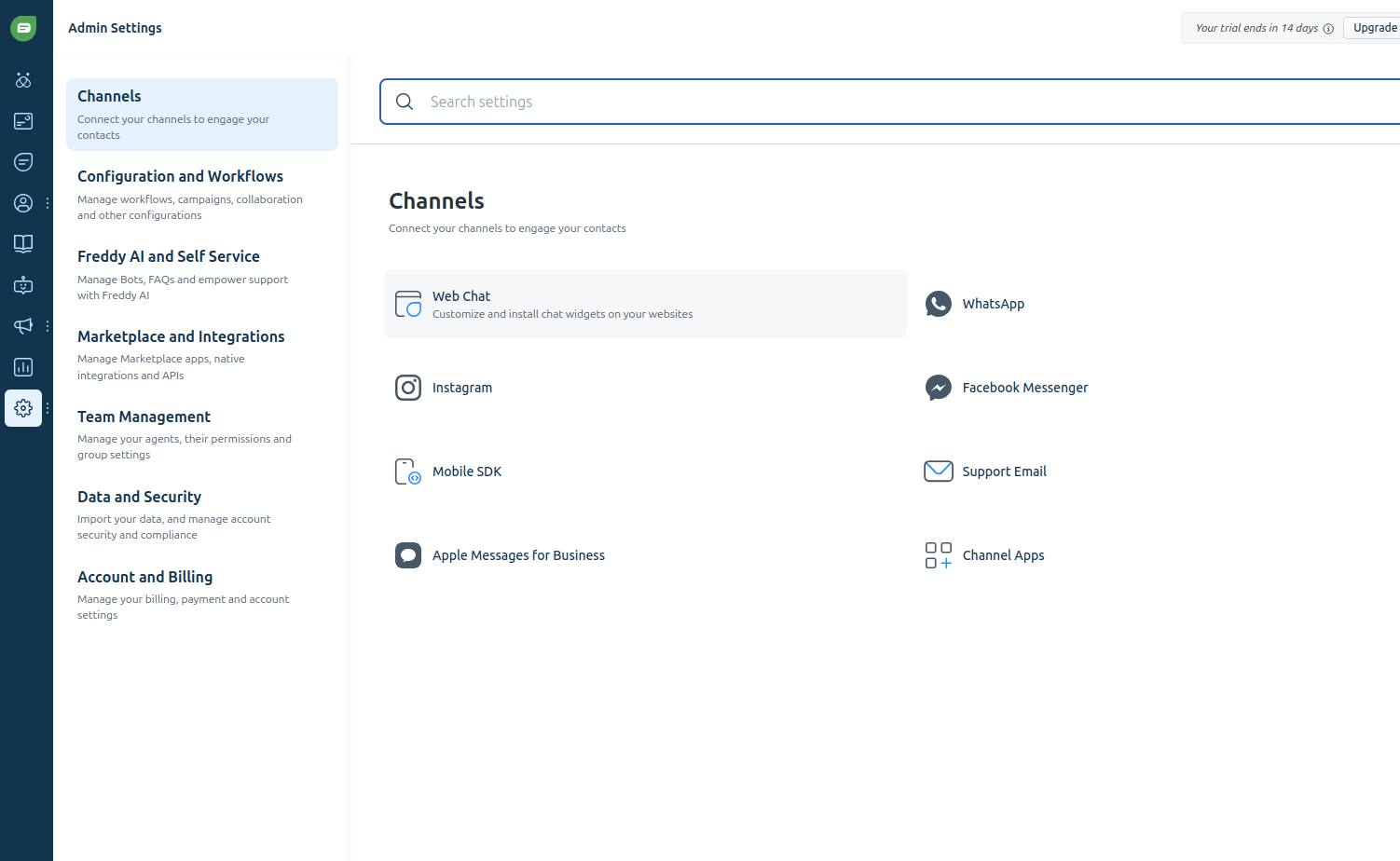
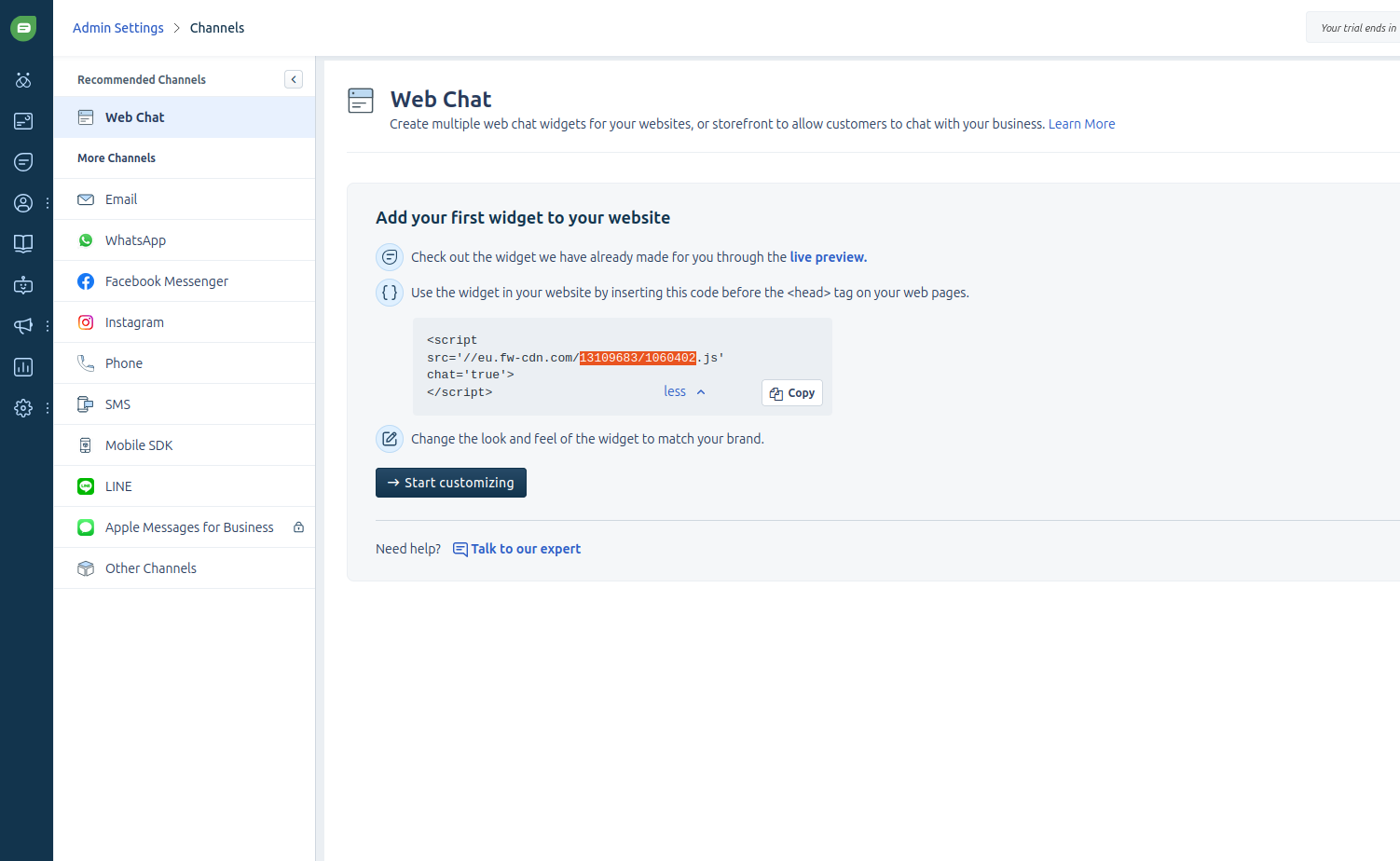
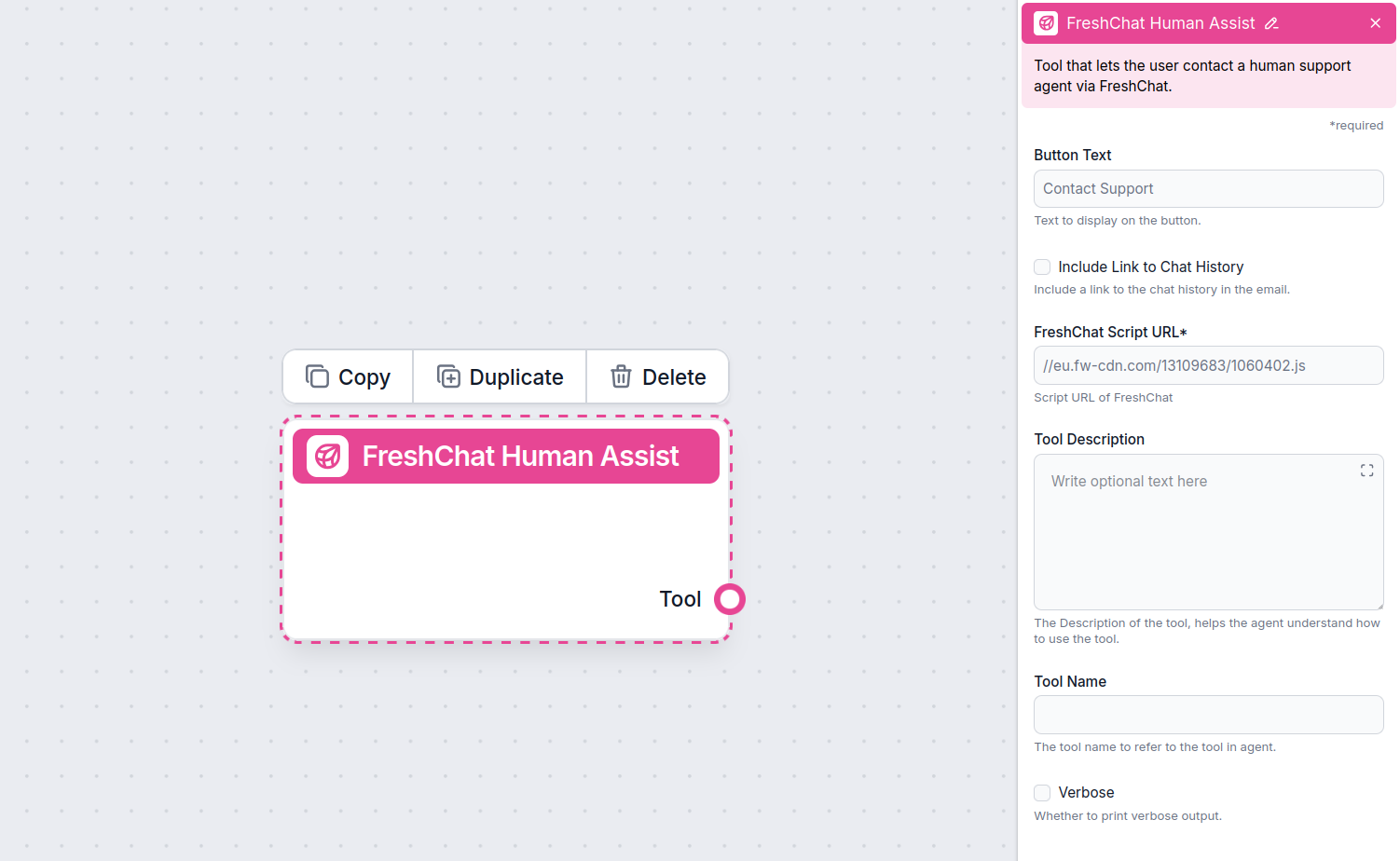
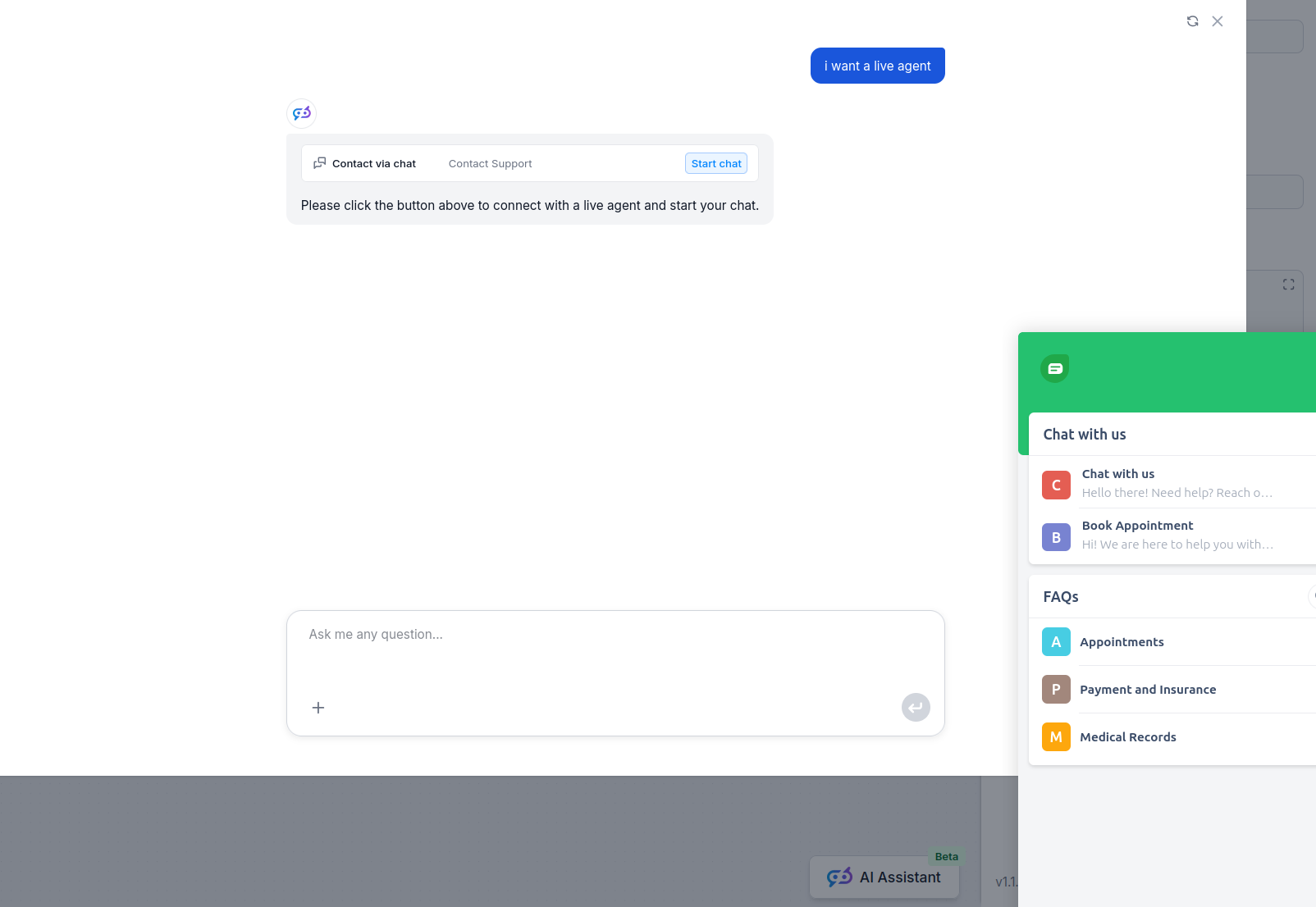
Once Freshchat is integrated into your Chatbot, the AI agent will offer human support whenever it can’t answer a question or detects that the user might prefer talking to a human. Of course, the Contact Support button can also be triggered by simply asking to be transferred.
The contact button says “Contact support” by default, but you can always change it in the Button Text setting of the component:
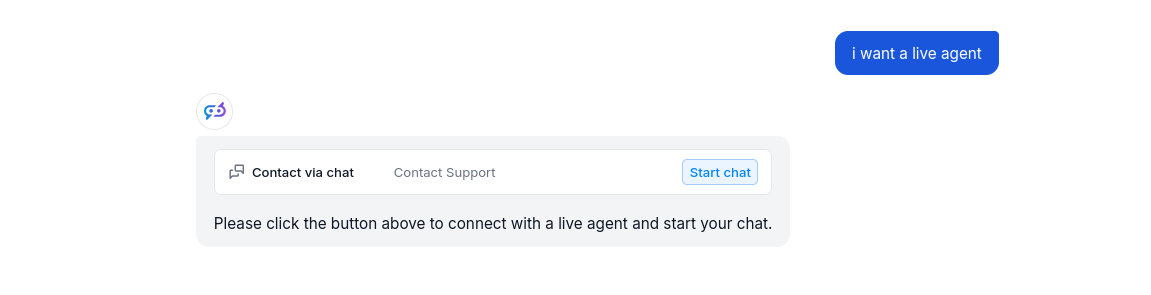
When the button is clicked, the FlowHunt bot immediately transforms into your Freshchat chat window. Go ahead and try it! The message will land in your Freshchat inbox immediately.
Pour vous aider à démarrer rapidement, nous avons préparé plusieurs exemples de modèles de flux qui démontrent comment utiliser efficacement le composant Intégration Freshchat. Ces modèles présentent différents cas d'utilisation et meilleures pratiques, facilitant votre compréhension et l'implémentation du composant dans vos propres projets.
Déployez un chatbot IA intelligent qui s’intègre parfaitement à FreshChat. Le chatbot répond aux questions des utilisateurs en utilisant votre base de connaissa...
Transformez votre support client avec des chatbots IA intelligents et un passage vers l’humain sans effort grâce à l’intégration Freshchat de FlowHunt.
Déployez un chatbot IA intelligent qui s’intègre parfaitement à FreshChat. Le chatbot répond aux questions des utilisateurs en utilisant votre base de connaissa...
Intégrez FlowHunt avec LiveChat pour activer l'escalade intelligente IA-vers-humain. Déployez des chatbots IA qui transfèrent automatiquement les conversations ...
Consentement aux Cookies
Nous utilisons des cookies pour améliorer votre expérience de navigation et analyser notre trafic. See our privacy policy.