


Chatbot AI con FreshChat e Supporto Base di Conoscenza
Implementa un chatbot AI intelligente che si integra perfettamente con FreshChat. Il chatbot risponde alle richieste degli utenti utilizzando la tua base di con...
4 min di lettura
Integra FlowHunt con Freshchat per passaggi senza interruzioni dall’AI all’assistenza umana. Escalation intelligente, configurazione semplice ed esperienza cliente migliorata.
Descrizione del componente
Lo strumento Freshchat Human Assist collega il chatbot AI di FlowHunt al tuo workspace Freshworks Freshchat, così la conversazione passa ai tuoi agenti Freshchat nel momento in cui l’AI decide che serve un umano. Se il tuo stack di supporto gira su Freshworks (Freshdesk + Freshchat) e non su LiveAgent o LiveChat.com, è l’integrazione adatta — basta l’URL dello script Web Chat di Freshchat.
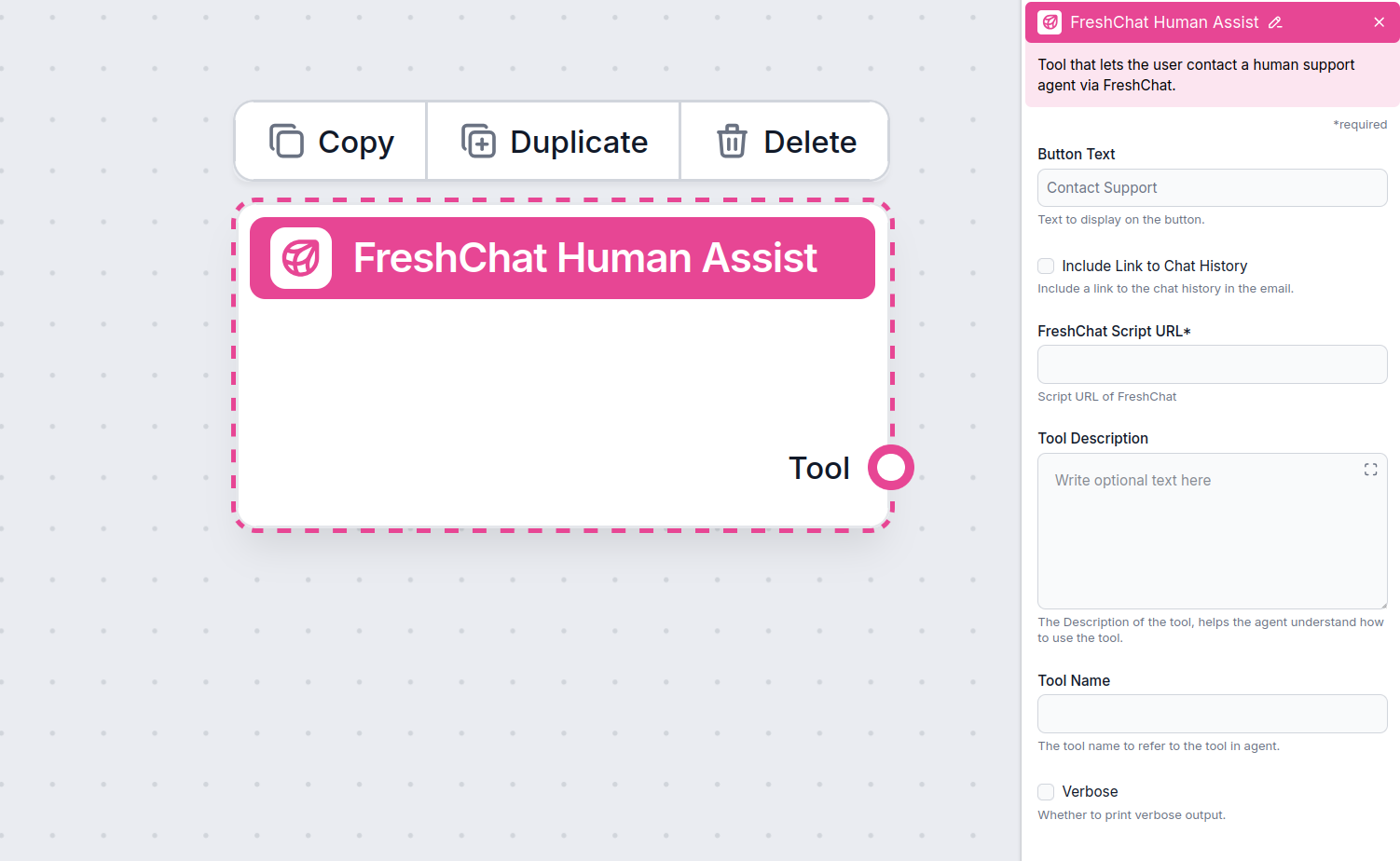
The Human Assist Tools allow you to integrate your Flows with the leading customer service solutions. Once integrated, an AI Agent decides when connecting to human support is the better option.
AI Agents are computer programs that can perform tasks or make decisions independently. The Agents observe their environment, process information, and take action. Their decisions are based on their unique programming, knowledge, and goals.
The Freshchat Human Assist Tool tells the AI agent to look out for whenever a user might prefer human assistance. If the user accepts to be transferred, the chatbot immediately transforms into your FreshChat chat window.
The Agent will offer human support whenever it can’t answer a question, detects a negative sentiment, or when a user specifically asks to be transferred. This will significantly reduce AI hallucinations and annoyed customers.
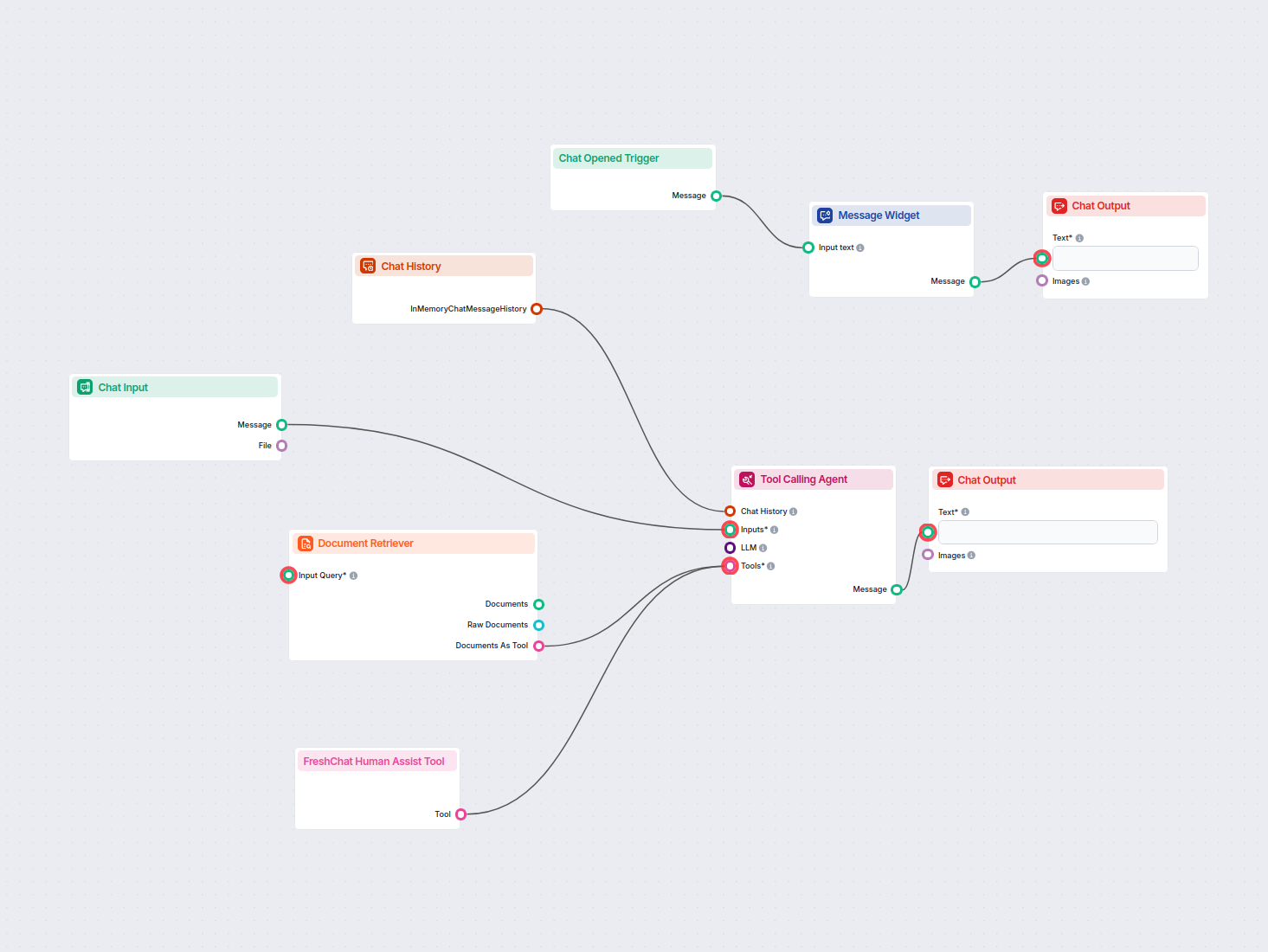
Thanks to the use of agents, the integration Flow is super simple and contains just a few components:
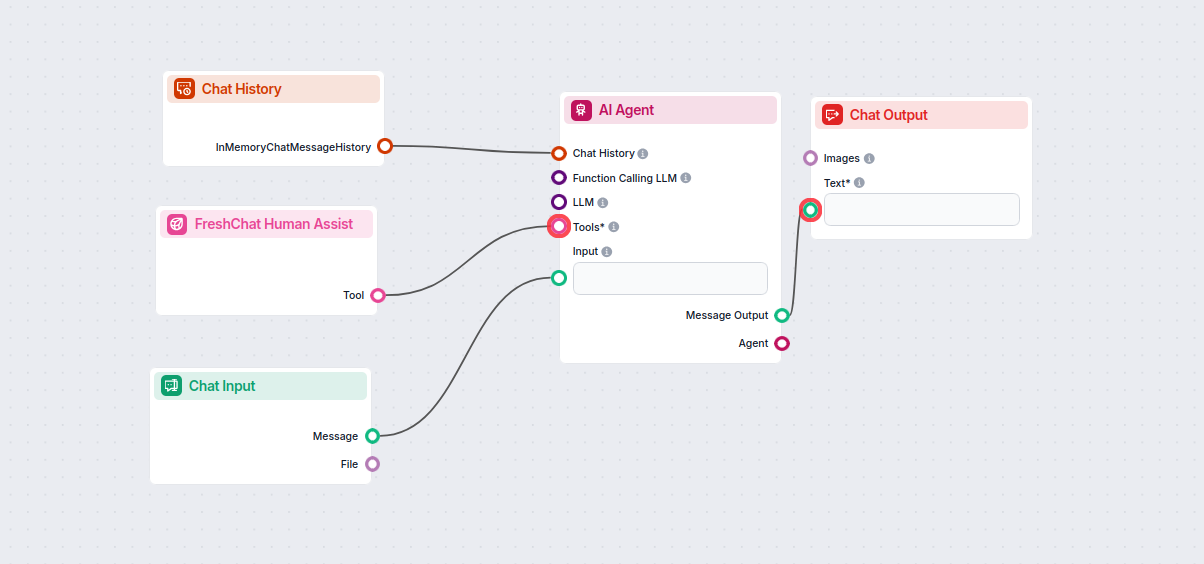
Take a shortcut and simply use our Chatbot template with FreshChat integration.
To integrate with Freshchat, you’ll need your Web Chat script URL. Here’s how to get it:
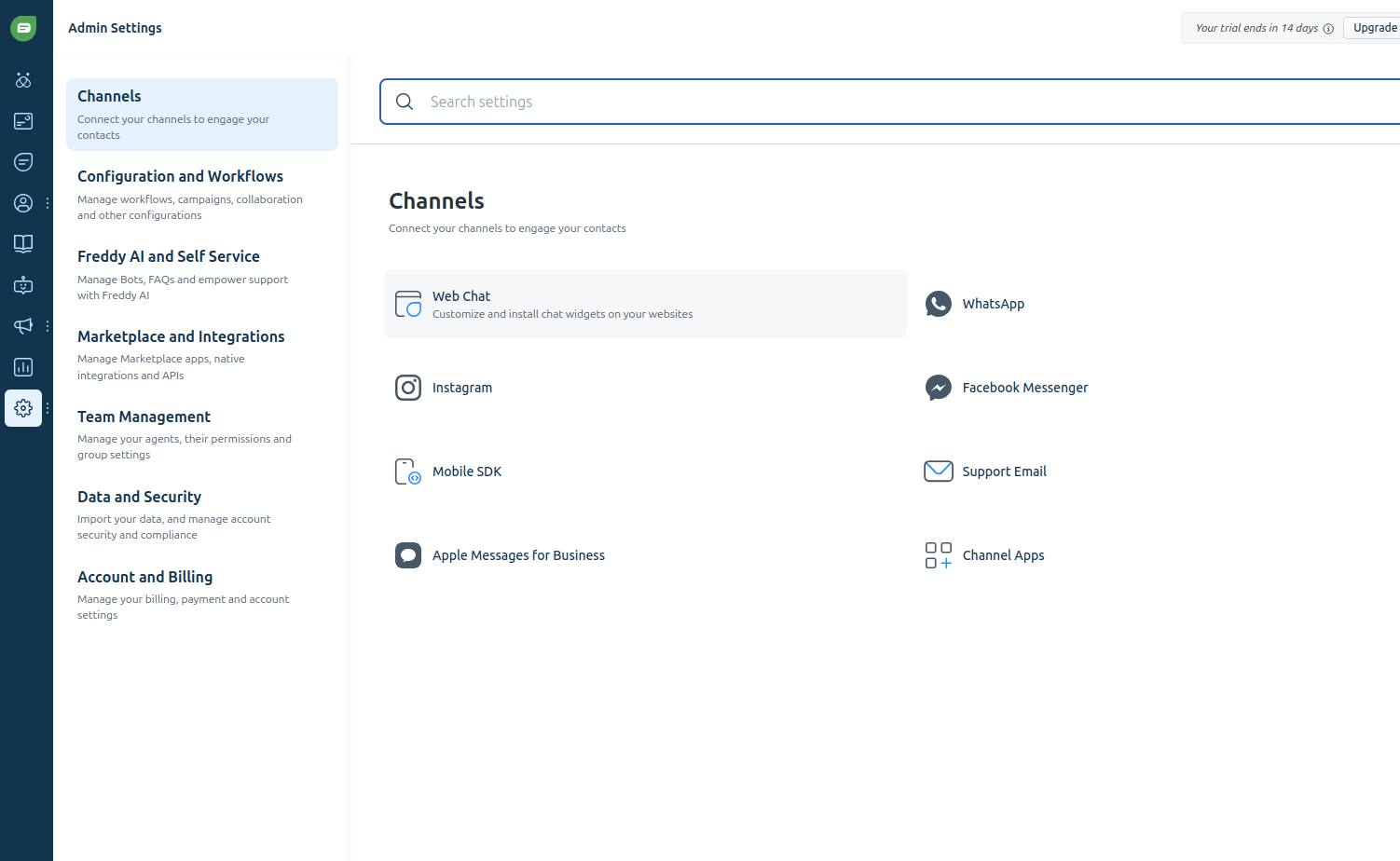
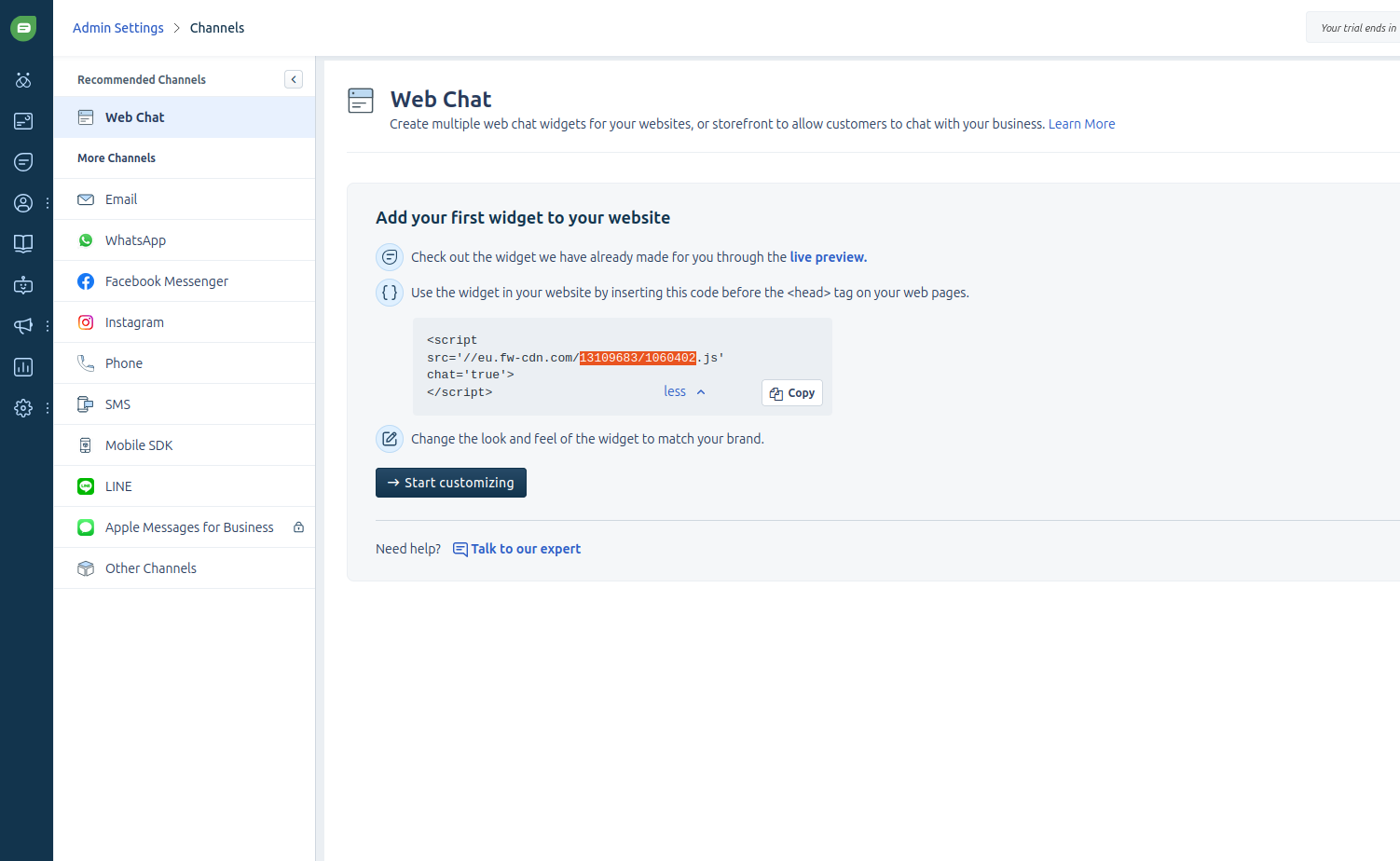
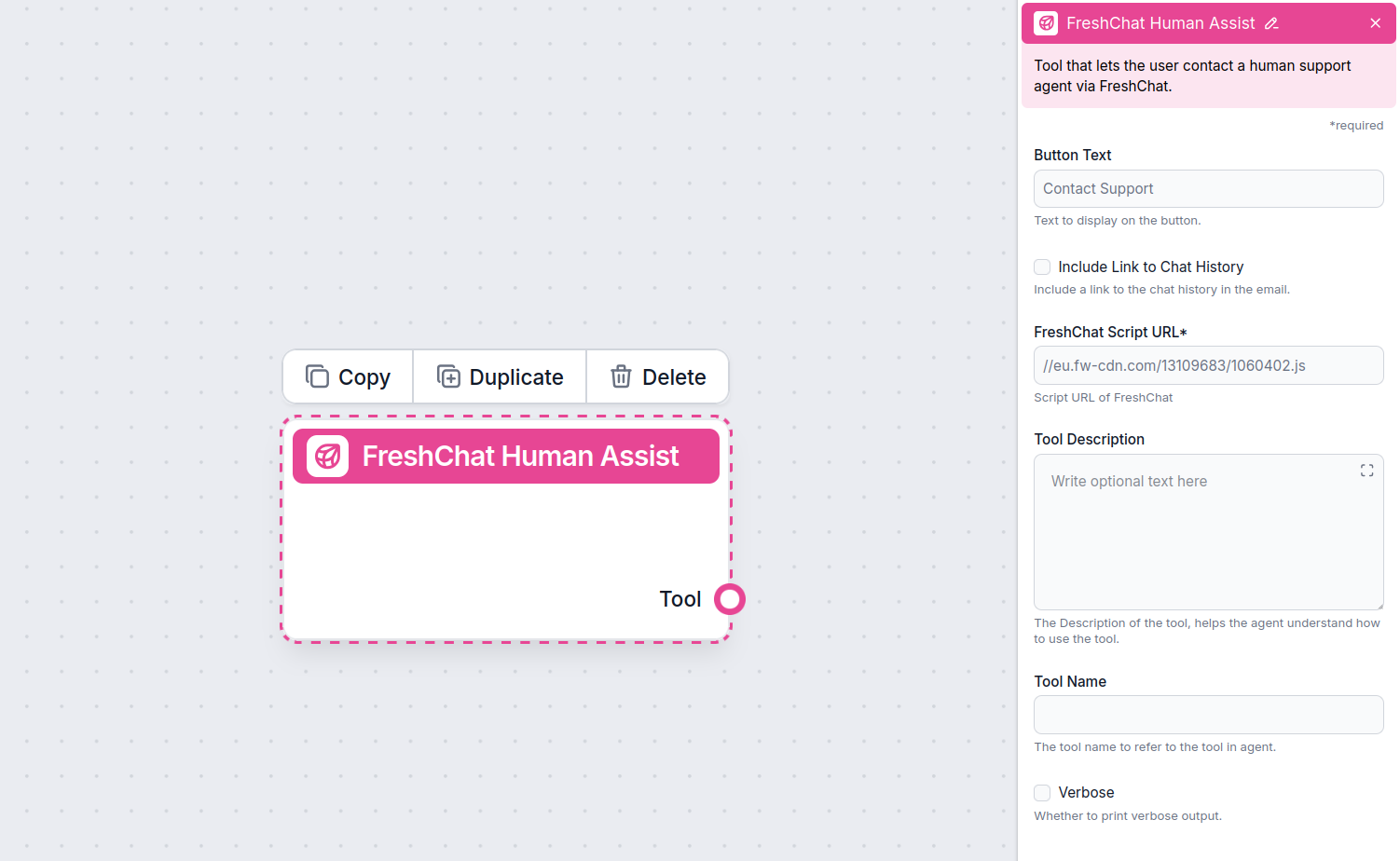
Once Freshchat is integrated into your Chatbot, the AI agent will offer human support whenever it can’t answer a question or detects that the user might prefer talking to a human. Of course, the Contact Support button can also be triggered by simply asking to be transferred.
The contact button says “Contact support” by default, but you can always change it in the Button Text setting of the component:
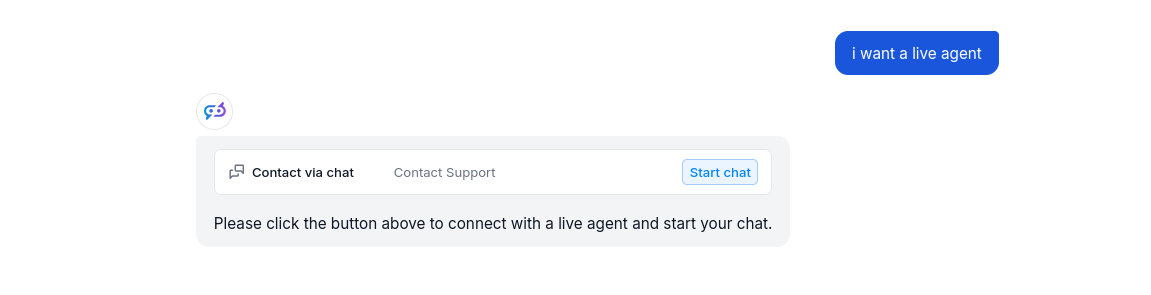
When the button is clicked, the FlowHunt bot immediately transforms into your Freshchat chat window. Go ahead and try it! The message will land in your Freshchat inbox immediately.
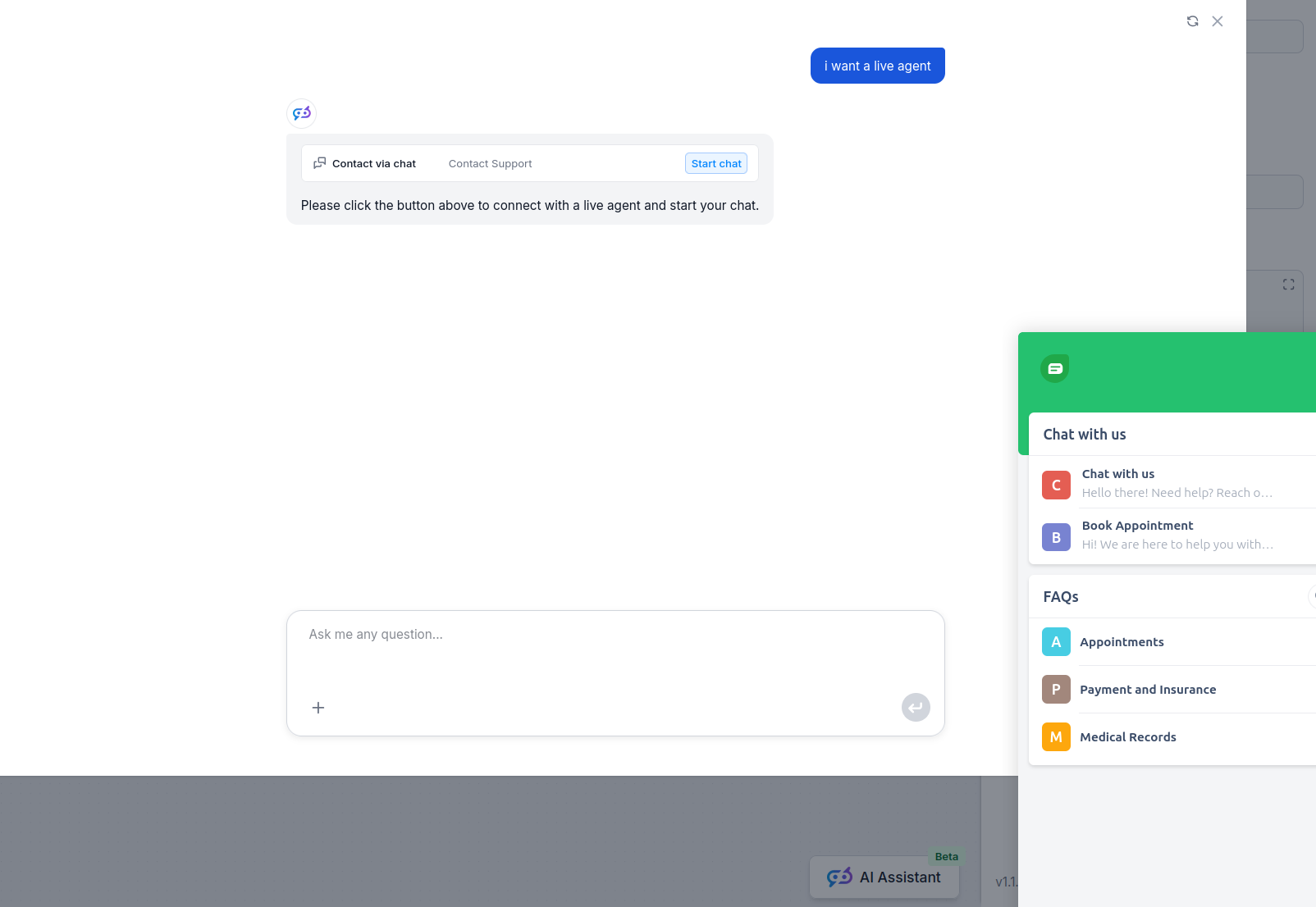
Per aiutarti a iniziare rapidamente, abbiamo preparato diversi modelli di flusso di esempio che mostrano come utilizzare efficacemente il componente Integrazione Freshchat. Questi modelli presentano diversi casi d'uso e best practice, rendendo più facile per te comprendere e implementare il componente nei tuoi progetti.
Implementa un chatbot AI intelligente che si integra perfettamente con FreshChat. Il chatbot risponde alle richieste degli utenti utilizzando la tua base di con...
Trasforma il tuo supporto clienti con chatbot AI intelligenti e passaggi all’umano senza sforzo usando l’integrazione Freshchat di FlowHunt.
Implementa un chatbot AI intelligente che si integra perfettamente con FreshChat. Il chatbot risponde alle richieste degli utenti utilizzando la tua base di con...
Integra FlowHunt con LiveChat per abilitare l'escalation intelligente da AI a umano. Distribuisci chatbot AI che trasferiscono automaticamente le conversazioni ...
Consenso Cookie
Usiamo i cookie per migliorare la tua esperienza di navigazione e analizzare il nostro traffico. See our privacy policy.